
Seleziona Valuta
Valute Fiat
Criptovalute
Nessun risultato per ""
Non abbiamo trovato nulla che corrisponda alla tua ricerca. Prova di nuovo con un termine diverso.
BigONE Alpha Operation Tutorial

BigONE Alpha is a new type of innovative on-chain digital asset trading zone established on the BigONE website, where Alpha tokens can be queried or traded.
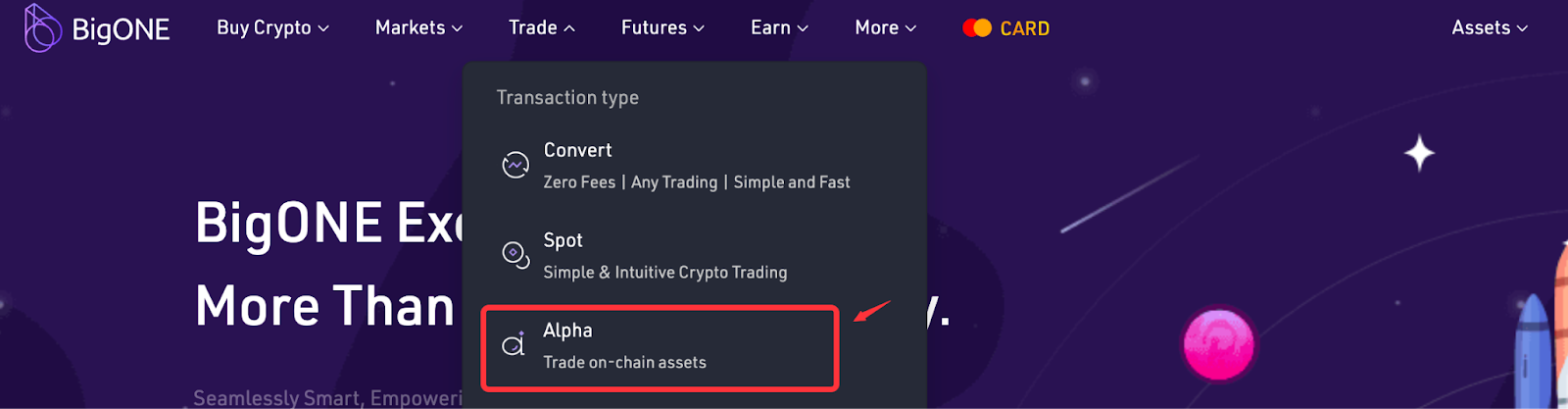
- Enter the Alpha zone from "Trade" - "Alpha."
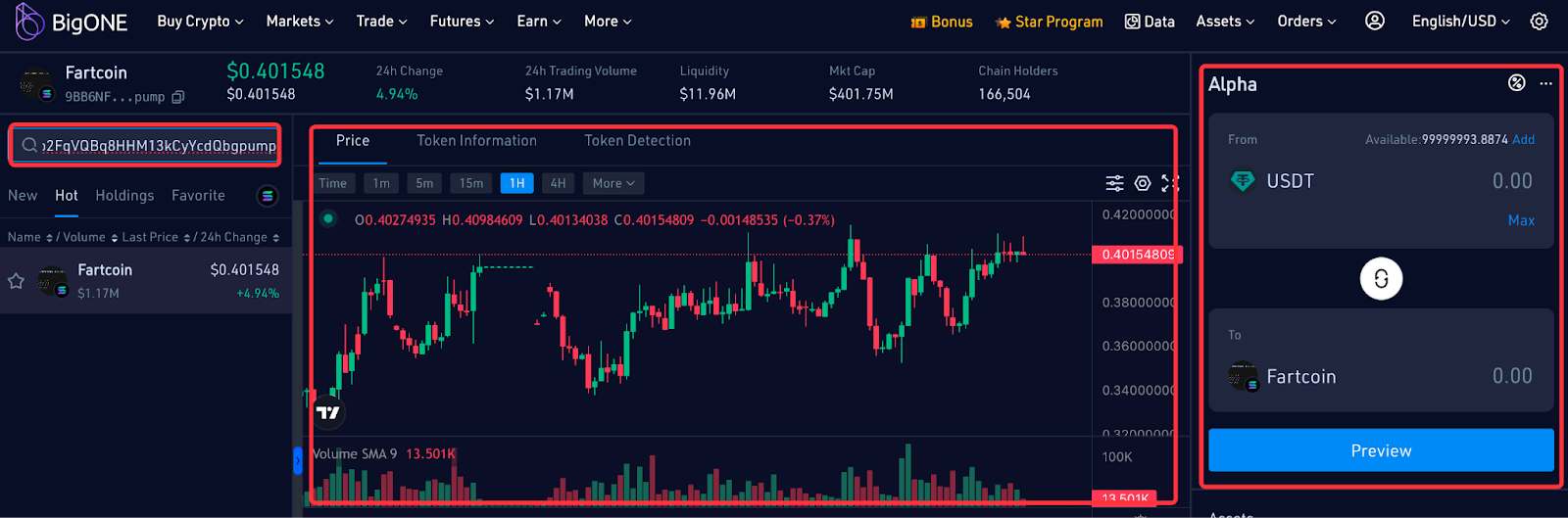
- You can search for Alpha tokens by entering the token name or token contract address in the search box. Each Alpha token has an exclusive detail page that displays a real-time price chart, token information/detection, and trading options.
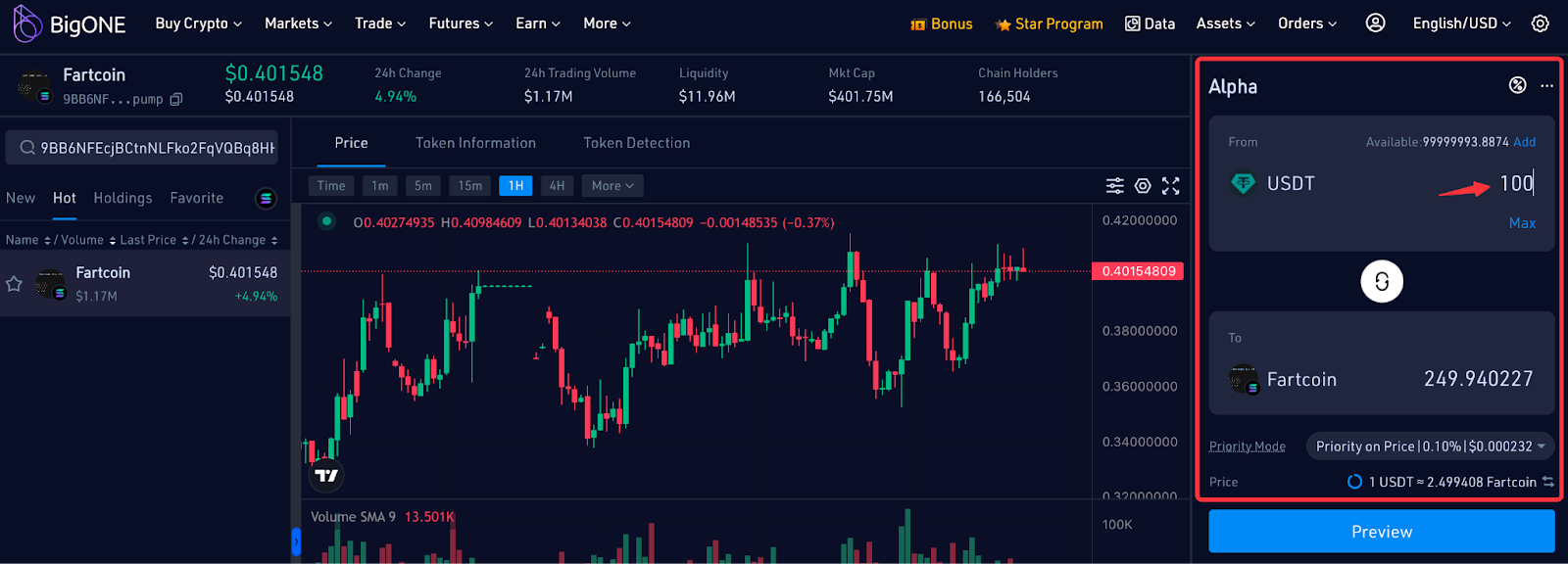
- Select the Alpha token you wish to trade, and enter the desired purchase amount in the trading area on the far right. The system will automatically calculate the number of tokens you can receive. Prices are updated every 10 seconds.
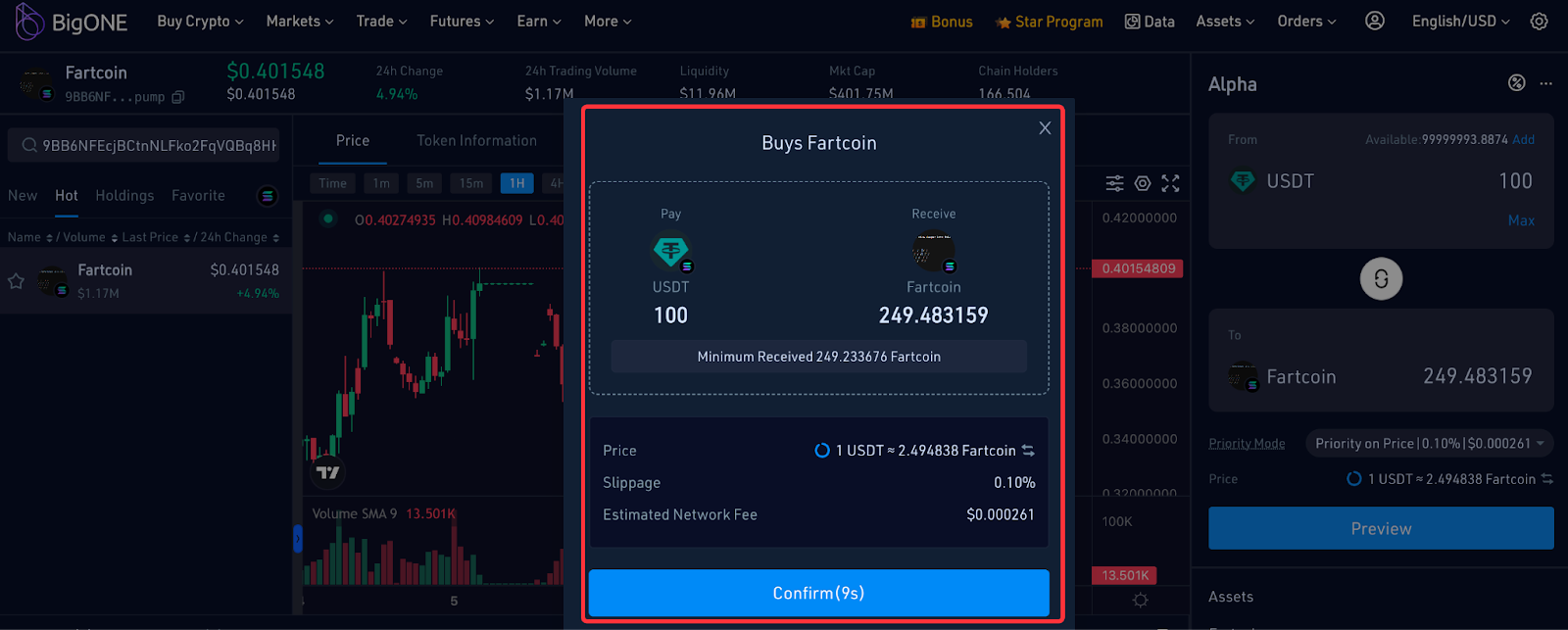
- Clicking "Preview" allows you to view the order information, including the acquisition amount, price, slippage, and estimated network fee. You have 10 seconds to confirm the order; orders that are not confirmed within this time will revert to a new quote. Most submitted orders are executed quickly, but some may fail due to price fluctuations.
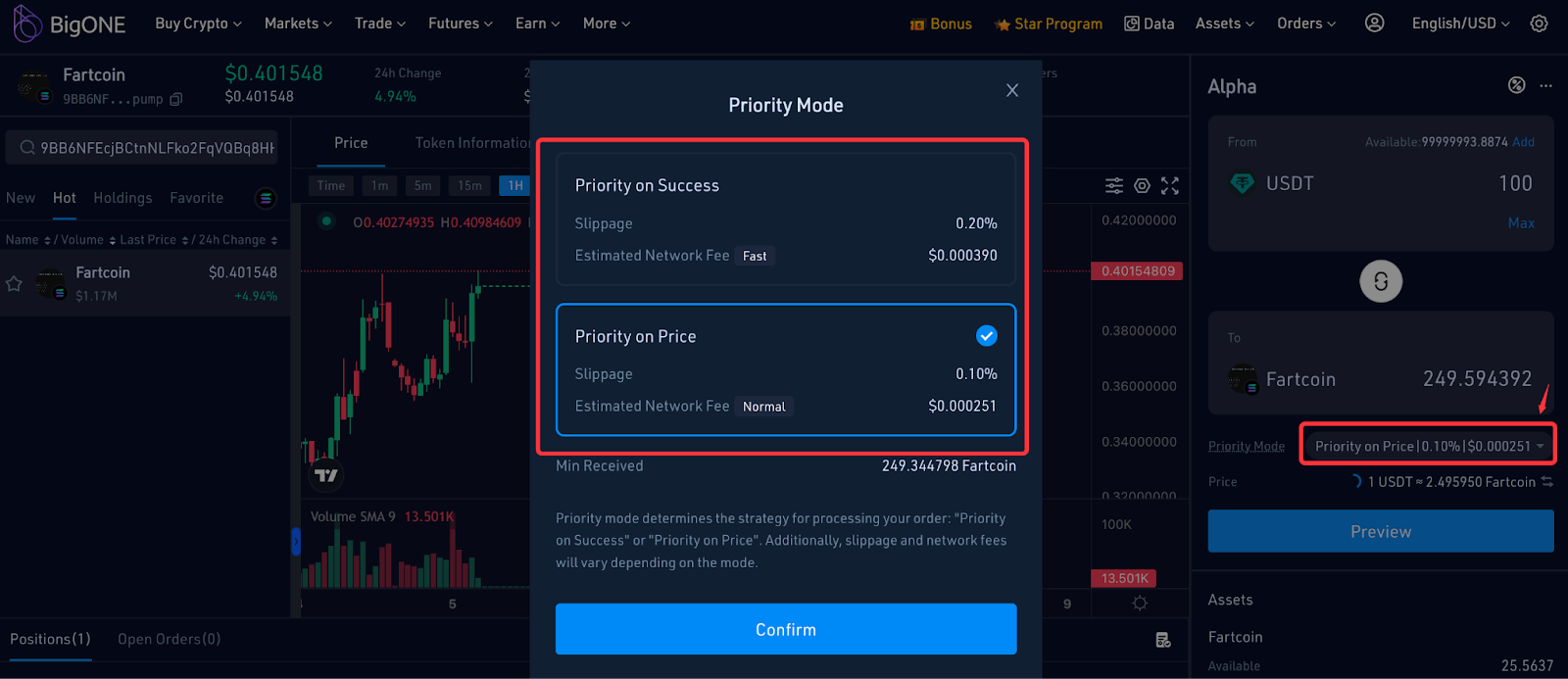
- When placing an order, you can switch the priority mode based on your needs. The priority mode determines the strategy for handling your order: "Priority on Success" or "Priority on Price." Additionally, slippage and network fees may vary depending on the chosen mode.
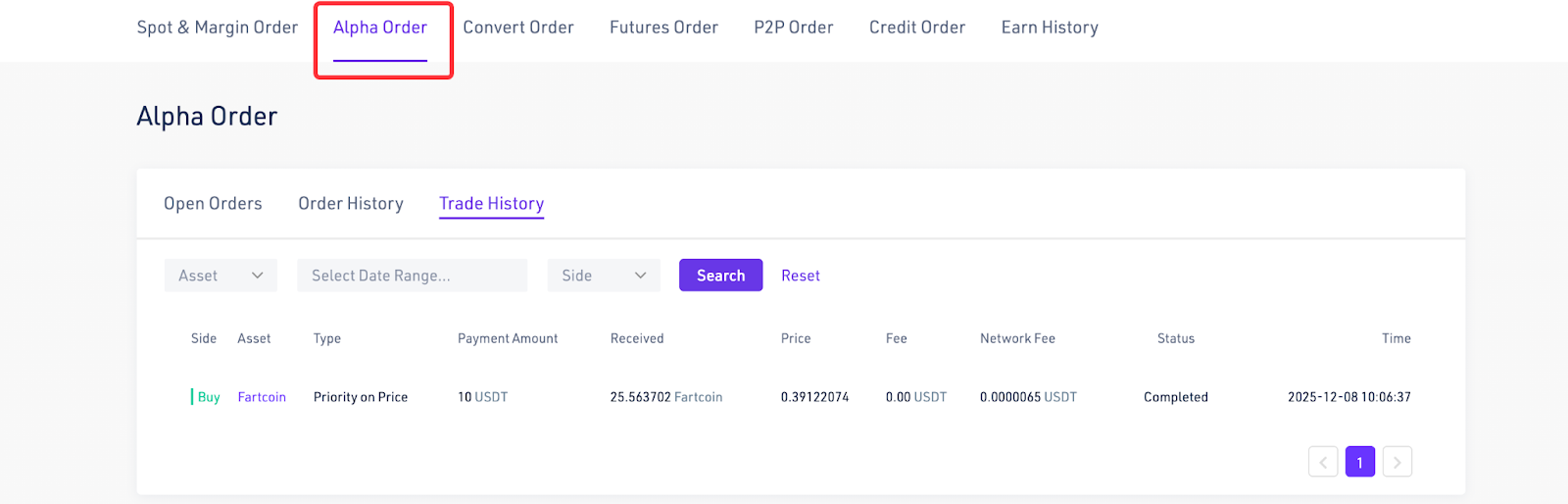
- You can check your token holdings and completed/pending orders in "Positions," "Open Orders," and "Alpha Orders" at the bottom of the page.

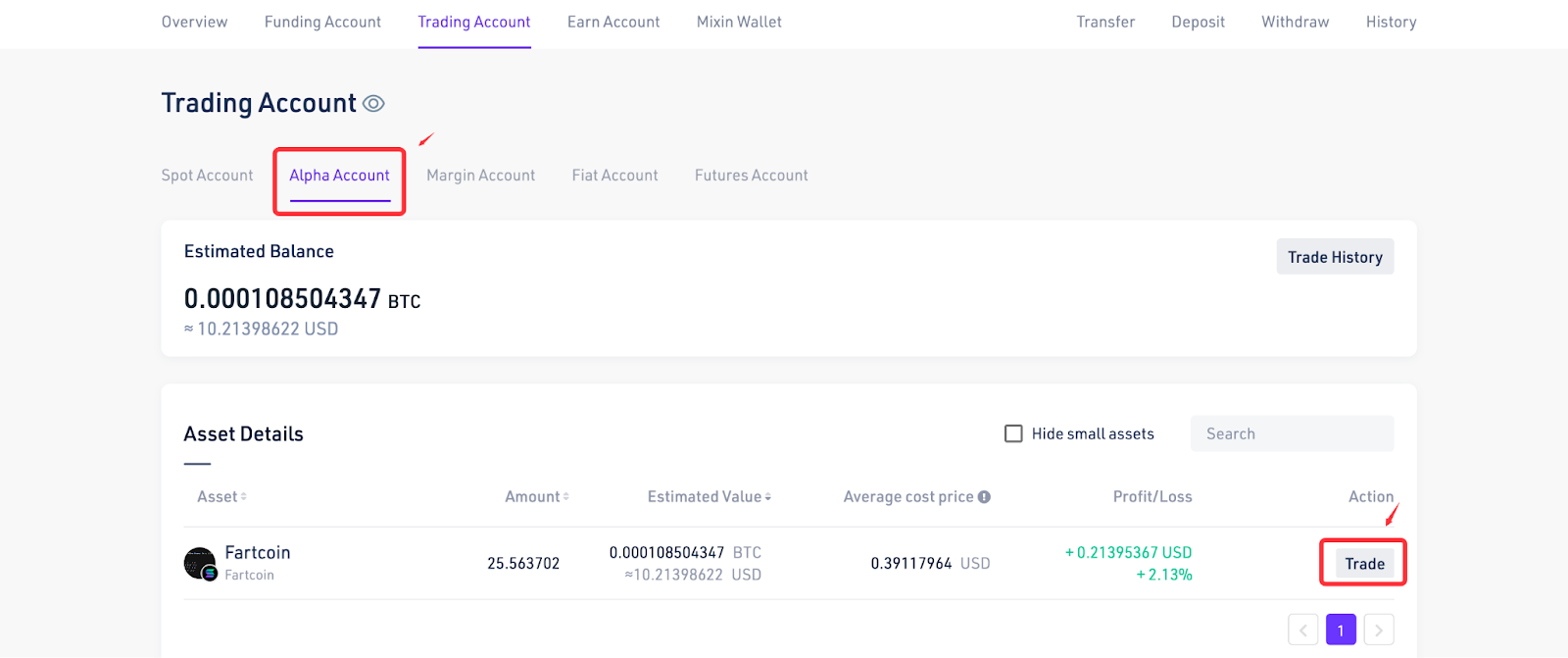
- The Alpha tokens you purchase automatically go into the "Alpha Account." Please note that assets in the Alpha Account can only be traded and cannot be transferred out or withdrawn.
That concludes the complete operation tutorial for BigONE Alpha.
Trovaci su:
X (Twitter) | Telegram | Reddit
Scarica subito l'app CoinCarp: https://www.coincarp.com/app/


