
Fiat para birimleri
Kripto Paralar
Sonuç bulunamadı: ""
Aradığınız terimle eşleşen bir sonuç bulamadık. Farklı bir terimle tekrar deneyin.
How to Use MetaMask: A Beginner's Guide
Install MetaMask
Visit the official website to install MetaMask, you can download the MetaMask for supported browsers, such as Chrome, Firefox, Brave and Edge.
Take Chrome for example:
Click on "Install MetaMask for Chrome"
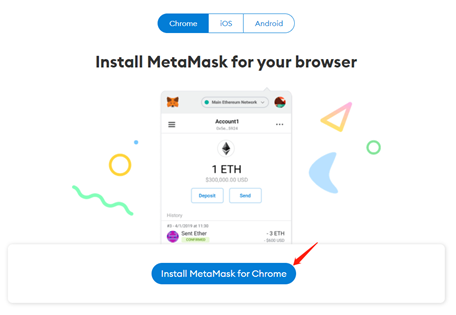
You will be directed to Chrome Web Store.
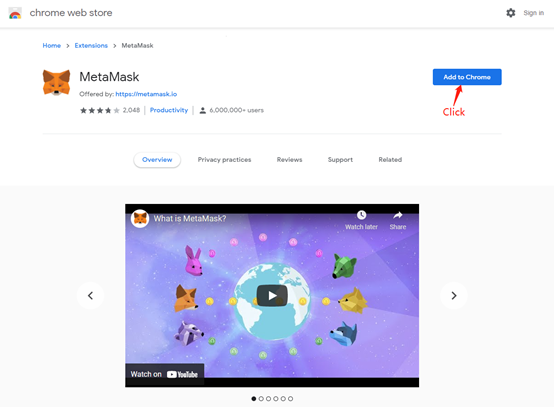

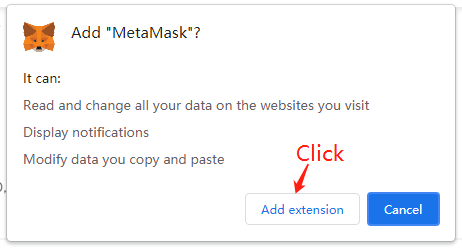
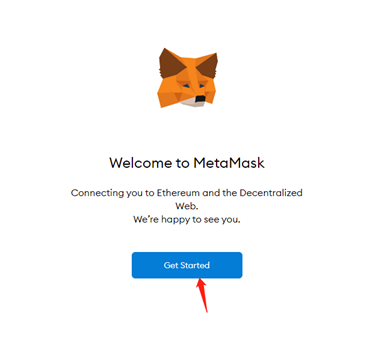
After adding the MetaMask extension, MetaMask will appear on your browser. Click on "Get Started" to open MetaMask.
Set up a New Wallet
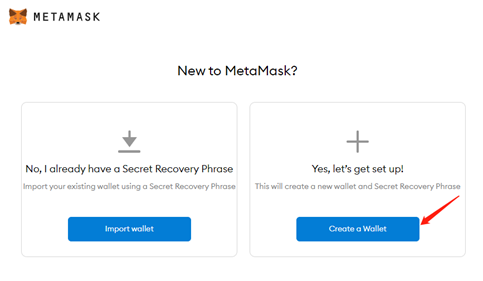
Click on "Create a Wallet" to make a new Ethereum wallet.
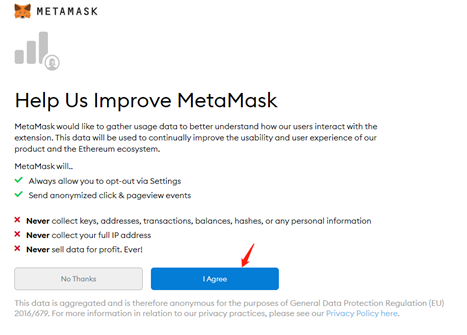
Agree or disagree with feedback sharing to continue.
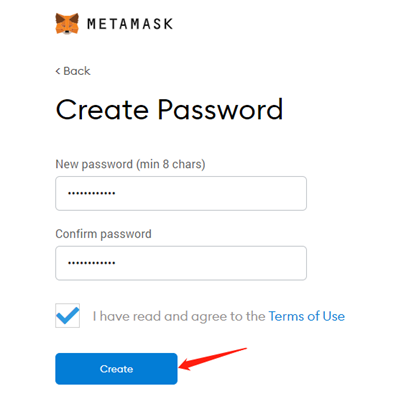
Create a password for your wallet.
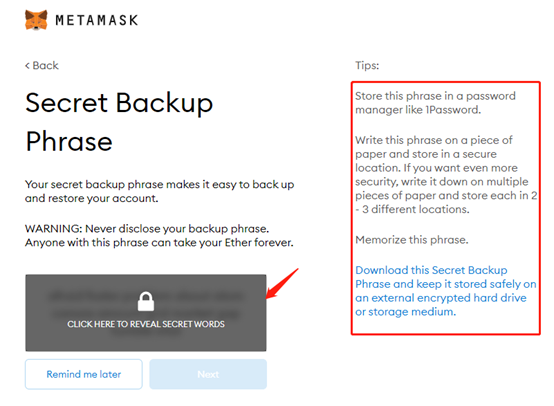
Click on "CLICK HERE TO REVEAL SECRET WORDS" to get your secret backup phrase, which makes it easy to back up and restore your account, and never tell anyone your backup phrase, otherwise they can take your Ether.
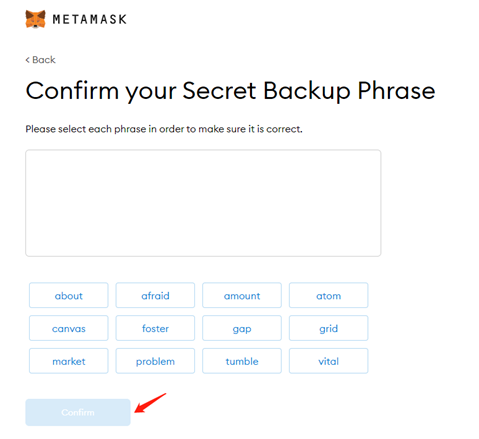
Confirm your Secret Backup Phrase one by one to make sure you have written them down correctly, and then click "Confirm".
Buy or Deposit Cryptocurrency
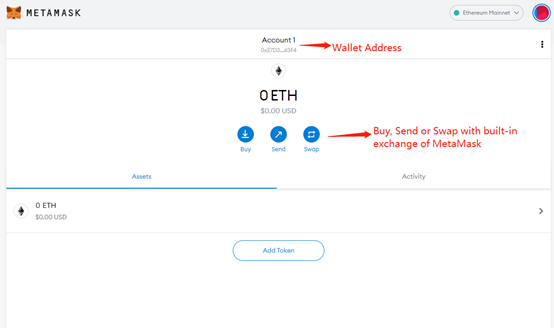
Click on wallet address to copy it, then send ETH to that address from an exchange.
Or, if you have no ETH, click on "Buy" to buy assets from MetaMask's built-in exchange.
Send Cryptocurrency
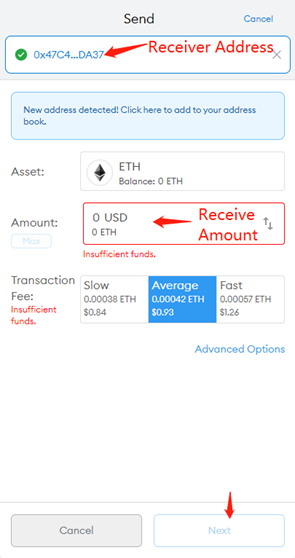
If you have the cryptocurrency, you can send your funds to others, merchants, or your own additional ETH wallets. Click on "Send", enter the receiver address, the amount of ETH and the transaction fees.
Then, click "Next".
Bizi bulun:
X (Twitter) | Telegram | Reddit
CoinCarp Uygulamasını Şimdi İndirin: https://www.coincarp.com/app/