
Monedas fiat
Criptomonedas
No hay resultados para ""
No pudimos encontrar nada que coincida con su búsqueda. Vuelva a intentarlo con un término diferente.
How to add MEXC emails to Outlook and Gmail whitelist?

I. Outlook Whitelist Settings
1. Login to Outlook
URL: https://outlook.office365.com
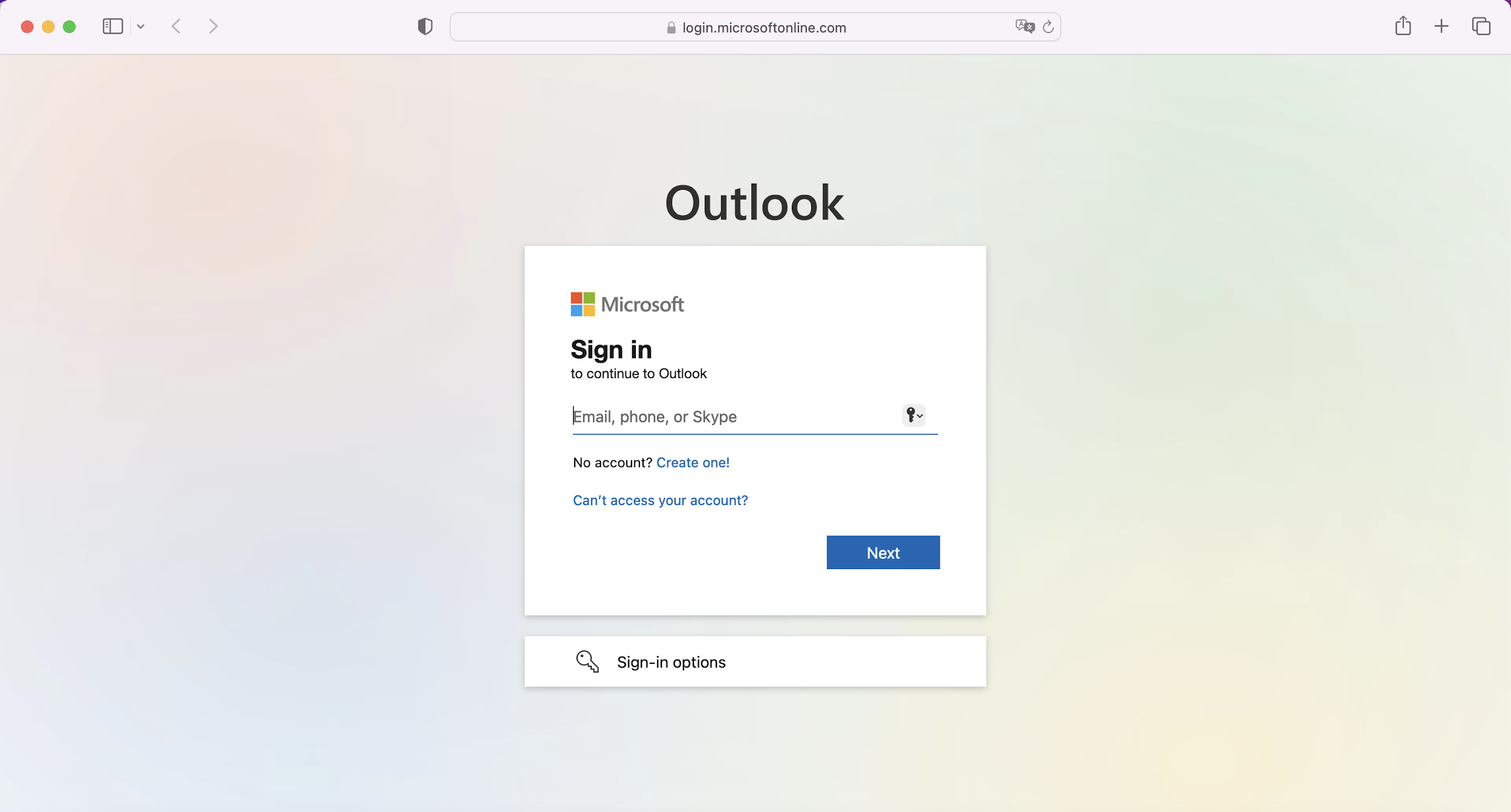
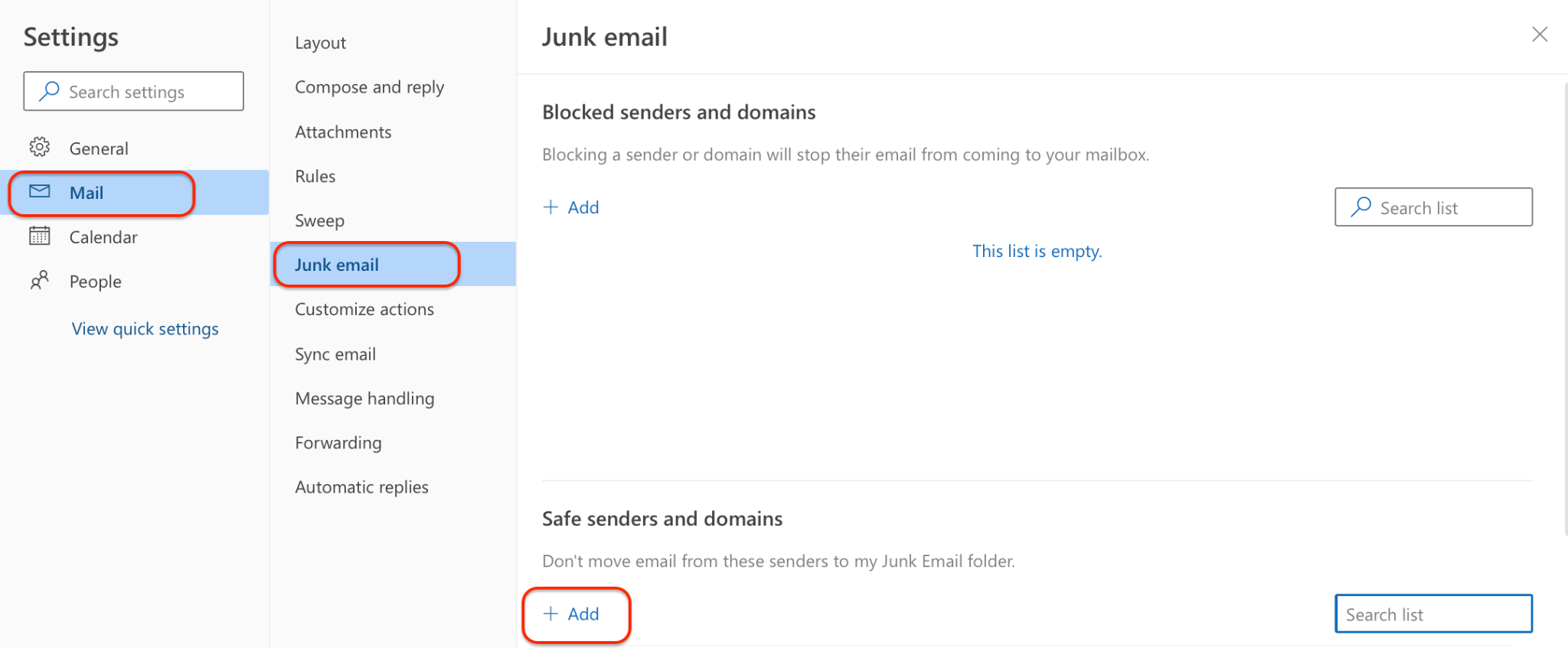
2. Add MEXC domains to the whitelist according to the following instructions:
Instructions: [Settings ➡️ View all Outlook settings ➡️ Mail ➡️ Junk email ➡️ Safe senders and domains]
MEXC Email Domains:
mexc.link
mexc.sg
mexc.com
mexc.zendesk.com
Note: Once the whitelist settings have been done, please wait for 10 minutes before trying again as it may take some time for the whitelist to take effect for certain email service providers.
II. Gmail Whitelist Settings
1. Login to Gmail
URL: https://accounts.google.com/
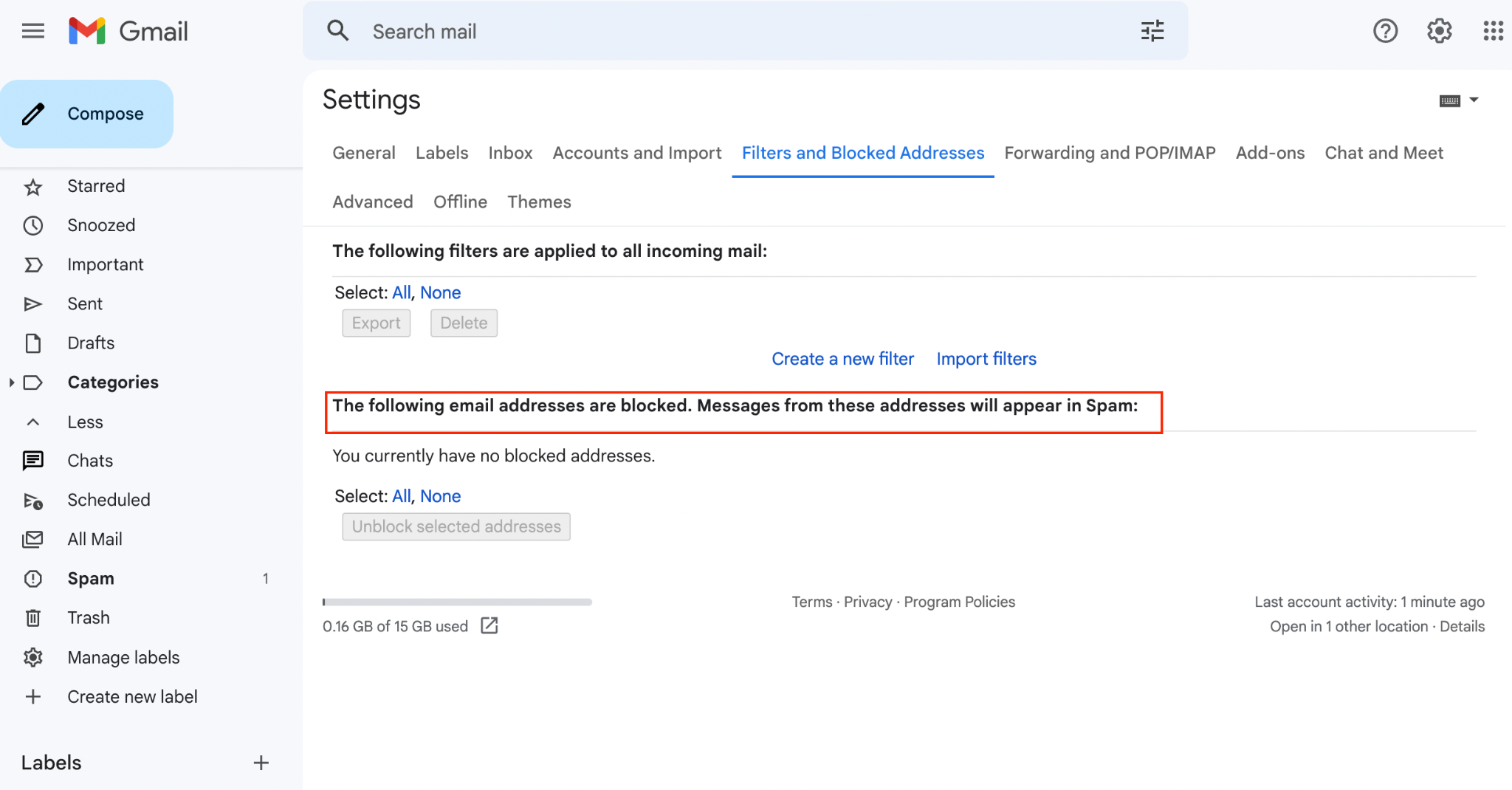
2. Check whether Gmail has blocked the email addresses according to the following instructions:
Instructions: Go to [Settings ➡️See all settings ➡️Filters and Blocked Addresses] to see if MEXC emails are blocked. If they are blocked, please remove the emails and domains from the list.
MEXC Email Domains:
mexc.link
mexc.sg
mexc.com
mexc.zendesk.com
Note: Once the whitelist settings have been done, please wait for 10 minutes before trying again as it may take some time for the whitelist to take effect for certain email service providers.
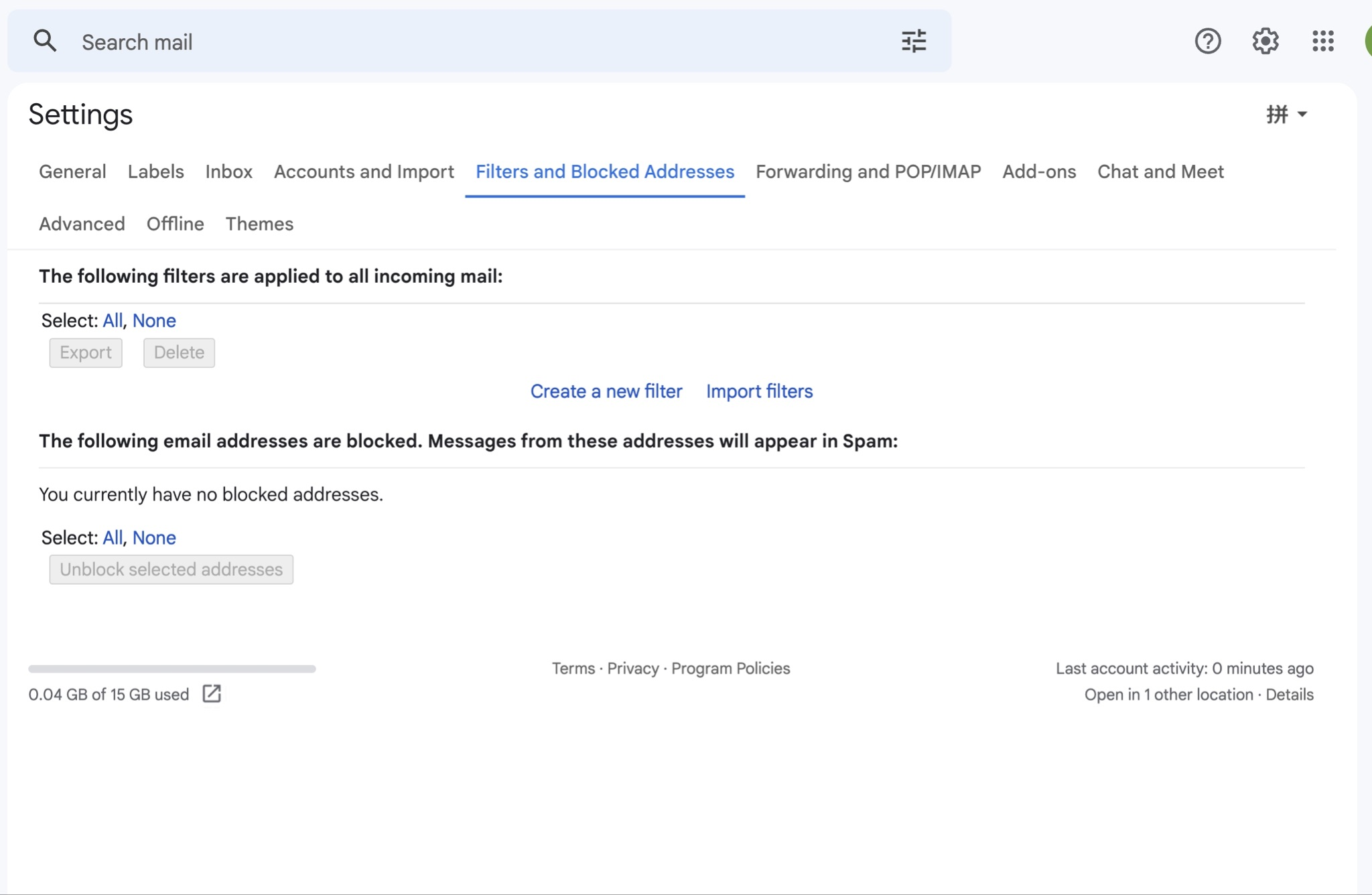
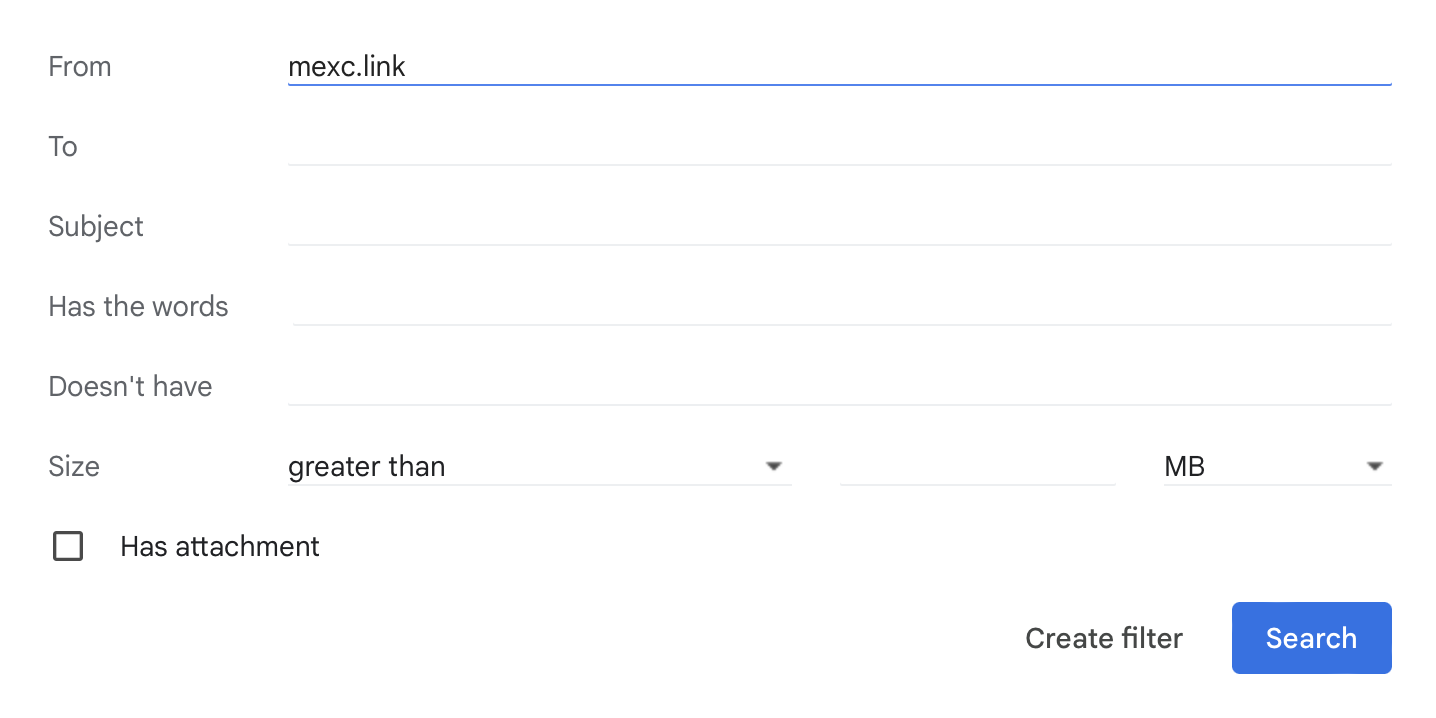
3. Go to [Filters and Blocked Addresses] and click [Create a new filter].
4. Fill in MEXC domain names one by one In the “From” section and click [Create Filter].
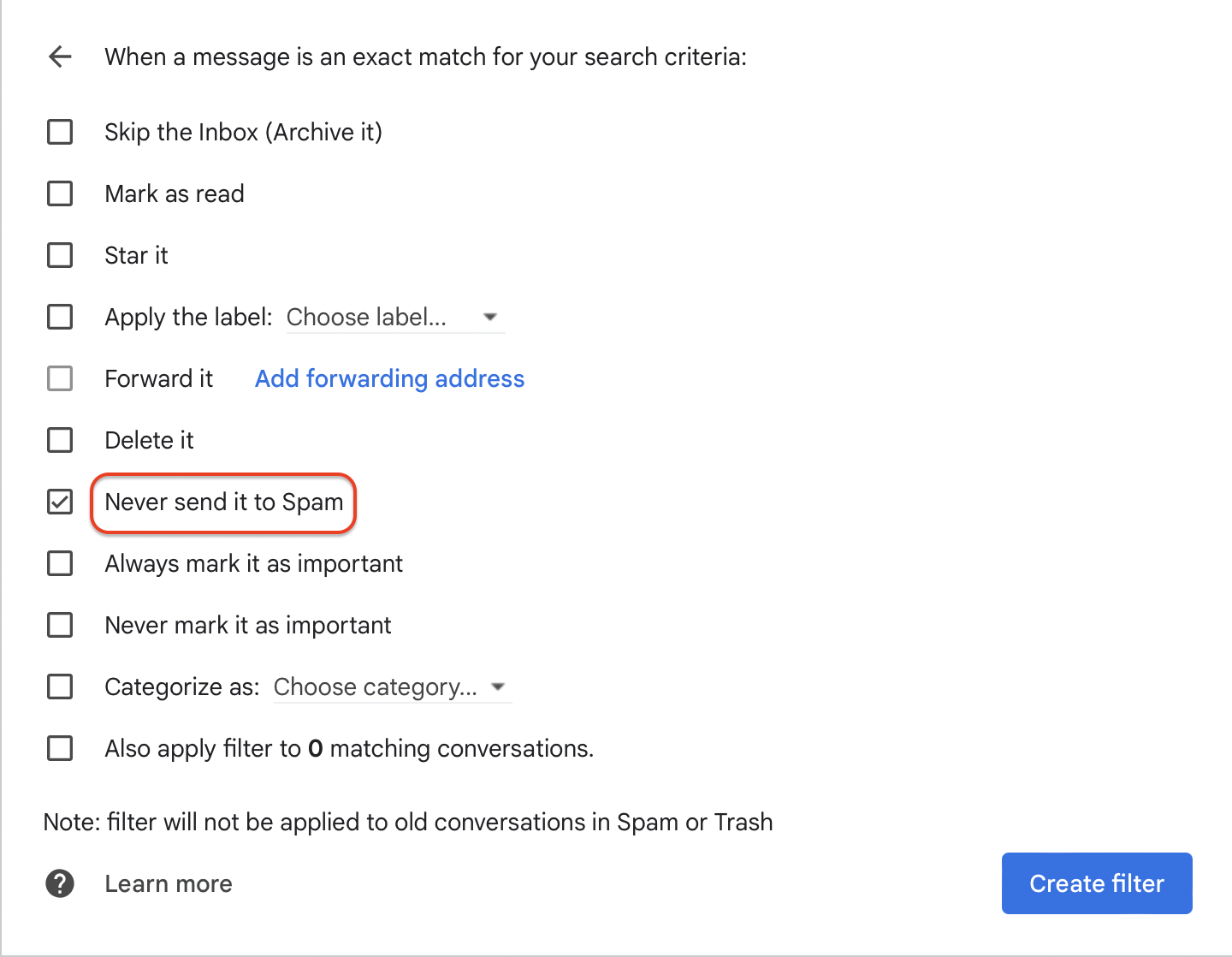
5. Tick the checkbox for "Never send it to spam" and click [Create filter].
Encuéntranos en:
X (Twitter) | Telegram | Reddit
Descargar CoinCarp App: https://www.coincarp.com/app/


