
Seleccionar divisa
Monedas fiat
Criptomonedas
No hay resultados para ""
No pudimos encontrar nada que coincida con su búsqueda. Vuelva a intentarlo con un término diferente.
How to manage your assets (Web)

OKX Wallet is a non-custodial and decentralized multi-chain wallet that provides one-stop asset management, secure storage, transfer, and other functions for global users. OKX Wallet helps users more securely and conveniently manage assets on multiple networks such as Bitcoin and Ethereum on many devices (iOS, Android, and web extension) by generating an on-chain identity with a seed phrase. Meanwhile, it supports multi-seed phrase import and derivation of addresses.
Currently, OKX Wallet supports 40 networks, including Bitcoin, Ethereum, OKC, Solana, BSC, Polygon, Avalanche, Tron, Arbitrum, etc. It can automatically recognize and connect to different networks without switching. OKX Wallet has multi-chain and cross-chain DEX, Yield farming, NFT marketplace, and DApp discovery. You can easily access over 1,000 DApp protocols and explore the Web3 world with only one wallet.
1. Install OKX Wallet Web Extension
Chrome web store download address: https://chrome.google.com/webstore/detail/okx-wallet/mcohilncbfahbmgdjkbpemcciiolgcge
Firefox browser add-ons download address: https://addons.mozilla.org/en-US/firefox/addon/okexwallet/
2. Add funds to your wallet
Method #1: Copy the wallet address and transfer assets to the address
Click the Copy address icon, select the wallet address of the network you'd like to initiate a transaction with, and transfer to this address.
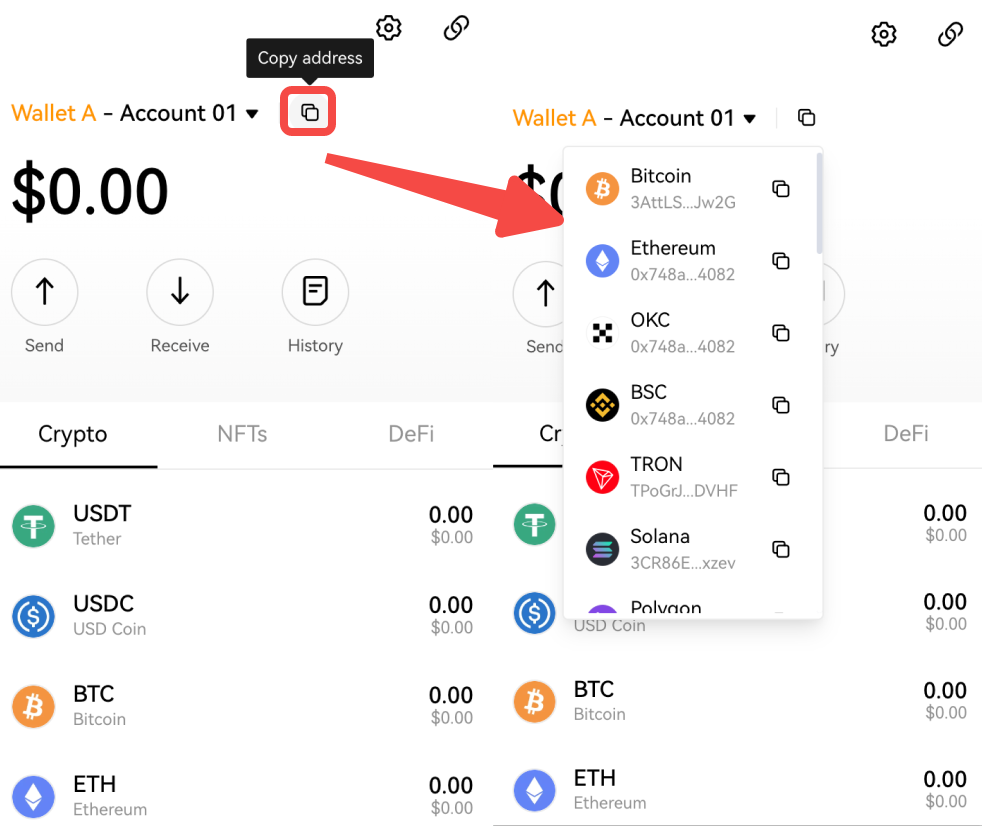
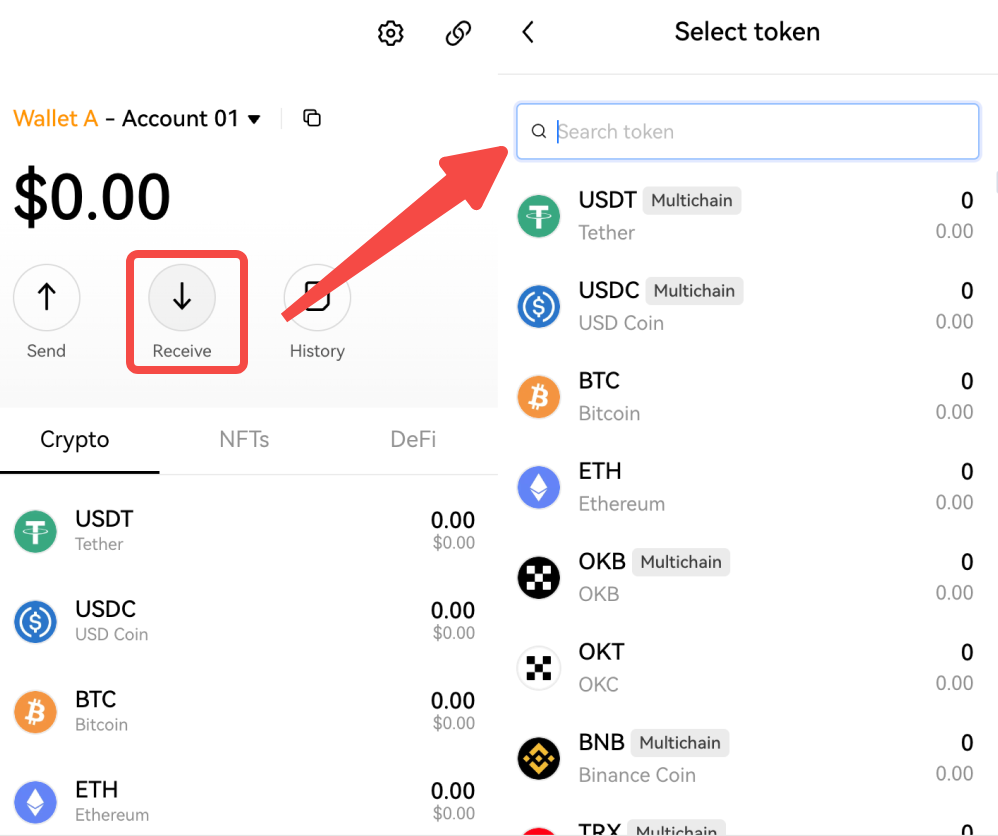
Method #2: Scan the QR code to transfer assets to the corresponding address
Click Receive, find the currency you'd like to trade, click to enter it, and use the exchange or wallet to scan and transfer.
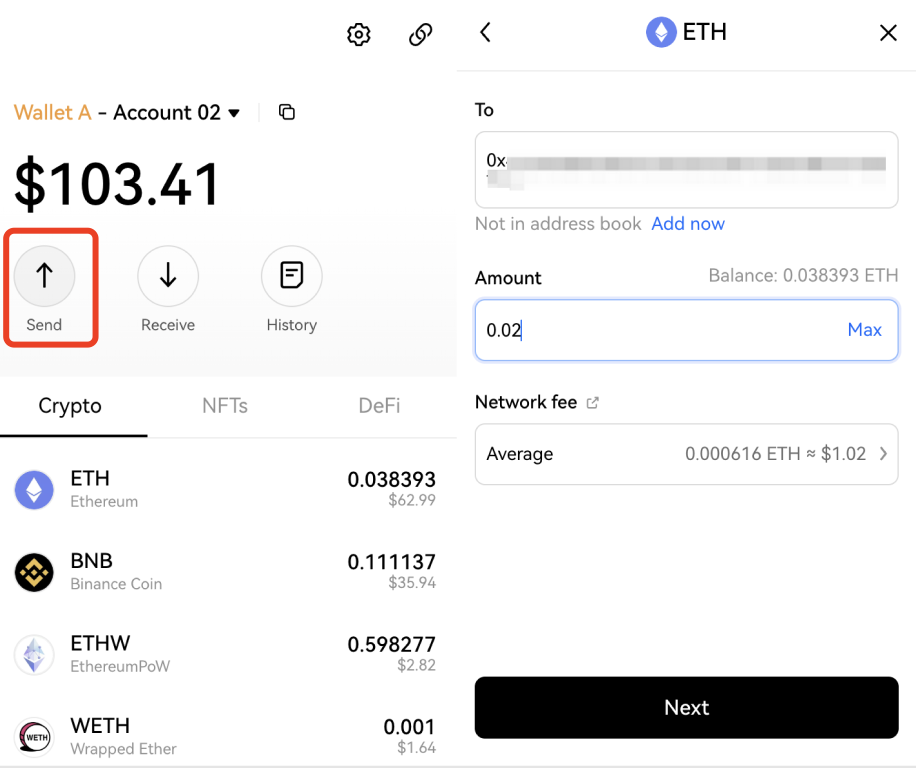
3. How to initiate a transfer?
Select the wallet and account to transfer, such as Wallet A - Account 01. Taking ETH as an example, click Send and enter the receiving address as well as the transaction amount. The default network fee is average. Click Next and confirm.
4. How to search, add, or remove crypto?
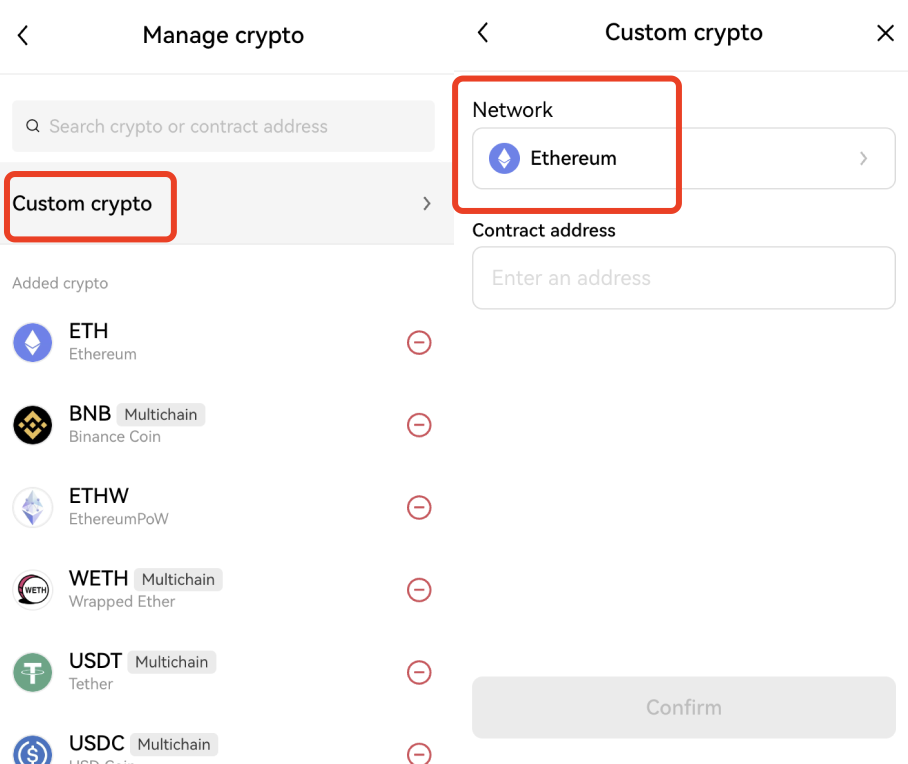
Click Manage crypto, enter the crypto name or contract address in the search box, such as MATIC, and click ➕ to add. For added crypto, you can click ➖ to remove them from the Manage crypto page.
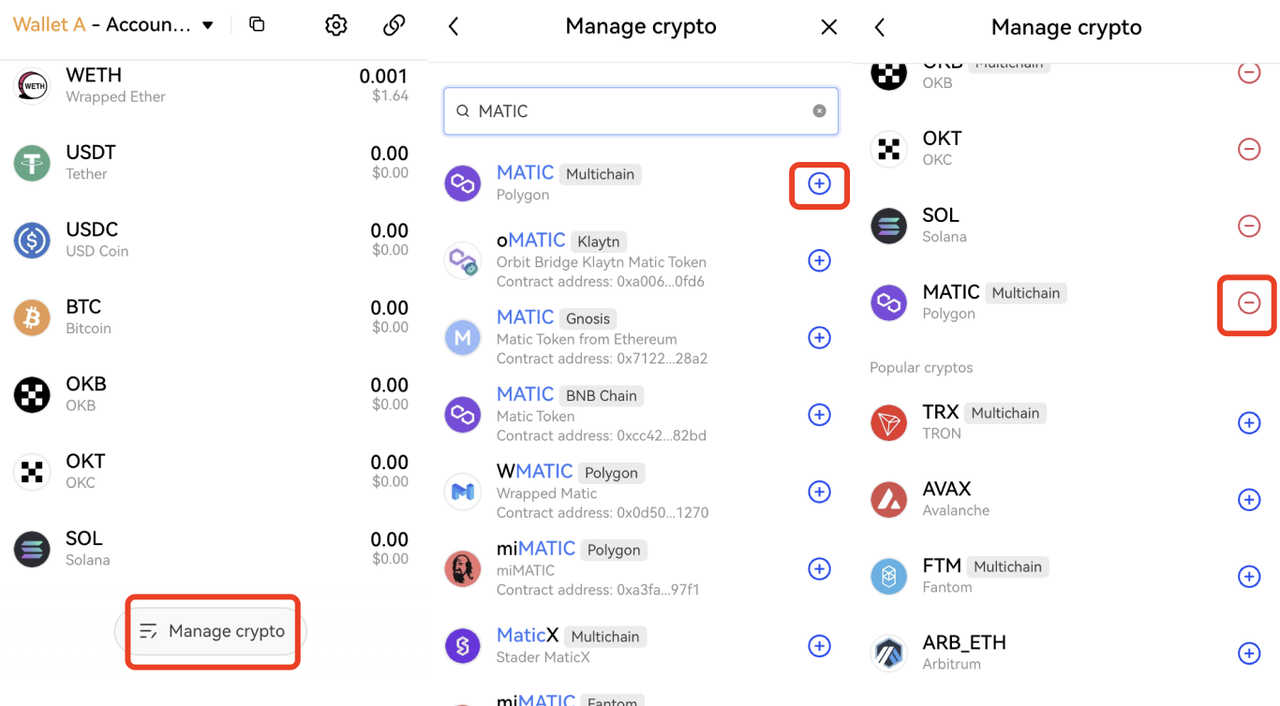
OKX Wallet supports adding Custom Crypto. Click Manage Crypto > Custom crypto, select a network, enter the contract address, and click Confirm to add.
5. What is a wallet dashboard?
OKX Wallet dashboard provides one-stop watch-only/management of multi-chain, multi-wallet, and multi-asset. It allows users to track the asset allocation, crypto held, NFTs, asset portfolios/liabilities/earnings of different DeFi protocols, approvals, transaction history, etc., on multiple networks in one interface.
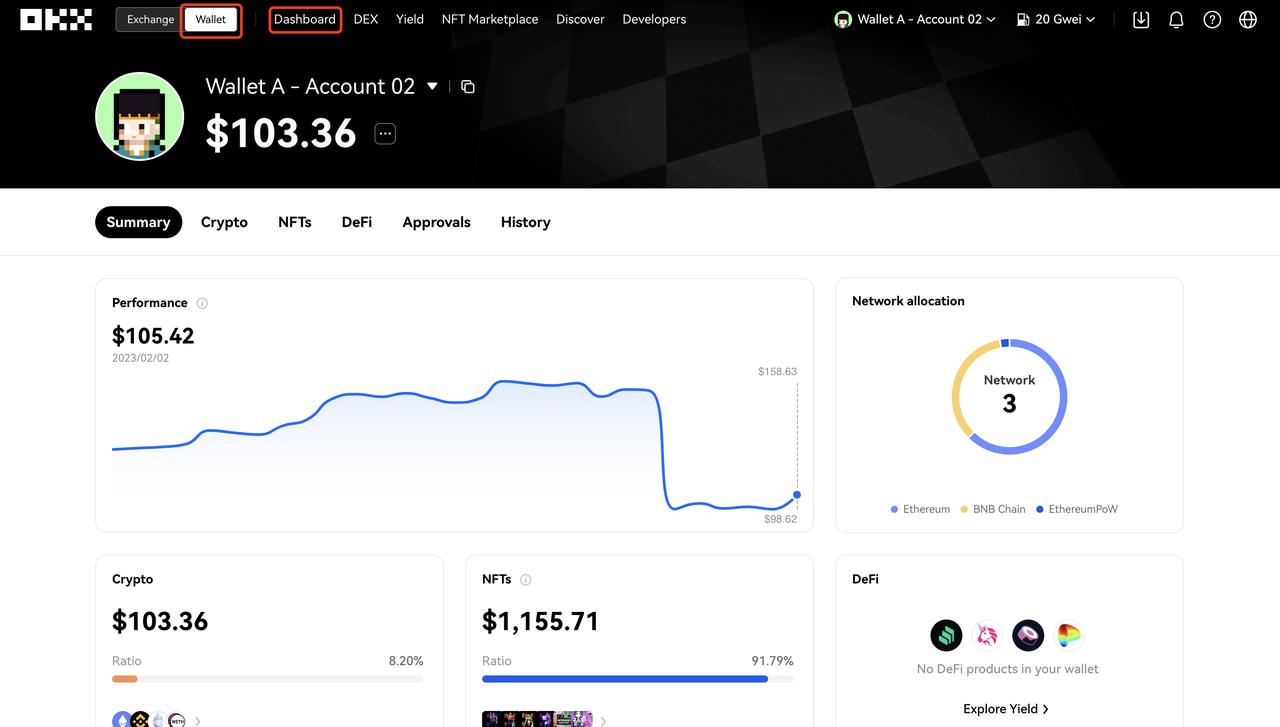
Dashboard not only supports using users' connected wallets (i.e., wallets where users owned the seed phrase or private keys) but also supports adding watch-only wallets. The former allows users to manage assets conveniently, and the latter helps users track the on-chain trends of some smart money.
In recent years, since most crypto projects got deployed on networks, many operations need to approve the DApp or platform to access the crypto wallet and grant permissions. However, most users don't have a technical background, and their ability to review the signed content and contract is limited. So, many users encounter the problem of assets being stolen due to carelessly approving or viewing the signed content.
OKX Wallet > Dashboard > Approvals interface provides the revoking function, which makes it easy for users to view approved protocols and cancel them.
OKB
$100.55
3.81%


