
Devise fiat
Crypto-monnaies
Aucun résultat pour ""
Nous n'avons rien trouvé qui corresponde à votre recherche. Réessayez avec d'autres mots-clés.
How to Deploy & Mint BRC-20 Token Using UniSat Wallet?
The world of cryptocurrencies is constantly evolving, and new features and technologies are being developed to help users get the most out of their digital assets. For example, .Sats Names lets users create unique names on the Bitcoin Blockchain. BRC-20 tokens enable users to make custom tokens on the Bitcoin network. And Bitcoin Inscriptions allow users to add messages to their Bitcoin transactions. The UniSat Wallet makes it easy for users to access and use these features and unleash the full potential of Bitcoin.
How To Deploy BRC-20 Token?
Step 1:
To search for BRC-20 tokens, go to UniSat Wallet and click on the Search BRC-20 tab.
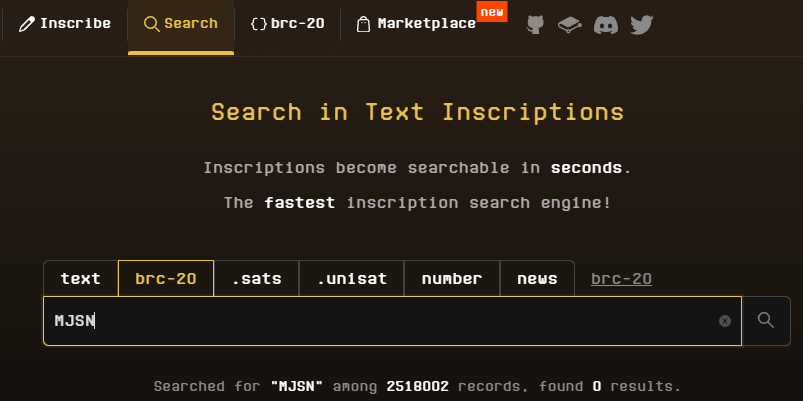
Step 2:
The Inscribe tab lets you order your BRC-20 token by entering the required information.
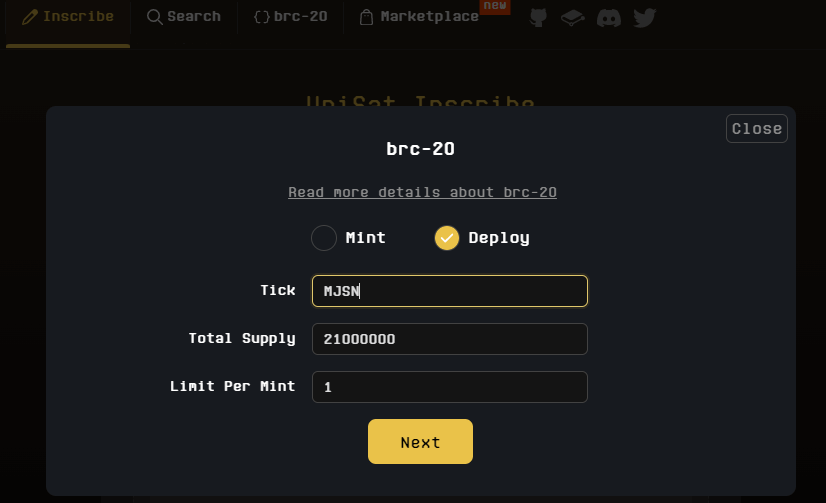
unisat.io -> Inscribe -> brc-20 -> Deploy -> Tick, Supply, Limit -> Next
Step 3:
You need to enter your Bitcoin address and select a Network Fee to get BRC-20.
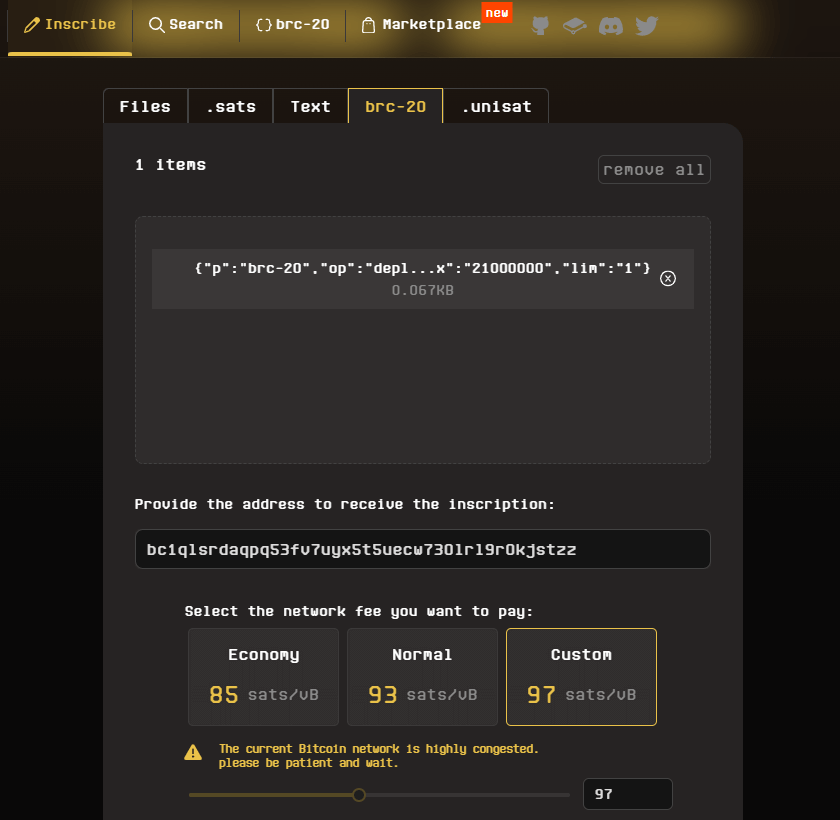
Enter BTC Address -> Select Network Fee -> Submit & Pay invoice
Step 4:
Pay for your order
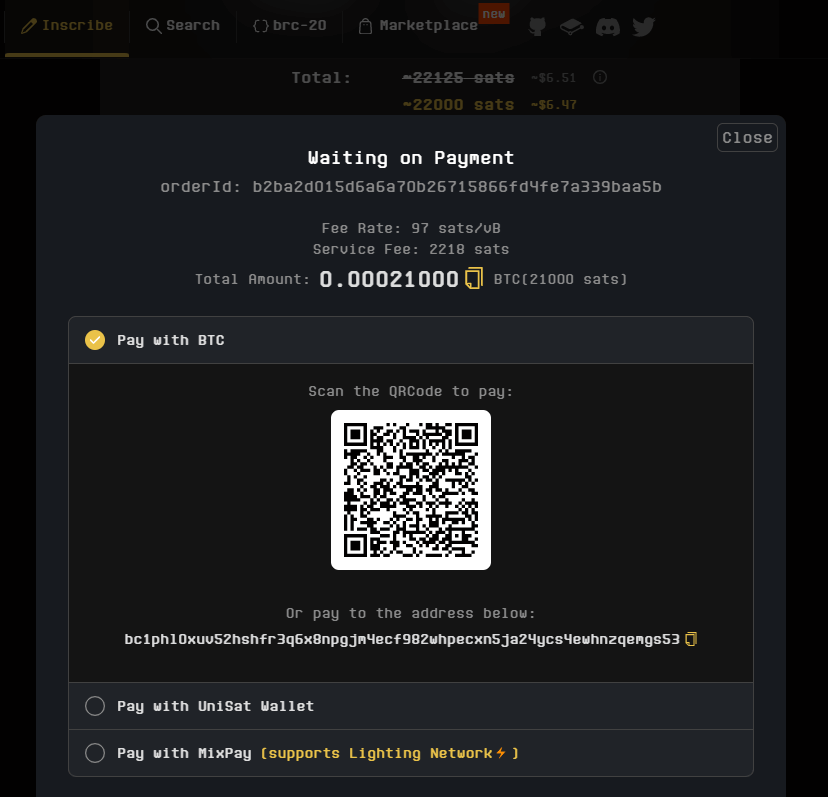
How To MINT BRC-20 Token?
Setp 1:
To search for BRC-20 tokens, go to unisat.io and click on the Inscribe BRC-20 tab.
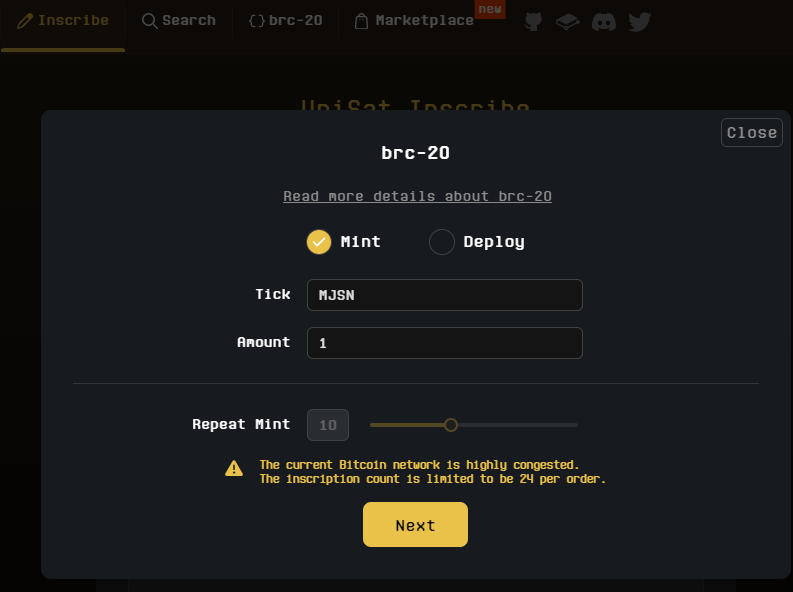
unisat.io -> Inscribe -> brc-20 -> Mint -> Tick, Amount, Repeat Mint -> Next
Step 2:
Fill in your Bitcoin address to receive brc-20 and select Network Fee
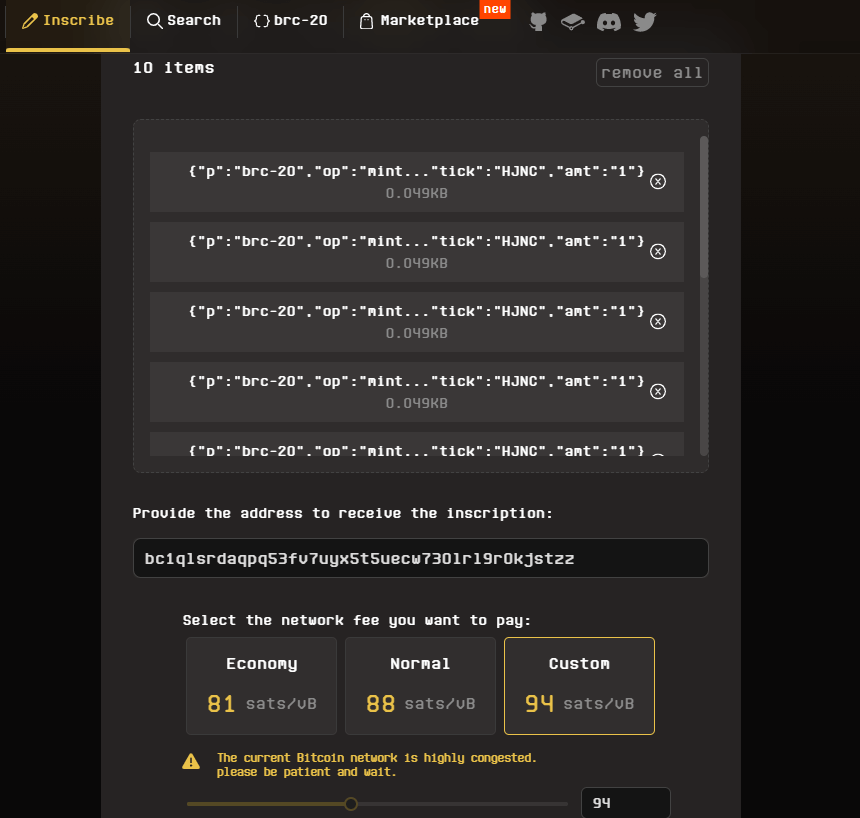
Enter BTC Address -> Select Network Fee -> Submit & Pay invoice
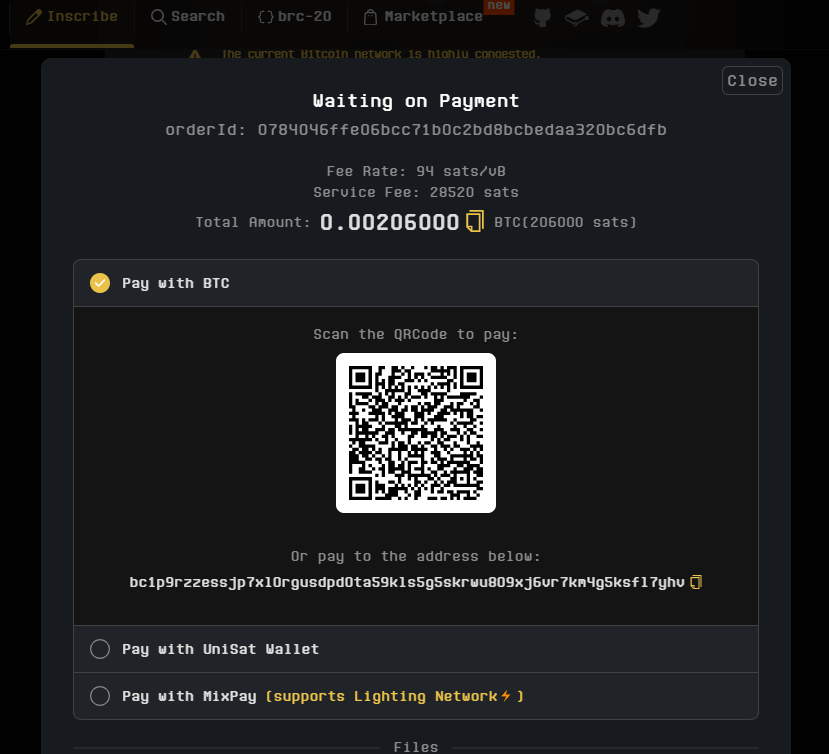
Step 3:
Pay for your order
Retrouvez-nous sur:
X (Twitter) | Telegram | Reddit
Télécharger l'application CoinCarp maintenant: https://www.coincarp.com/app/
- Paybis Crypto Platform Overview Débutant 4m
- Dexsport Casino Review: Casino Games and Sports Betting with Privacy and Crypto-Friendly Features Débutant 7m
- 13 Best Crypto Sports Betting Sites in Australia 2026 (AFL, NRL, Cricket & More) Débutant 17m
- 16 Best Crypto Sports Betting Sites in Canada 2026 (NHL, NBA, NFL, MLB & More) Débutant 21m