
Use the OKX Wallet Web Extension to easily play OT

The OKX Wallet Web Extension now supports OT.
Whether you want to store and manage your assets of OT or want to invest and participate in OT's diverse projects, the OKX Wallet Web Extension allows you to do it easily with just a few clicks. Read the tutorial below and get started with a great tool for exploring the world of Web3 in 3 minutes.
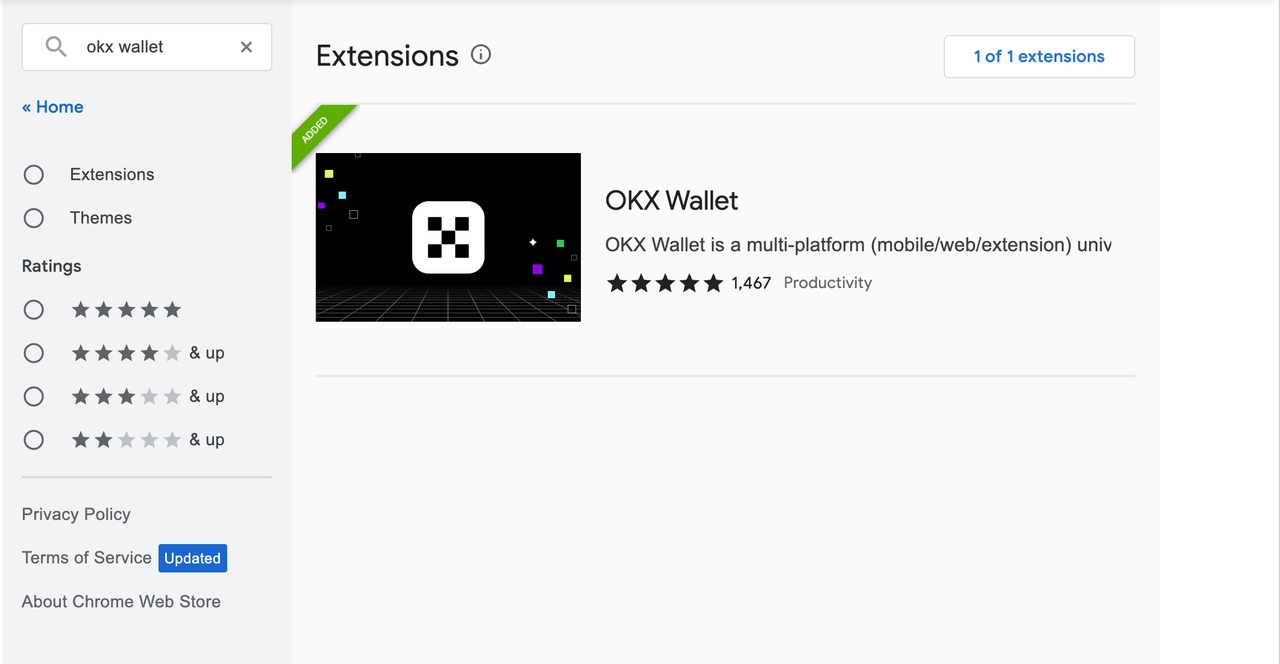
Step 1: Download your Web3 exploration tool - OKX Wallet Web Extension
Chrome browser app store download address:https://chrome.google.com/webstore/detail/okx-wallet/mcohilncbfahbmgdjkbpemcciiolgcge
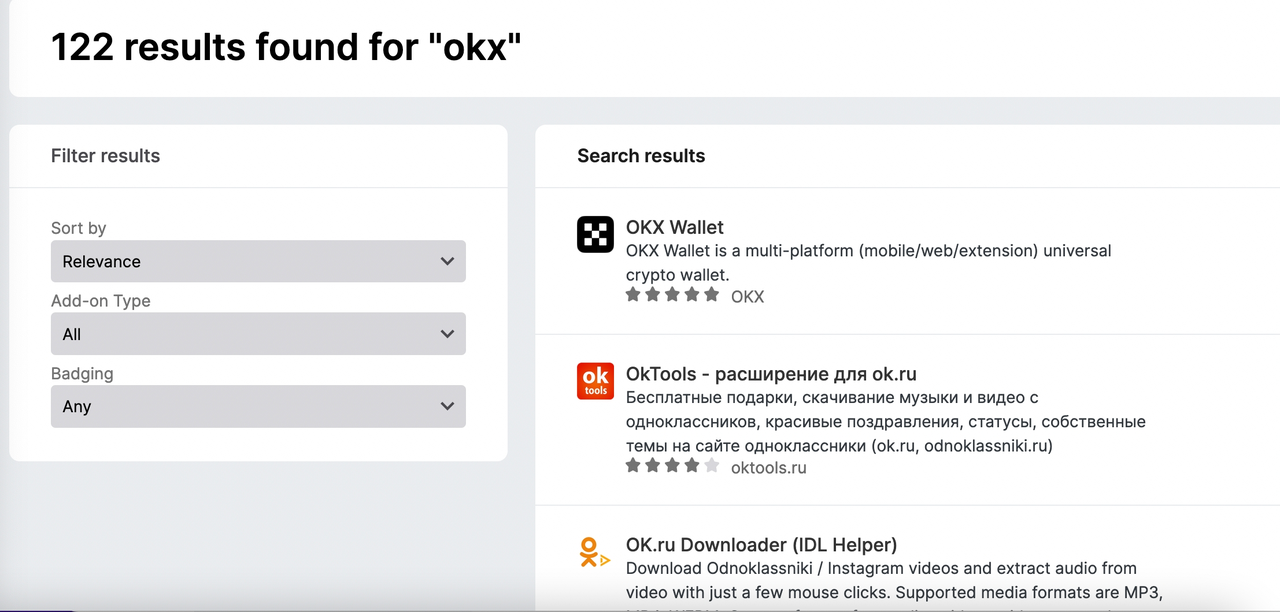
Firefox browser app store download address:https://addons.mozilla.org/en-US/firefox/addon/okexwallet/
1. Create a wallet
If you're an explorer just starting your Web3 journey and have never created a wallet. You can create your first wallet in the OKX Wallet Web Extension, the process is as follows:
- Click to create a new wallet on the home page and set a password.
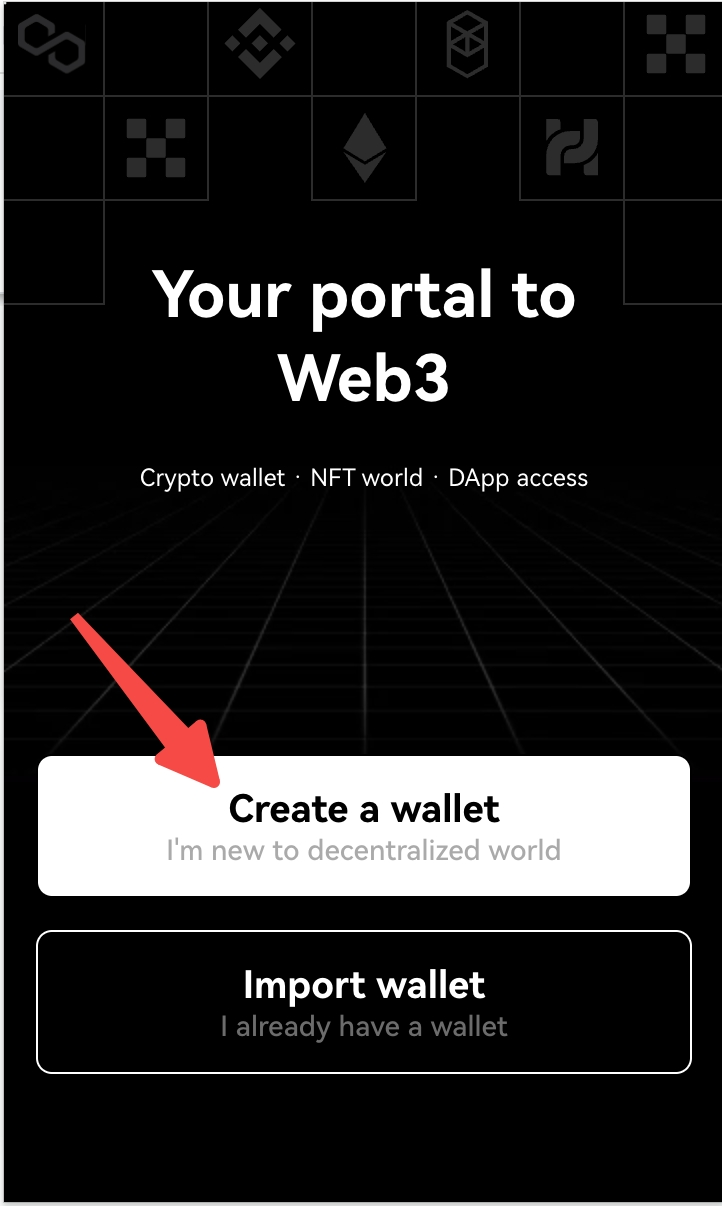
Please note: Be sure to keep your passwords, we do not store user passwords, if the password is lost or forgotten, you can only reset the password by clearing all wallets, and you can only restore it by backing up the mnemonic or private key wallet.
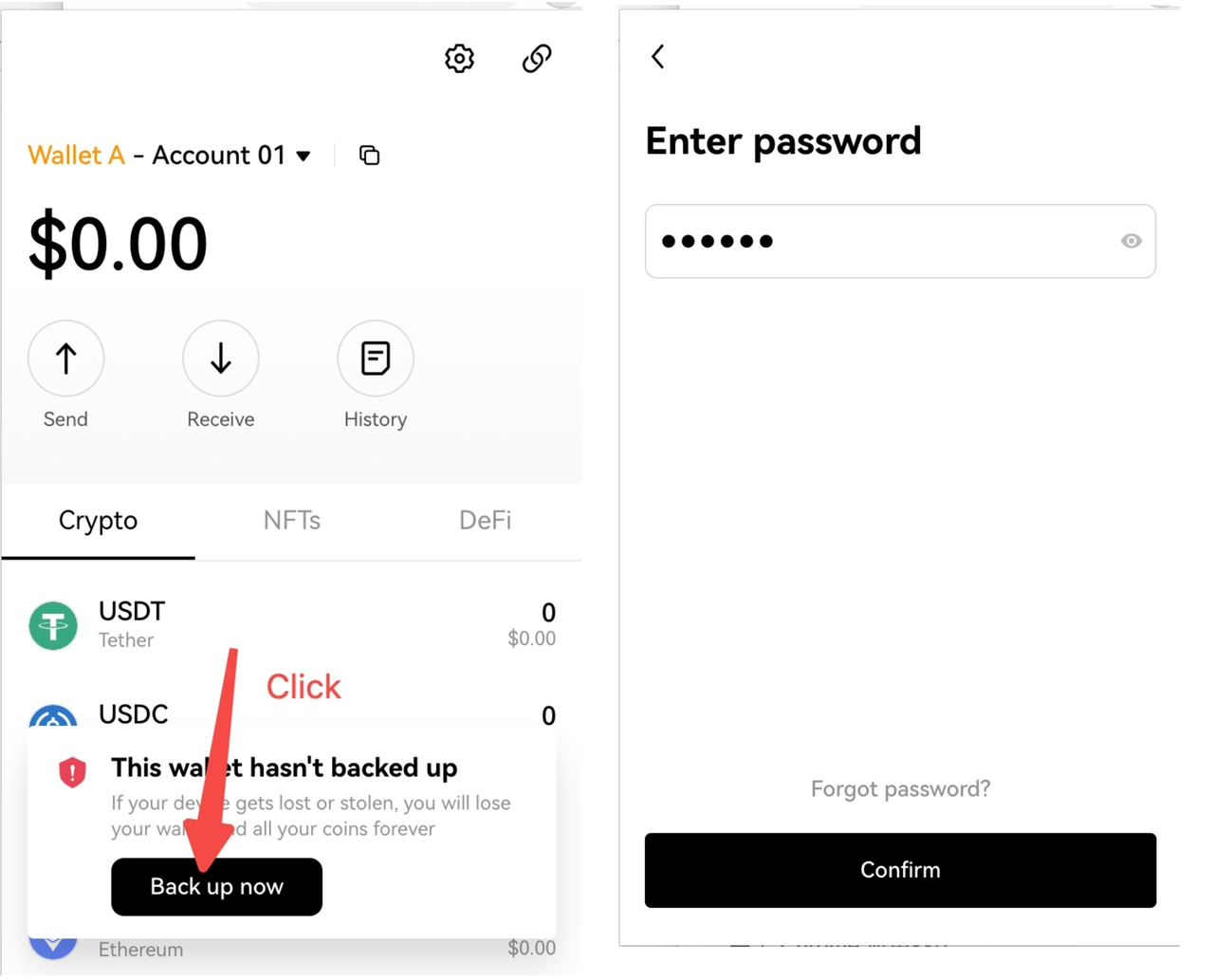
- Go to the homepage of wallet assets and back up the mnemonic phrase.
It is recommended to copy the mnemonic phrases on paper and keep them in a safe place isolated from the Internet to avoid being stolen. Whoever owns this mnemonic will own the assets in this wallet.
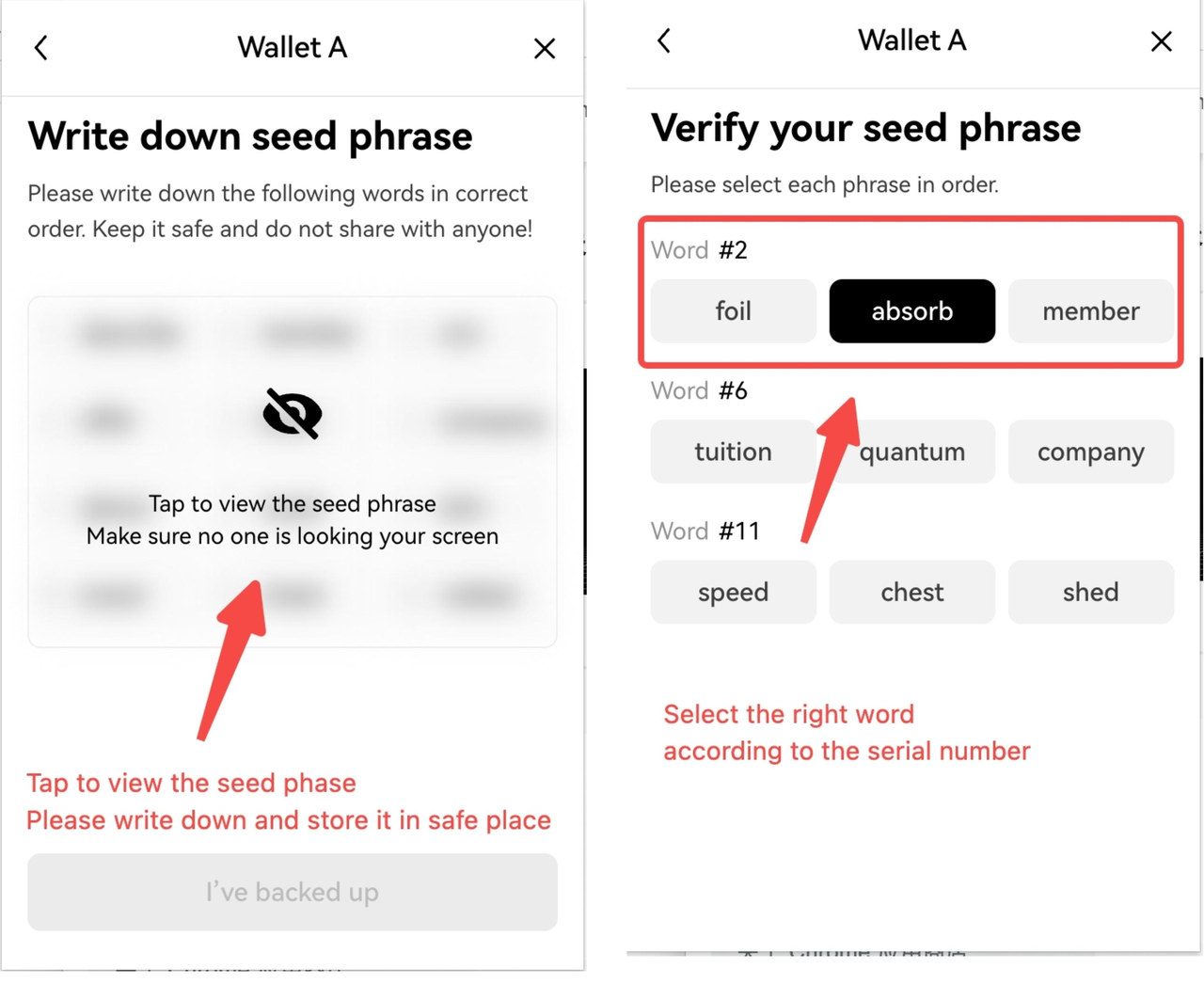
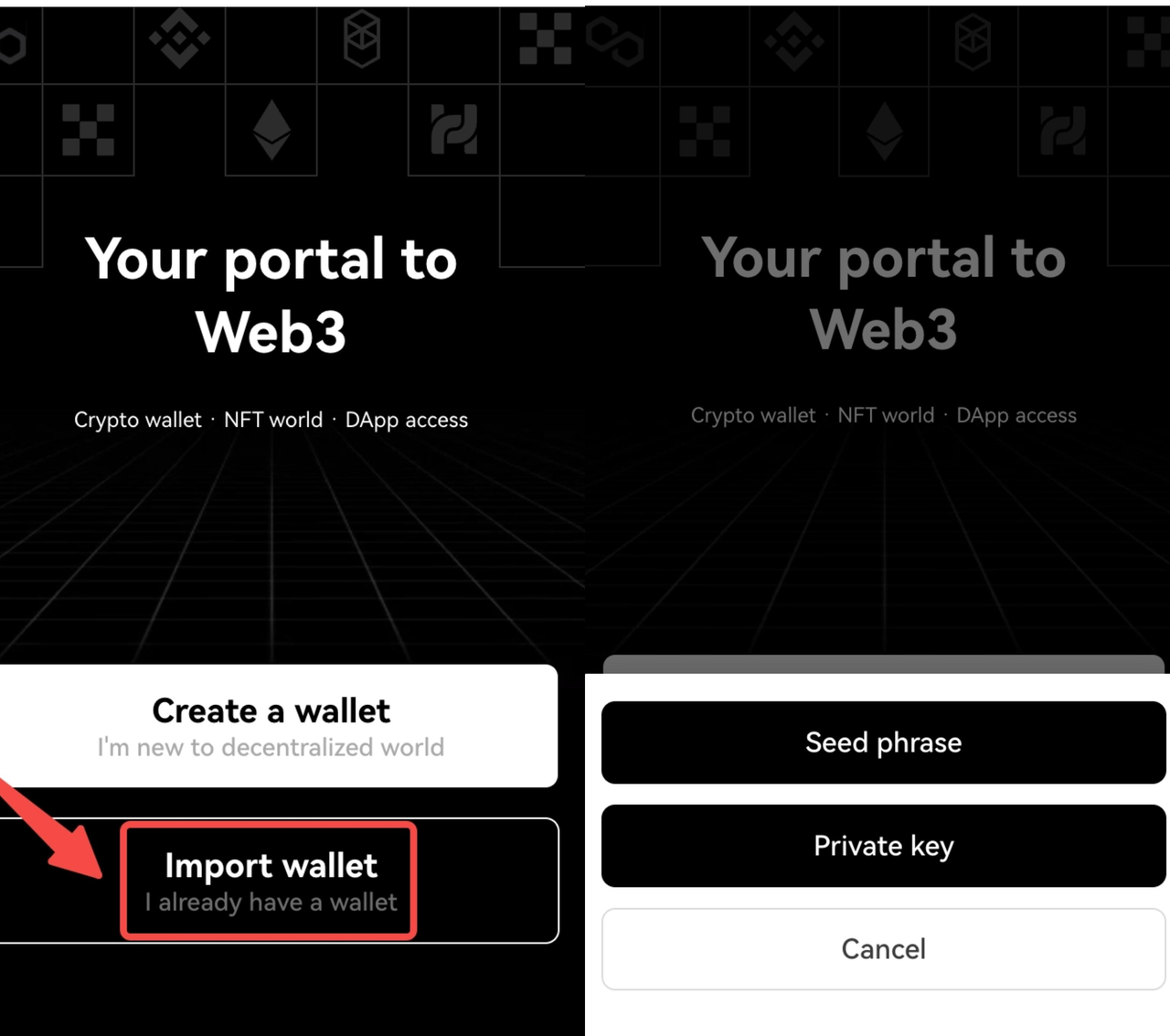
2. Import a wallet
If you are an old player who already has your own wallet, you can easily transfer the mnemonic or private key to the OKX Wallet Web Extension, view and manage assets without any problems, and enjoy a multi-chain experience that supports 25 public chains:
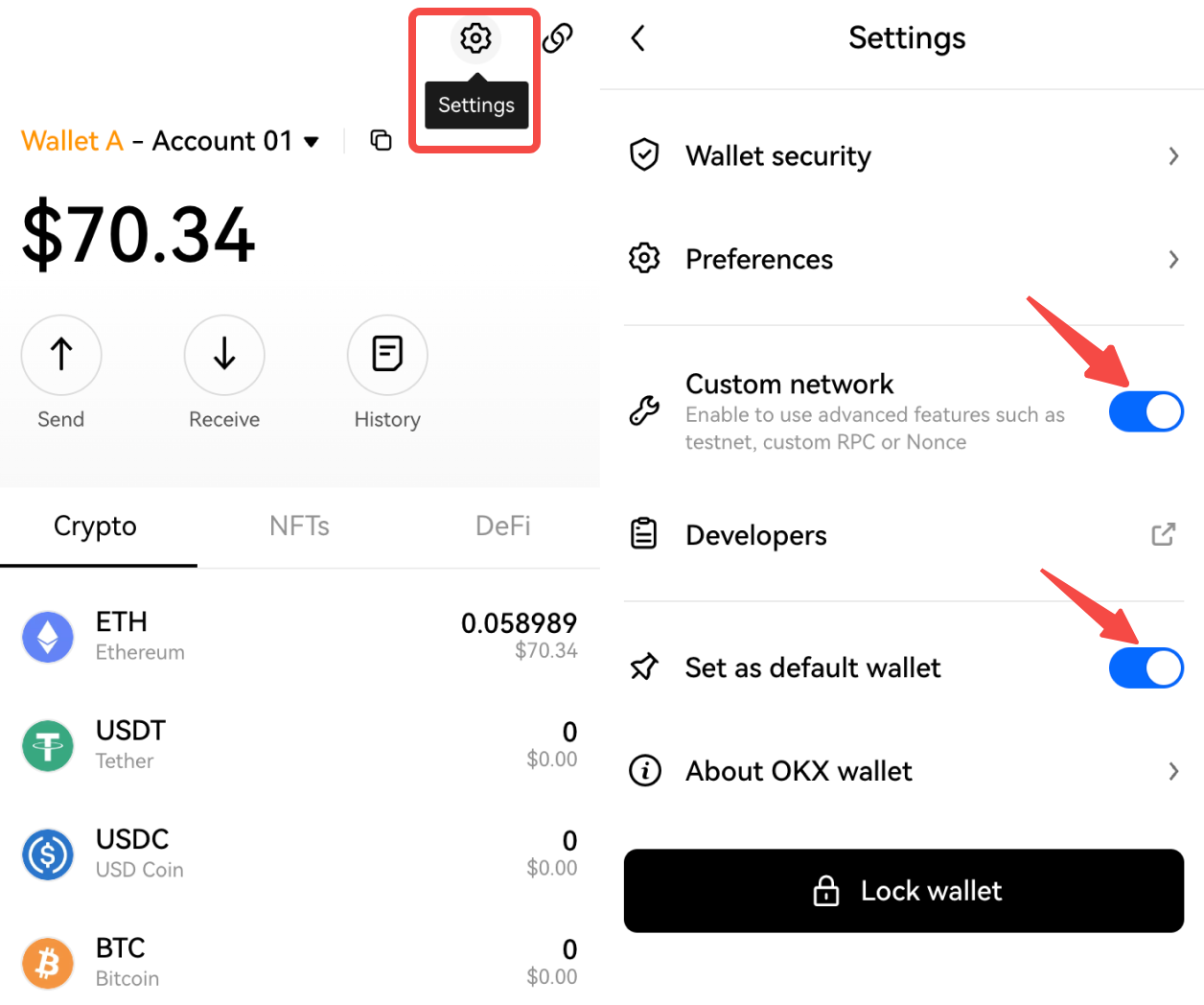
Step 3: Activate and start your Web3 exploration journey - get some test tokens from the faucet
Click Settings, turn on Custom network, and also set OKX Wallet as the default wallet. OKX Wallet can automatically recognize and connect different networks without switching between wallets and networks.
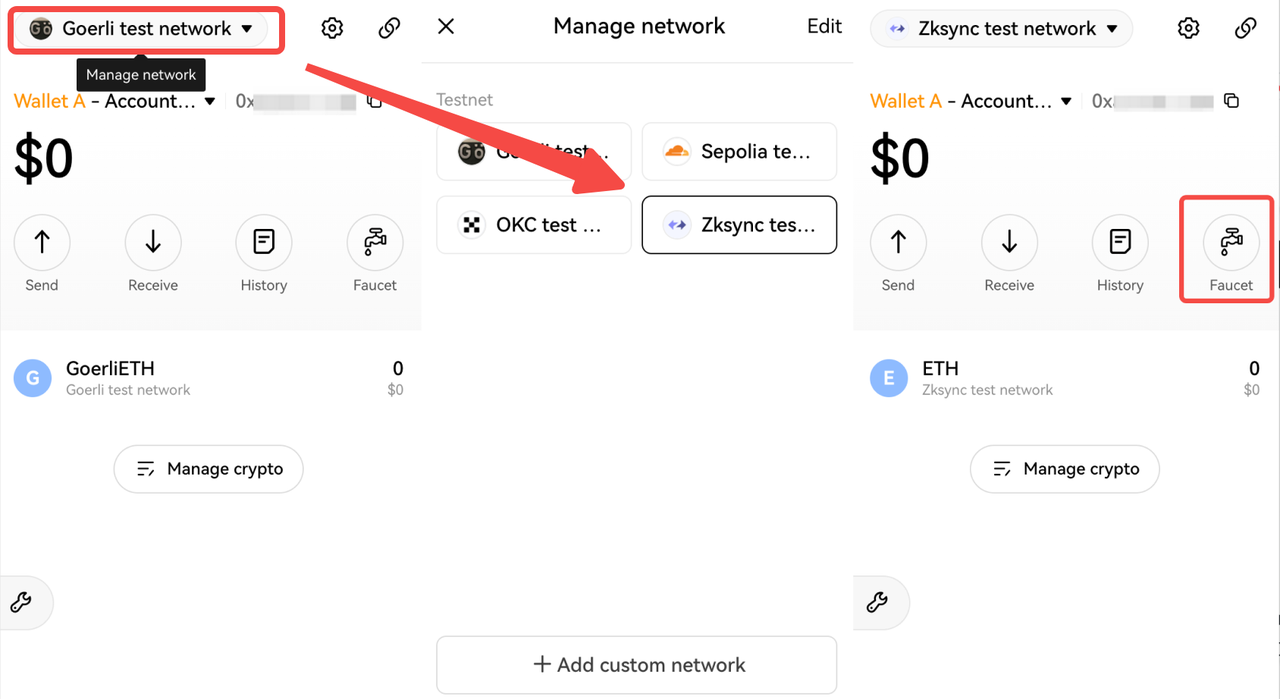
Click Manage network, switch to zkSync test network, and click Faucet to access the test network https://portal.zksync.io/.
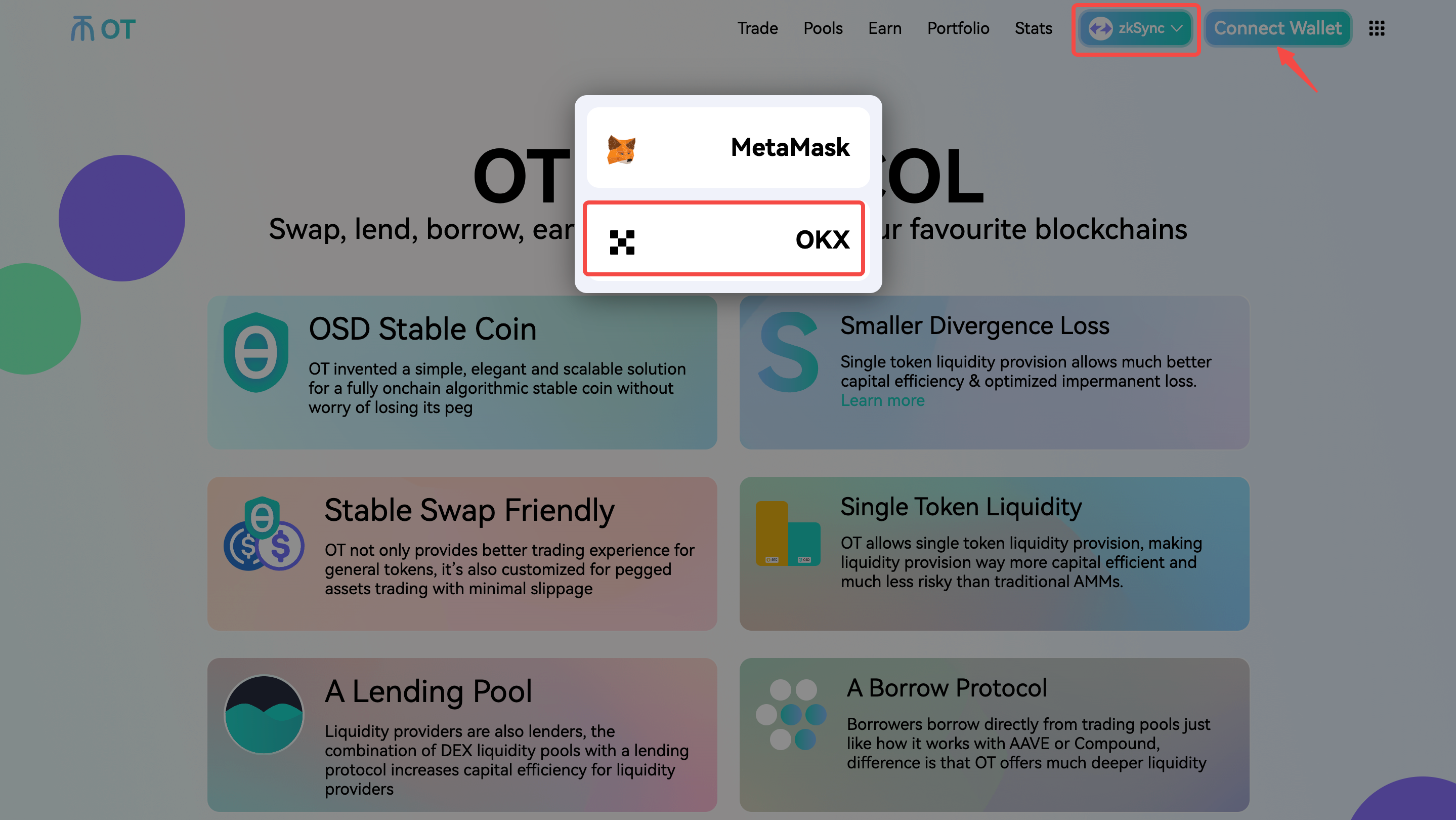
Open the OT official website, switch to the zkSync network, and connect your wallet. OT already supports OKX Wallet, you can directly select OKX wallet to connect.
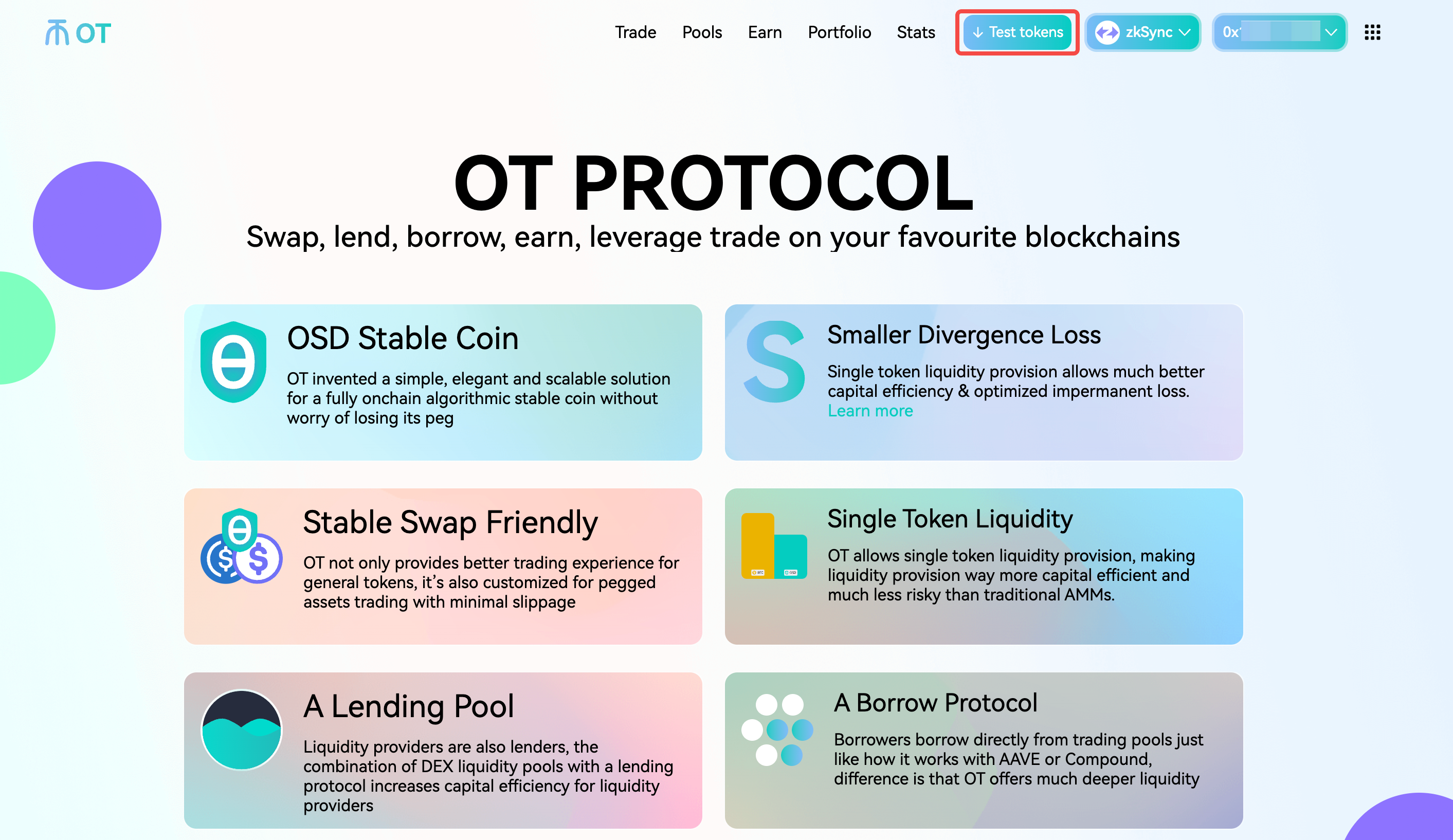
Click Test tokens and confirm in the wallet, the test tokens will arrive soon. Then you can fully experience Trade, Pools, Earn, Portfolio, and other functions of OT.
Contact us
OKX Wallet Web Extension is committed to allowing everyone to participate, create, and own the cryptocurrency world. We provide 24/7 customer support and is your safe choice for exploring the Web3 world.
If you have any questions about the OKX Wallet Web Extension , you can join Discord or ask questions via Email.
OKX Web3 DeBox Club: https://debox.pro/dao/0003Oq1y
Discord
Chinese:https://discord.com/invite/hkCGKbbbqf
English:https://discord.com/invite/TuM6BsEtdx
Email
에서 찾아주세요:
X (Twitter) | Telegram | Reddit
지금 CoinCarp 앱을 다운로드하세요: https://www.coincarp.com/app/


