
Access IceCreamSwap using the OKX Wallet (App)

The OKX Wallet now supports IceCreamSwap.
The OKX Wallet allows you to easily experience IceCreamSwap's trading service with just a few clicks. Read the tutorial below and start to explore Web3 in just 3 minutes.
Step 1: Download OKX App
Open the OKX website, and download OKX App: https://www.okx.com/download
Step 2: Create a new OKX Wallet or add an existing wallet
[1] Open the OKX App, switch to Wallet, and select Create a wallet;
[2] Create your own password;
[3] Back up your seed phrase (aka. Recovery phase or backup password).
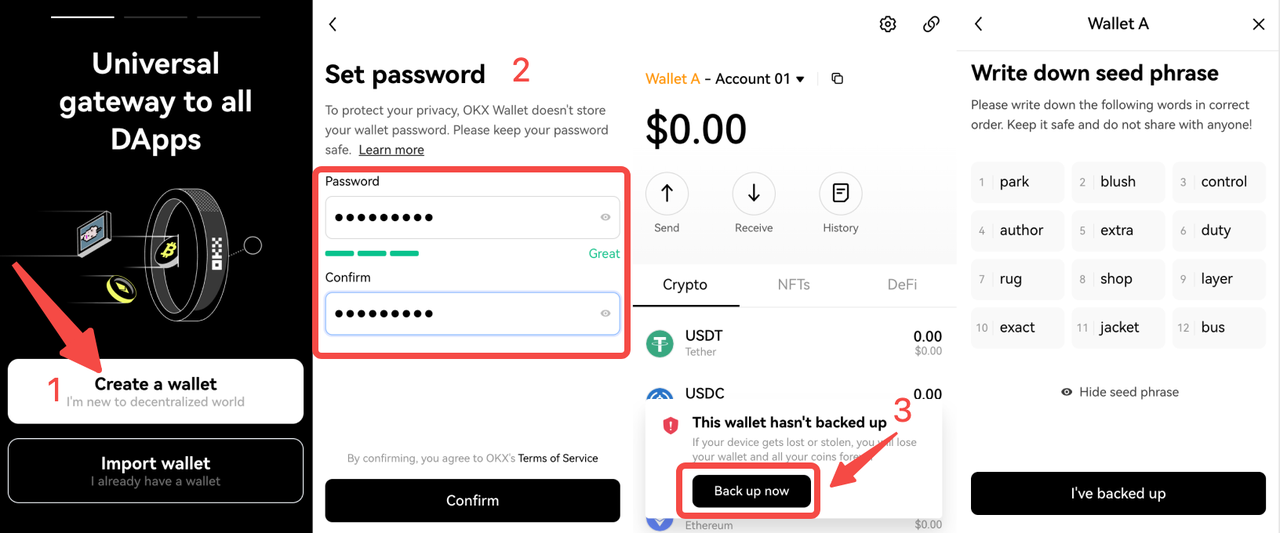
If you already have a wallet, import your existing wallet into OKX Wallet, using your wallet's seed phrase or private key.
[1] Click Import wallet, select seed phrase or private key, and enter it;
[2] Entering the seed phrase or private key;
[3] Go to the Set password page, enter your password and confirm to complete importing.
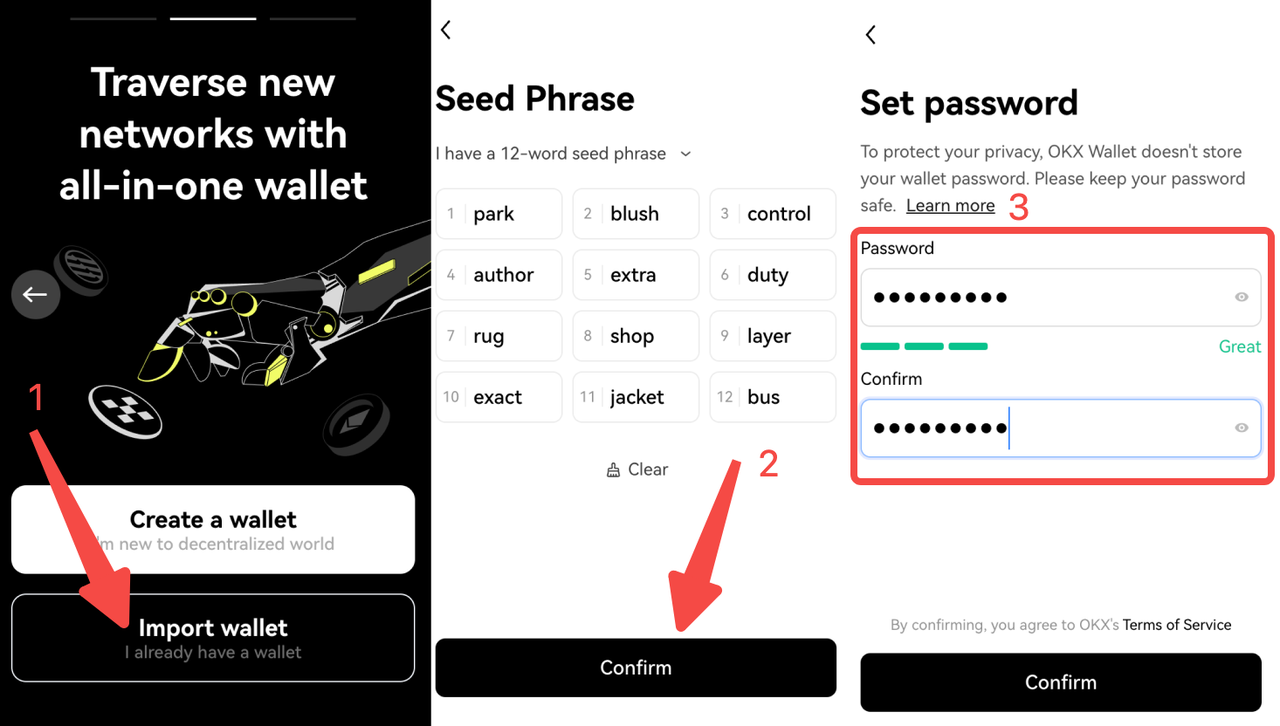
Please note: for your assets' safety, keep your seed phrase and password safe and never share it with anyone.
Step 3: Add funds to your wallet
Method #1: Copy the wallet address and transfer assets to the address
Click the Copy address icon, select the wallet address of the network you'd like to initiate a transaction with, and transfer to this address.
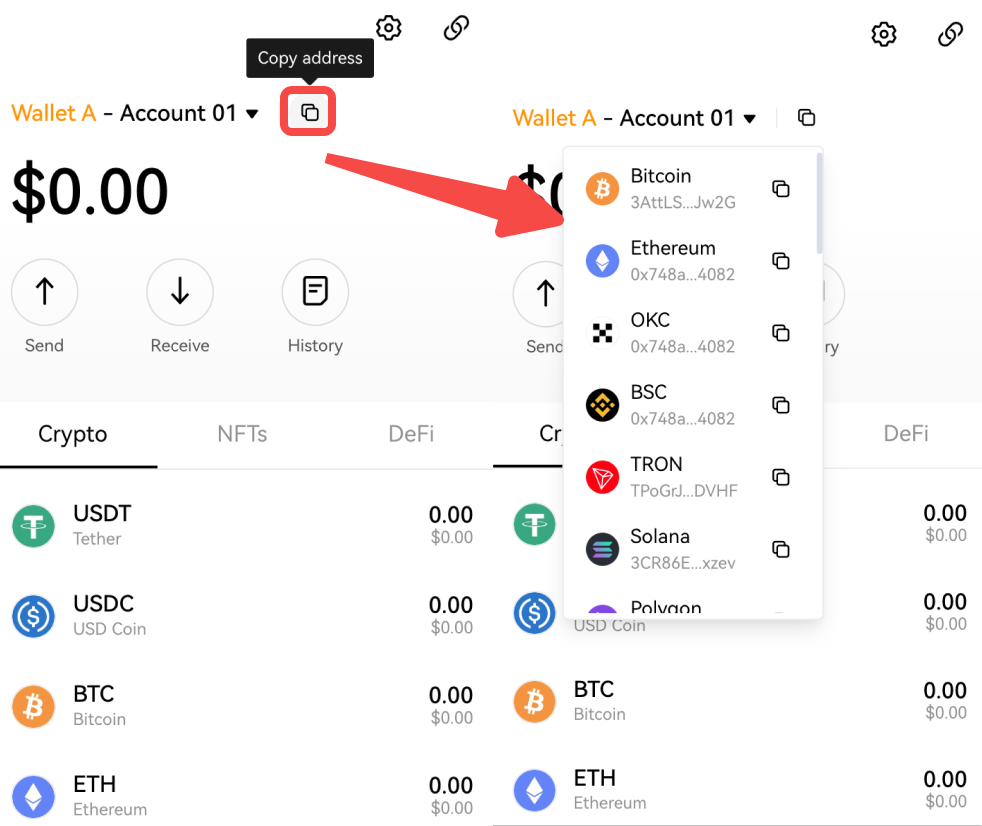
Method #2: Scan the QR code to transfer assets to the corresponding address
Click Receive, find the currency you'd like to trade, and click to enter it, and use mobile exchange or wallet to scan and transfer.
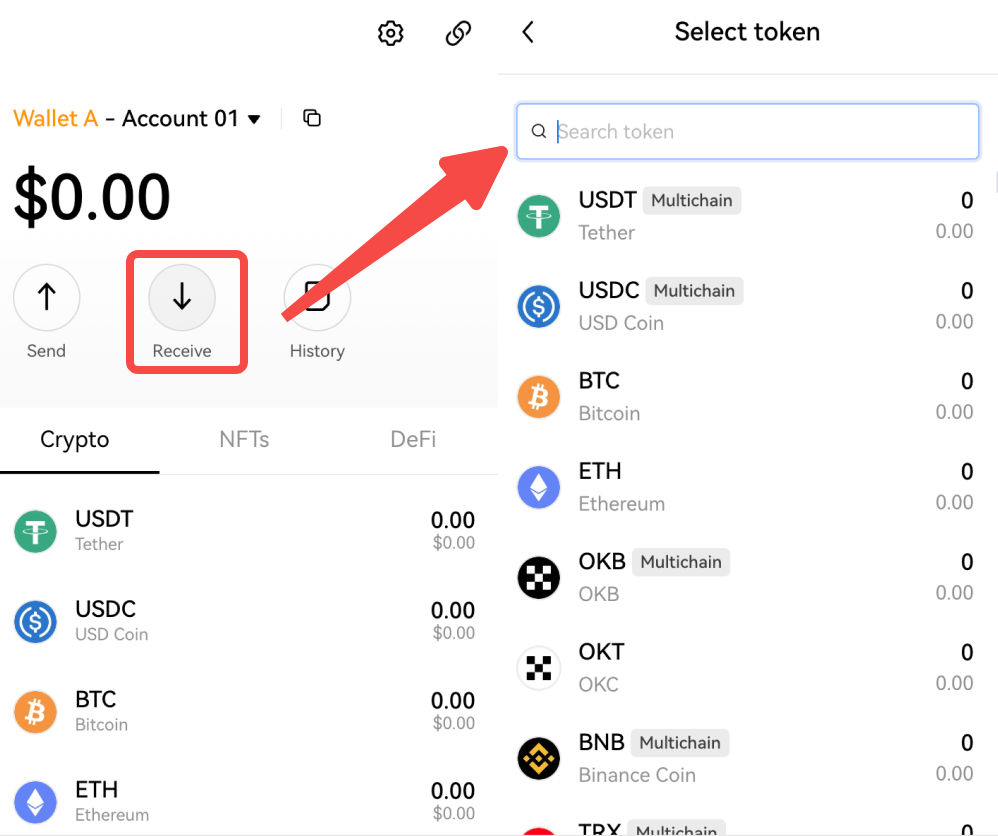
Method #3: Transfer and add funds from OKX to the OKX Wallet web extension
[1] Go to the OKX website, or open OKX App, and click Assets;
[2] Click Withdraw;
[3] Search for the token;
[4] Select the network on which you want to make a transaction;
[5] Scan the code or paste the address;
[6] Enter the quantity.
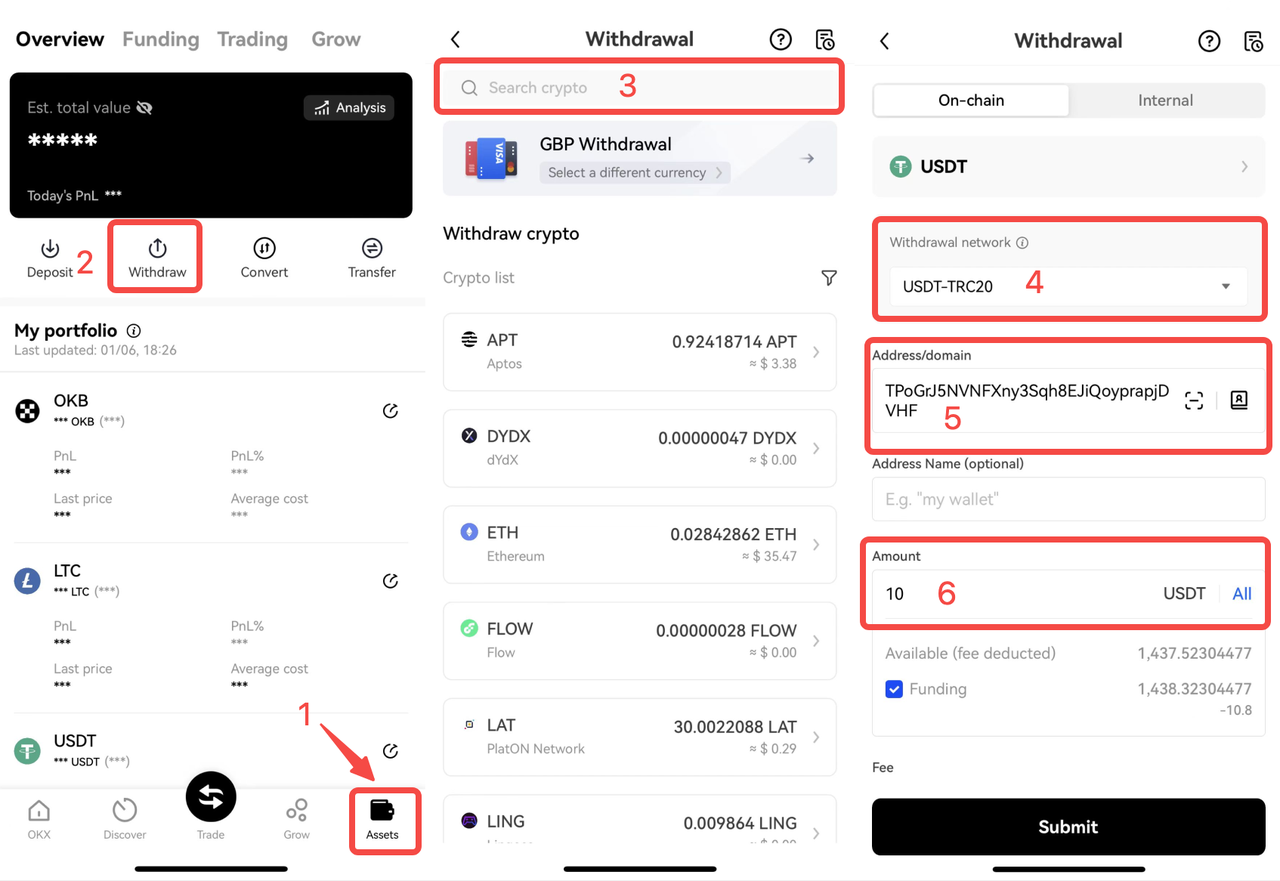
After verifying the email and mobile phone verification code, the transfer is successful.
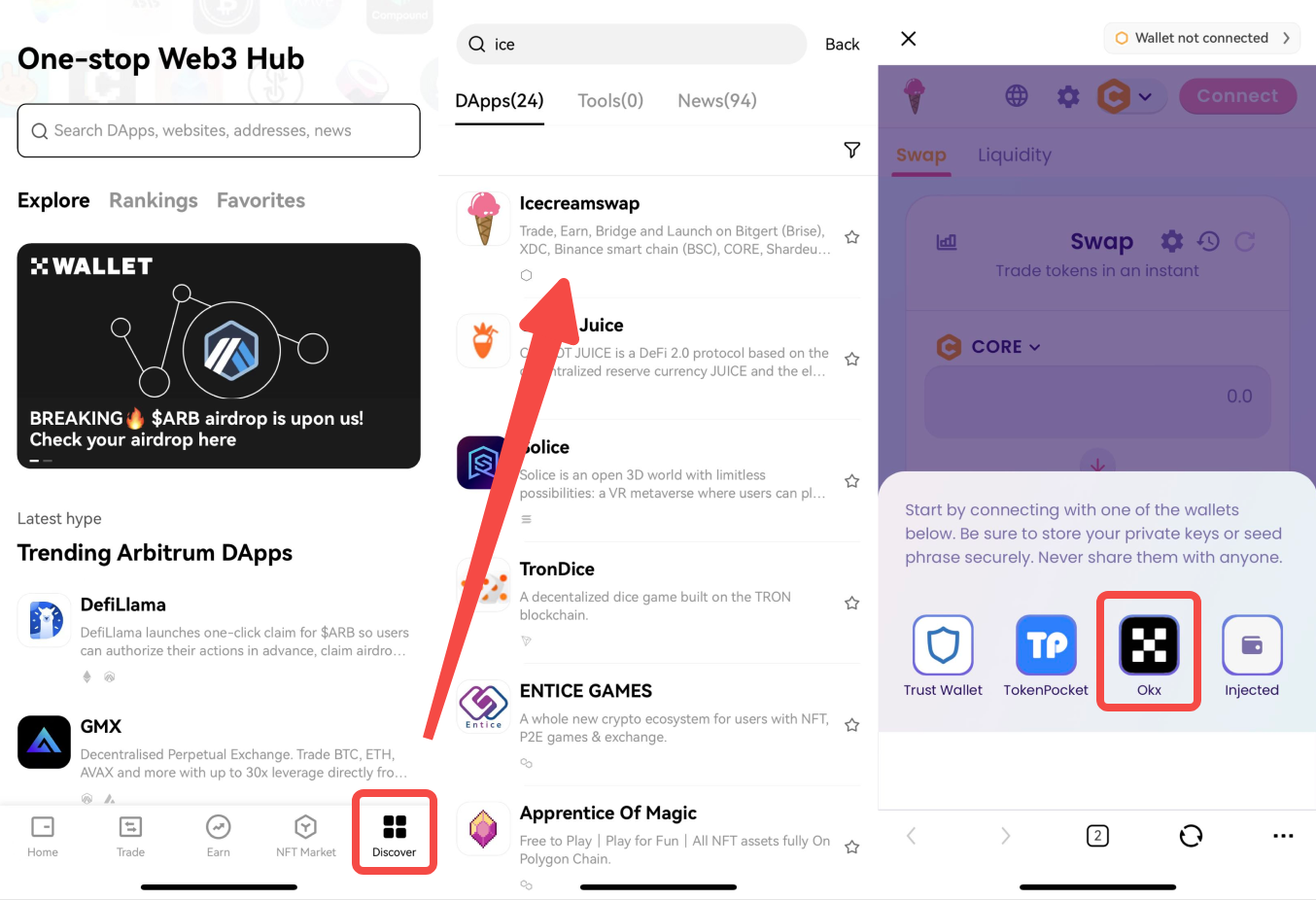
Step 4: Connect IceCreamSwap in OKX Discover to securely access IceCreamSwap
[1] Open OKX Wallet > Click Discover
[2] Search IceCreamSwap and click
[3] Click Connect > OKX Wallet
Contact us
OKX Wallet web extension is committed to allowing everyone to participate, create, and own the cryptocurrency world. We provide 24/7 customer support and OKX Wallet is your safe choice for exploring the Web3 world.
If you have any questions about the OKX Wallet web extension, you can join our Discord or ask questions via Email.
Discord
English: https://discord.com/invite/TuM6BsEtdx
Chinese: https://discord.com/invite/hkCGKbbbqf
Email
에서 찾아주세요:
X (Twitter) | Telegram | Reddit
지금 CoinCarp 앱을 다운로드하세요: https://www.coincarp.com/app/


