
What is a Sub-account? How do I create one?

A sub-account is an account that's linked to your main OKX account. You can create multiple sub-accounts and link them to your main account for different trading strategies to reduce risks. Spot, spot leverage, and contract trading are all supported by sub-accounts. Deposits and withdrawals aren't available.
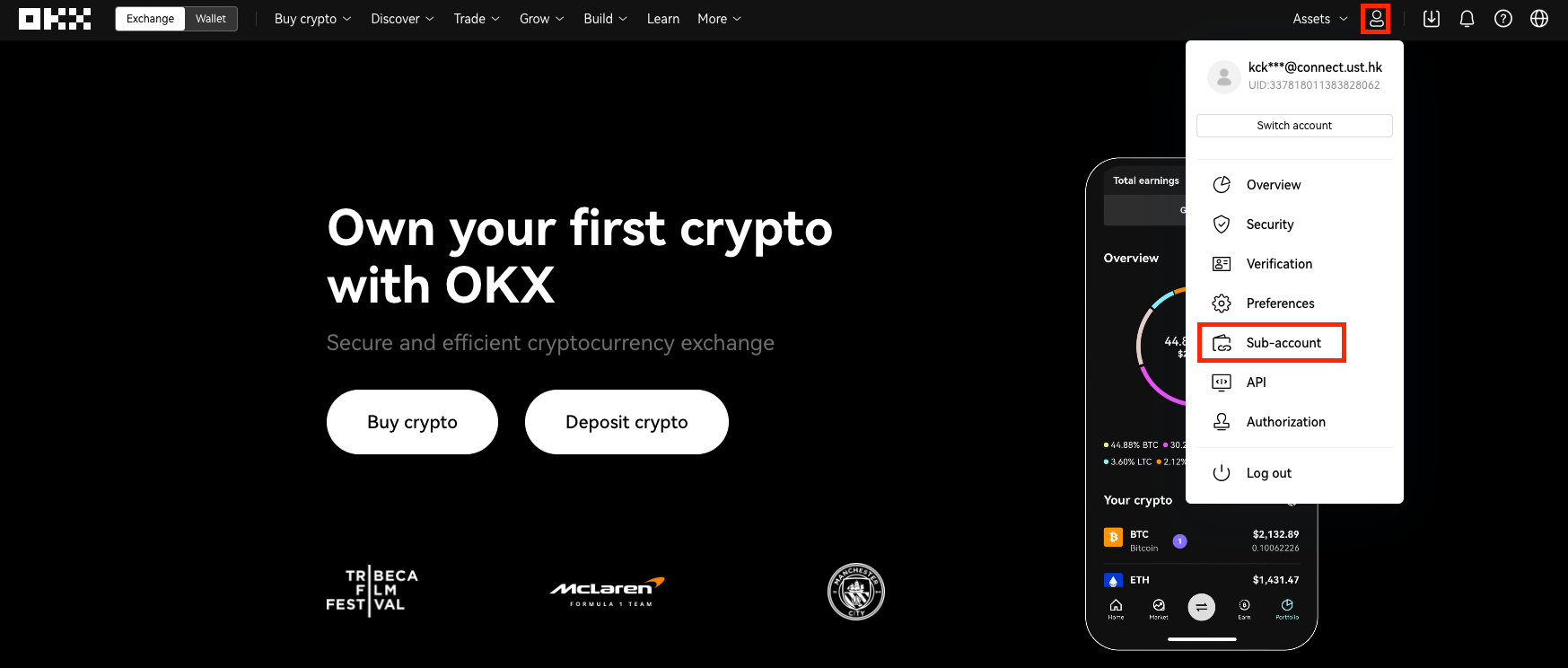
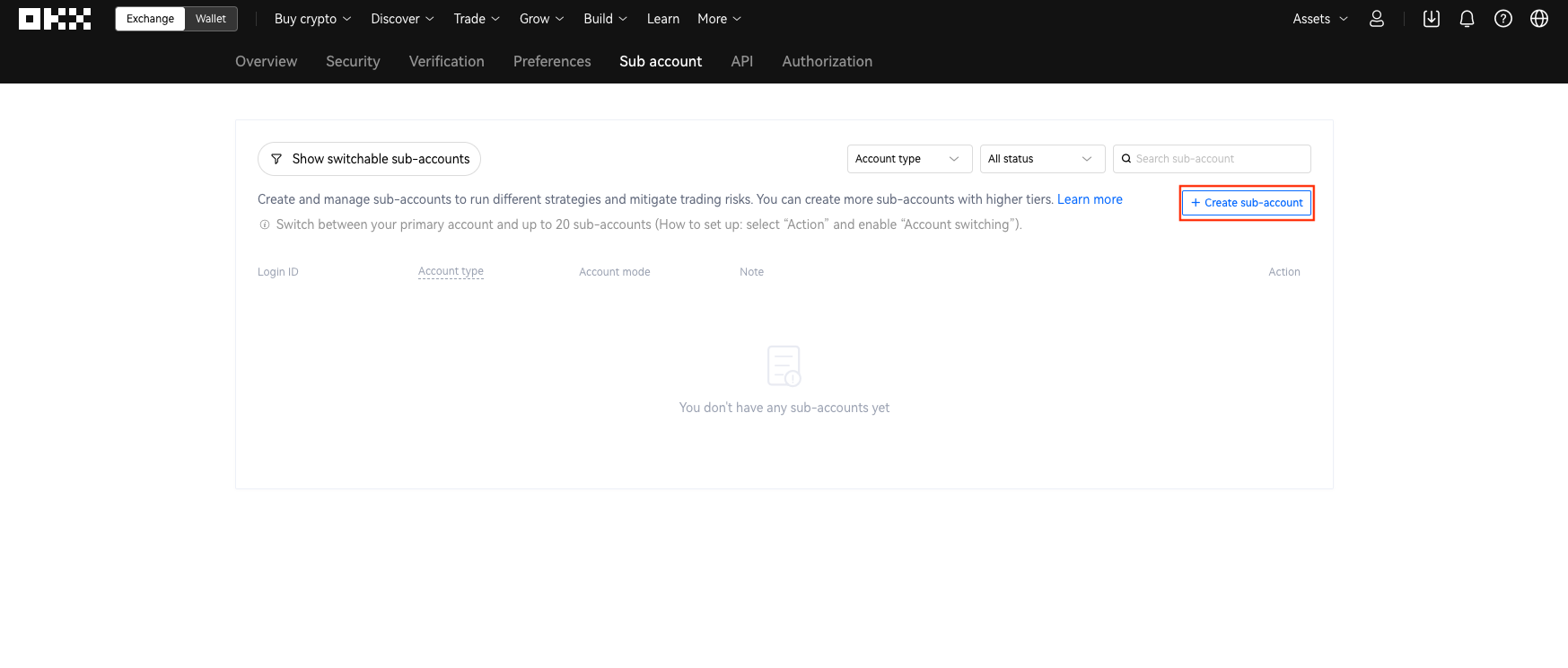
Log onto the OKX official website and hover over the profile icon in the upper right corner, and navigate to [Sub-account] - [Create sub-account].
Enter a new login name and password, and select the account type. If necessary, you can set the relevant assets and deposits.
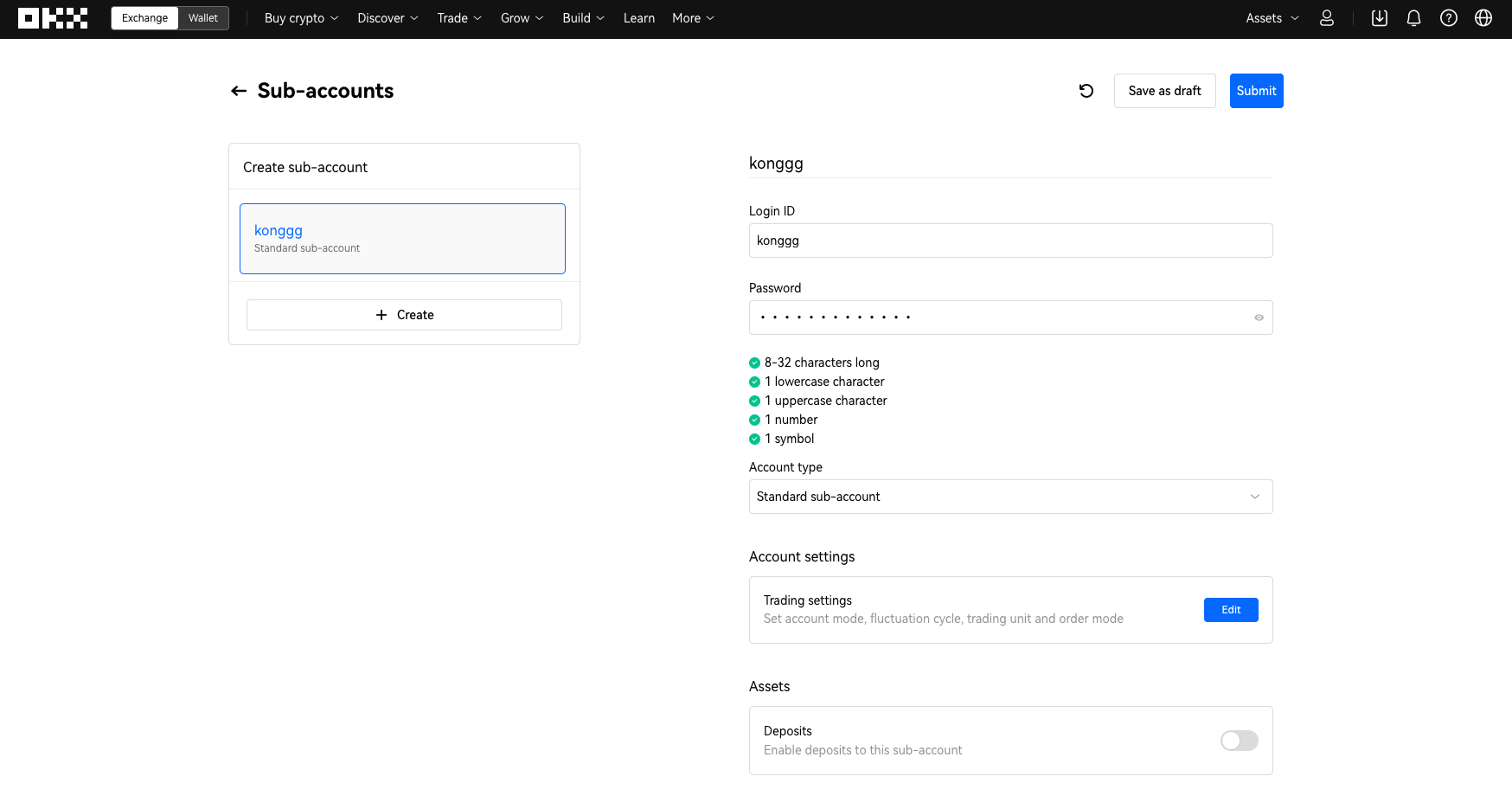
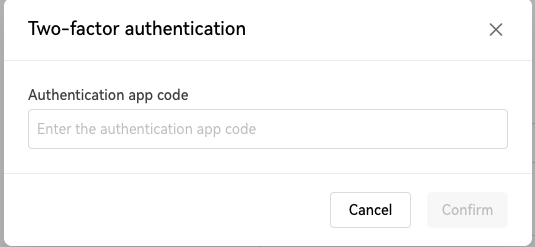
Select [Submit] upon confirming all information is correct. Proceed to SMS and Google Authenticator verification, and select [OK].
Note:After the sub-account is created, it will inherit the main account's tier level by 24:00 (HKT) on the same day.
After successfully creating your sub-account, select the [Transfer] button to transfer crypto from your main account to your sub-account.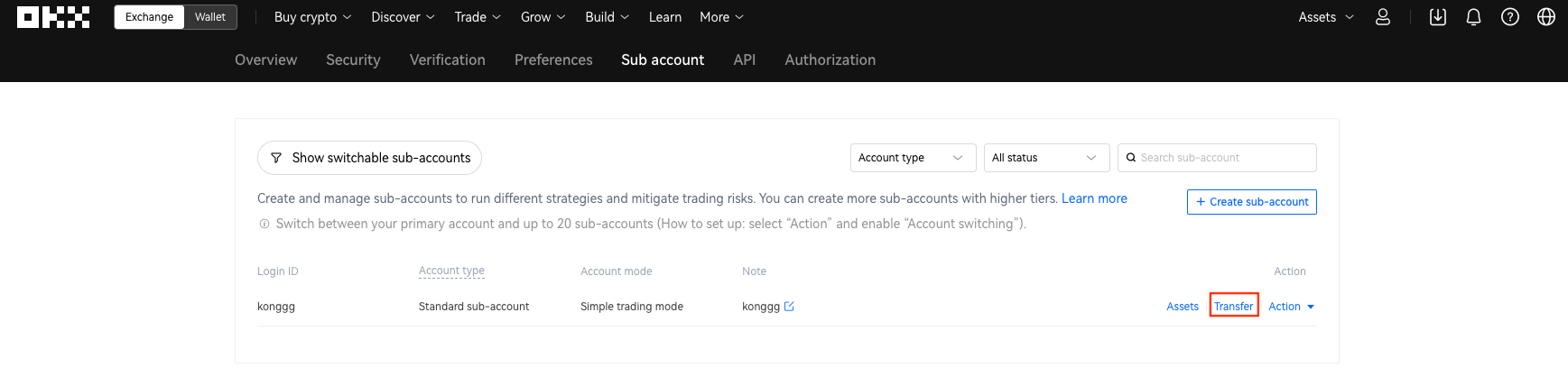
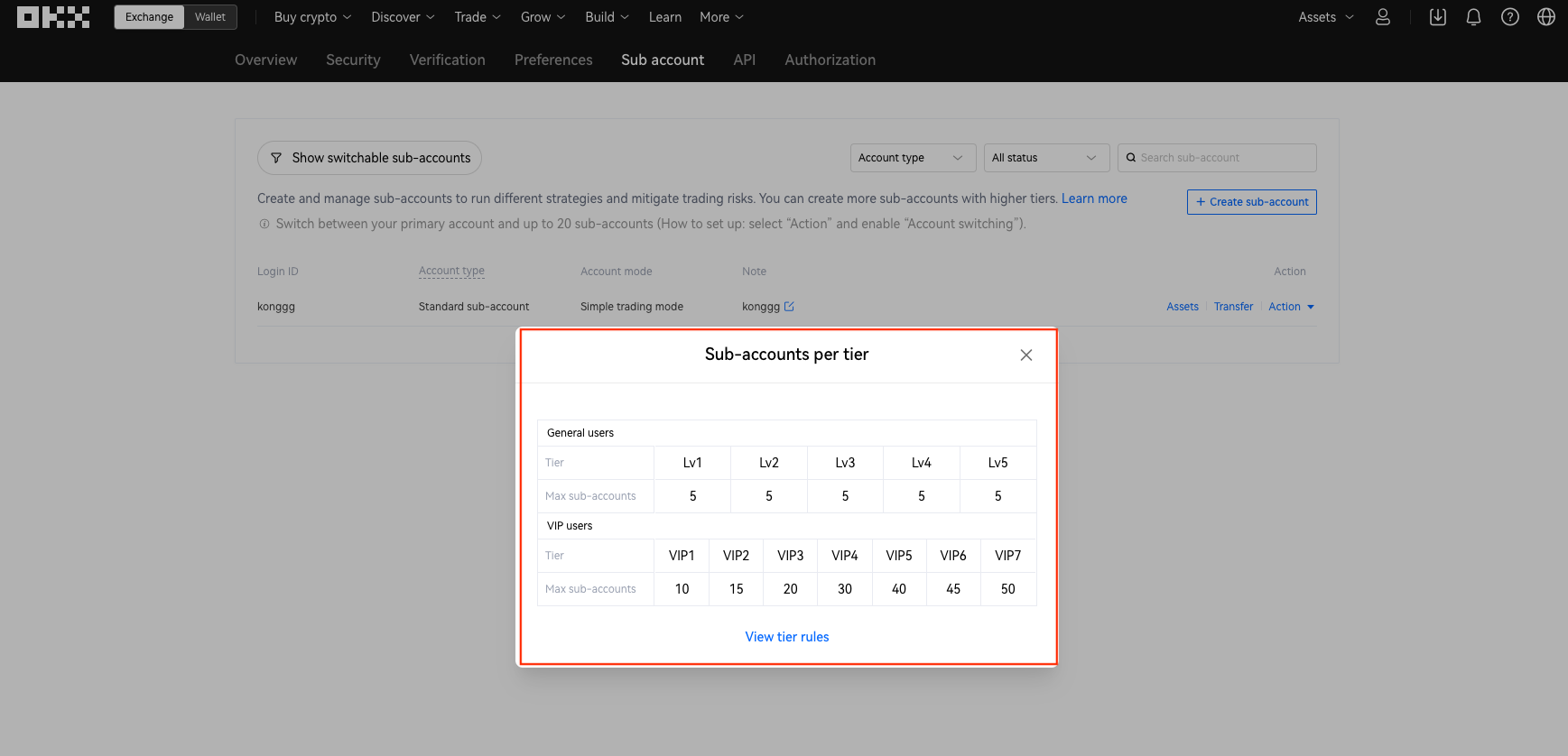
General users can create 5 sub-accounts. Depending on your user tier, the number of sub-accounts you can create is different. Select [Learn more] to view the number of sub-accounts you can create at different tiers.
Note:Only funds from your main account can be transferred to your sub-account. If you want to transfer funds from your sub-account to your main account, you must do so within the main account.
에서 찾아주세요:
X (Twitter) | Telegram | Reddit
지금 CoinCarp 앱을 다운로드하세요: https://www.coincarp.com/app/


