
Fiat currencies
Crypto Currencies
No results for ""
We couldn't find anything matching your search.Try again with a different term.
How to use Boost on Binance.US: Guide & Instructions

This guide includes step-by-step instructions on adding and removing Boosted amounts from events, as well as checking your profile and Boost balances. If you'd like to learn more about what Boost is and how it works, please visit our general introduction and FAQ on Boost.
Please note that Boost is currently only available for mobile app users, but a web version will be available for use soon.
What's in this guide?
- How to add a Boosted amount to an event
- How to remove some or all of your Boosted amount from an event
- How to check your Boost Profile and Balance
How to add a Boosted amount to an event
1. Tap Boost on the home screen. From this page you can view currently running Boost events.
2. Eligible cryptocurrencies for an event are listed under the event description. Select which eligible cryptocurrency you would like to add by tapping on the Boost with cards.
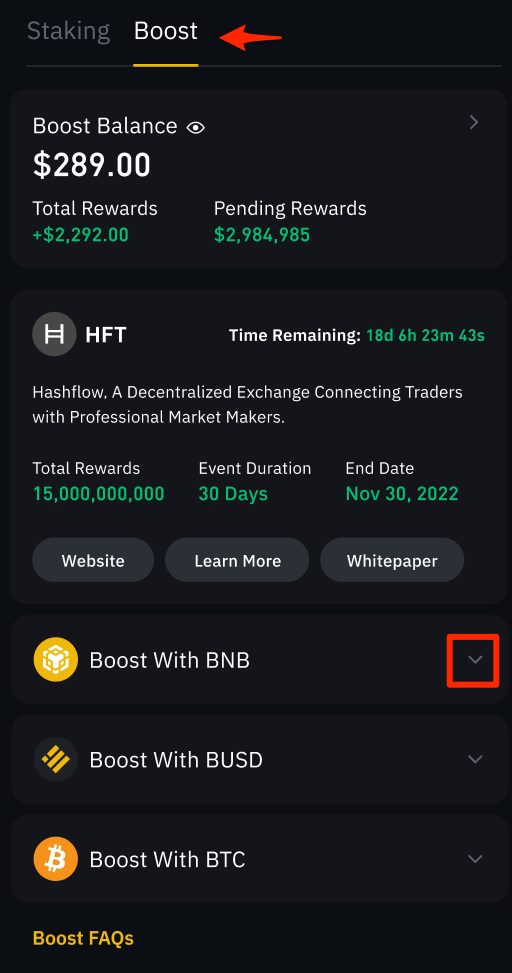
3. Tap Add (selected cryptocurrency) or Add More (depending on whether you have added a previous Boost amount for this event and cryptocurrency).
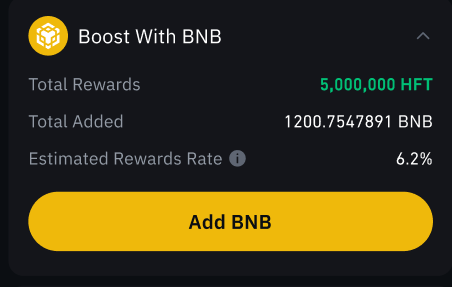
If you do not have an adequate balance available to boost, you’ll be given the option to buy or deposit some before proceeding.
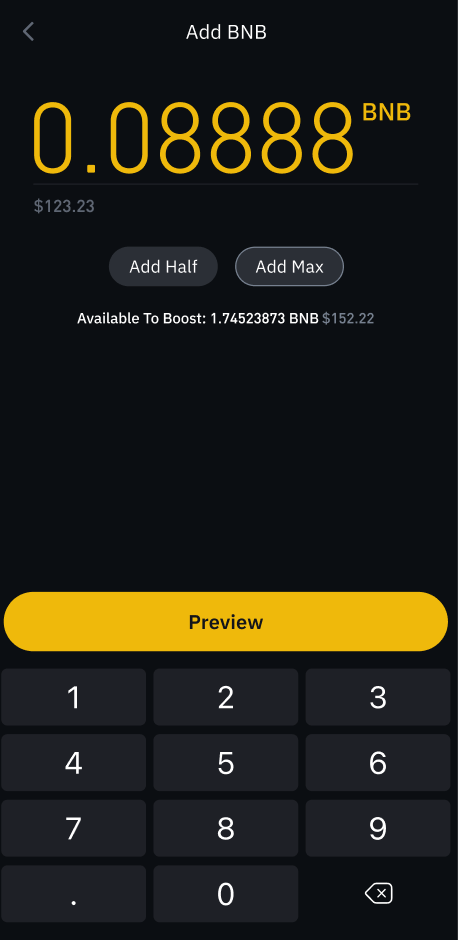
If you have an adequate balance, enter the amount you would like to add. Tap Preview to proceed, then Confirm to Boost your crypto.
How to remove some or all of your Boosted amount from an event
1. Tap Boost on the home screen. From this page you can view currently running Boost events.
2. Select the cryptocurrency you have an added Boost amount for that you would like to remove from by tapping on the Boost with card.
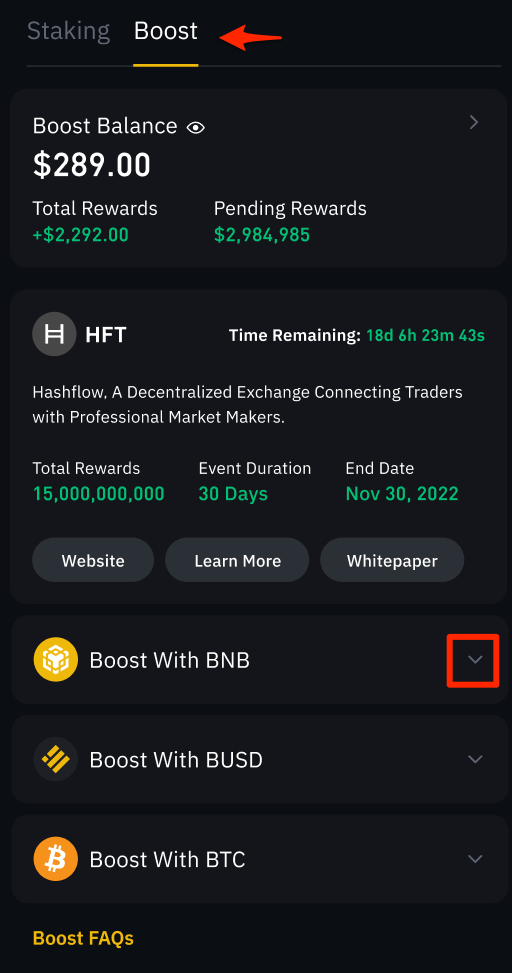
3. Tap Remove.
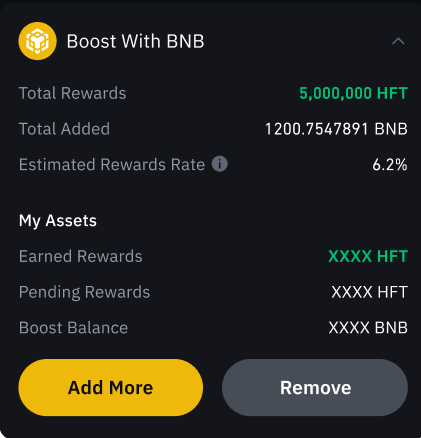
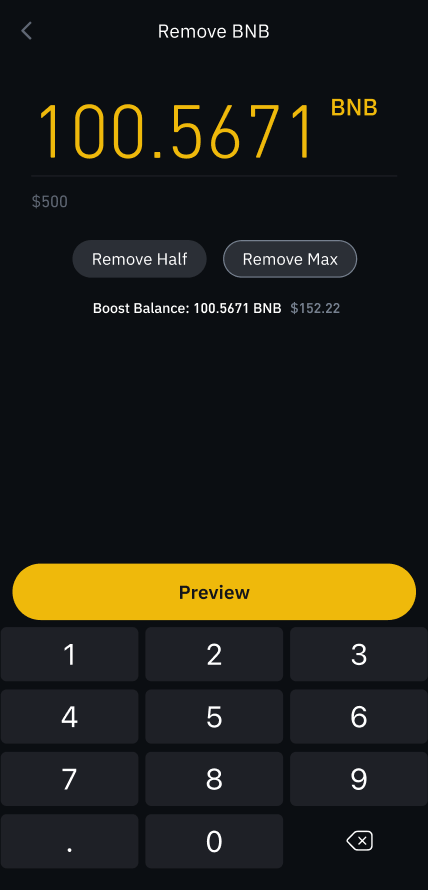
4. Enter the amount you would like to remove and tap Preview to proceed, then Confirm to remove your crypto from Boost.
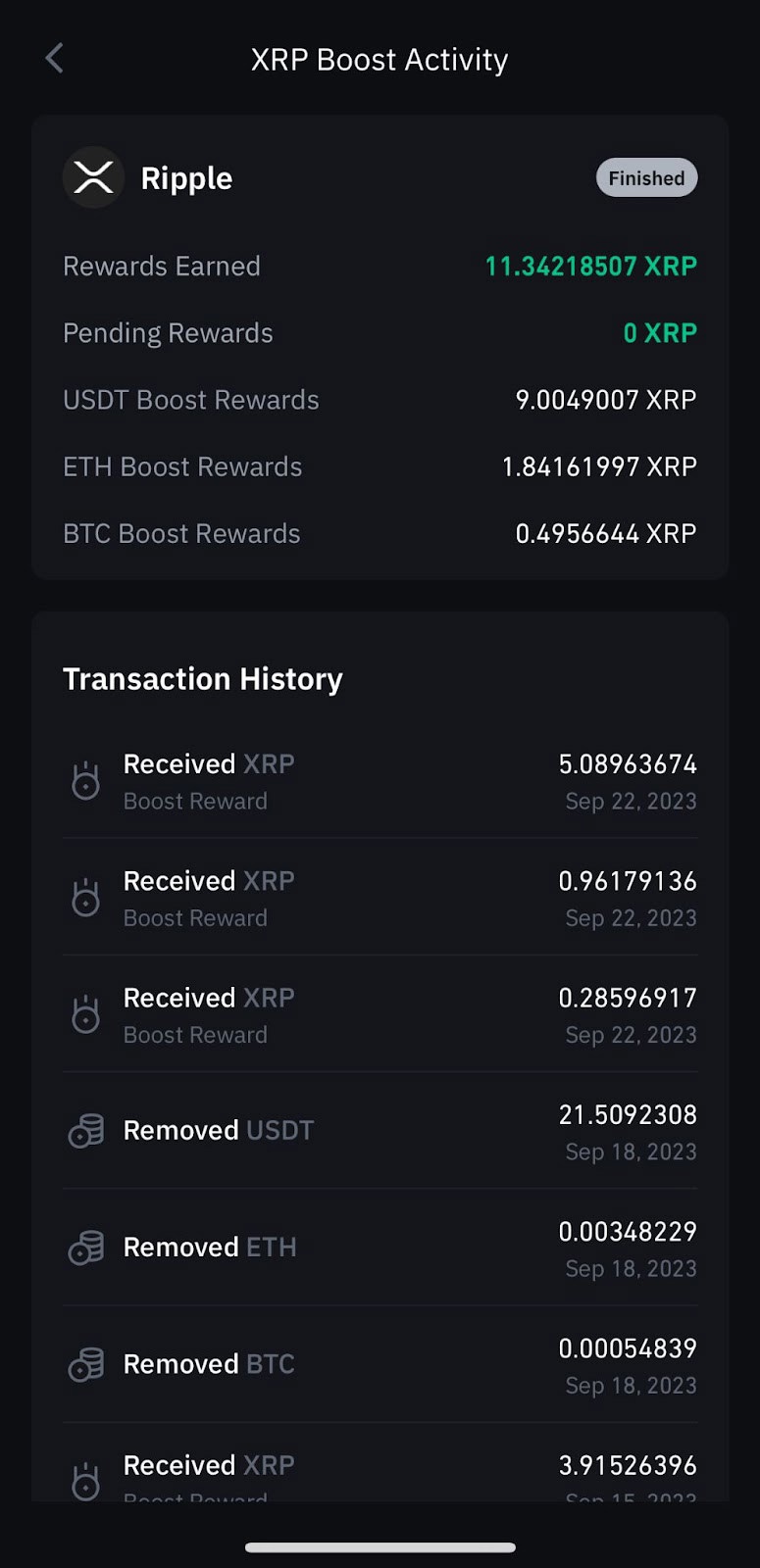
How to check your Boost event history
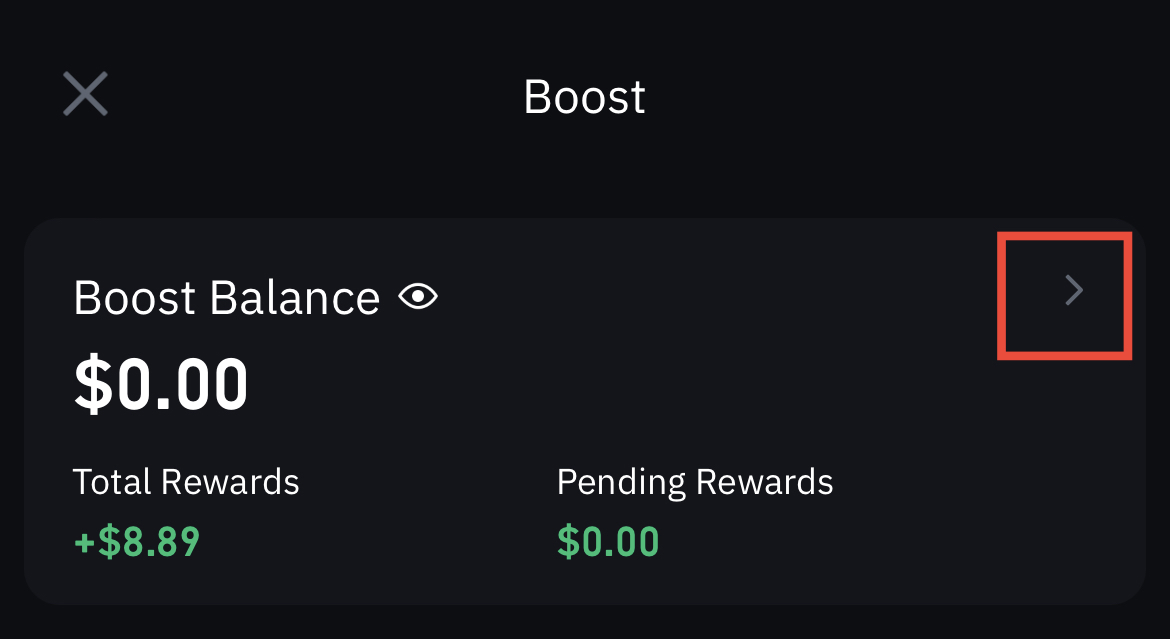
1. Tap Boost on the home screen.
2. Tap the arrow to the right of your Boost Balance.
3. Tap to select an ongoing or expired event.
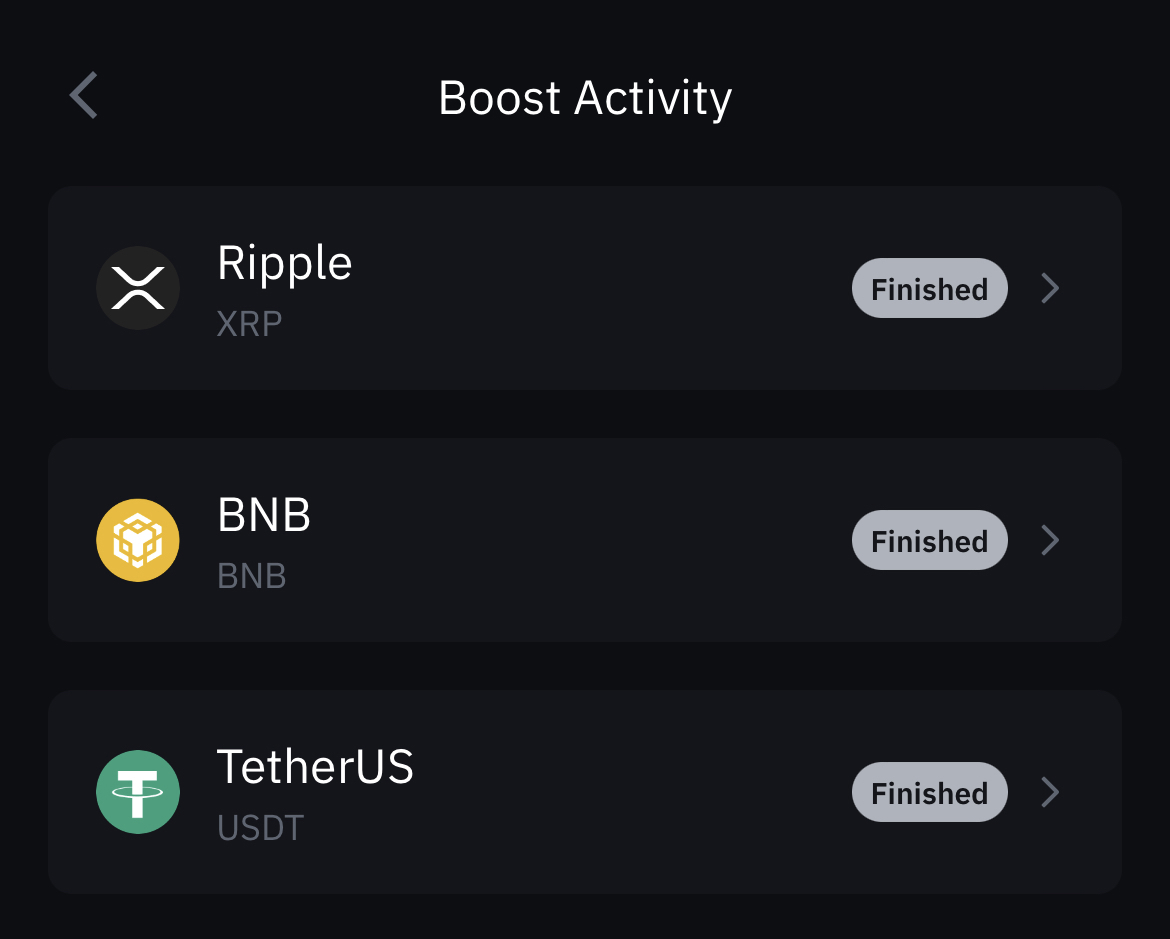
4. From here you can review your activity history for the chosen event.
Download the Binance.US app to trade on the go:iOS |Android
Follow us to stay up to date with Binance.US news and announcements:






Legal disclaimer: This material has been prepared for general informational purposes only and should NOT be: (1) considered an individualized recommendation or advice; or (2) relied upon for any investment activities. All information is provided on an as-is basis and is subject to change without notice. We make no representation or warranty of any kind, express or implied, regarding the accuracy, validity, reliability, availability, or completeness of any such information. Binance.US does NOT provide investment, legal, or tax advice in any manner or form. The ownership of any investment decision(s) exclusively vests with you after analyzing all possible risk factors and by exercising your own independent discretion. Binance.US shall not be liable for any consequences thereof.
Risk warning: Buying, selling, and holding cryptocurrencies are activities that are subject to high market risk. The volatile and unpredictable nature of the price of cryptocurrencies may result in a significant loss. Binance.US is not responsible for any loss that you may incur from price fluctuations when you buy, sell, or hold cryptocurrencies. Please refer to our Terms of Use for more information.
Binance.US reserves the right in its sole discretion to amend or change or cancel this announcement at any time and for any reasons without prior notice.
Stay tuned to CoinCarp Social Media and Discuss with Us:
X (Twitter) | Telegram | Reddit
Download CoinCarp App Now: https://www.coincarp.com/app/


