
Seclect Currency
Fiat currencies
Crypto Currencies
No results for ""
We couldn't find anything matching your search.Try again with a different term.
Failed To Install MEXC App Troubleshooting Tutorial

1. iOS Troubleshooting
MEXC AppStore official download link: https://apps.apple.com/us/app/mexc-global-buy-sell-bitcoin/id1605393003
If you are using an iPhone with an iOS system, you can refer to the following solutions:
1.1 App unavailable
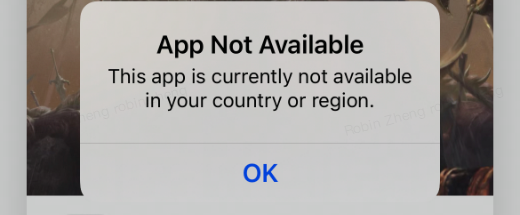
If you head to the AppStore and see the prompt "App Not Available", it means that the Apple ID account you are using is located in a region where MEXC is unavailable. This includes mainland China, Canada, Singapore, Italy, etc.
If you accidentally use an Apple ID in these regions, you can re-register for a new Apple ID or change the country or region where your Apple ID is located.
Tutorial for changing the country and region of your Apple ID: https://support.apple.com/en-us/HT201389
1.2 Requires iOS12 or higher system version
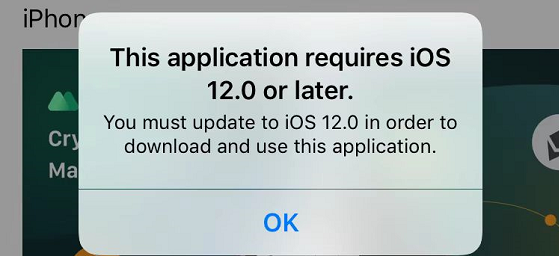
If you head to the AppStore and see the prompt "This application requires iOS 12.0 or later", it means you need to upgrade your phone. Tutorial: https://support.apple.com/en-us/HT204204
If you're using an iPhone 5 or any phone earlier than that:
If you have an Android phone, you can try the Android version of the MEXC App.
If you don't have an Android phone, you can try to use the H5 version of the MEXC website https://m.mexc.com.
Tutorial: https://support.mexc.com/hc/en-001/articles/4408299057561
2. Android Troubleshooting
2.1 Google Play Store Troubleshooting
MEXC App Google Play official download link:
https://play.google.com/store/apps/details?id=com.mexcpro.client
MEXC does not provide services to mainland China and Singapore.
If you accidentally use a Google account in mainland China or Singapore, you can re-register for a new Google account or change the country or region where your Google account is located.
Tutorial for changing the country and region of your Google account: https://support.google.com/googleplay/answer/7431675
If you face other problems when heading to the Google Play Store, please read this tutorial: https://support.google.com/googleplay/answer/7513003
2.2 Problems encountered when installing the MEXC APK installation package
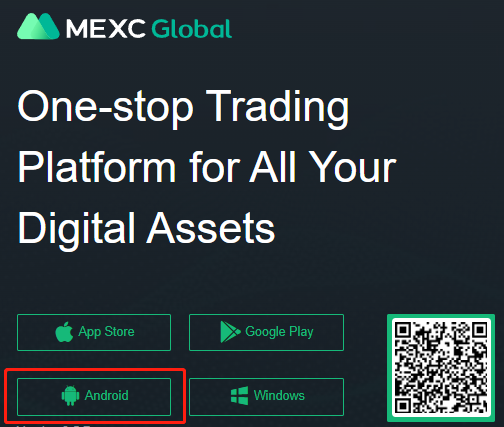
MEXC App official website APK installation package download link: https://www.mexc.me/download After downloading, click the Android robot logo in the lower left corner.
For security reasons, the "Install from Unknown Sources" function is disabled by default on Android phones. Using a Samsung phone as an example, you need to enter your Settings, search for "Install from Unknown Sources", and then enable this option (mobile phones from different brands will have different displays).
Tutorial: https://www.samsung.com/us/support/troubleshooting/TSG01001353/
Some brands will prompt that there is a risk when installing the MEXC Apk installation package. This is normal.
Be sure to download the installation package from the MEXC official website https://www.mexc.me/download
If you also own an iPhone, you are also welcome to experience the iOS version of the MEXC App. Search for MEXC in the AppStore to download it.
3. Problem Still Not Solved
If you have tried the above solutions but your problem is still not solved, you can use the H5 version https://m.mexc.com
Tutorial: https://support.mexc.com/hc/en-001/articles/4408299057561
Stay tuned to CoinCarp Social Media and Discuss with Us:
X (Twitter) | Telegram | Reddit
Download CoinCarp App Now: https://www.coincarp.com/app/


