
Fiat currencies
Crypto Currencies
No results for ""
We couldn't find anything matching your search.Try again with a different term.
MEXC Affiliate Backend Usage Guide

In order to develop the crypto community and look for affiliates who share the same values and mission with MEXC, we have launched the MEXC Affiliate Program (Apply Now).
After becoming a MEXC Affiliate, you are able to create your customized referral link to invite friends and earn trading fee commissions. In this usage guide, we will show you how to navigate the MEXC Affiliate backend system.
First, please visit the MEXC affiliate website via affiliates.mexc.com and log in to the affiliate backend page;
Dashboard Overview:
- Banner Section
You can see our recent events for our affiliates and platform users. You can join these events on your own or share some of them with your community users.

- Referral link creation area.
Since there is no default invitation link, you will need to set up your referral link before inviting your friends.
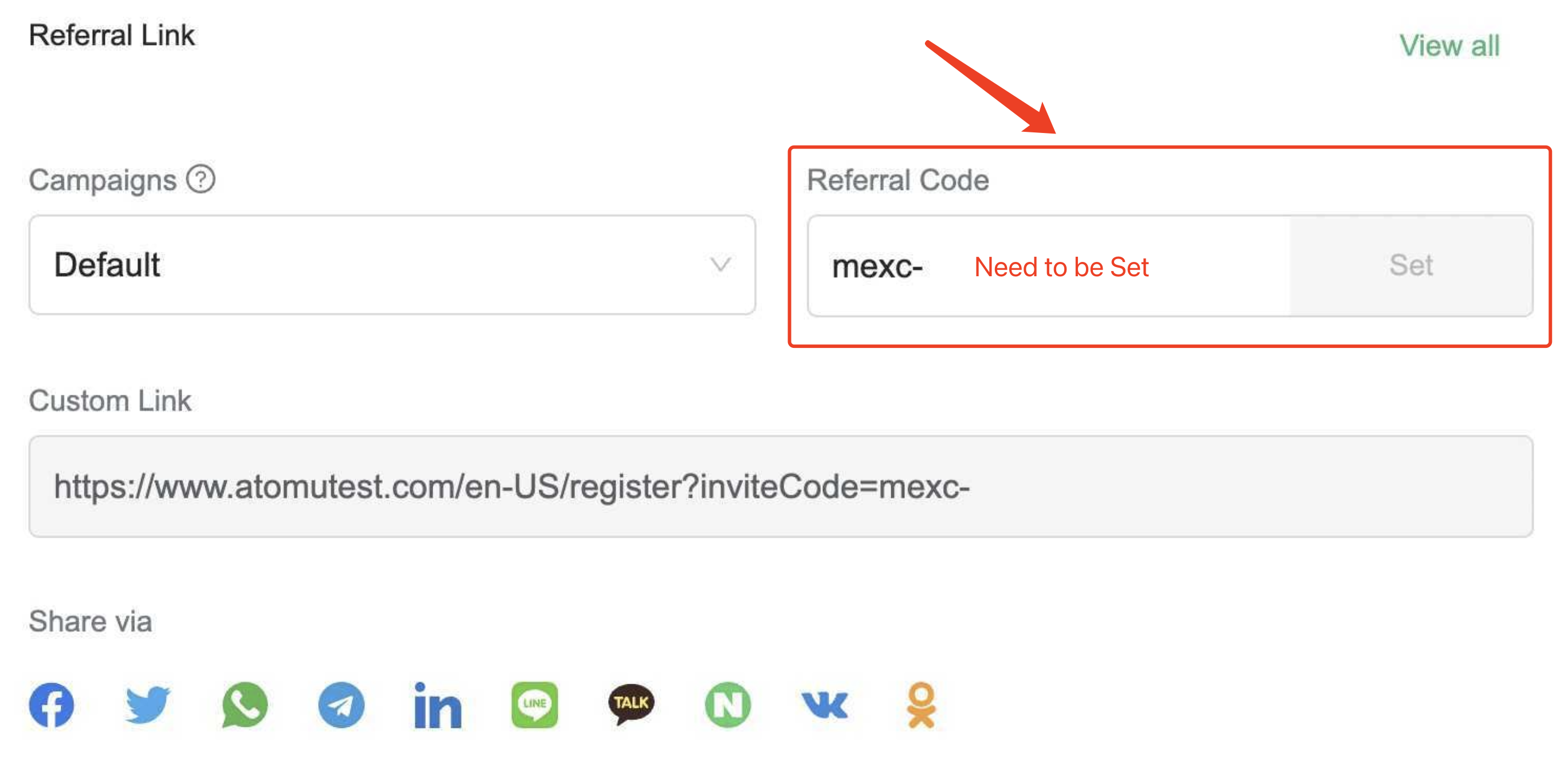
For example, type "your name", such as, "peterw", as the code to set up the default link.
In this area, you can create your customized invitation link and create various campaigns with different invite codes.
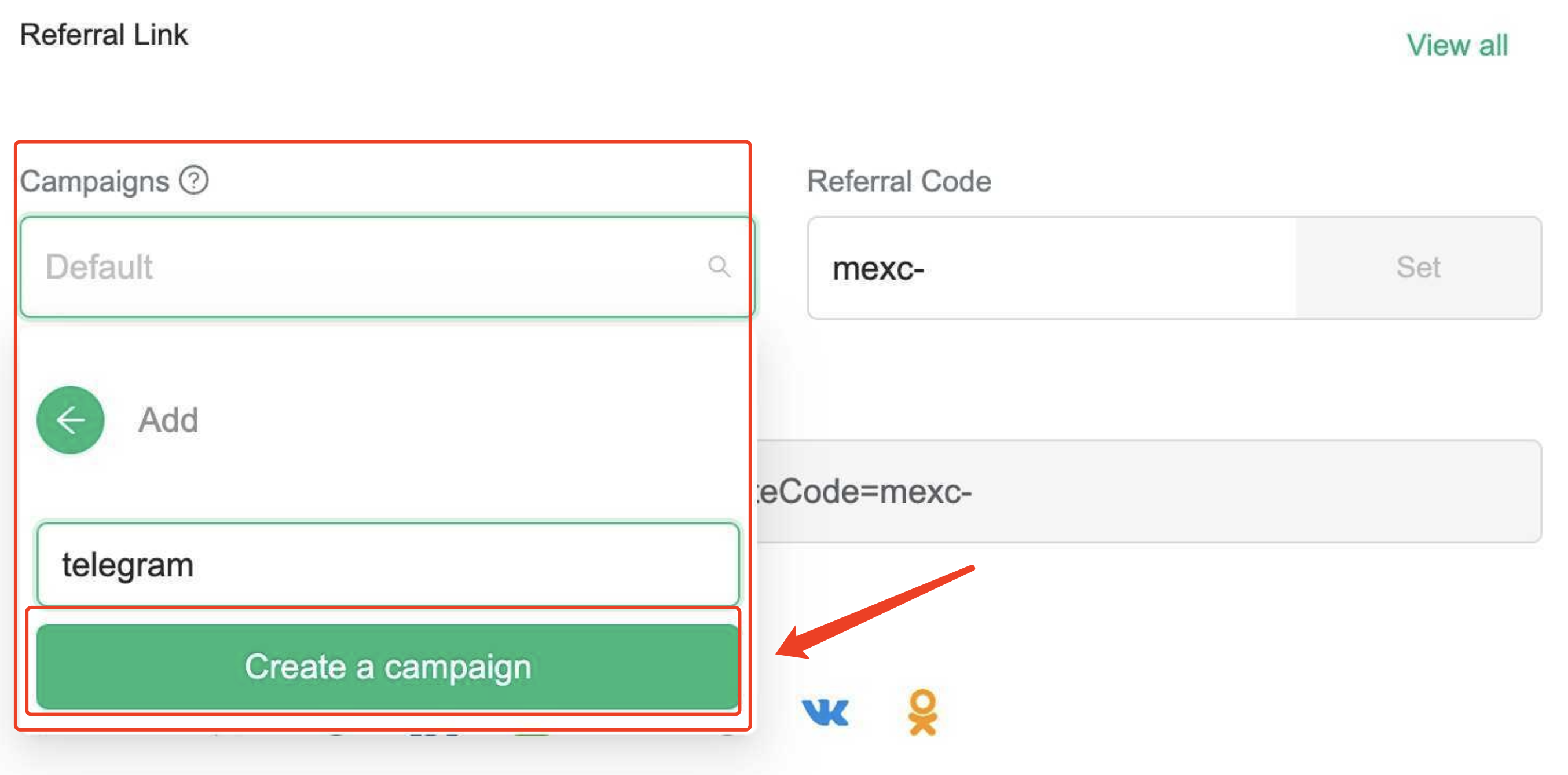
For example, you can create a campaign called "Telegram" and enter your customized code, such as "peterTG", and then share the link to track the registration and performance of promotions from your Telegram Community.
- Promotion Link Shortener.
Here you can shorten any promotion link to generate a shortened link with your invite code cookie.
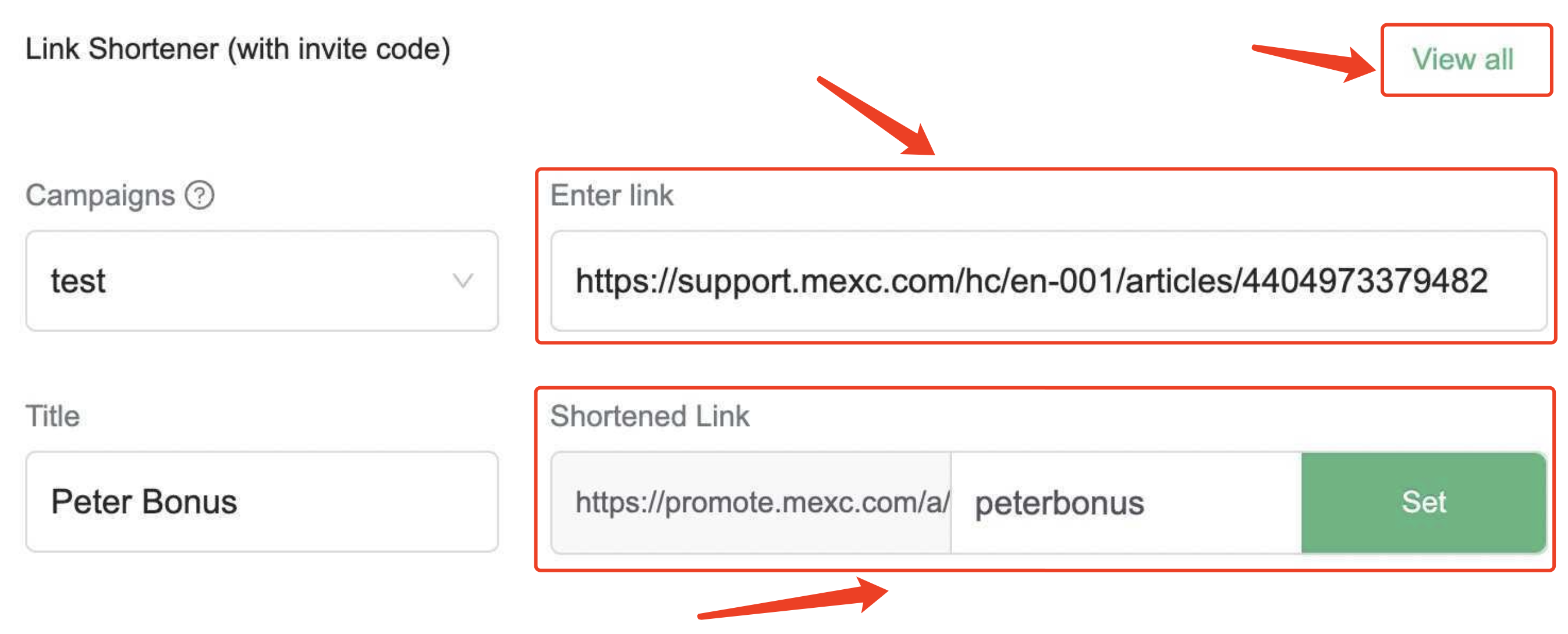
For example, you may want to promote the futures bonus event to your community users. You can shorten a promotion link such as "Futures new user bonus", you may copy the link here, type the title as "peter bonus" and the code as "peter bonus", and choose the campaign you want to use, such as "default". Then you can copy the links in the view all section.
If a new customer clicks this link to view the promotion and registers a MEXC account, your invite code will be shown on the registration page.
- Withdraw the rebates from the affiliate account.
You can view the commissions available for withdrawal and the historical withdrawal records at the top right. After clicking on the "withdraw" button, you can withdraw the commissions to your linked MEXC spot account.
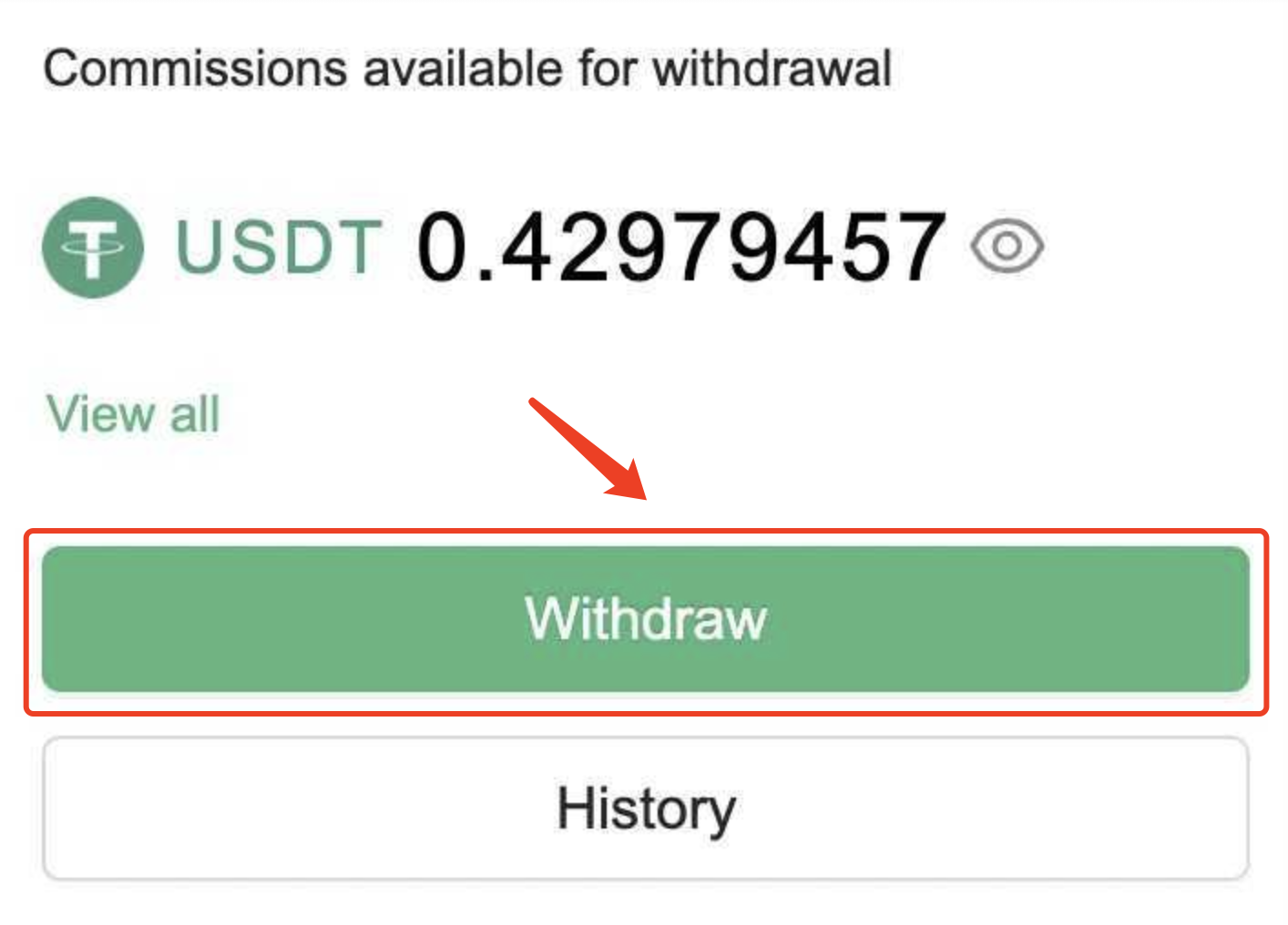
Please note that to ensure the security of your funds, you need to bind the Google verification code of the affiliate account before you make any withdrawal. You can bind the Google verification code under the "Account Security" tab of your affiliate account.
MEXC will release the spot commissions rebates at 08:30 UTC daily, and at 09:30 UTC for the futures commissions.
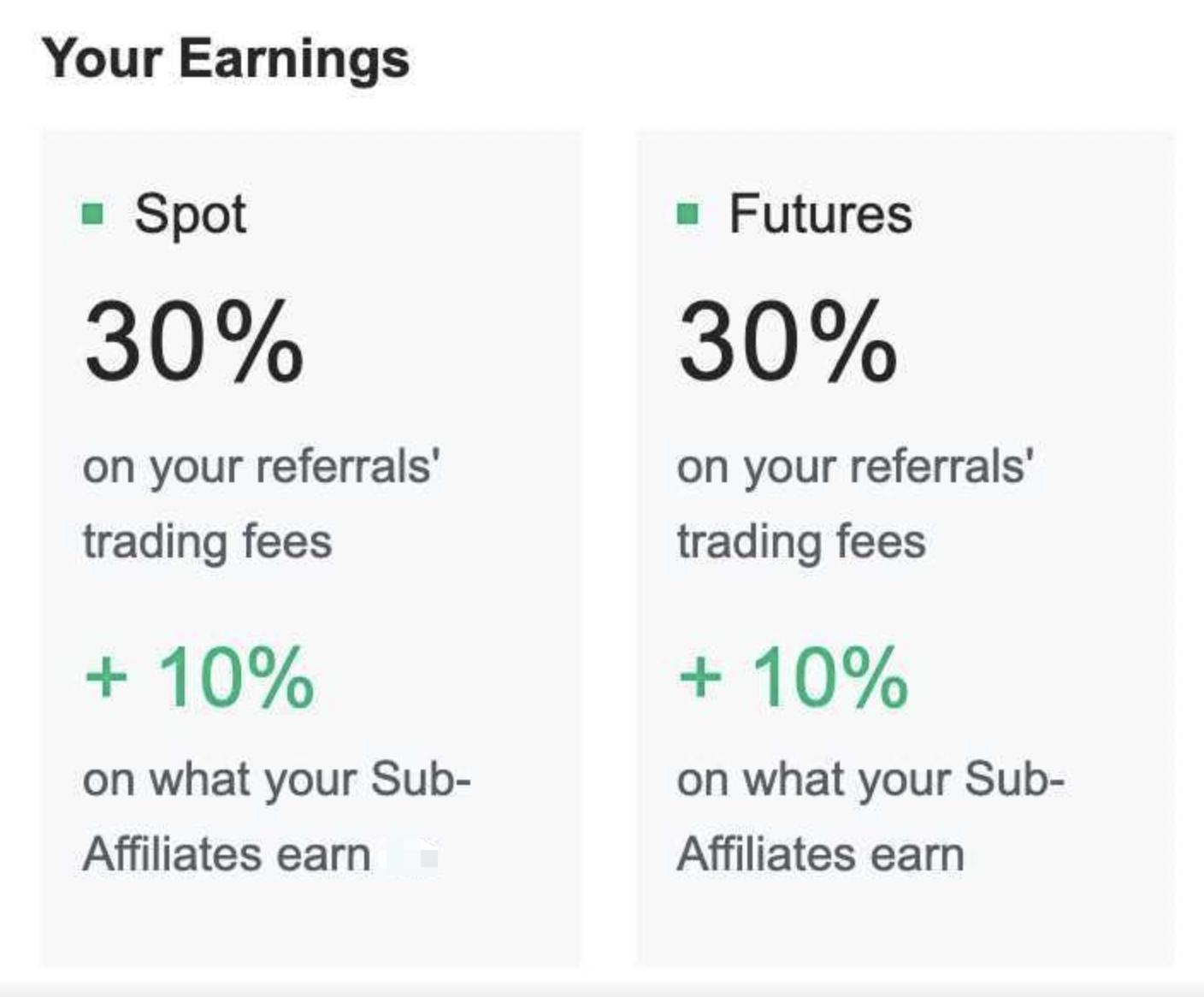
- Your Rebate Rate.
You can find your referral and sub-affiliate commission rebate ratios here.
- Track the trend.
In this area, you can select a specific time period to see a summary of the users you invited during that time period, as well as the accumulated commissions generated.
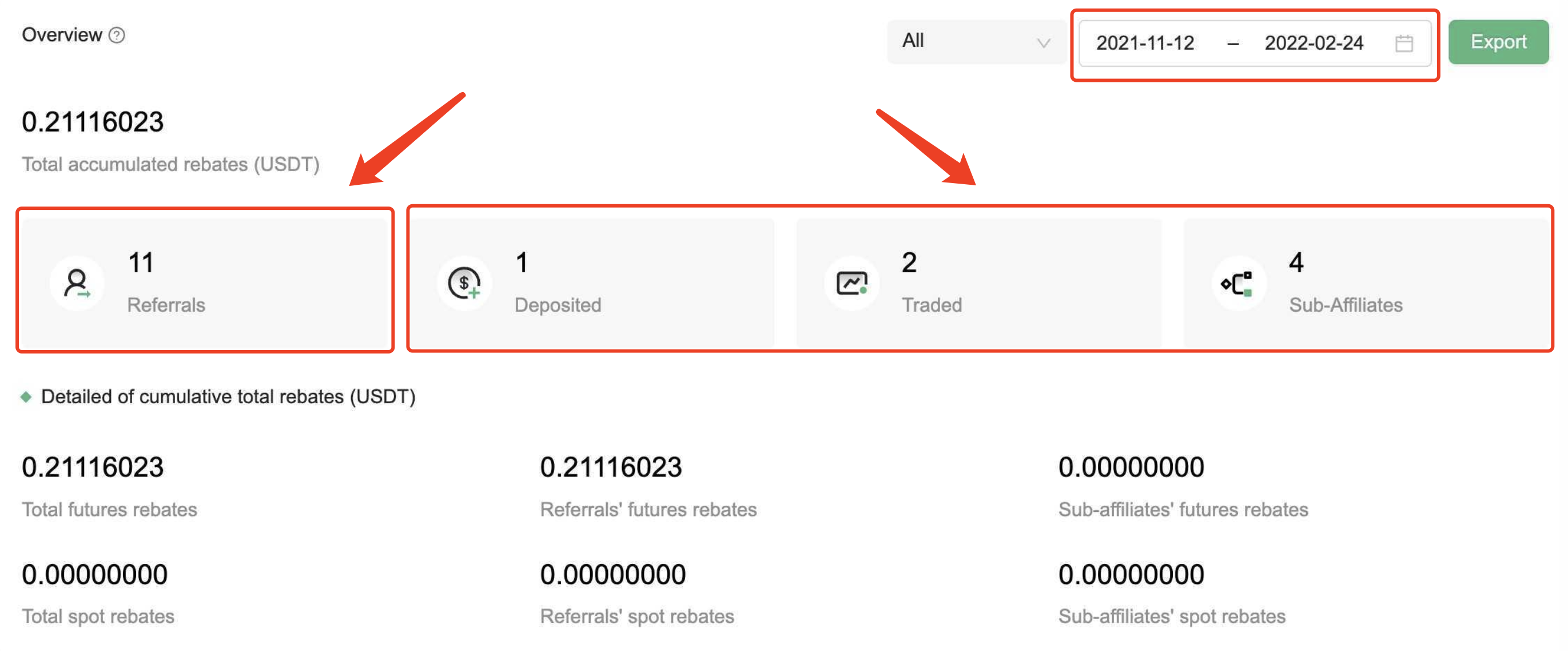
The data of referral numbers will be updated once you log into the affiliate system and the other three numbers will be updated daily.
At the same time, you can find the trend of daily data below this section.
If you have any questions, you can contact your dedicated account manager via the contact information at the bottom of the dashboard.
Detailed Data
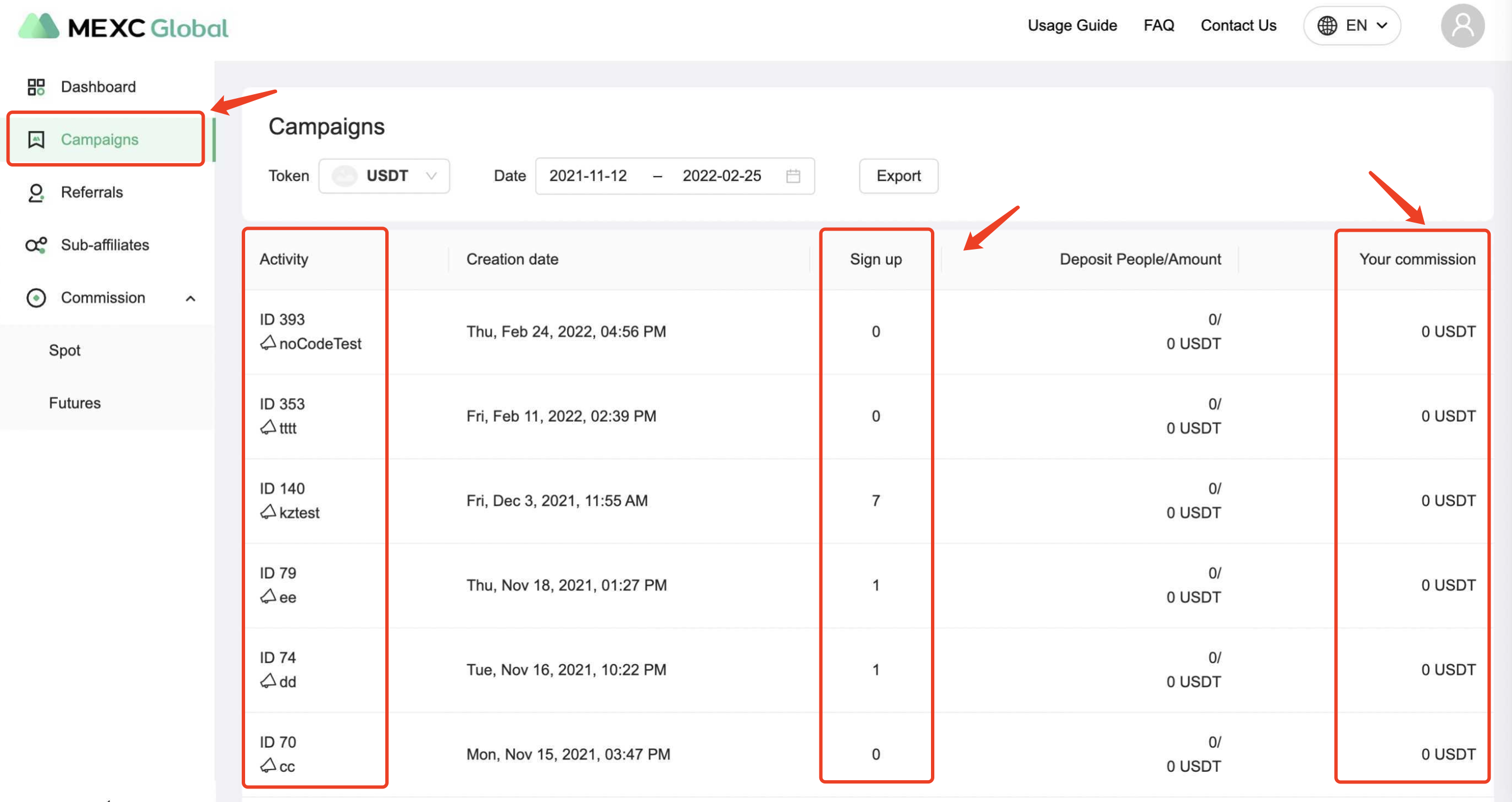
- Campaigns
You can check the data of sign-ups, deposits, and your commissions of each invitation link by the campaigns.
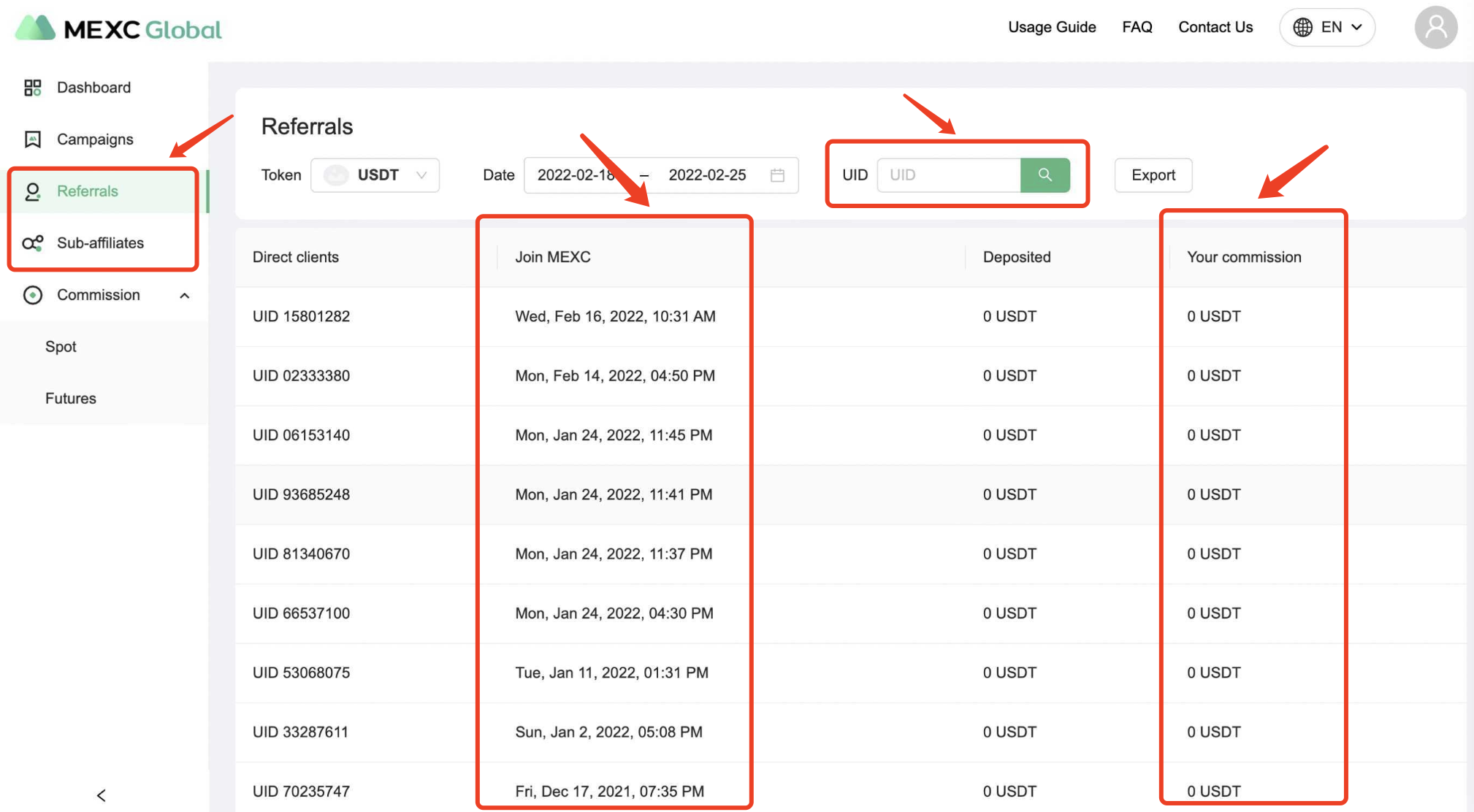
- "Referrals" and "Sub-Affiliates"
You can review the commission of each client for the selected period. You can also search for specific referrals’ info by their UIDs.
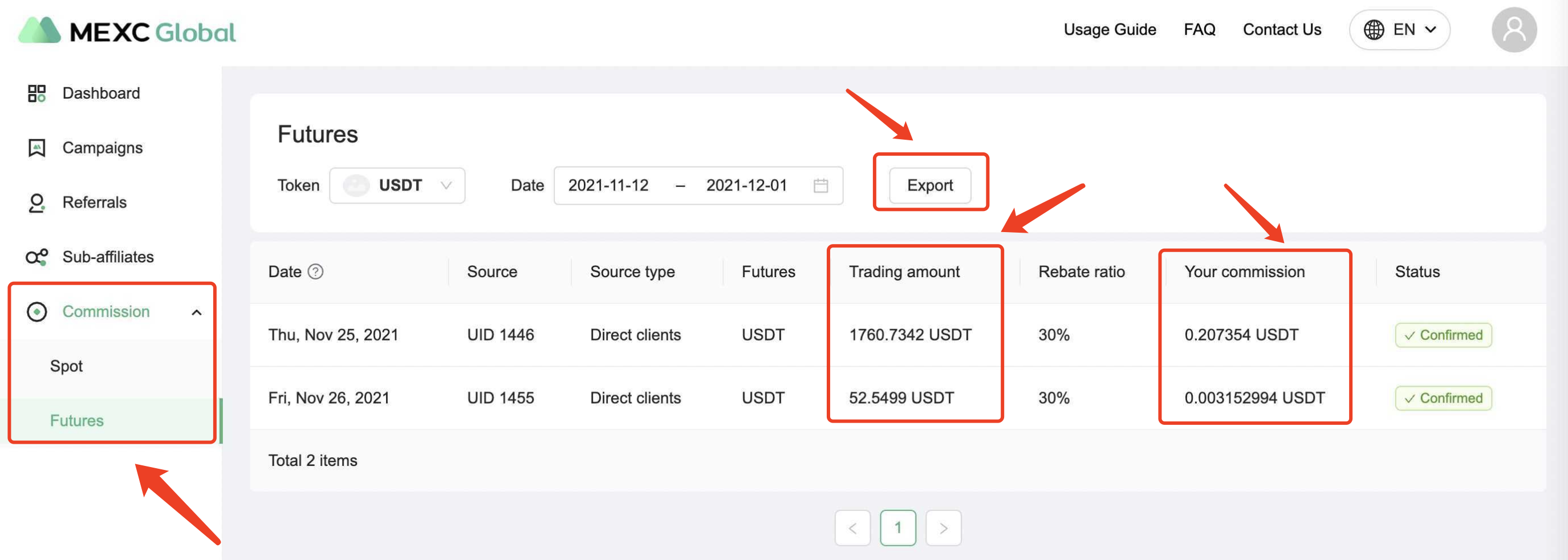
- “Spot” and “Futures” under the “Commission” tab
You can view the detailed commission of each transaction of your referrals. Moreover, you can use the export button to download the data and analyze it.
If you have any inquiries or suggestions, please feel free to contact your dedicated account manager to let us know.
Affiliate Program FAQ:https://affiliates.mexc.com/faq
Apply to be an affiliate now:https://affiliates.mexc.com/apply
Stay tuned to CoinCarp Social Media and Discuss with Us:
X (Twitter) | Telegram | Reddit
Download CoinCarp App Now: https://www.coincarp.com/app/


