
Fiat currencies
Crypto Currencies
No results for ""
We couldn't find anything matching your search.Try again with a different term.
Tutorial: SWIFT/FedWire Transfer Fiat Trading on MEXC Website

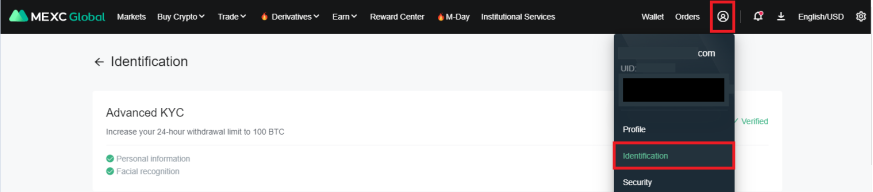
Note: Before you begin your Fiat Trading please complete your [Identity Verification] at [Person Center] first.
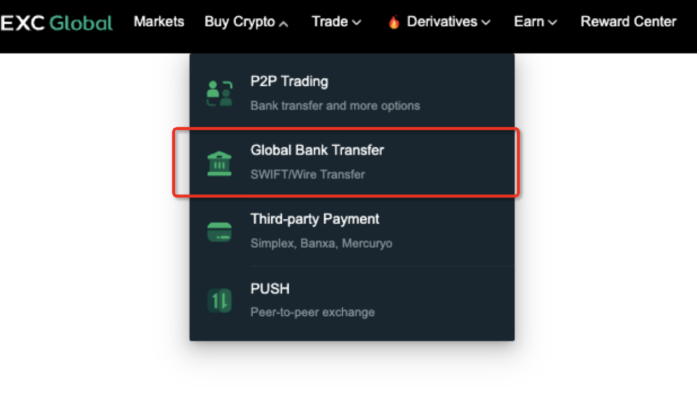
Step 1: Click on “Buy Crypto”, then click on “Global Bank Transfer”.
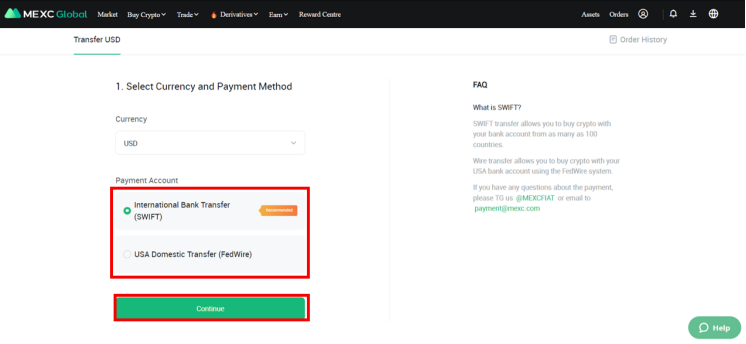
Step 2: Select the “International Bank Transfer (SWIFT)” or “USA Domestic Transfer (FedWire)” on Payment Account and click on “Continue”.
Step 3: Please fill in the amount you would like to purchase, then add your bank account info by clicking “Add Account”.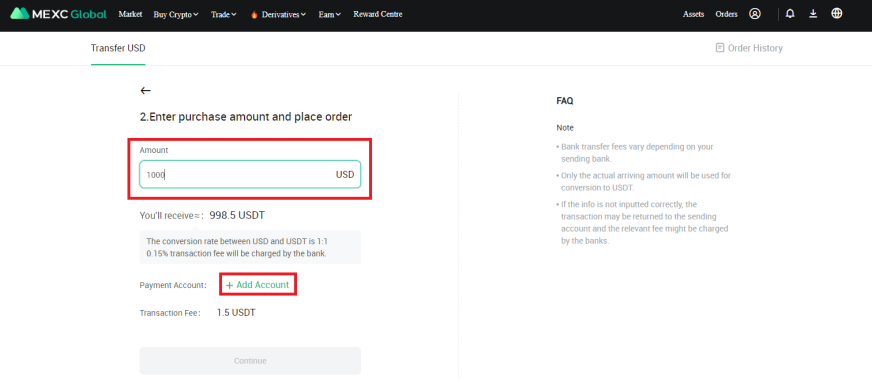
Step 4: Choose your bank account country, fill in “Account Number”, "First Name", "Last Name" and “SWIFT/BIC” followed by “Continue”.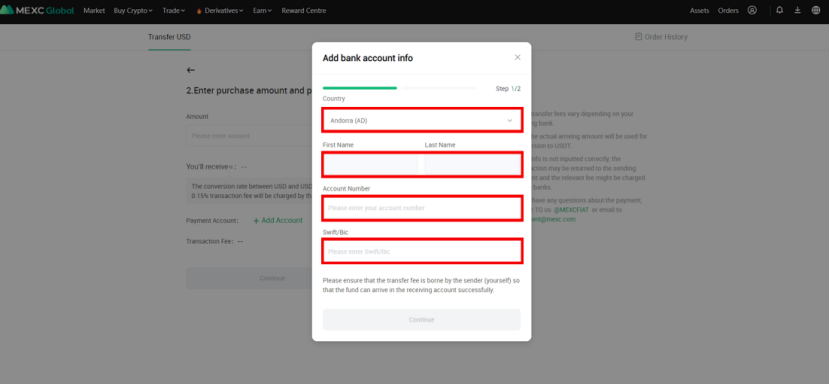
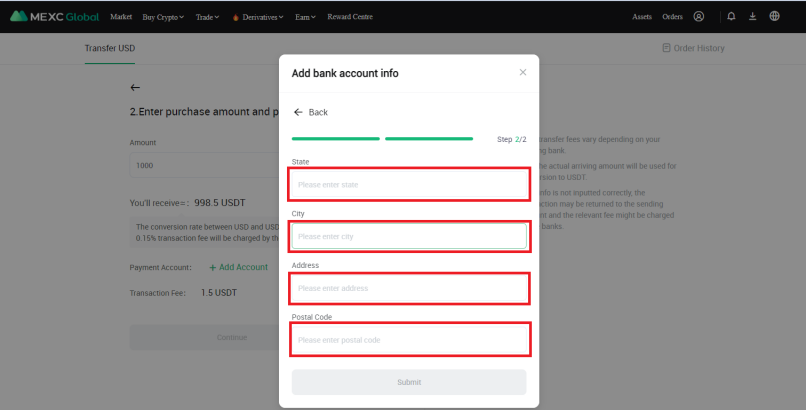
Step 5: Fill in “Address”, “City”, “State” and “Postal Code”. Click “Submit”.
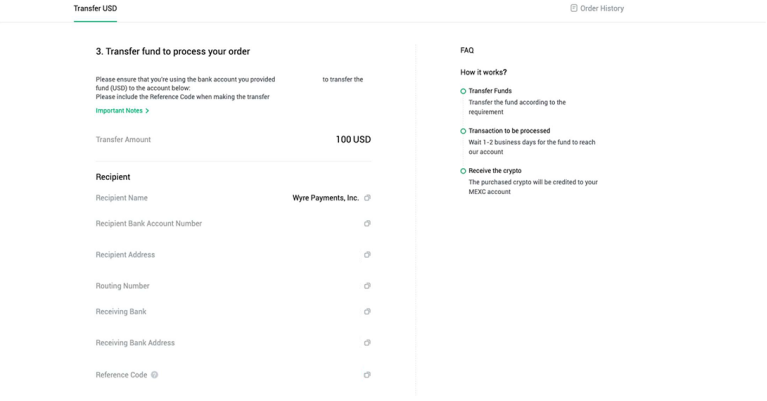
Step 6: After adding your bank account info, you may proceed with the payment based on the account details given.
Notes:
- Please ensure that the bank account you’re sending from is under the same name as your KYC’d name.
- Please ensure that the transfer fee is taken care of by the sender so that the complete amount of fund can arrive.
- Please be patient and wait for your USDT to be credited as international transfer will take a few days to complete.
If you have any questions, please telegram us @MEXC_FIAT or email us at [email protected]MEXC TEAM
7th June 2022.
Stay tuned to CoinCarp Social Media and Discuss with Us:
X (Twitter) | Telegram | Reddit
Download CoinCarp App Now: https://www.coincarp.com/app/


