
Seclect Currency
Fiat currencies
Crypto Currencies
No results for ""
We couldn't find anything matching your search.Try again with a different term.
Futures Copy Trading Tutorial

How to Use BigONE's Futures Copy Trading Product:
[Copy Trading]
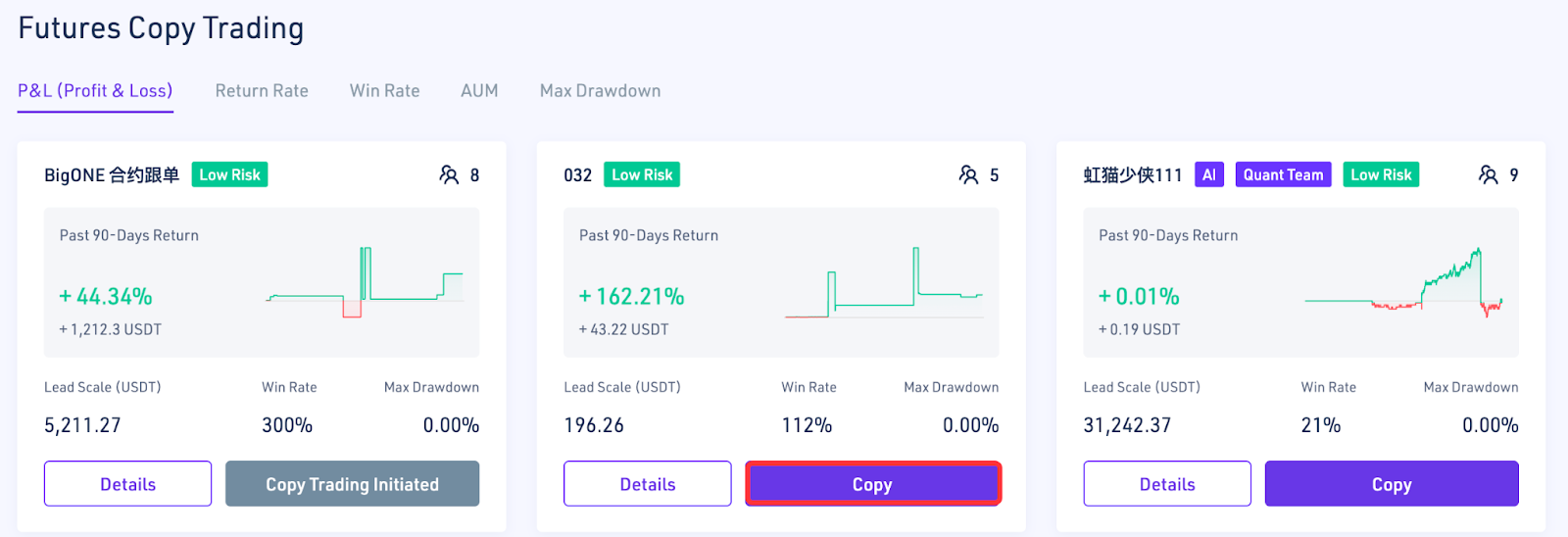
- Go to the Copy Trading page from "Home" - "Futures" - "Futures Copy Trading." Select the lead trader you want to copy and click "Copy."
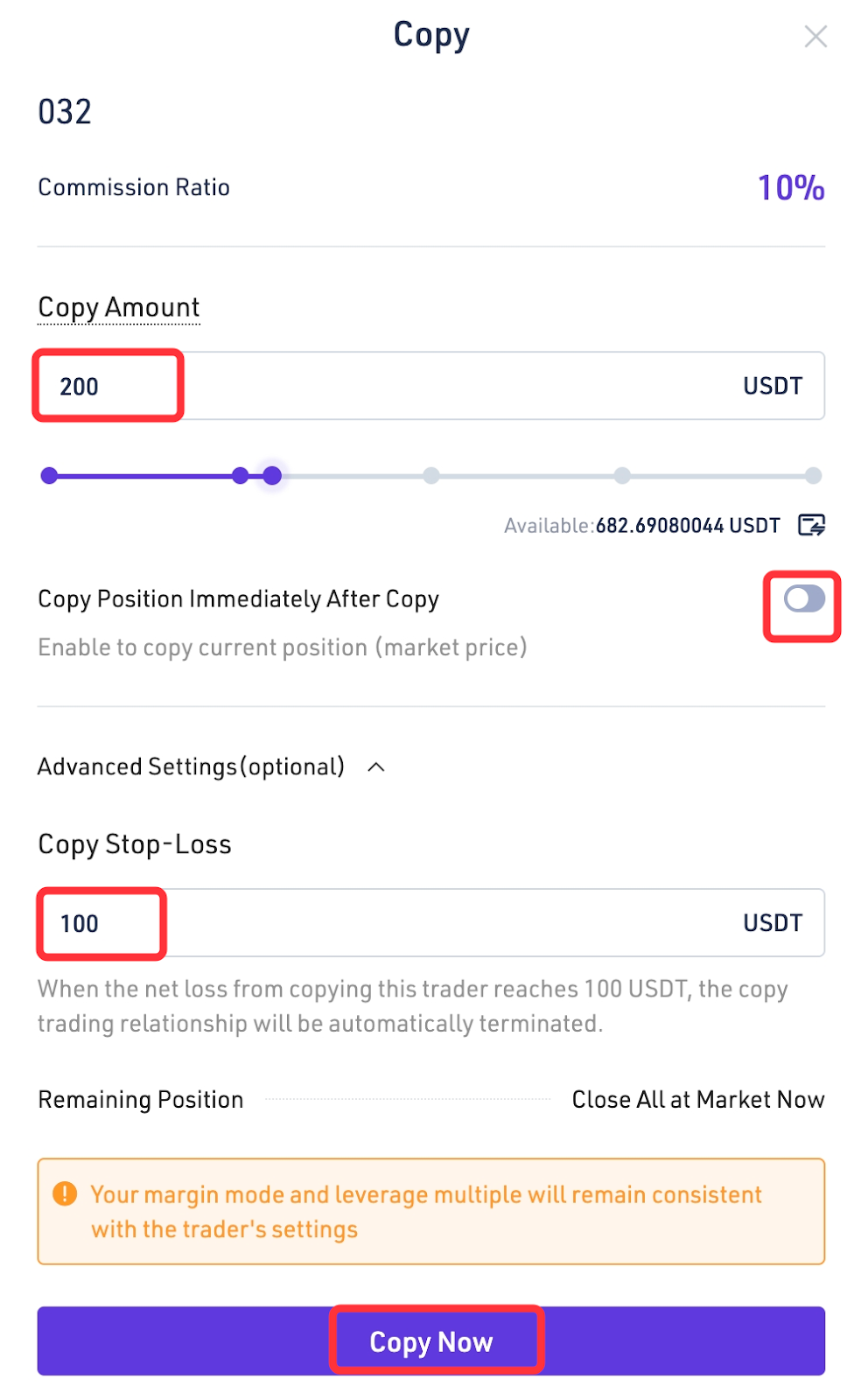
- Follow the on-screen prompts to enter the copy trading amount, choose whether to copy the position immediately, set a stop-loss amount (optional), and then copy the trade immediately. Funds invested in the copy trading will be transferred from your Futures account to your copy trading account. Please pay attention to fund fluctuations in your Futures account and position risk.
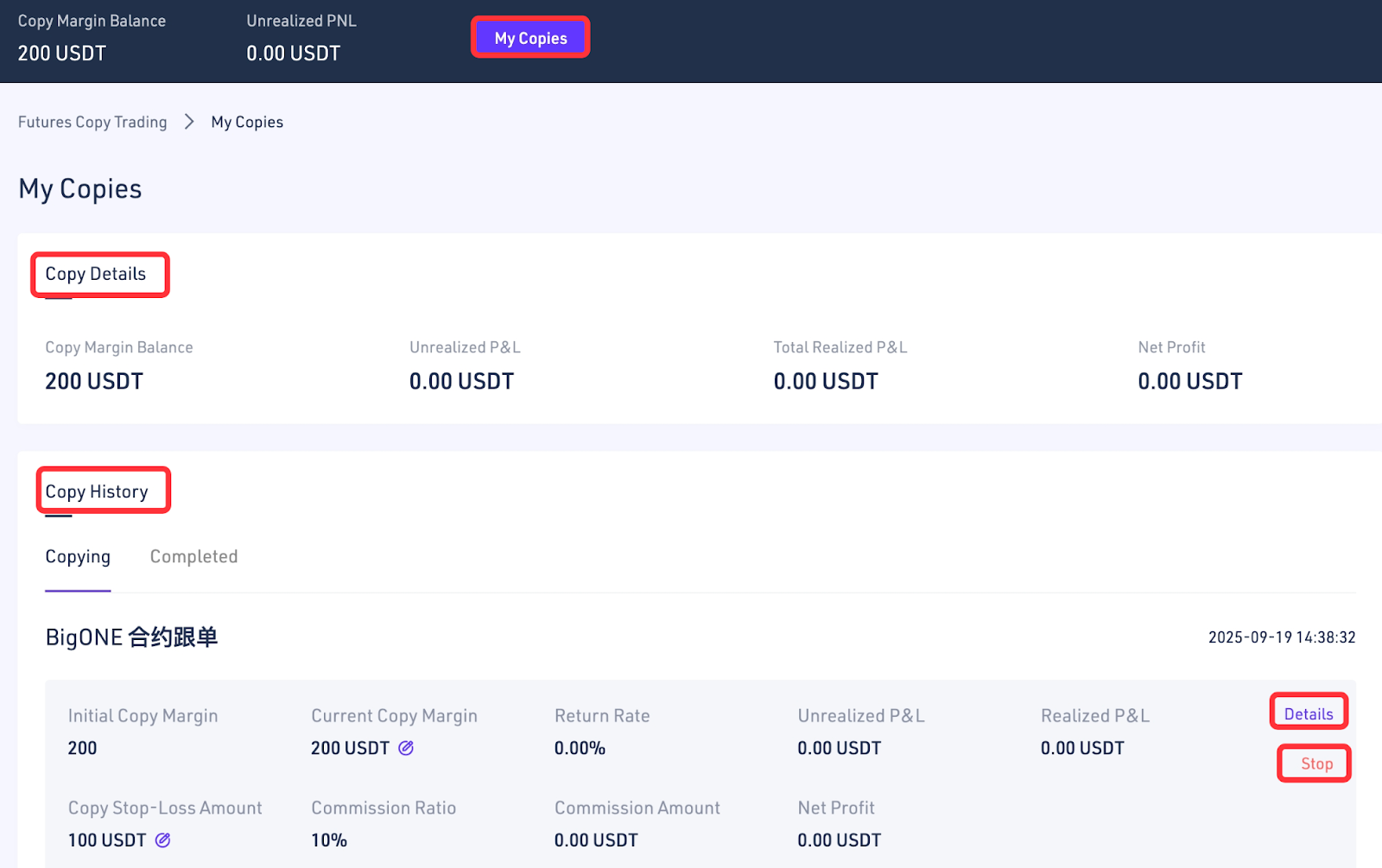
- View copy trading details and copy trading history in "My Copies." Click "Details" in "Copy Trading" to view your current position and trading history. Click "Stop" to end copying.
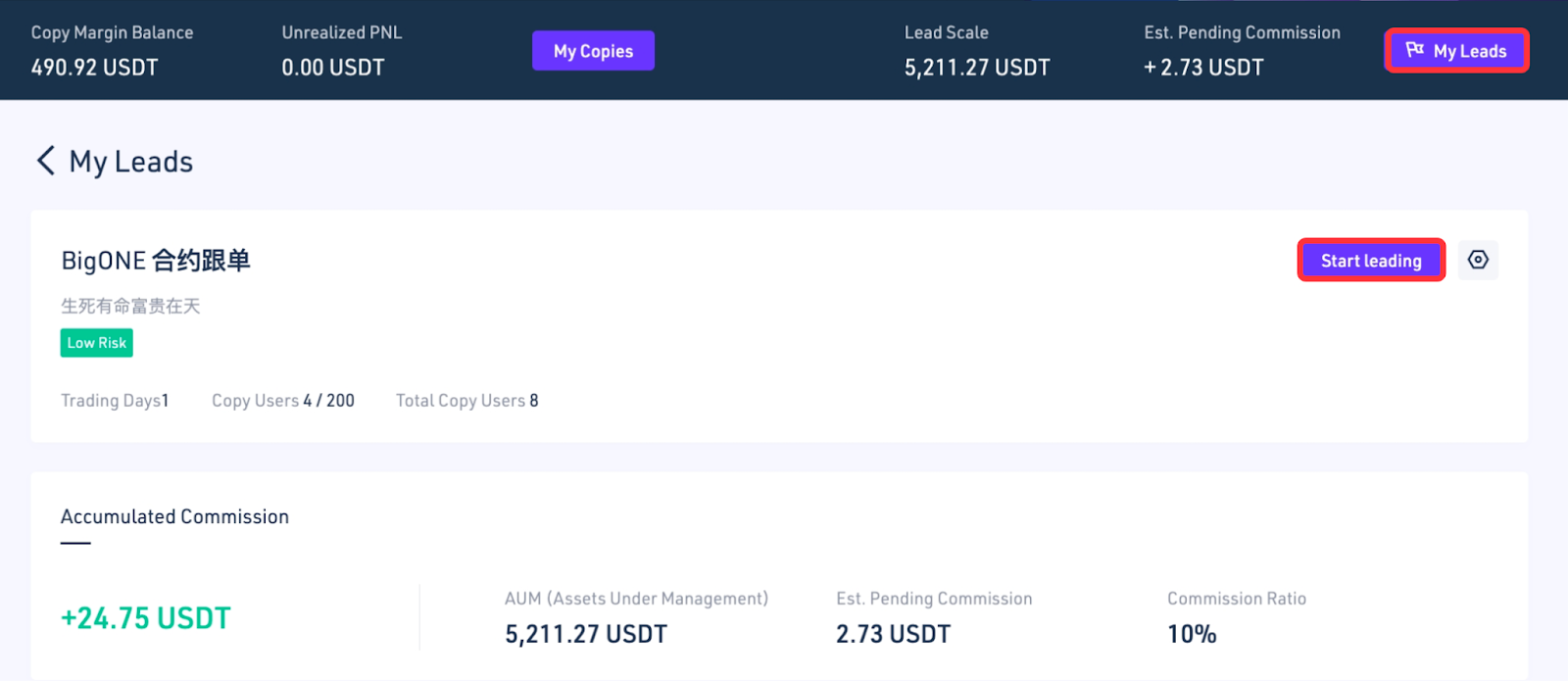
[Lead Traders]
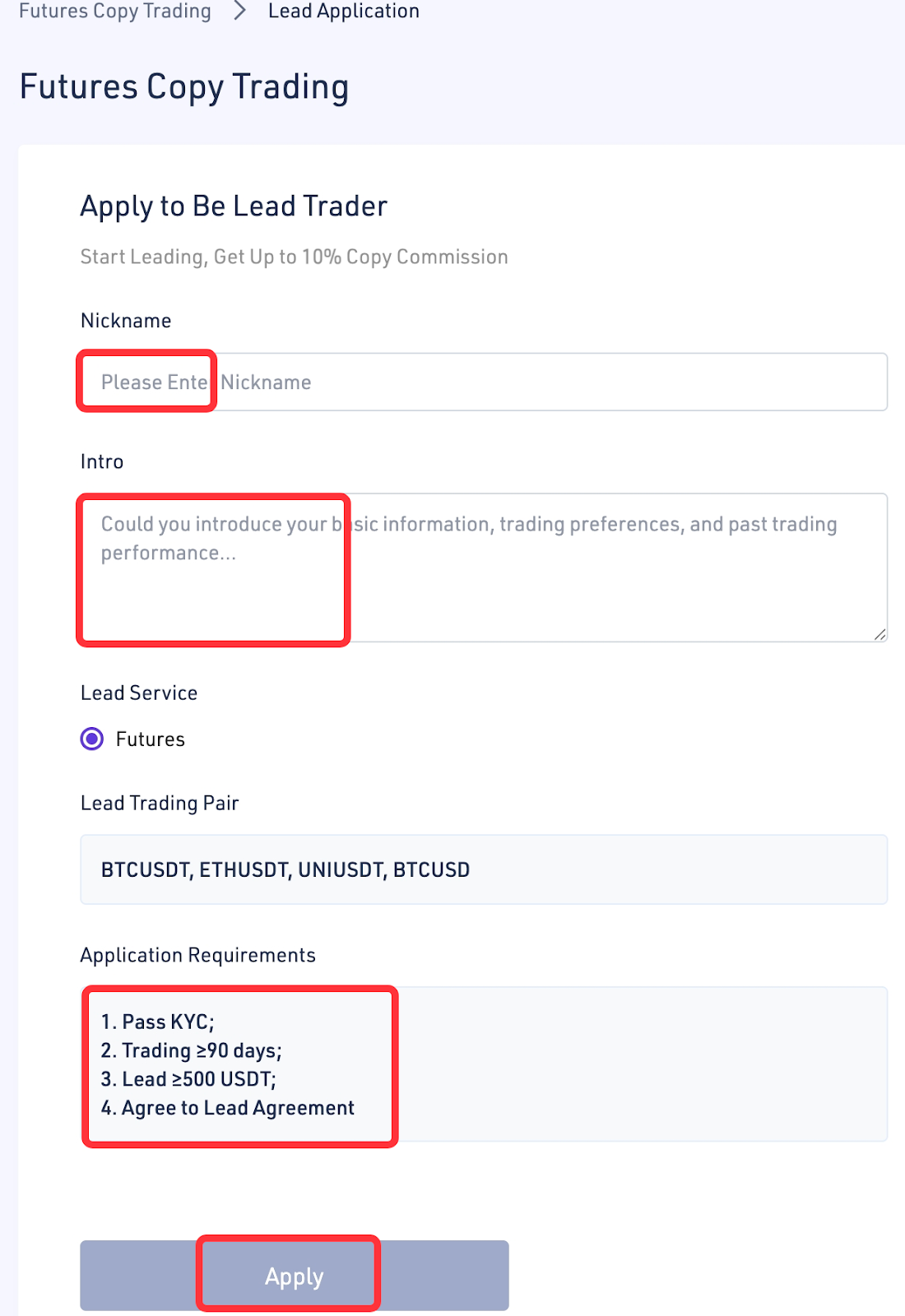
- Click "Apply for Lead Trader" on the Copy Trading page.

- Enter your nickname and profile, and check whether you meet the application requirements. If so, submit your application. Once the platform receives and approves your application, you can start leading trades.
This is the complete tutorial for Futures copy trading.
Stay tuned to CoinCarp Social Media and Discuss with Us:
X (Twitter) | Telegram | Reddit
Download CoinCarp App Now: https://www.coincarp.com/app/


