
Fiat currencies
Crypto Currencies
No results for ""
We couldn't find anything matching your search.Try again with a different term.
How to Upgrade to a Unified Account on Gate.io...

Dear Gate.io users,
To provide more convenient and secure digital asset services, we have launched the Unified Account feature that combines all your accounts into one. This feature will unify your spot, contract, margin, and wealth management accounts into one. Once enabled, you can transfer funds, borrow, trade, and perform other operations more conveniently and securely.
To upgrade, follow our tutorial below. Before enabling the Unified Account, make sure your account VIP level is ≥ 3, and your spot account assets are not less than $1,000.
Unified Account Web Tutorials
Initiate Upgrade (Web)
There are three ways to begin the process of upgrading to a Unified Account.
**Option A) Spot Market Page: **Toggle the “Auto Borrow” button or click on “Upgrade Now”.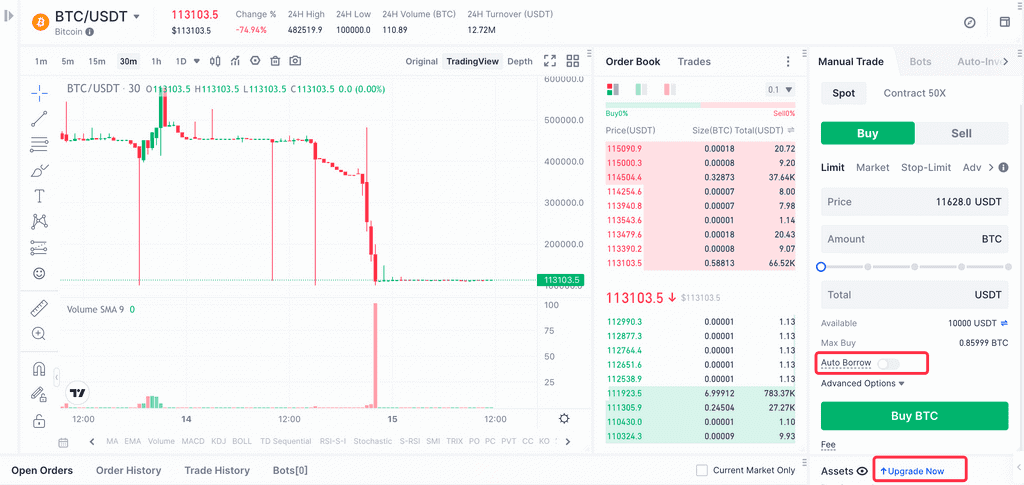
Option B) Navigation Bar: Click the settings icon (⬡) in the top right corner.
Click “Account Upgrade” from the pop-up window.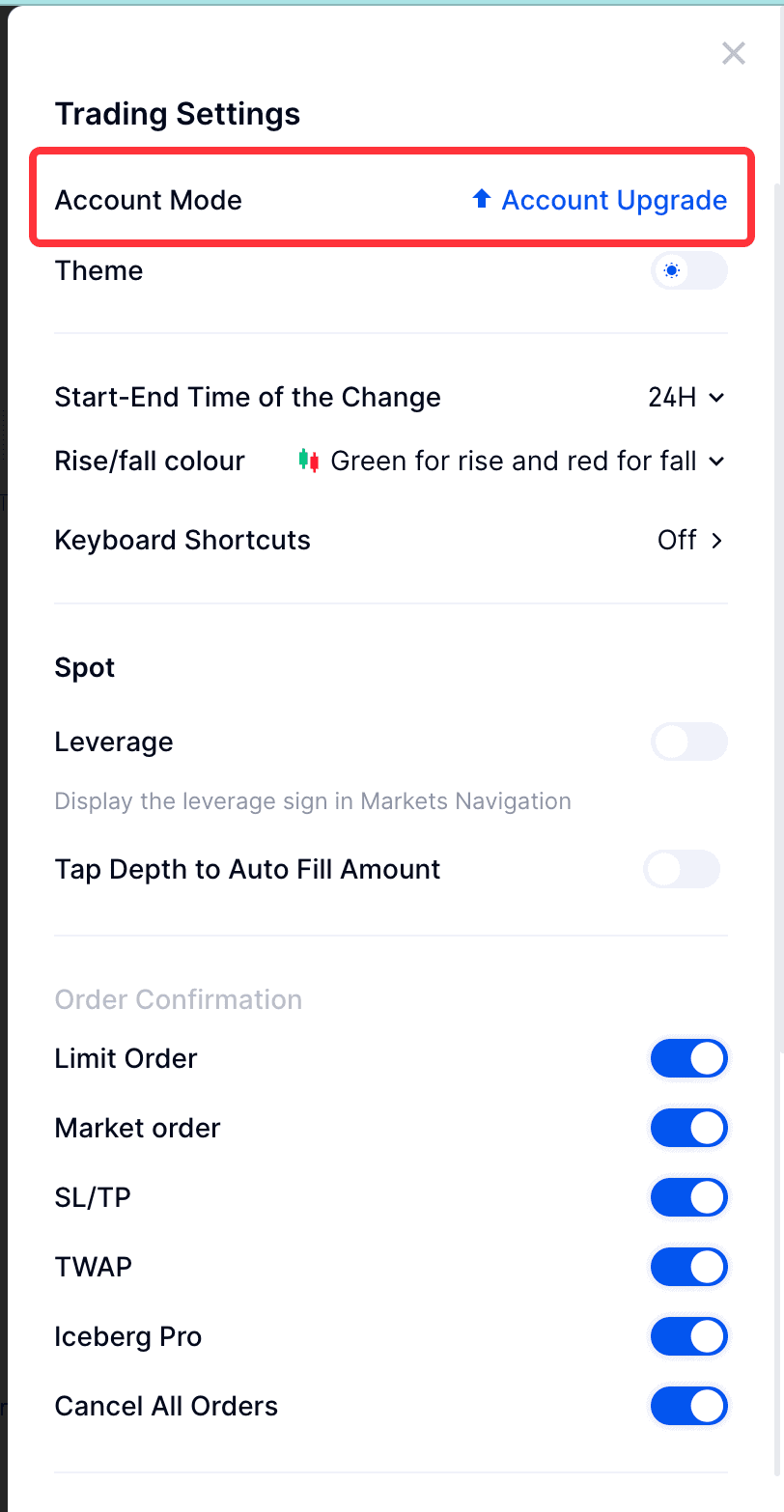
**Option C) Spot Wallet Page: **From the spot wallet page, select “Upgrade Now”.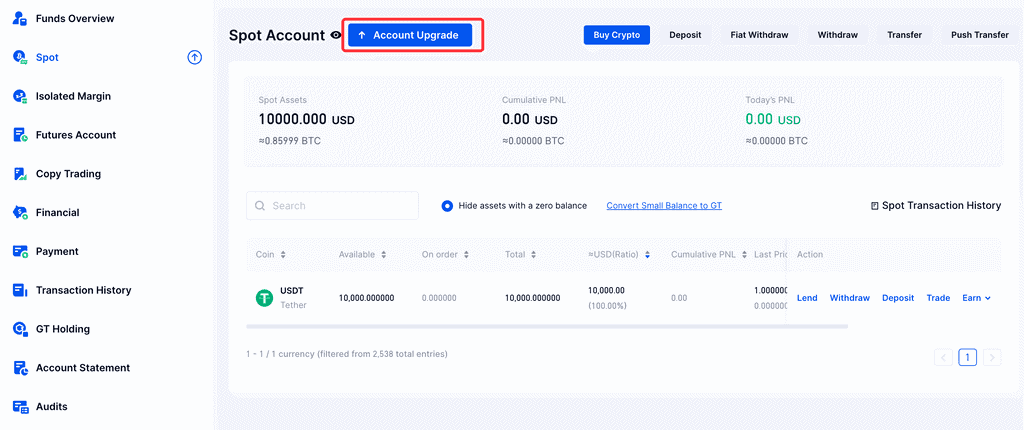
Unified Account Upgrade (Web)
After selecting one of the three initiation methods above, complete the following steps to enable a Unified Account:
Step 1: Navigate through the images to read about the advantages of a Unified Account and how to use automatic lending and contract trading with it.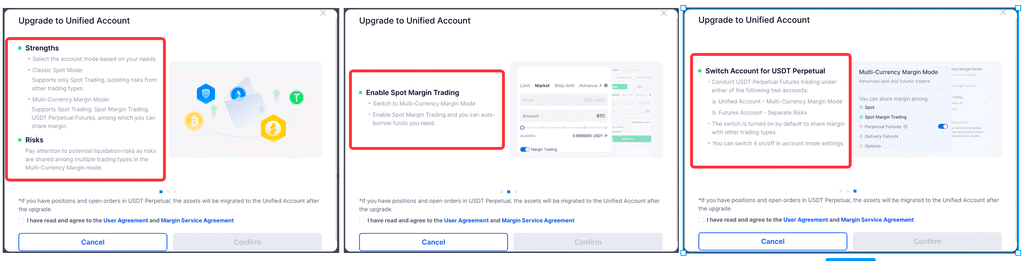
Step 2: Read the user agreement carefully and, if you agree, check the box, then click “Confirm”.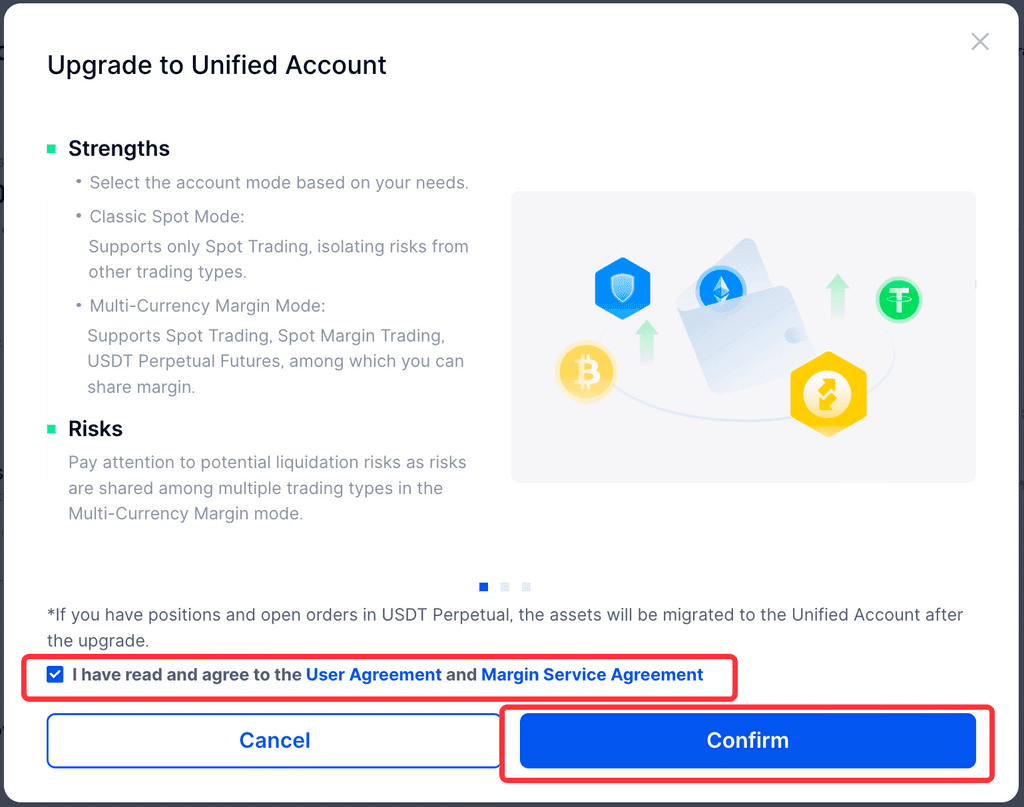
**Step 3: **Upgrade preparations will begin, which should be automatically completed within 10 seconds. Please be patient.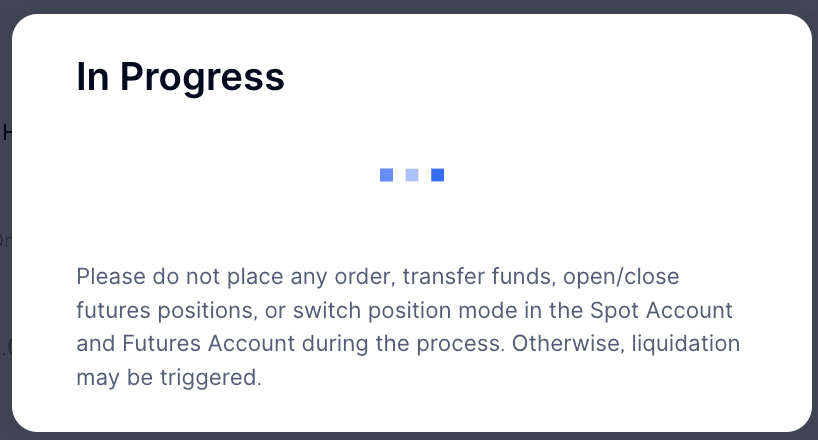
Step 4: Congratulations on successfully upgrading to a Unified Account!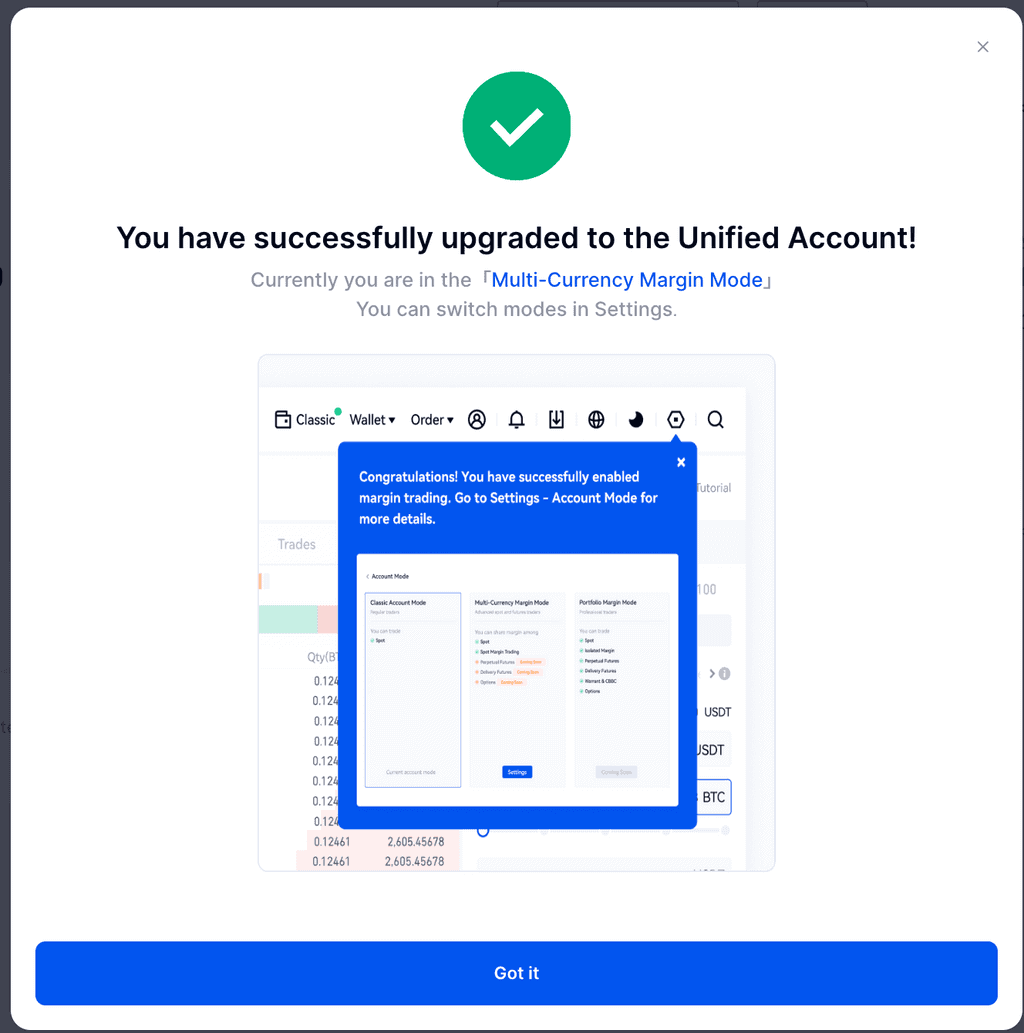
Switch Unified Account Mode (Web)
Unified Accounts support three modes: Classic Spot, Multi-Currency Margin, and Portfolio Margin. If you have already upgraded to a Unified Account and want to switch modes, the steps are as follows:
Step 1a: Go to the unified account and click the circled button in the picture.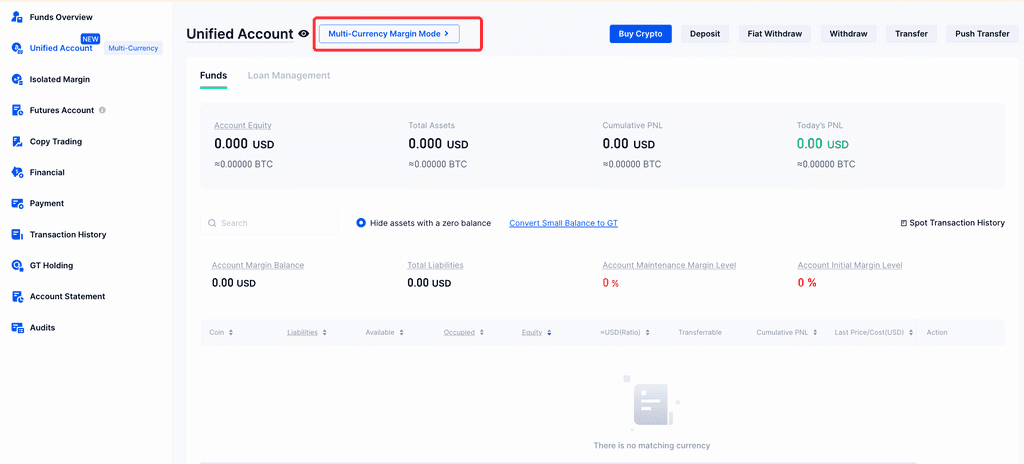
**Step 1b: **Alternatively, you can click the setting icon (⬡), then click on the “Account Mode” option in the pop-up window.
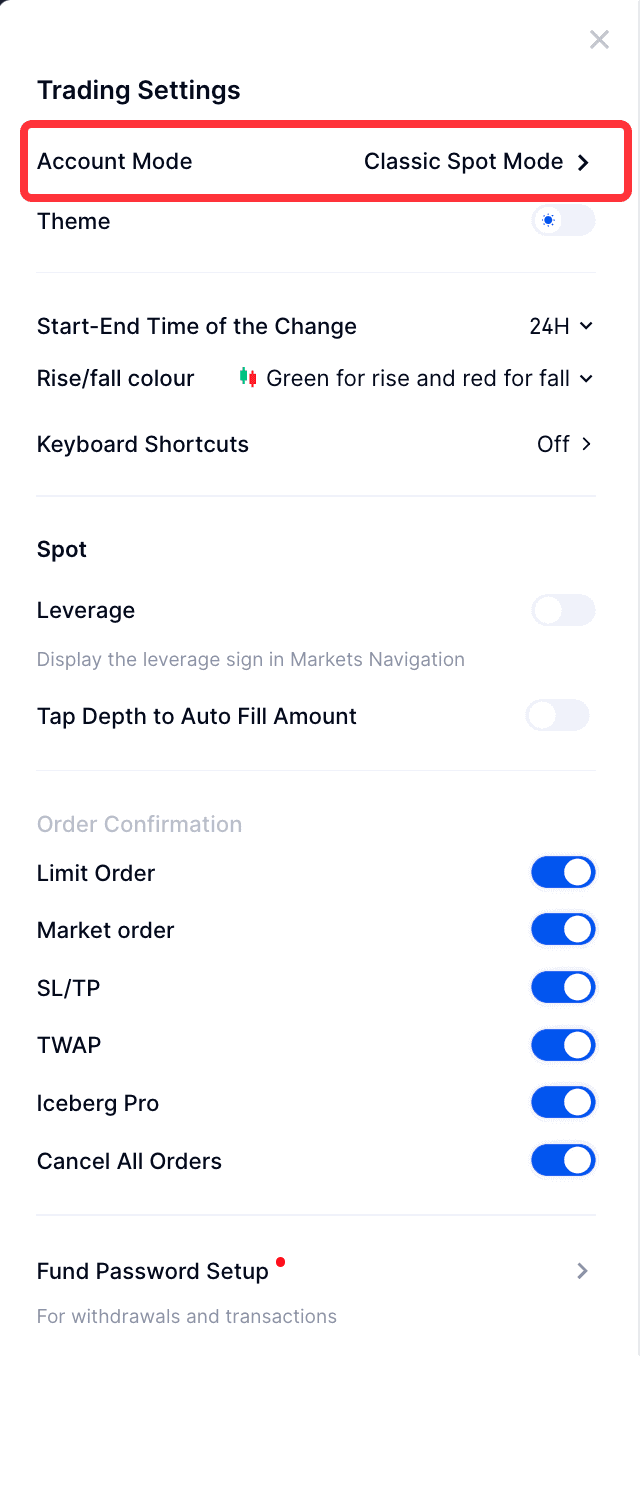
**Step 2: **Select the mode you want to switch to, then click the “Switch” button; in the Multi-Currency Margin mode, you can also choose whether to turn on the USDT perpetual contracts. Once turned on, you can share the margin with other other asset/market types.
Note: When switching from Multi-Currency Margin mode to Classic Spot mode, please ensure that your account has no liabilities, contract positioning, pending orders, etc., otherwise the switch will fail.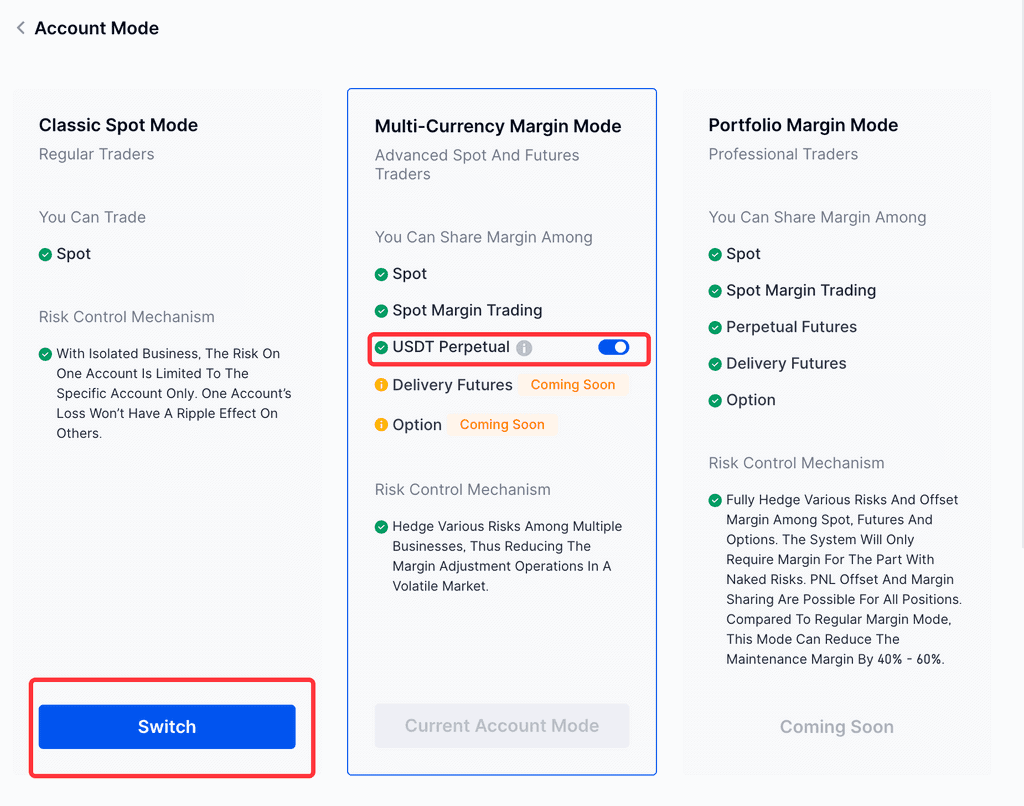
Unified Account Mode Trading (Web)
After completing the Unified Account upgrade, you can trade spot, leverage, and contracts in one account. This avoids tedious fund transfers and significantly improves fund utilization due to margin sharing.
1. Automatic LendingAutomatic lending is leveraged trading based on the Spot Market, which is only supported under a unified account. After the upgrade is successful, the “Automatic Lending” switch is enabled by default. If the available balance in the account is insufficient when placing an order, it will automatically borrow from the platform. You can choose to turn off this button at any time. Once turned off, it will return to normal spot mode.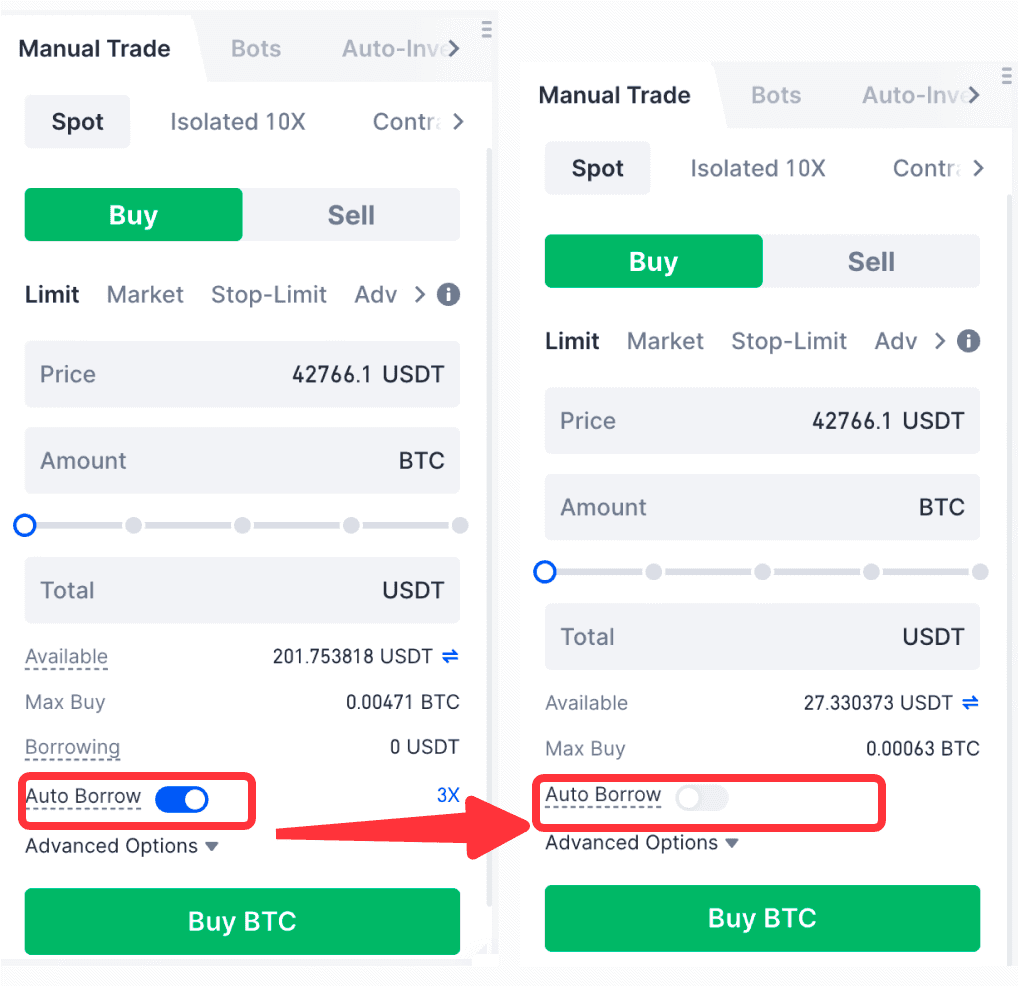
2. USDT Perpetual ContractsYou can control whether the USDT Perpetual Contracts is added to the Unified Account through the contract switch in the account mode. Once the switch is turned on, the USDT Perpetual Contracts will share the margin with other assets/markets, and all positioning will be settled through the unified account. After turning off the switch, your positioning in the contract market will be independently risk-controlled, and the relevant settlement will still be under the original contract account.
Unified Account Mobile App Tutorials
Initiate Upgrade (Mobile App)
There are four ways to begin the process of upgrading to a Unified Account on the Gate.io mobile app.
Option A) Spot Market Page: Toggle the “Auto Borrow” button or click the upgrade banner at the top.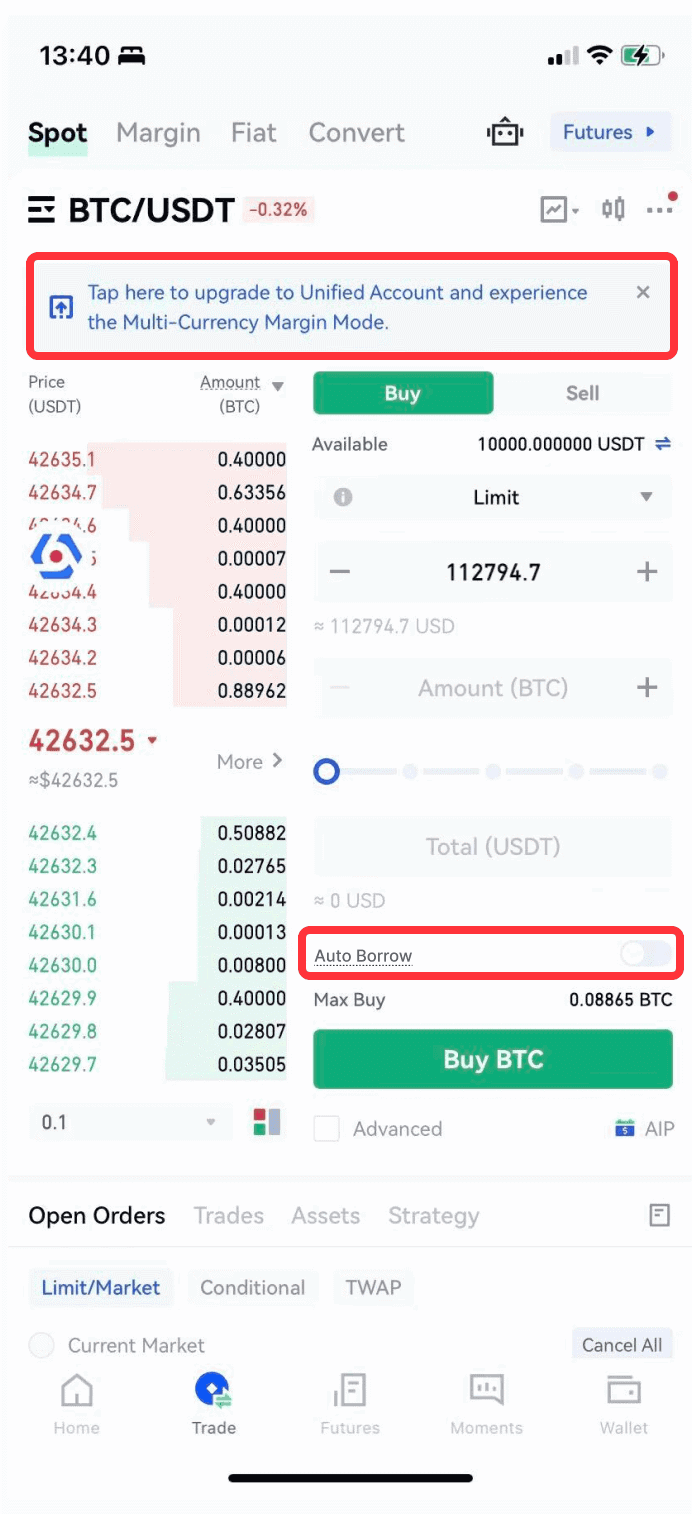
Option B) Contract Page: Click the upgrade banner at the top.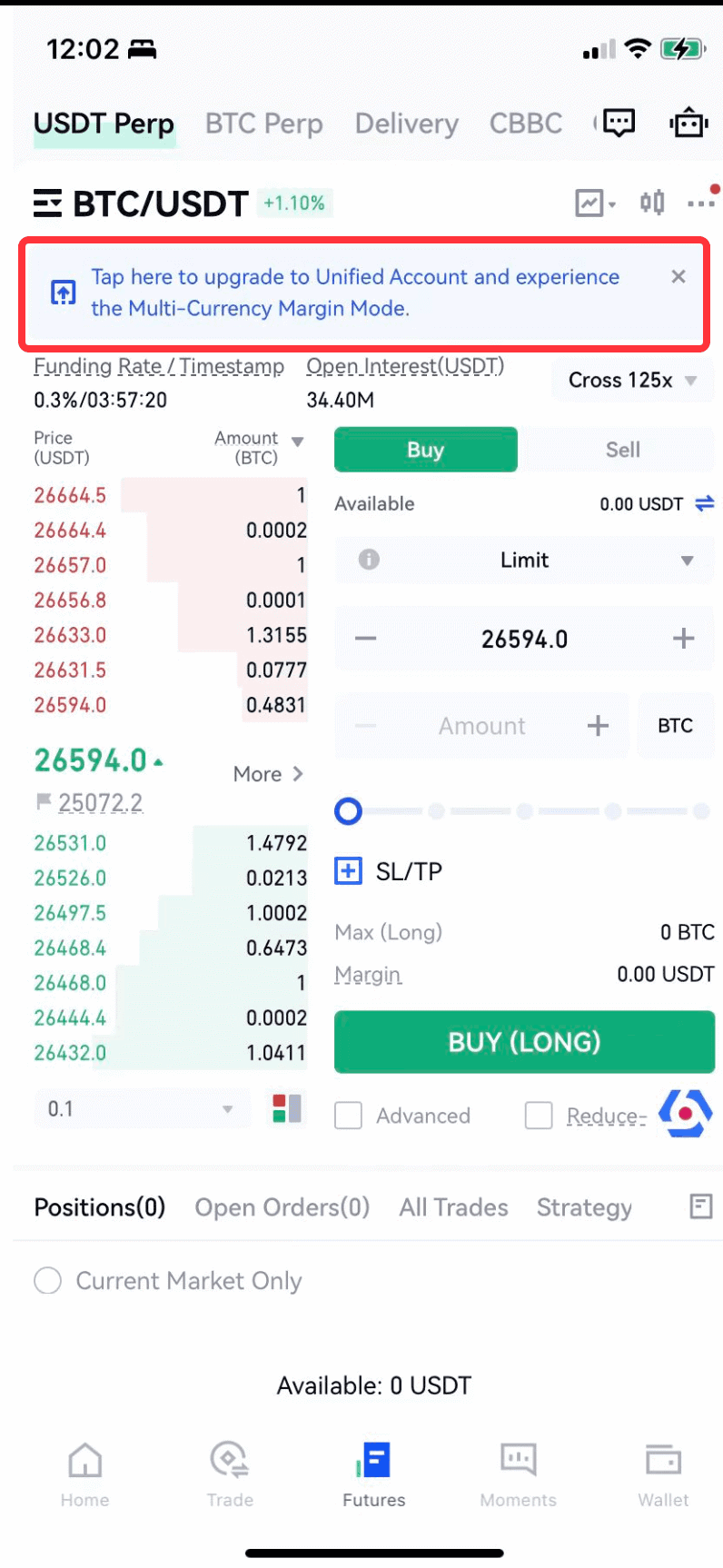
Option C) Account Mode Settings: Click “Account Upgrade“, which is visible on both the Spot Market or USDT Pereptual Futures sections.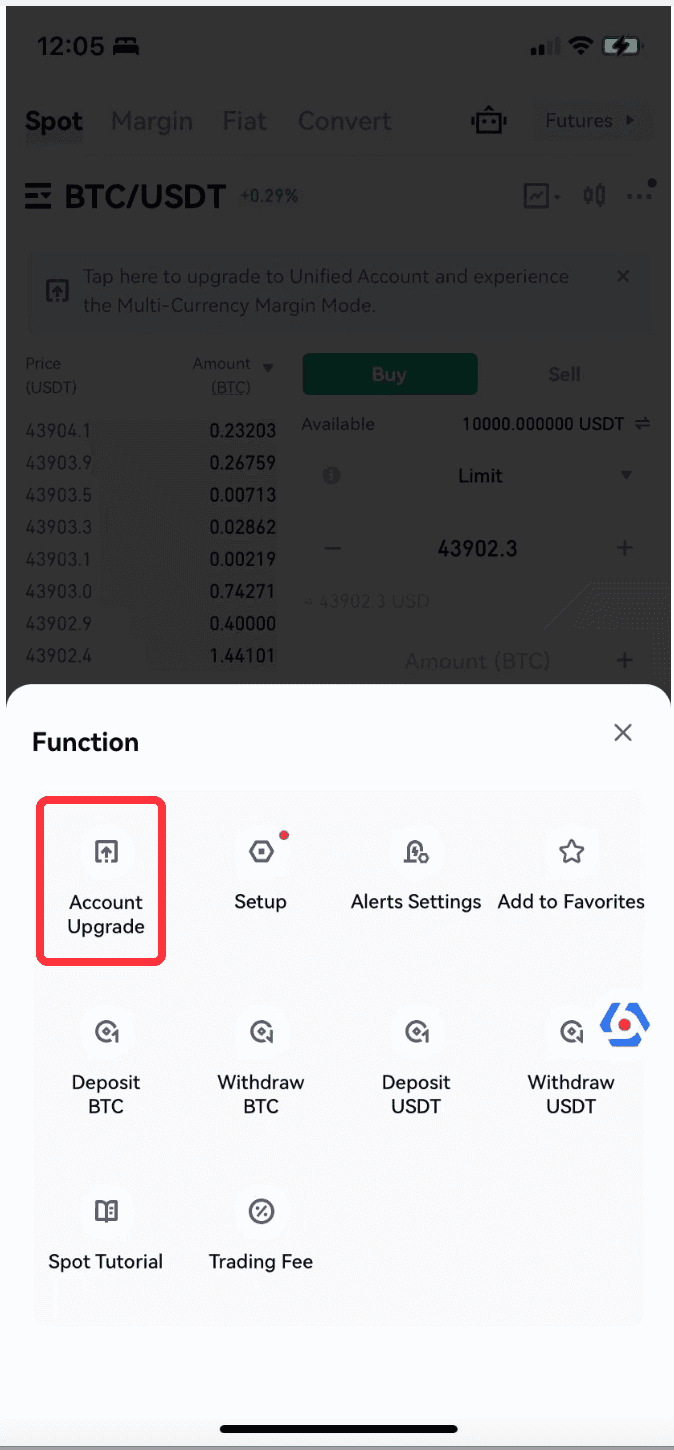
**Option D) **Spot Wallet Page: Select “Upgrade Now” from the “Wallet” section.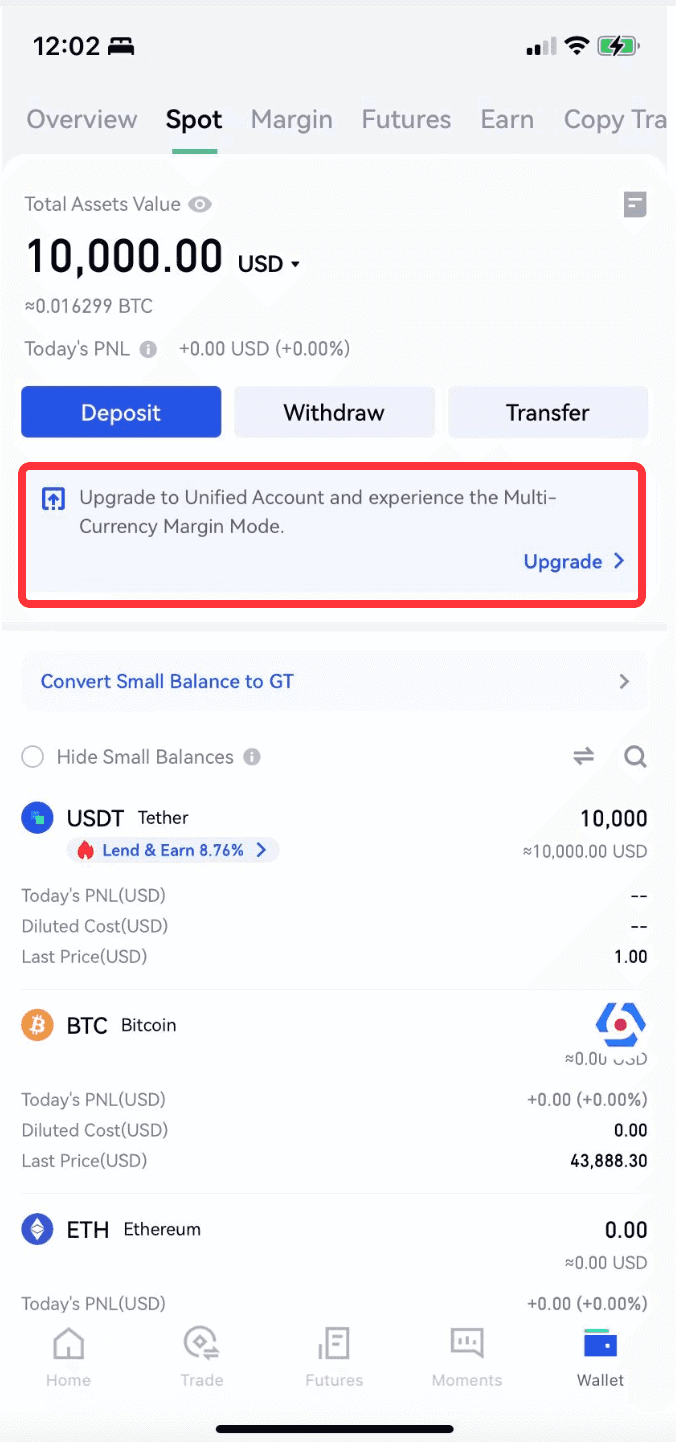
Unified Account Upgrade (Mobile App)
After selecting one of the four initiation methods above, complete the following steps to enable a Unified Account:
**Step 1: **Navigate through the images to read about the advantages of a Unified Account and how to use automatic lending and contract trading with it.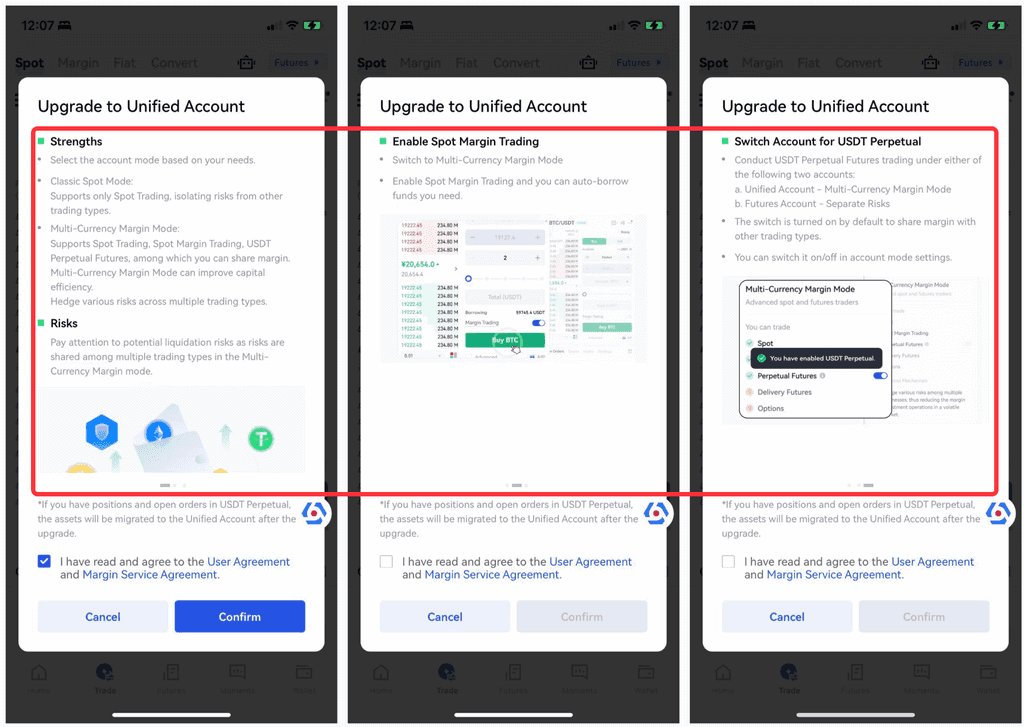
**Step 2: **Read the user agreement carefully and, if you agree, check the box, then click “Confirm”.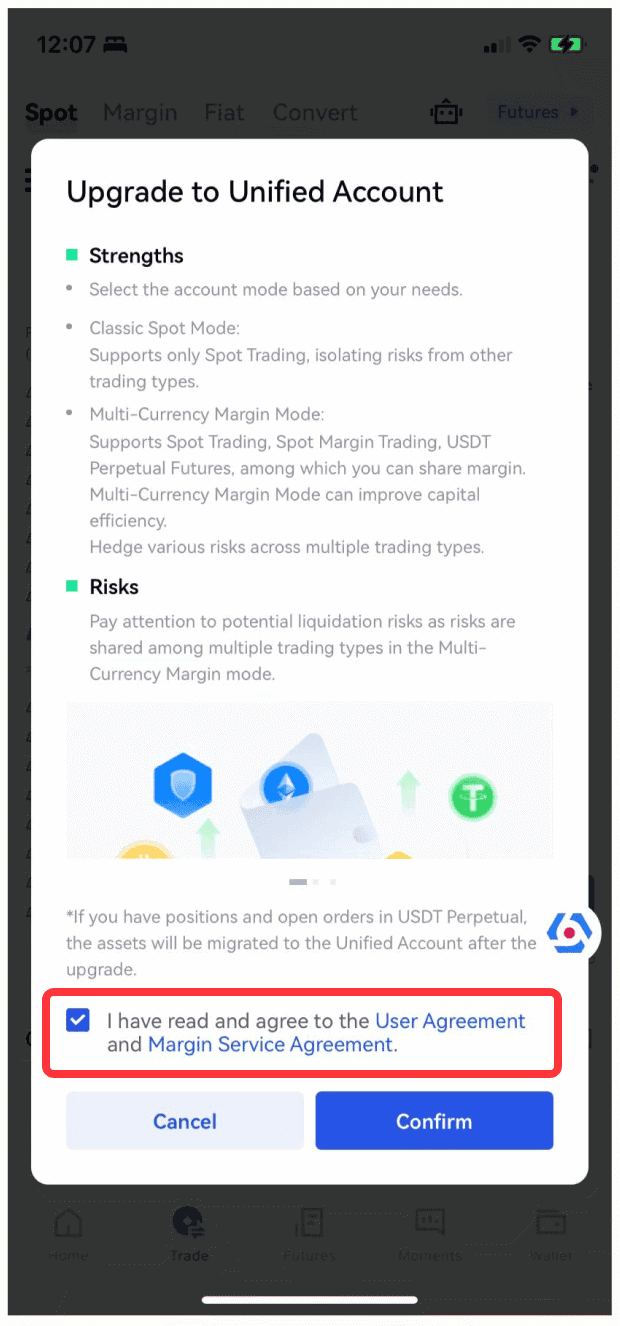
**Step 3: **Upgrade preparations will begin, which should be automatically completed within 10 seconds. Please be patient.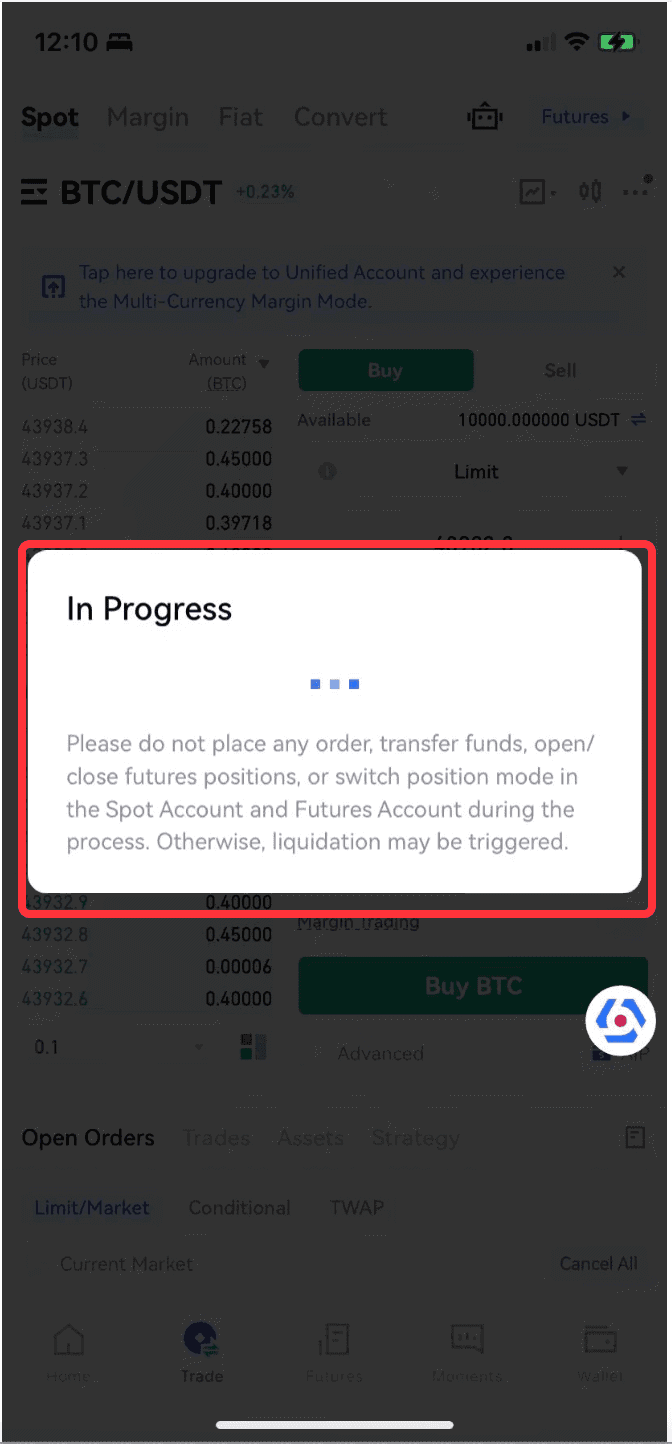
**Step 4: **Congratulations on successfully upgrading to a Unified Account!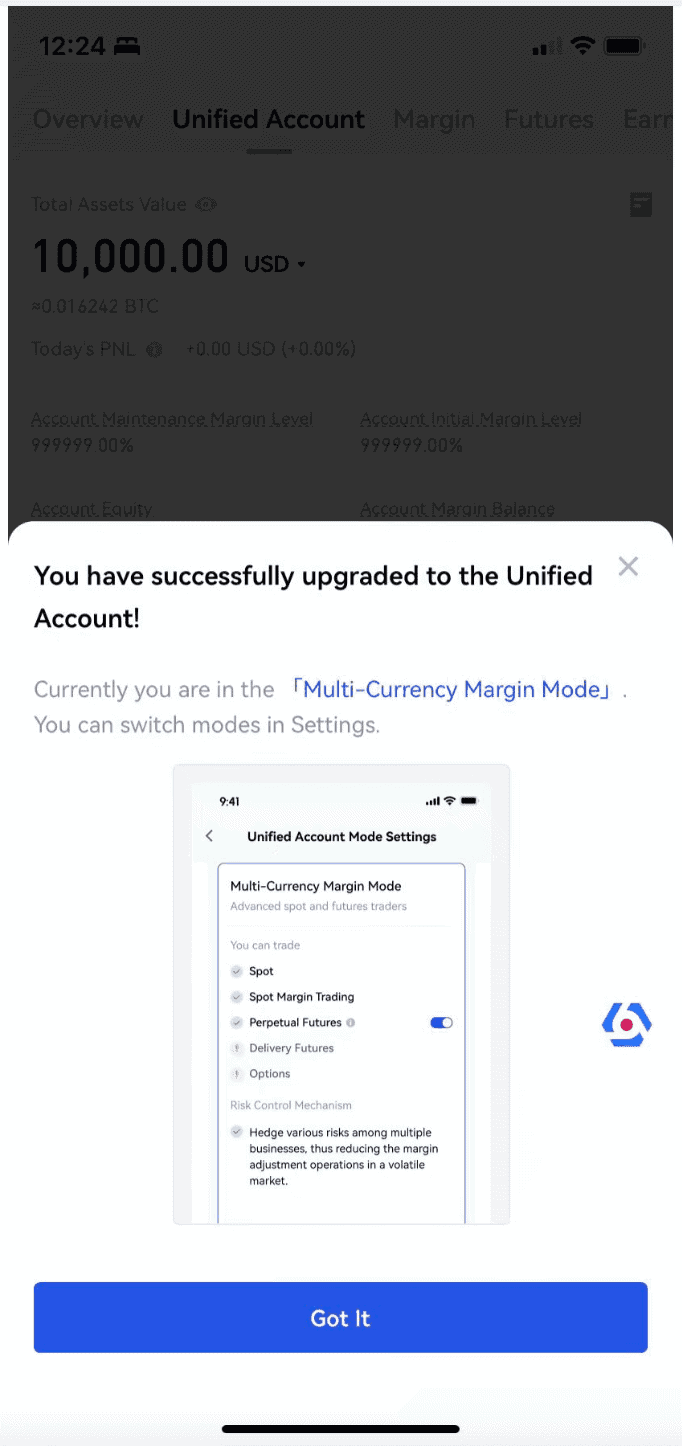
Switch Unified Account Mode (Mobile App)
Unified Accounts support three modes: Classic Spot, Multi-Currency Margin, and Portfolio Margin. If you have already upgraded to a Unified Account and want to switch modes, the steps are as follows:
**Step 1: **Go to the spot or USDT Perpetual Futures section and select the (⋯) icon.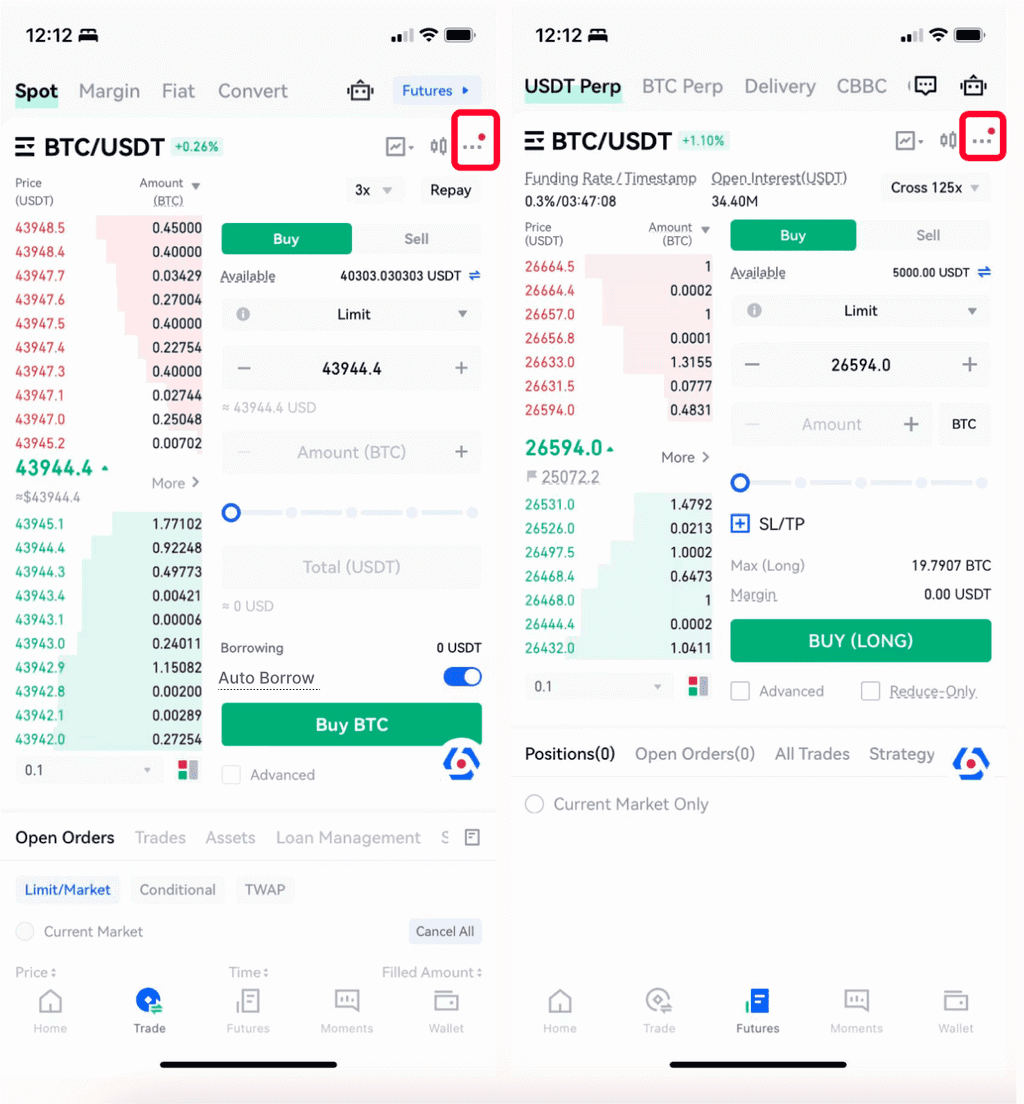
Step 2: Select the “Account Mode” option in the pop-up window that appears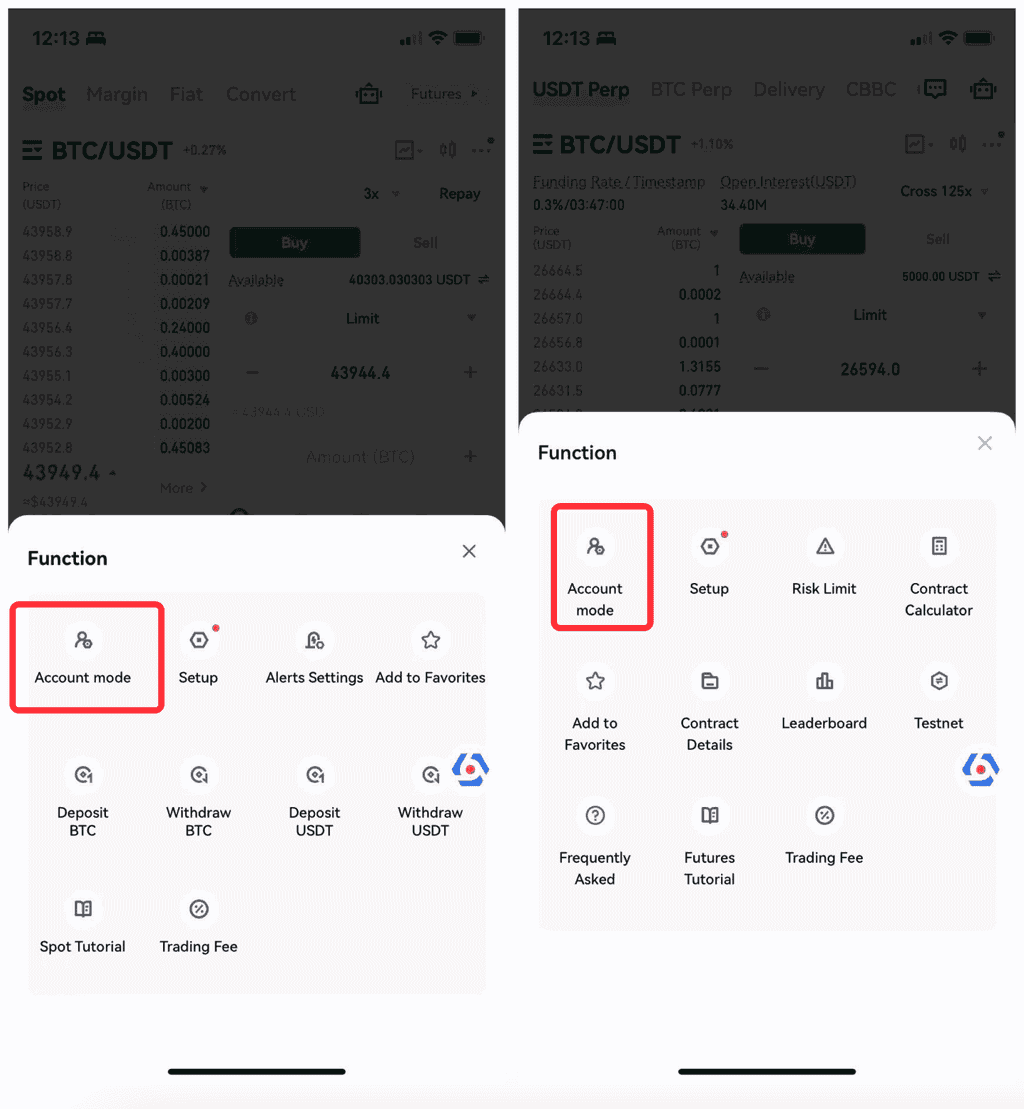
**Step 3: **Select the mode you want to switch to, then click the “Switch” button; in the Multi-Currency Margin mode, you can also choose whether to turn on the USDT perpetual contracts. Once turned on, you can share the margin with other other asset/market types.
Note: When switching from Multi-Currency Margin mode to Classic Spot mode, please ensure that your account has no liabilities, contract positioning, pending orders, etc., otherwise the switch will fail.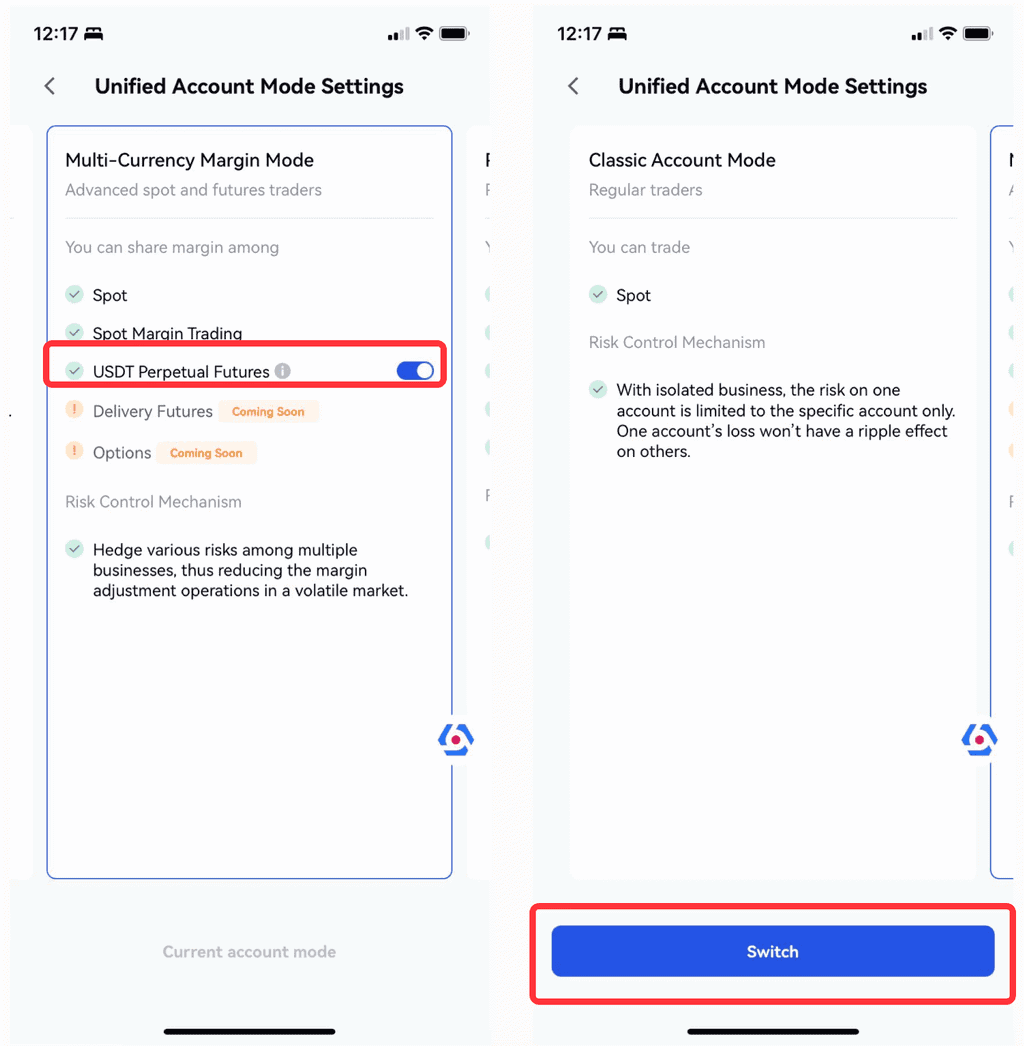
Unified Account Mode Trading (Mobile App)
After the Unified Account upgrade is completed, you can trade spot, leverage, and contracts in one account. This avoids tedious fund transfers and greatly improves fund utilization due to margin sharing.
1. Automatic LendingAutomatic lending is leveraged trading based on the Spot Market, which is only supported under a unified account. After the upgrade is successful, the “Automatic Lending” switch is enabled by default. If the available balance in the account is insufficient when placing an order, it will automatically borrow from the platform. You can choose to turn off this button at any time. Once turned off, it will return to normal spot mode.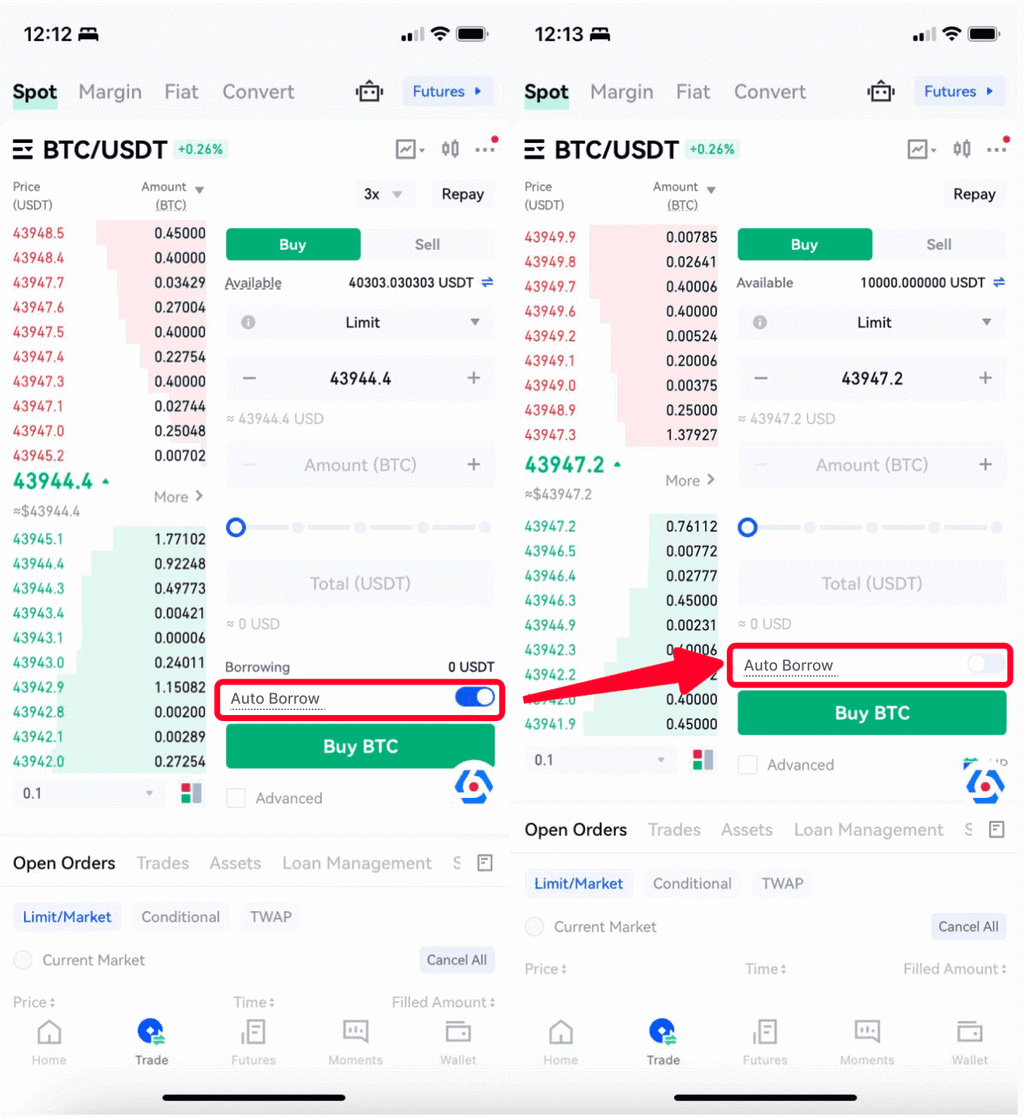
2. USDT Perpetual ContractsYou can control whether the USDT Perpetual Contracts is added to the Unified Account through the contract switch in the account mode. Once the switch is turned on, the USDT Perpetual Contracts will share the margin with other assets/markets, and all positioning will be settled through the unified account. After turning off the switch, your positioning in the contract market will be independently risk-controlled, and the relevant settlement will still be under the original contract account.
Congratulations on successfully upgrading to the new unified account. You can now freely trade and manage various digital assets on Gate.io. Please always consider controlling risks, allocating funds reasonably, and complying with platform rules. If you have any questions or feedback, please feel free to contact the customer service team at any time, and we will answer and handle them for you promptly.
Thank you for your continued support and trust,
Gate.io team
Download Gate.io App / Web Client now>>>Follow us on Gate.io X (Twitter) to get more bonuses>>>Join our Telegram to discuss hot topics>>>Join our Global Community to get more updates>>>We provide 100% proof of reserve>>>Sign up to enjoy max. $6666 in rewards exclusively for new usersGet 40% commission from referrals
Gate.io TeamDecember 22nd, 2023
Stay tuned to CoinCarp Social Media and Discuss with Us:
X (Twitter) | Telegram | Reddit
Download CoinCarp App Now: https://www.coincarp.com/app/


