
Fiat currencies
Crypto Currencies
No results for ""
We couldn't find anything matching your search.Try again with a different term.
Gate.io's Spot Grid Adds 'Withdraw Profit' Feature: Access Your Earnings Anytime, Anywhere

To enhance the convenience and flexibility of spot grid trading, we've optimized our existing features and introduced a new 'Withdraw Profit' function. This allows users to withdraw profits at any time during the execution of their spot grid strategy, without having to wait for the strategy to end. This upgrade significantly improves the efficiency and flexibility of managing your assets.
Key Features of the Update:
Real-Time Profit Withdrawal
Now, you can withdraw earnings instantly while your spot grid trades are active, removing the need to wait for the strategy to finalize. This offers you the flexibility to manage your assets more efficiently, allowing for timely adjustments based on market conditions.
Easy and Quick to Use
With straightforward step-by-step instructions, withdrawing profits is a breeze, whether you're on our Web platform or using the App.
Guide for Different Platforms:
Web Platform:
**1. **Sign in on the Gate website and navigate to [Trading - Trading Robot] to access the Trading Robot's K-line interface.
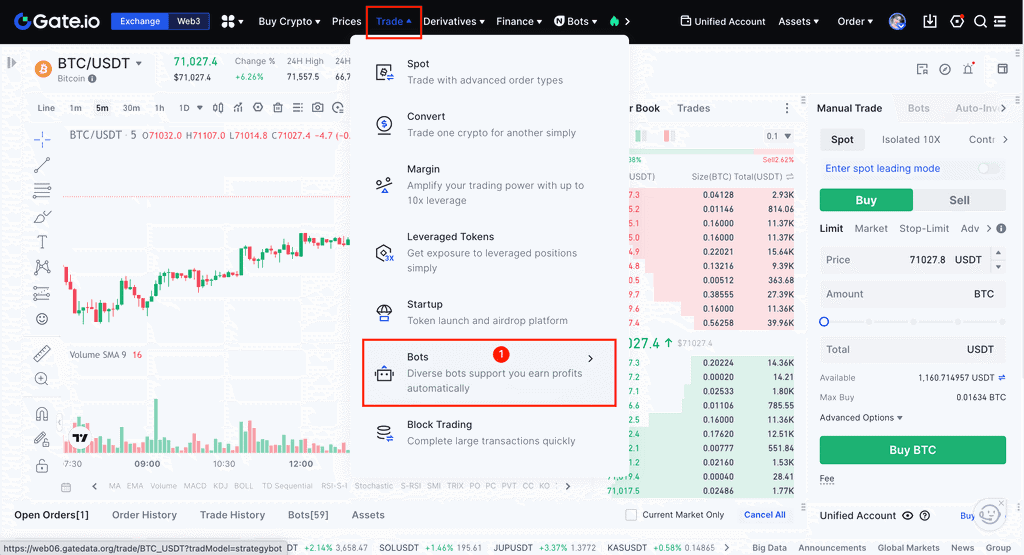
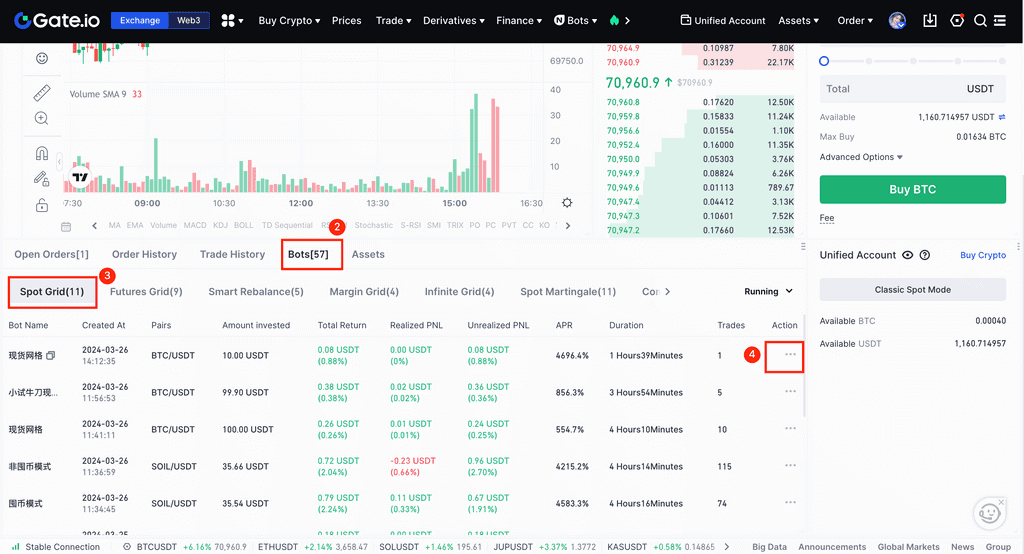
**2. **In your orders, go to [Trading Robot - Spot Grid - Operation - Withdraw Profit]. If your bot is a copied version with a profit-sharing ratio, please note that the profit withdrawal option is not currently supported.
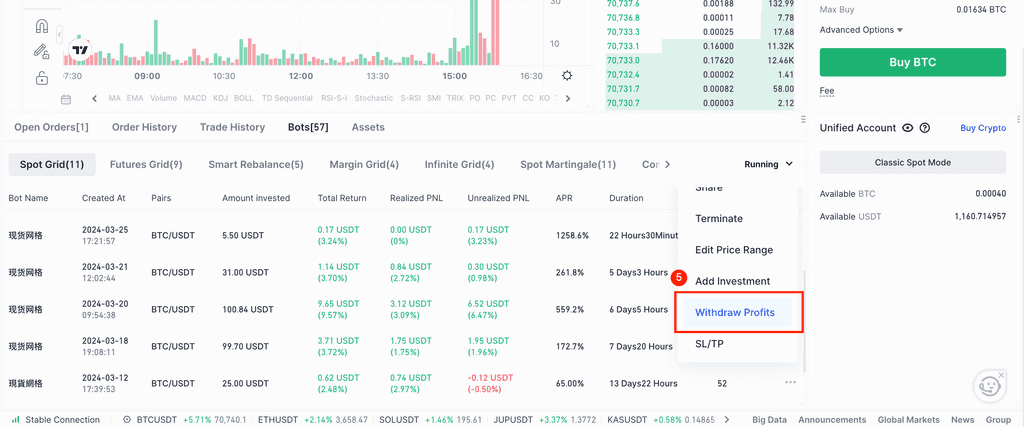
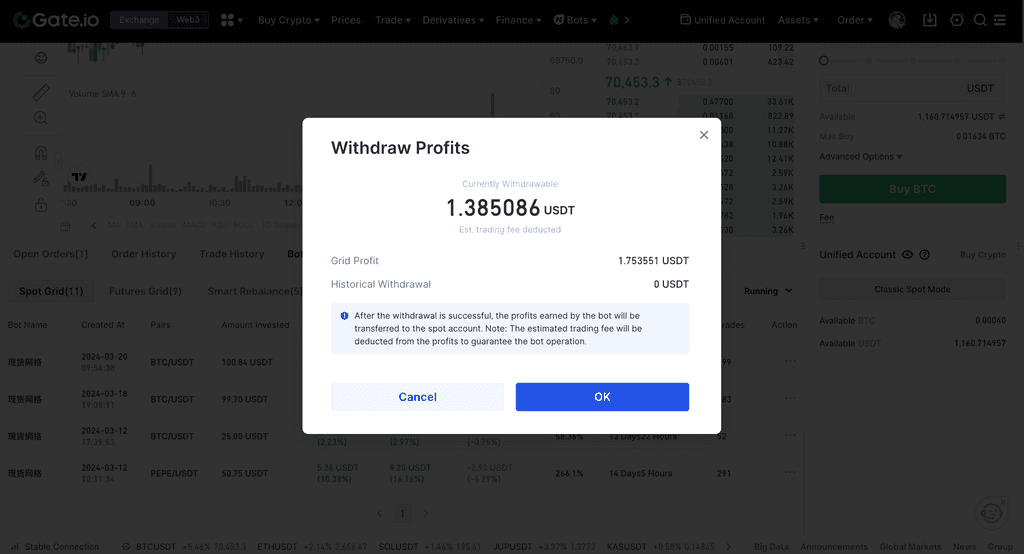
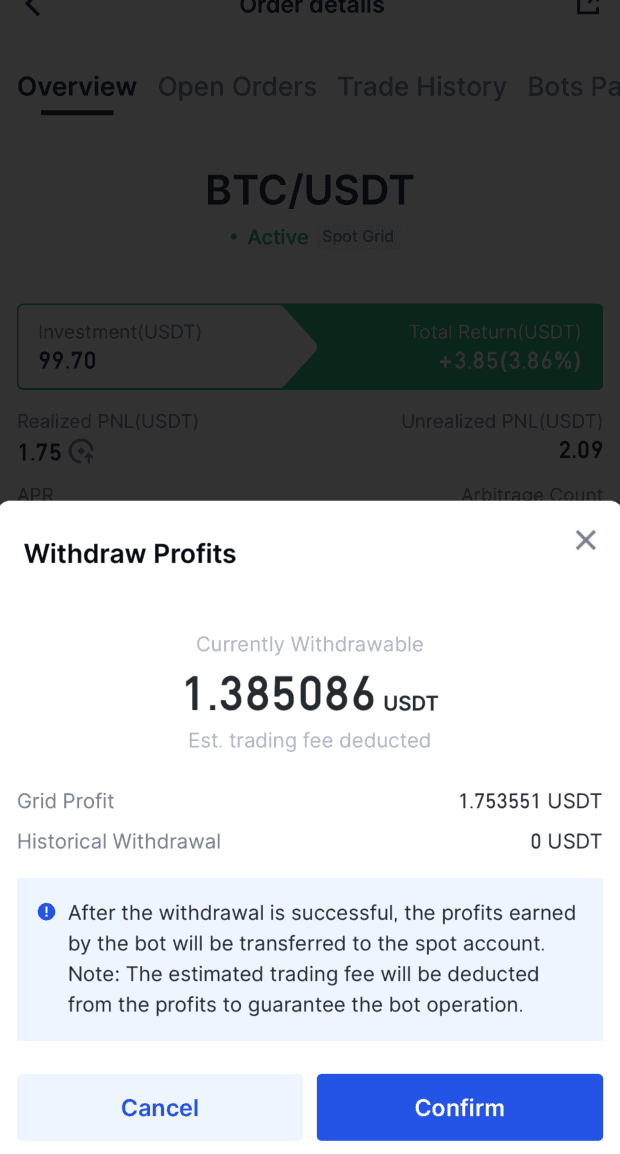
**3. **A window will pop up for profit withdrawal. Simply click 'Confirm' to move the available profits to your spot account instantly. Note that a small amount will be deducted as a reserve fee to ensure the bot's ongoing operation, so the amount you can withdraw will be marginally less than your total grid earnings.
For the APP, follow these easy steps:
APP Process:
**1. **Open the Gate APP, and select [Trading Robot] from the home screen to enter its main page.
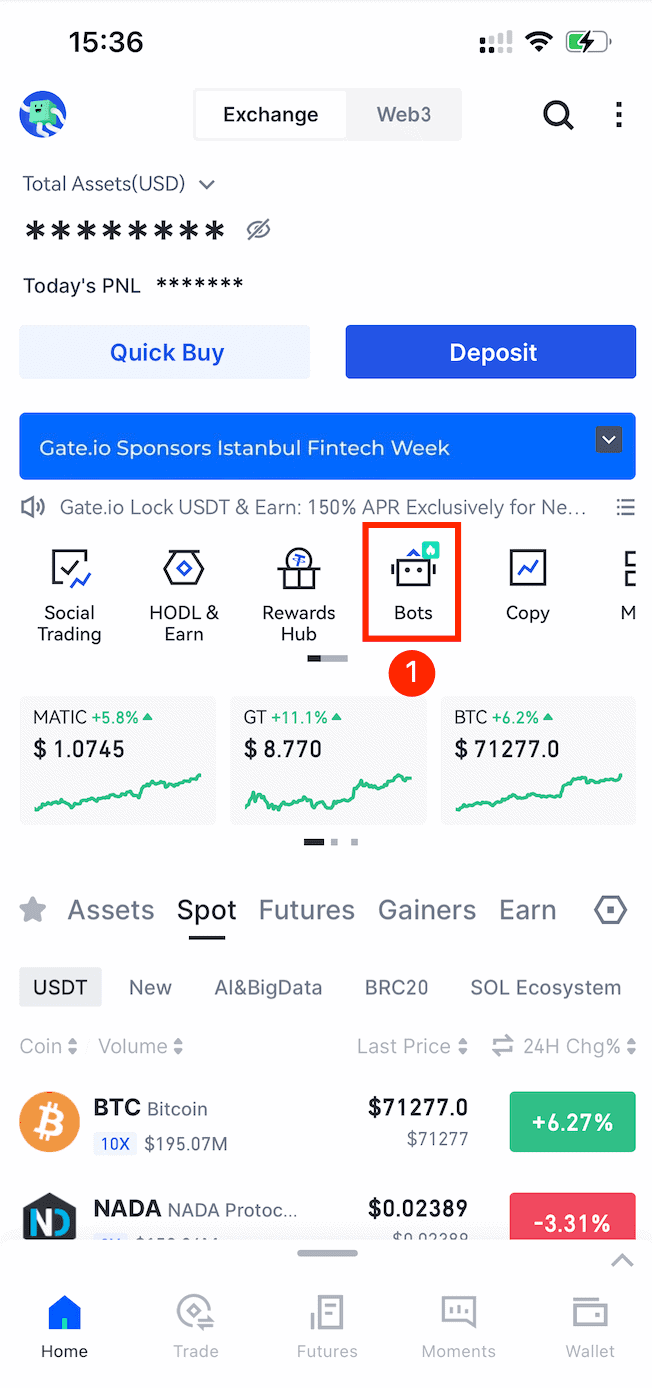
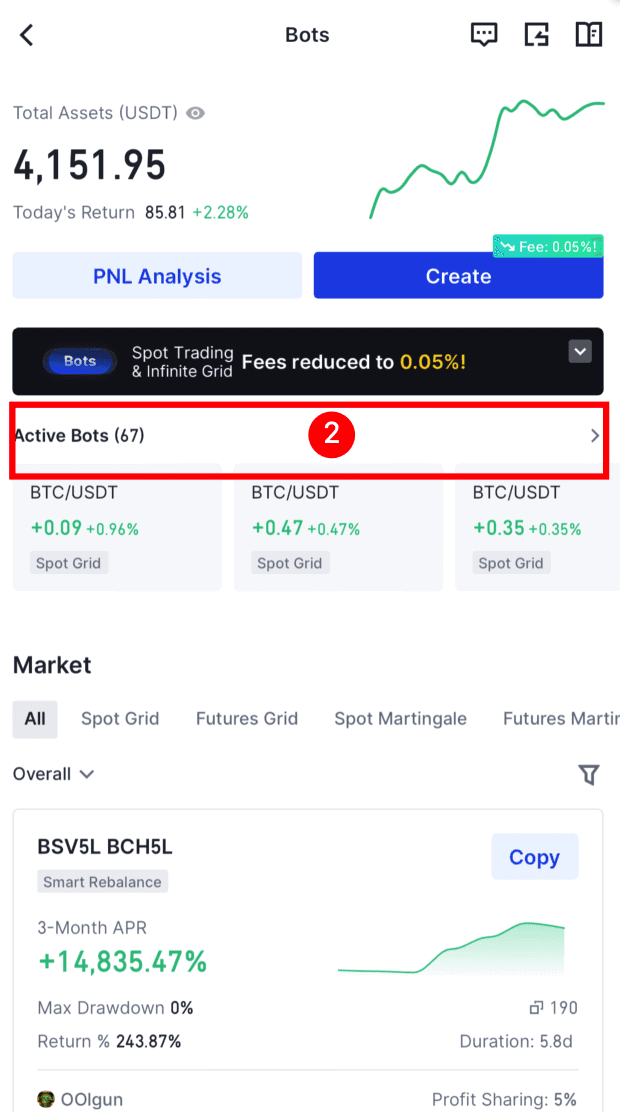
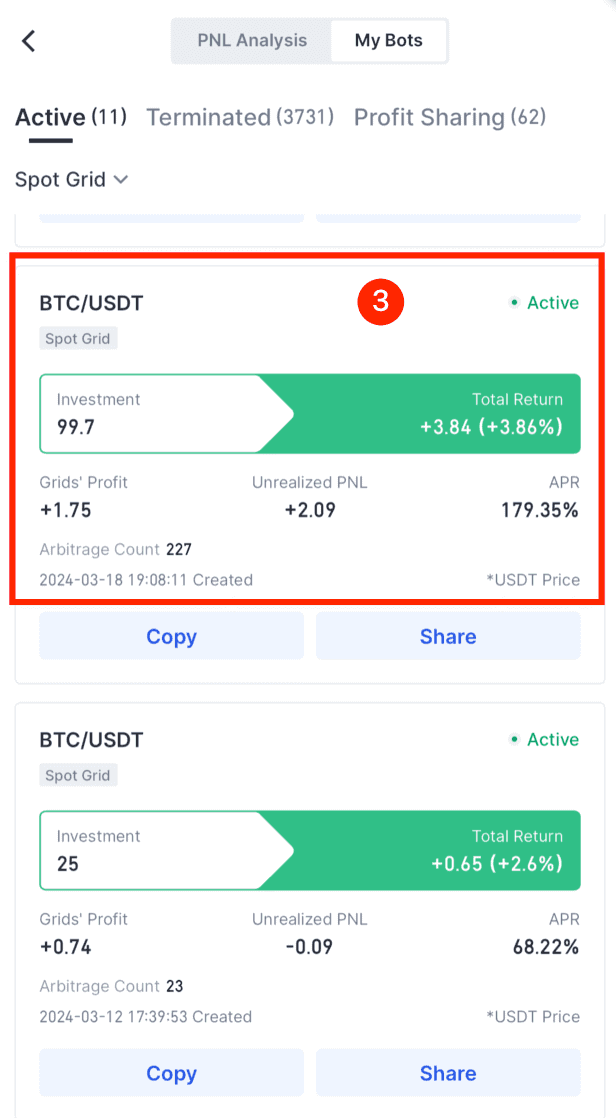
**2. **Tap on [Active bots], choose the Spot Grid bot in use, and enter its order details. Under more options, select 'Withdraw Profit'. Remember, if your bot is a copy with a sharing ratio above zero, the profit withdrawal isn't available yet.
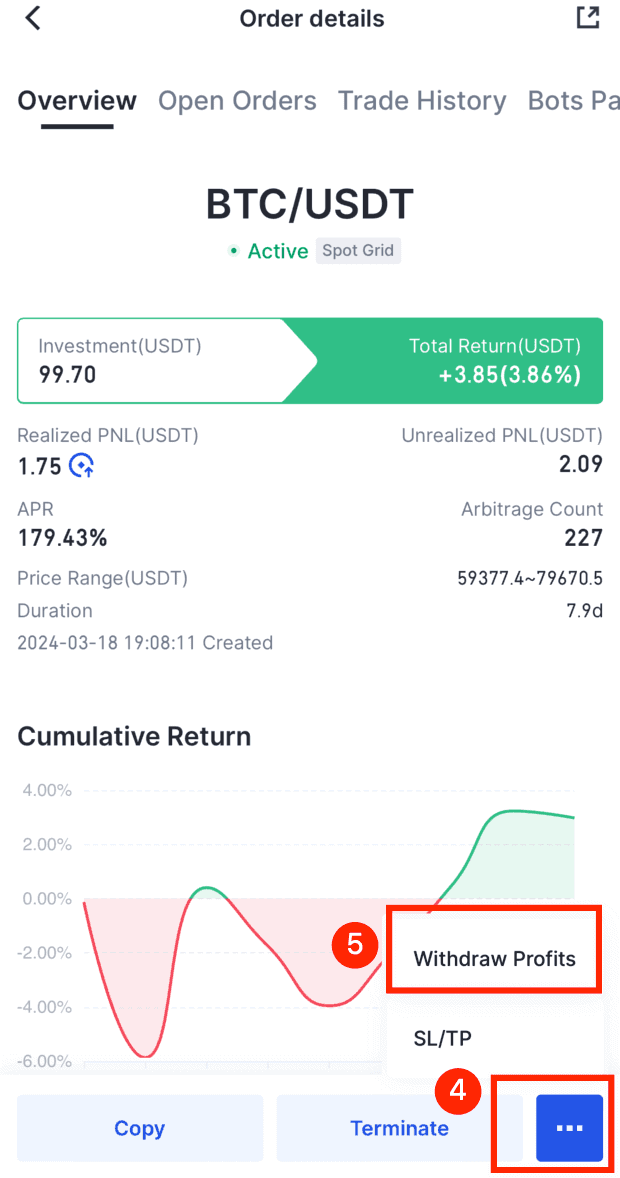
3. In the withdrawal pop-up, hit 'Confirm' to instantly move your eligible profits to your spot account. A small part will be deducted for ongoing bot operations, so the amount you can withdraw will be a tad lower than your total grid profits.
We hope this improved feature significantly improves your trading experience. If you have any questions or suggestions, please don't hesitate to reach out to our customer service team. We're grateful for your support and trust in Gate.io.
Happy trading,The Gate.io Team
Download Gate.io App / Web Client now>>>Follow us on Gate.io X (Twitter) to get more bonuses>>>Join our Telegram to discuss hot topics>>>Join our Global Community to get more updates>>>We provide 100% proof of reserve>>>Sign up to enjoy max. $6666 in rewards exclusively for new usersGet 40% commission from referrals
Gate.io TeamApril 1th, 2024
Stay tuned to CoinCarp Social Media and Discuss with Us:
X (Twitter) | Telegram | Reddit
Download CoinCarp App Now: https://www.coincarp.com/app/


