
Seclect Currency
Fiat currencies
Crypto Currencies
No results for ""
We couldn't find anything matching your search.Try again with a different term.
How to be eligible to get the potential zkSync airdrop?

As the hottest Layer2 project currently, zkSync has a group of fans already. Since people have made as high as $10,000 from the Aptos token airdrop, zkSync attracts more users to participate in the testnet for the potential airdrop.
Airdrop by zkSync is not guaranteed and we are not sure if the official team has already taken a snapshot. However, by completing the following 8 tasks, you have a chance to get potential airdrop.
zkSync now has 2 networks:
1. zkSync 1.0 mainnet (launched), needs to top up real ETH;
2. zkSync 2.0 testnet, needs to get some test tokens from the faucet.
Task list:
1. zkSync 2.0 Interaction
Task 1: Transfer and swap on the testnet
Task 2: Form LP pairs
Task 3: Complete the Crew3 tasks
2. zkSync 1.0 Interaction
Task 1: Add funds
Task 2: Transfer
Task 3: Swap
Task 4: Donate to projects on Gitcoin & Passport
Task 5: Mint NFT
Necessary tools:
1. Wallet, like OKX Wallet, which now supports zkSync 2.0 testnet;
2. ETH
3. Goerli testnet faucet
- https://goerli-faucet.mudit.blog
- https://goerli-faucet.slock.it
- https://faucet.paradigm.xyz/
4. zkSync testnet RPC and chain settings
- Network name: zkSync Testnet - Goerli
- RPC URL: https://zksync2-testnet.zksync.dev
- Chain ID: 280
If you use the OKX Wallet to connect to the zkSync testnet, without manually customizing the testnet, it will be automatically configured.
zkSync 2.0 tutorial
Task 1: Transfer and swap on testnet
We recommend you use OKX Wallet. As a non-custodial and decentralized multi-chain wallet, OKX Wallet supports over 25 networks, including zkSync, Ethereum, Polygon, etc.
Download at Chrome web store: https://chrome.google.com/webstore/detail/okx-wallet/mcohilncbfahbmgdjkbpemcciiolgcge
Open the OKX Wallet extension, select Create a wallet, choose a password, and back up your wallet. If you already have a wallet, import your existing wallet into OKX Wallet using your wallet's seed phrase or private key.
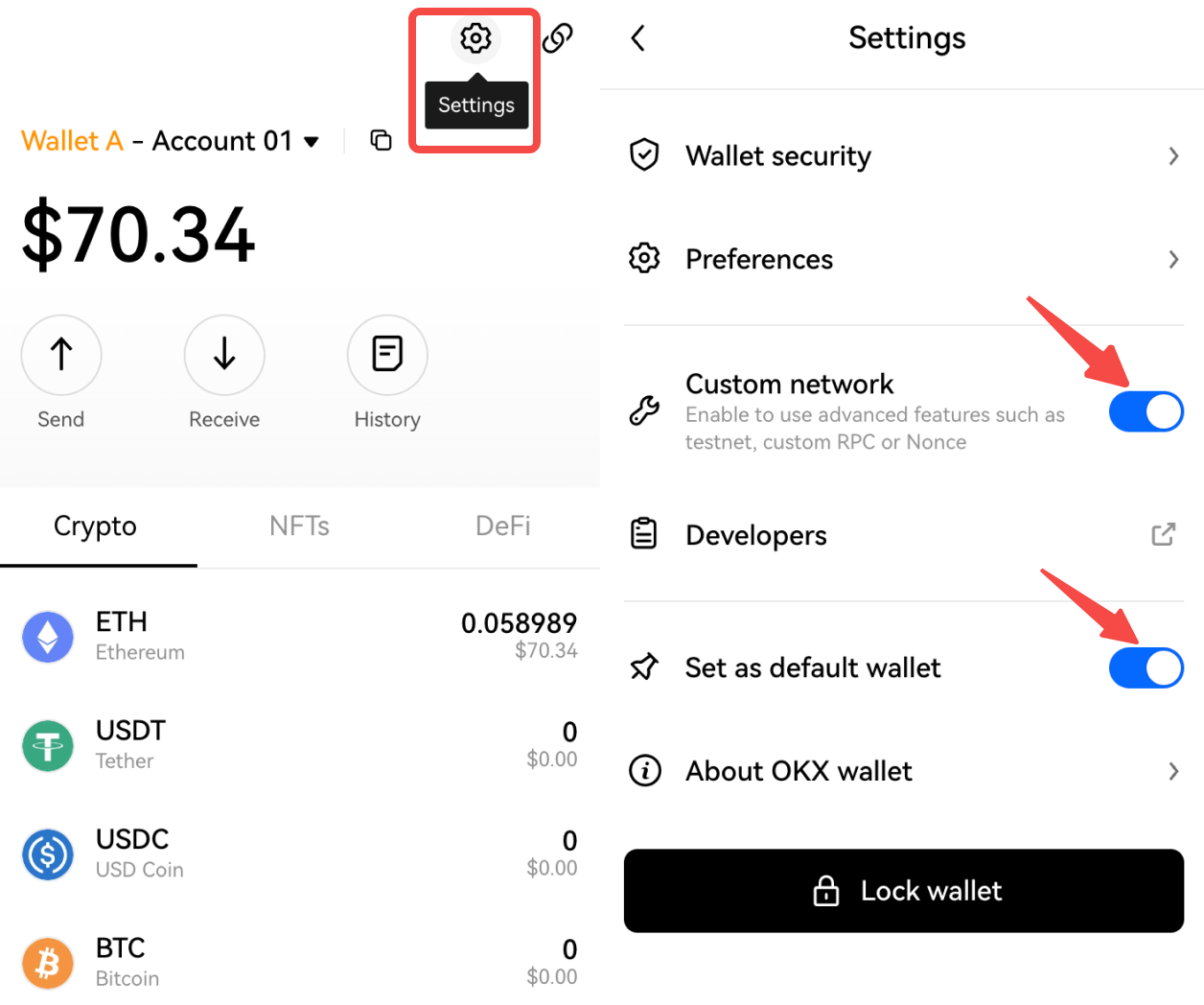
Click Settings, turn on Custom network, and also set OKX Wallet as the default wallet. OKX Wallet can automatically recognize and connect different networks without switching between wallets and networks.
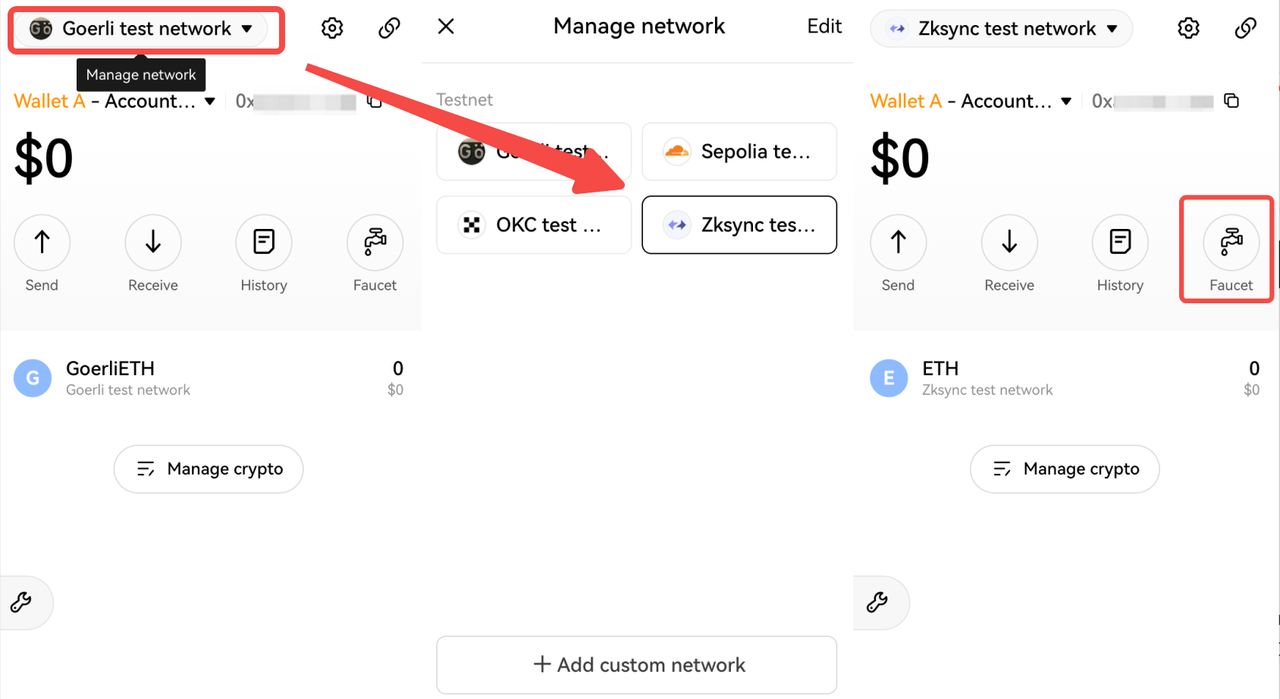
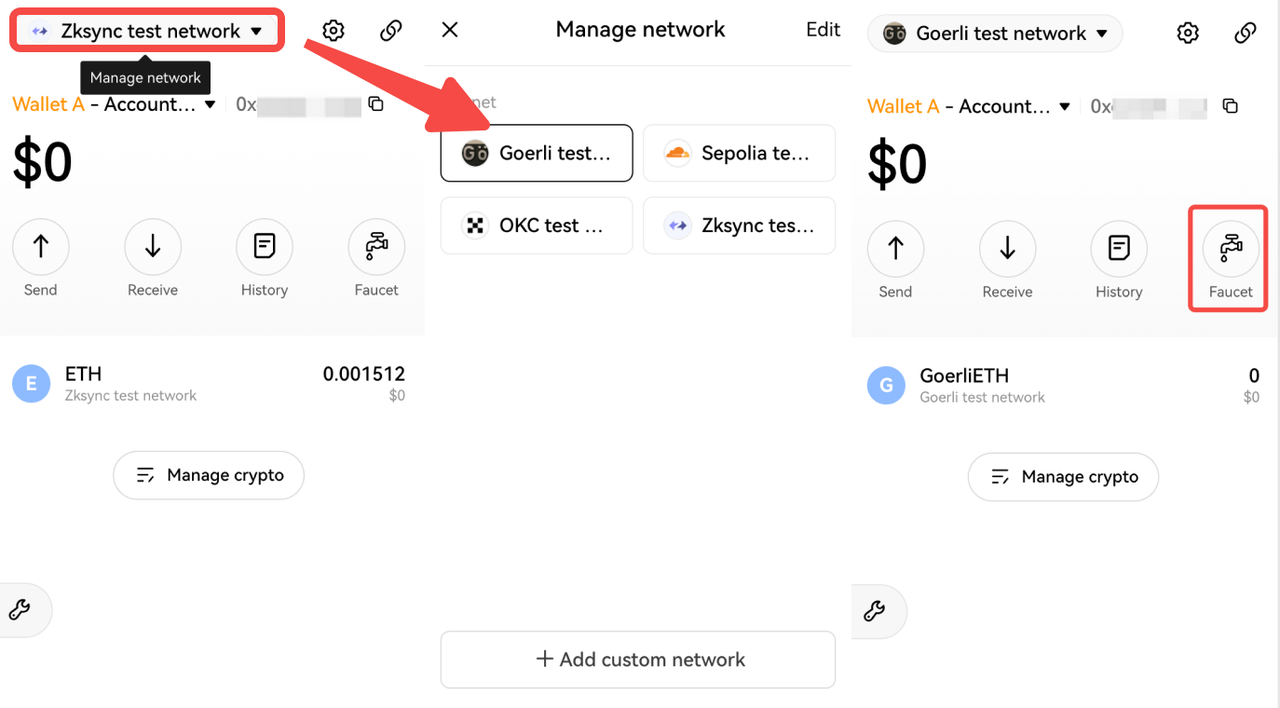
Click Manage network, switch to zkStnc test network, and click Faucet to access the test network https://portal.zksync.io/.
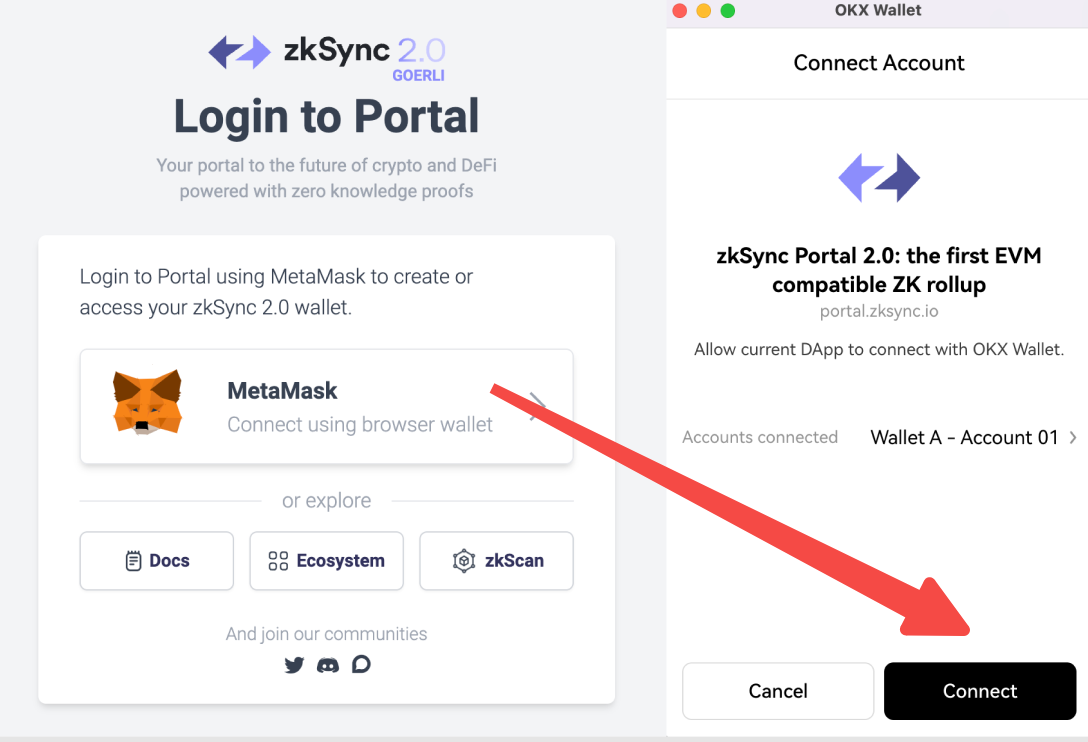
After connecting the wallet, click Request Funds from Faucet, post the tweet as required, and test tokens will arrive in the wallet soon.
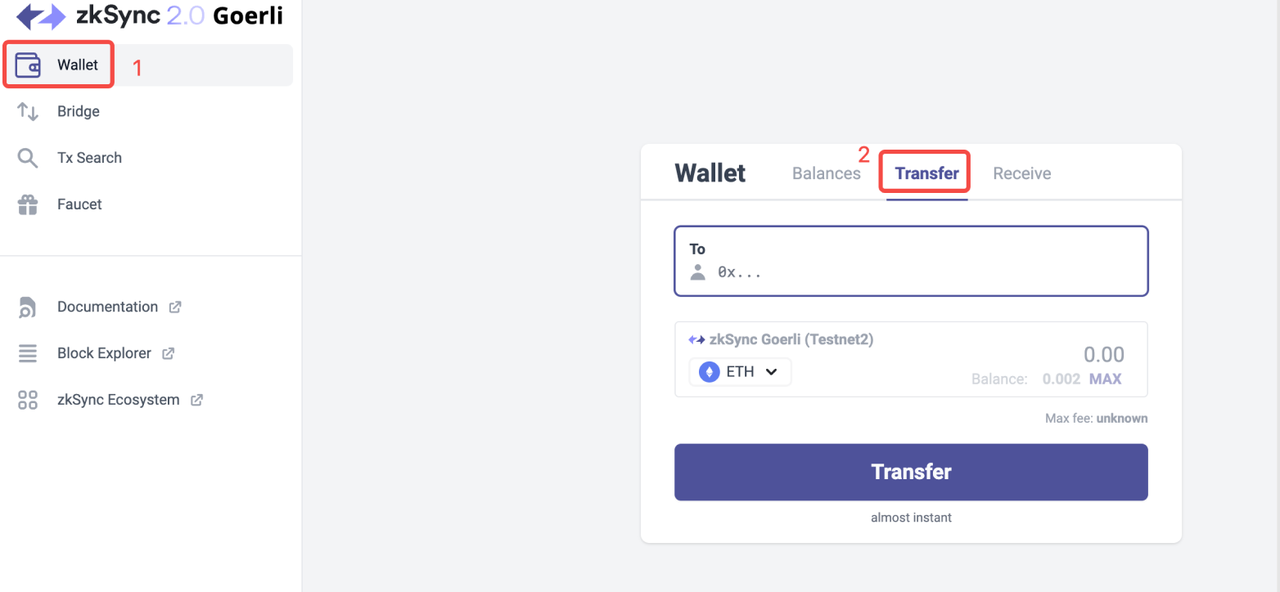
Click Wallet > Transfer, and enter your other addresses to complete several transfer transactions.
Then click Bridge to complete several Deposit and Withdraw operations. Deposit refers to depositing tokens from the Goerli testnet to the zkSync 2.0 testnet, while Withdraw refers to transferring tokens from the zkSync 2.0 testnet to the Goerli testnet.
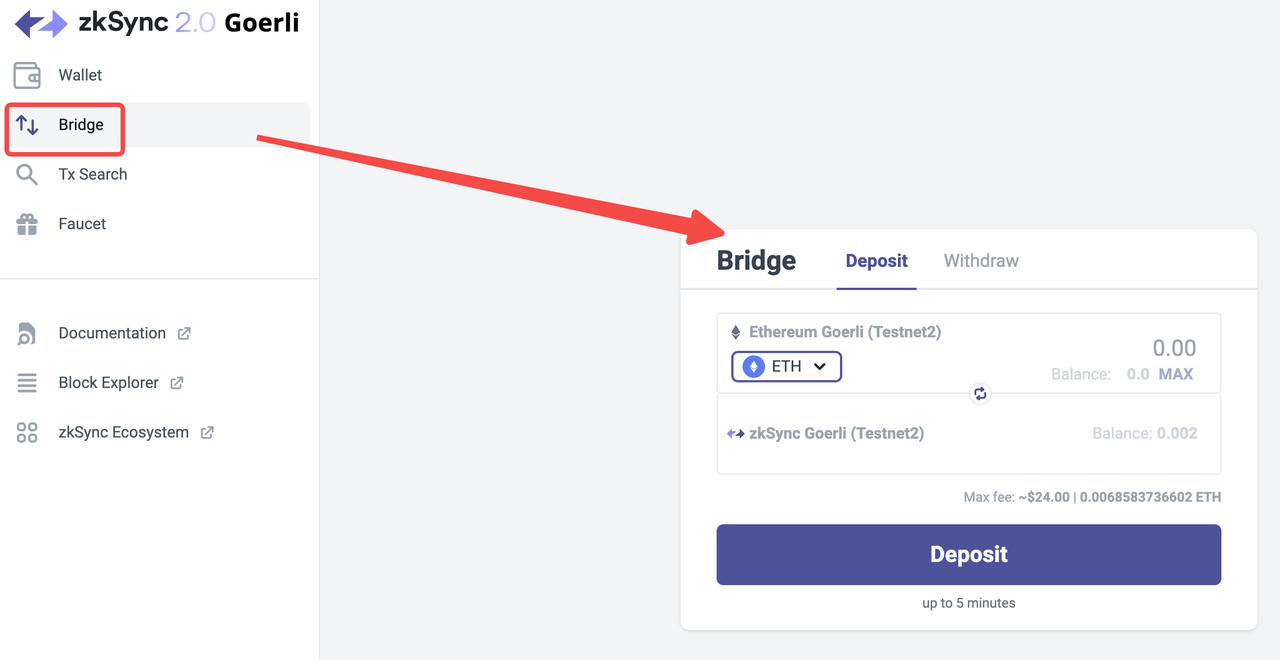
Since Deposit needs to withdraw tokens from the Goerli test network, it is necessary to apply for the test tokens of the Goerli test network. Open the OKX Wallet web extension, click Manage network, switch to the Goerli test network, and then click Faucet to receive test tokens as required.
Task 2: Form LP pairs
Open https://testnet.switch.mute.io/, connect the wallet, and note that the network in the OKX Wallet web extension must be the zkSync test network. Click Swap, for example, to swap some test DAI for ETH. Then click Pool > Add liquidity, select DAI - ETH, and enter the amount to complete adding liquidity.
Task 3: Complete the Crew3 tasks
Open https://zksync.crew3.xyz/questboard, connect the wallet, and complete tasks as required.
zkSync 1.0 tutorial
Task 1: Add funds
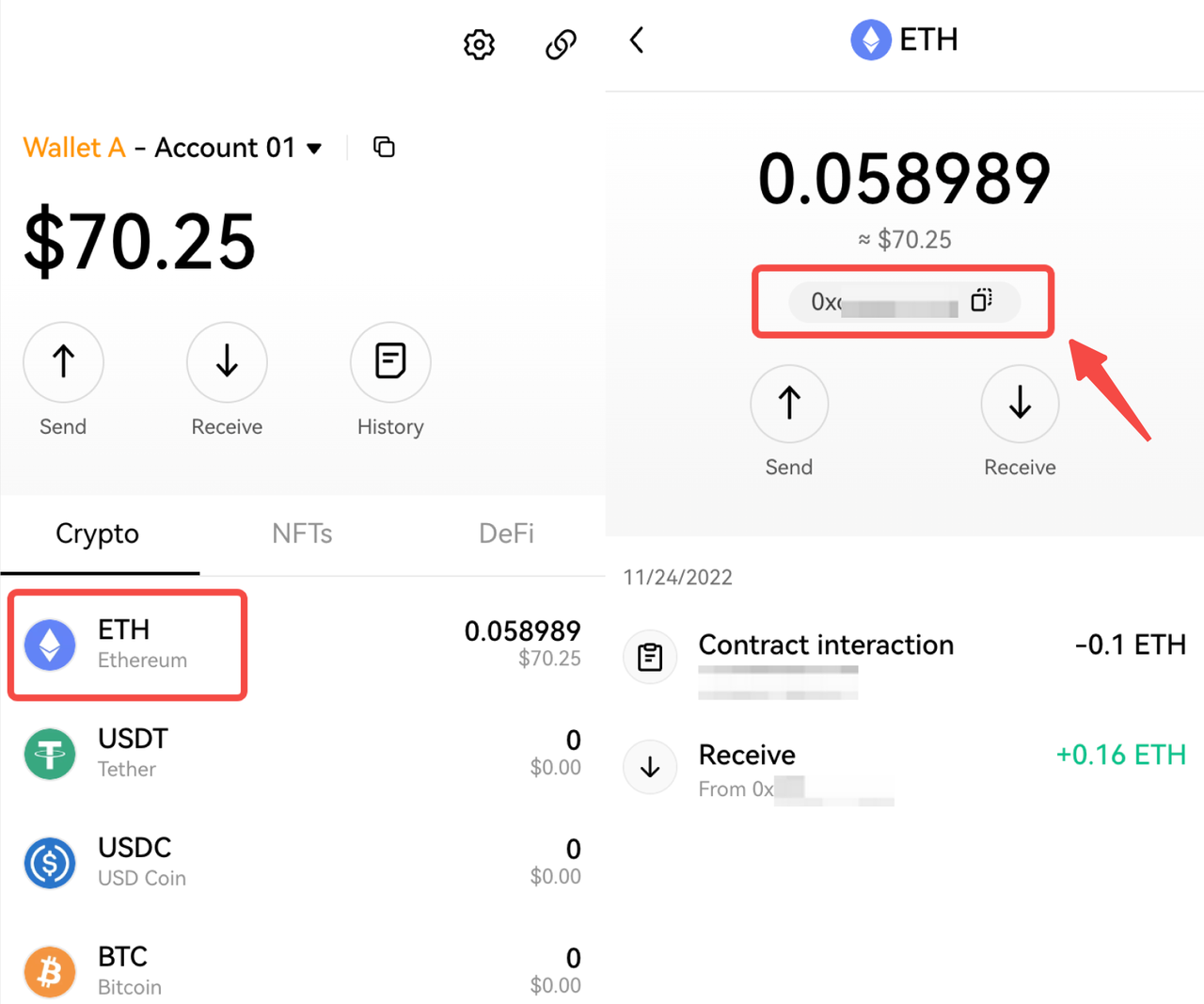
Open your OKX Wallet web extension, click ETH to go to the details page, and copy the address. Open other exchanges or wallets, paste your receiving address to transfer or scan the QR code to complete the transfer. 0.15 ETH is suggested.
Open https://wallet.zksync.io/account, and connect the wallet. Since OKX Wallet is compatible with the MetaMask wallet, and you have set OKX Wallet as the default wallet, you can connect to the OKX Wallet by clicking MetaMask Wallet icon.
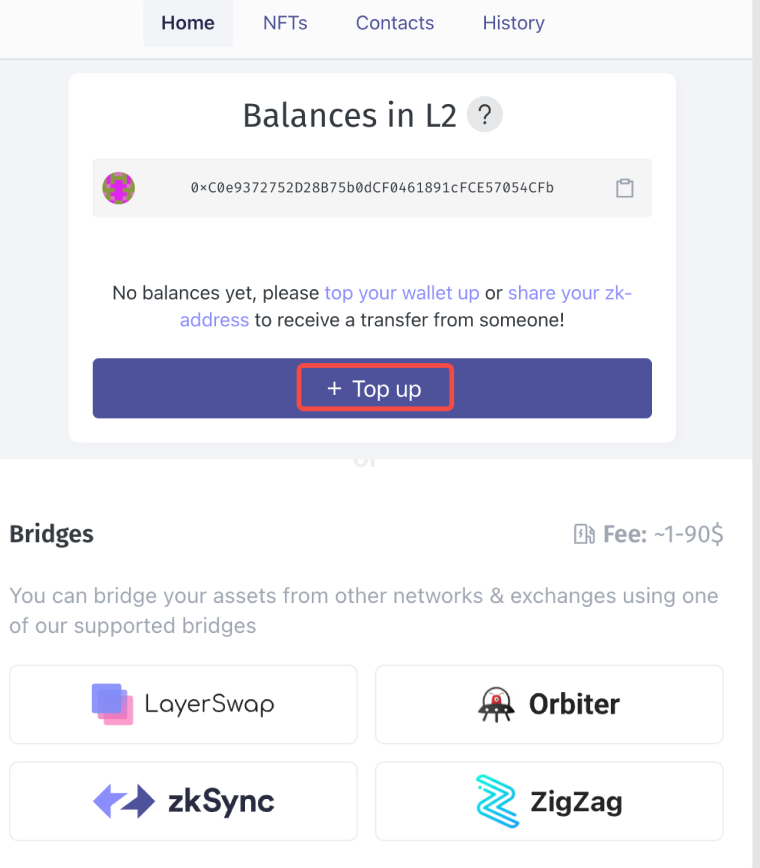
Click Top up and scroll down to Bridges, try one or two bridges as you like, and send some ETH from Ethereum mainnet to zkSync. You can swap tokens across L1 and L2 at least 3 times on different dates.
Task2: Transfer
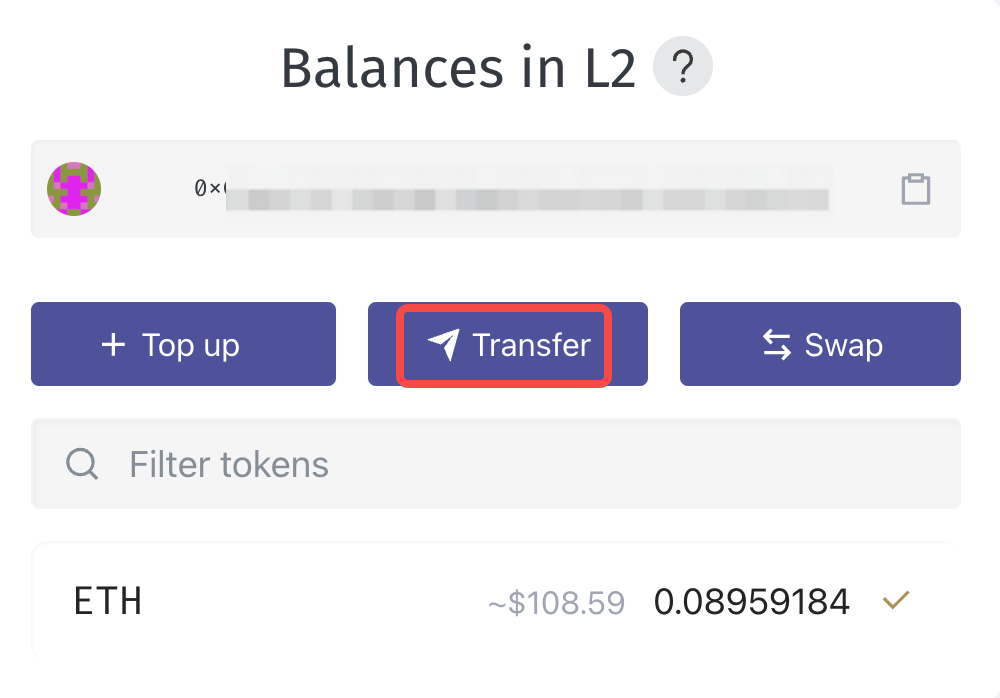
Click Transfer, and enter your other address or someone else's, you can send some tokens within the zkSync 1.0 network, or transfer across the chain to the Ethereum network. Try at least 3 times on different dates
Task 3: Swap
Click Swap to access the ZigZag page, connect your wallet, and do some swaps like ETH-USDC or other pairs a few times.
Task 4: Donate to projects on Gitcoin & Passport
Open the Gitcoin page, sign in with your GitHub account, and complete the authorization. You need to create a GitHub account if you don't have one.
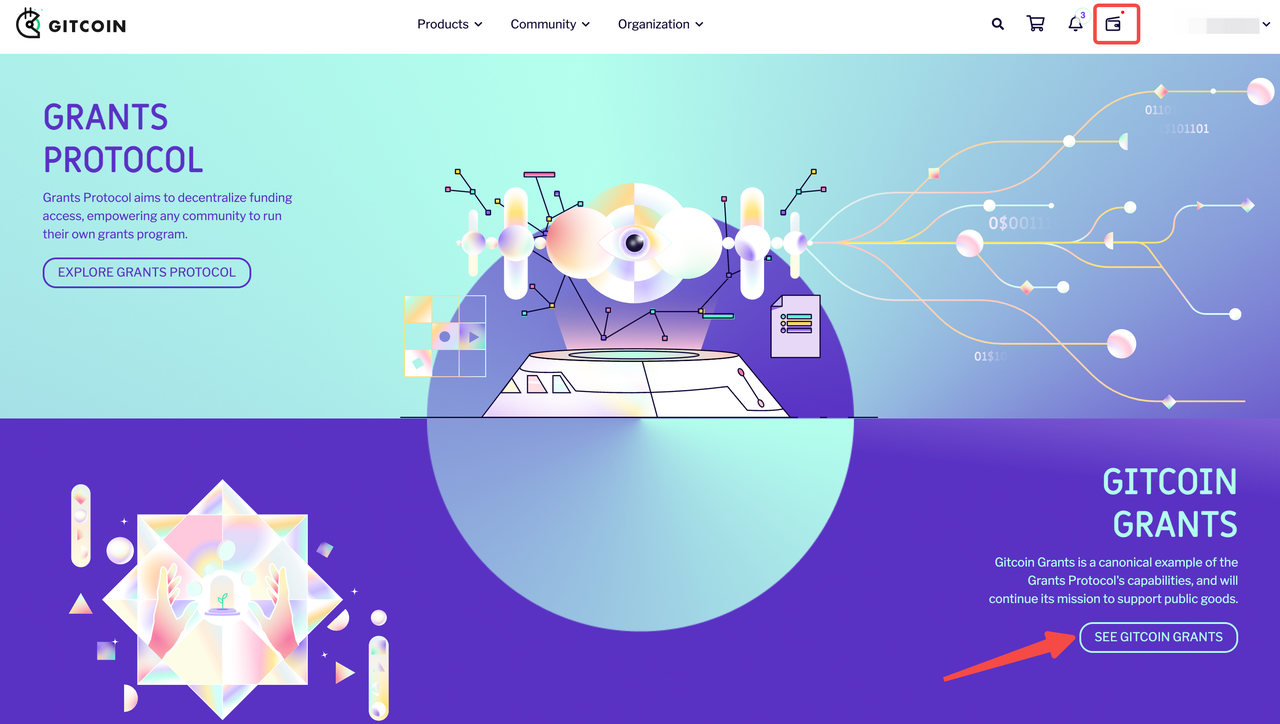
Click the wallet icon, and connect it. Then click SEE GITCOIN GRANTS > View All Grants.
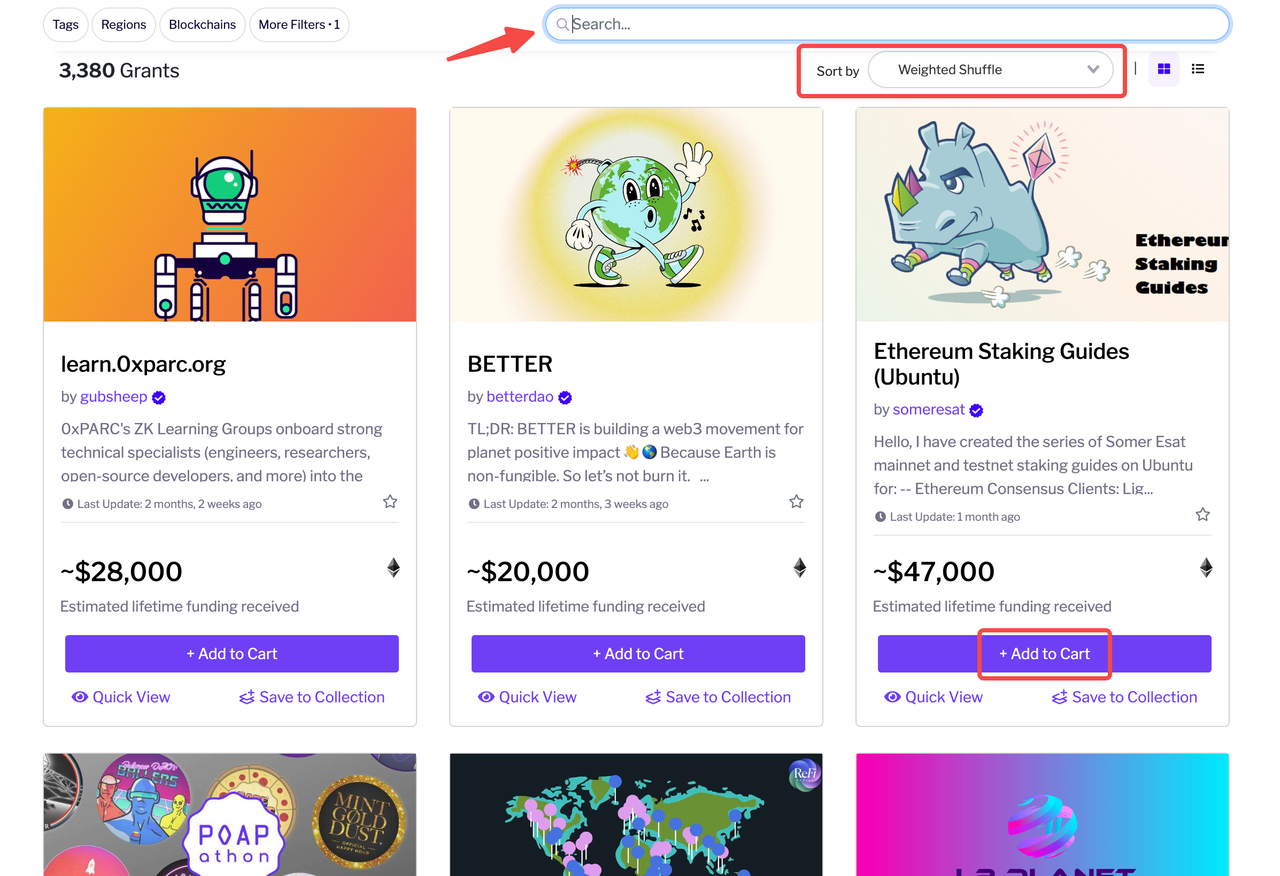
You can filter or directly search for the project name, and click Add to Cart. It is recommended to add several projects and pay at once for gas savings. When you're done adding, click the shopping cart icon > Checkout.
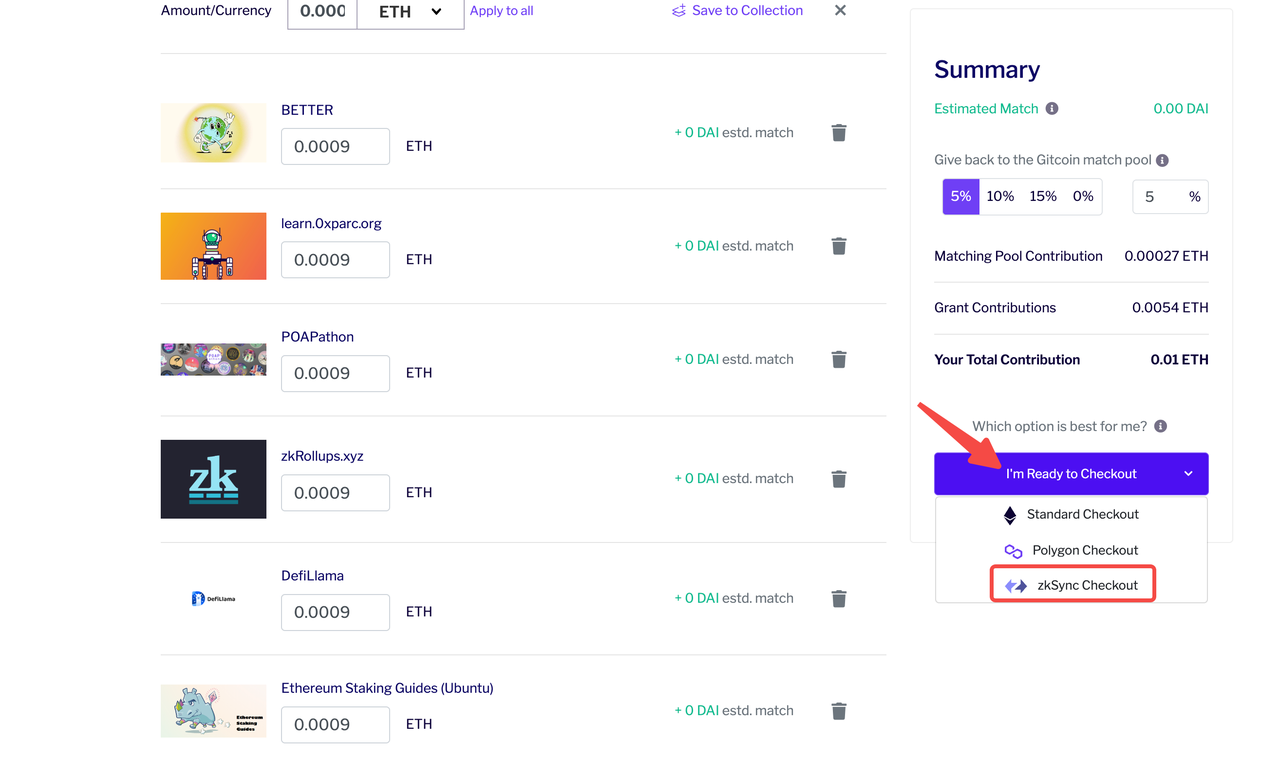
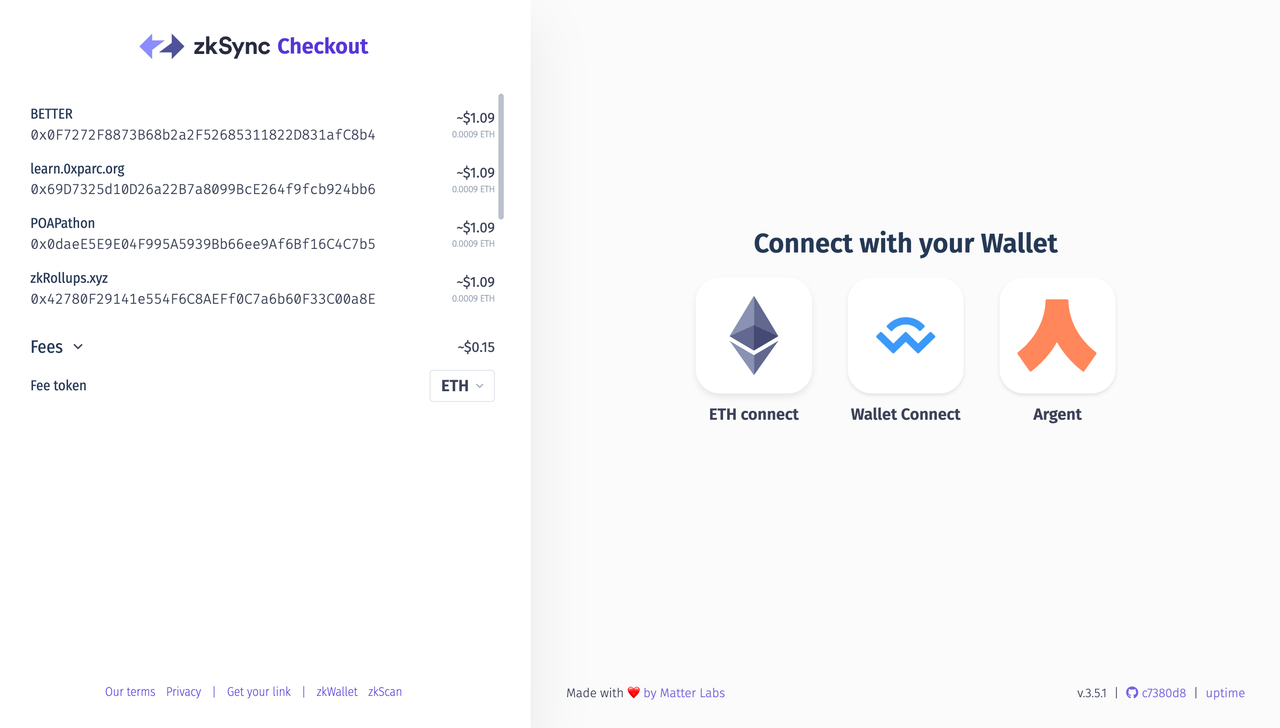
Select the token and enter the amount you want to donate, and click I'm Ready to Checkout > zkSync Checkout.
Enter the payment page, click ETH connect, connect your wallet, and click Complete payment to complete the donation.
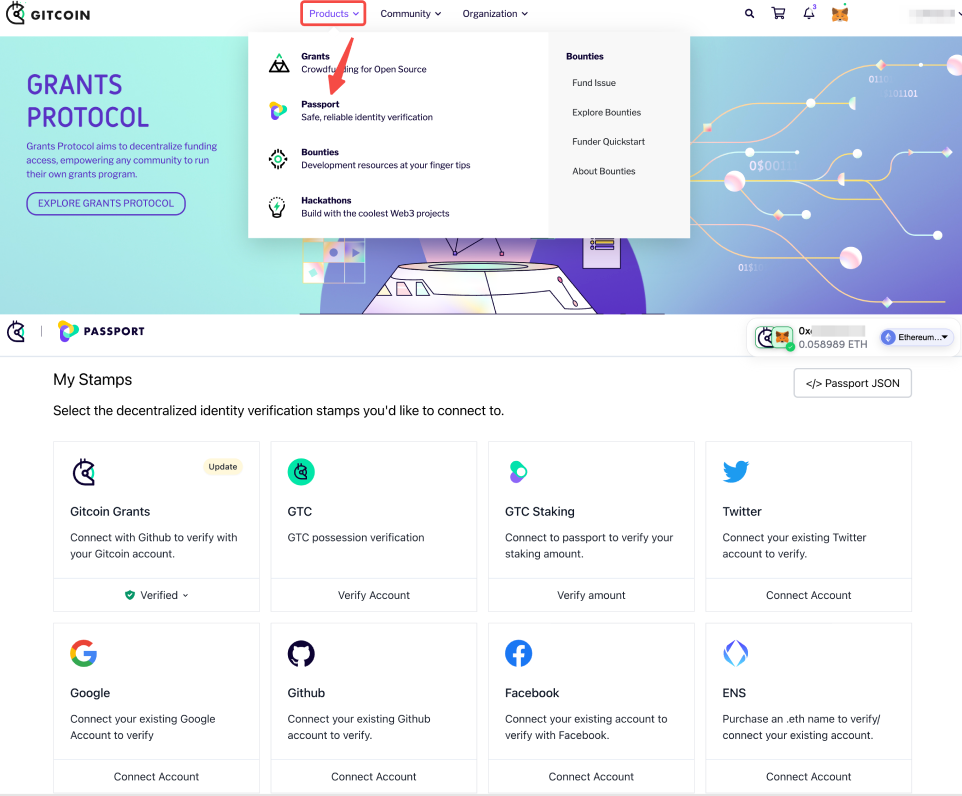
Passport is an on-chain passport from Gitcoin. One of its settings is to prevent Sybil Attack. Collect as many stamps as possible. Click Product > Passport > Make a Passport > Connect Wallet, then unlock the stamps as required.
Task 5: Mint NFT
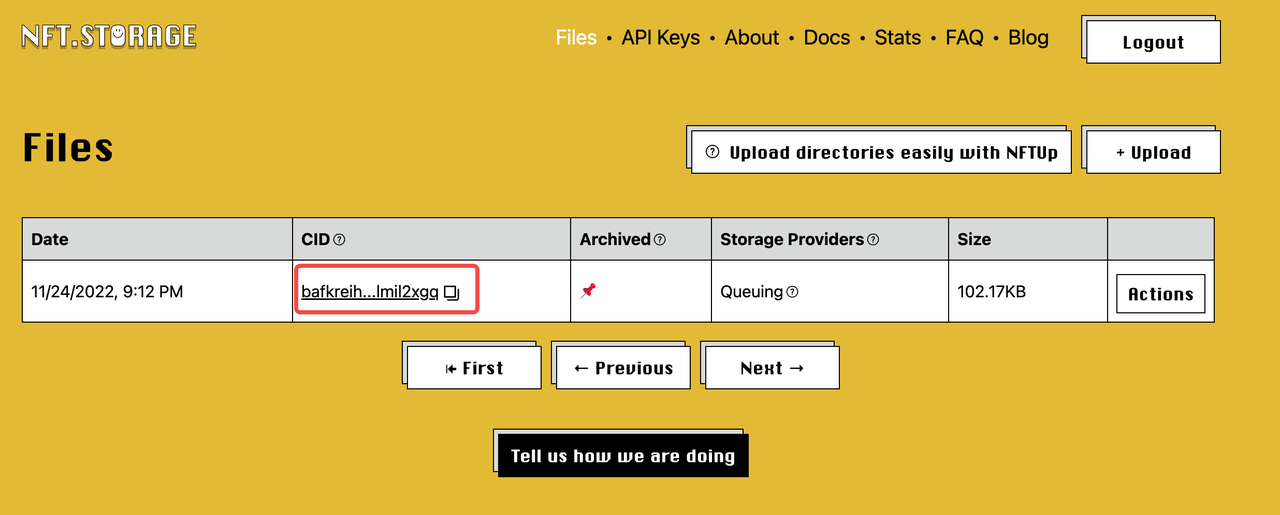
You will need to upload an image to IPFS to get a CID and input the CID code to zkSync NFTs.
Take NFT Storage as an example, log in via GitHub or email, click upload, and copy the CID when you upload the image successfully.
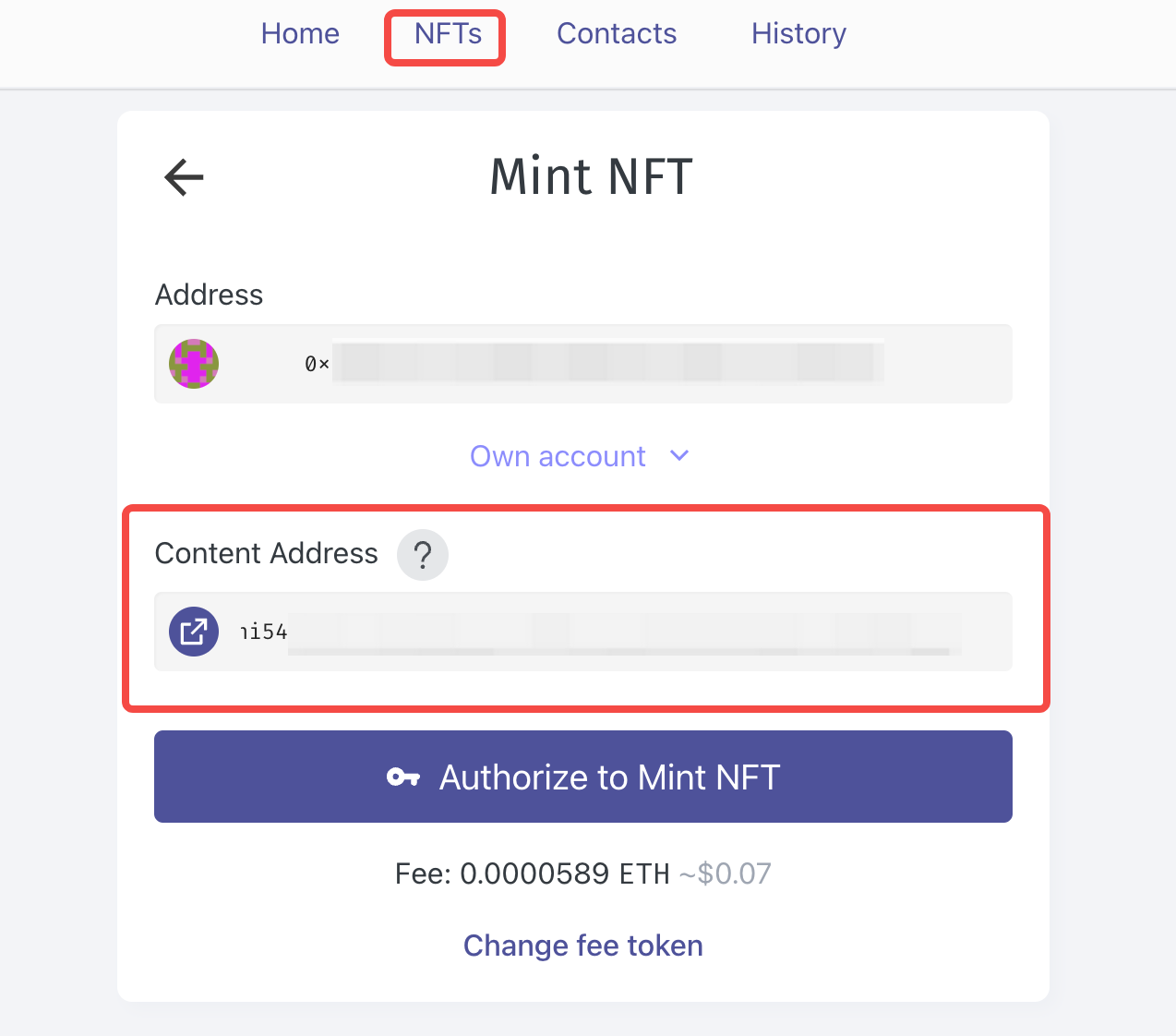
Open the zkSync official website, click NFTs, paste the CID code, and click Authorize to Mint NFT > Mint NFT to complete the minting process.
Stay tuned to CoinCarp Social Media and Discuss with Us:
X (Twitter) | Telegram | Reddit
Download CoinCarp App Now: https://www.coincarp.com/app/


