
Fiat currencies
Crypto Currencies
No results for ""
We couldn't find anything matching your search.Try again with a different term.
How to Download the Official BigONE App ? (Apple App Store)

The BigONE App is only available for download via the App Store using Apple accounts registered outside mainland China. If you are a user in mainland China, you will need to either update the region settings of your existing Apple ID or create a new Apple ID with a non-mainland region.
1. Change the Country/Region of Your Existing Apple ID
Open the App Store and tap the profile icon in the top right corner to access your Apple ID settings.
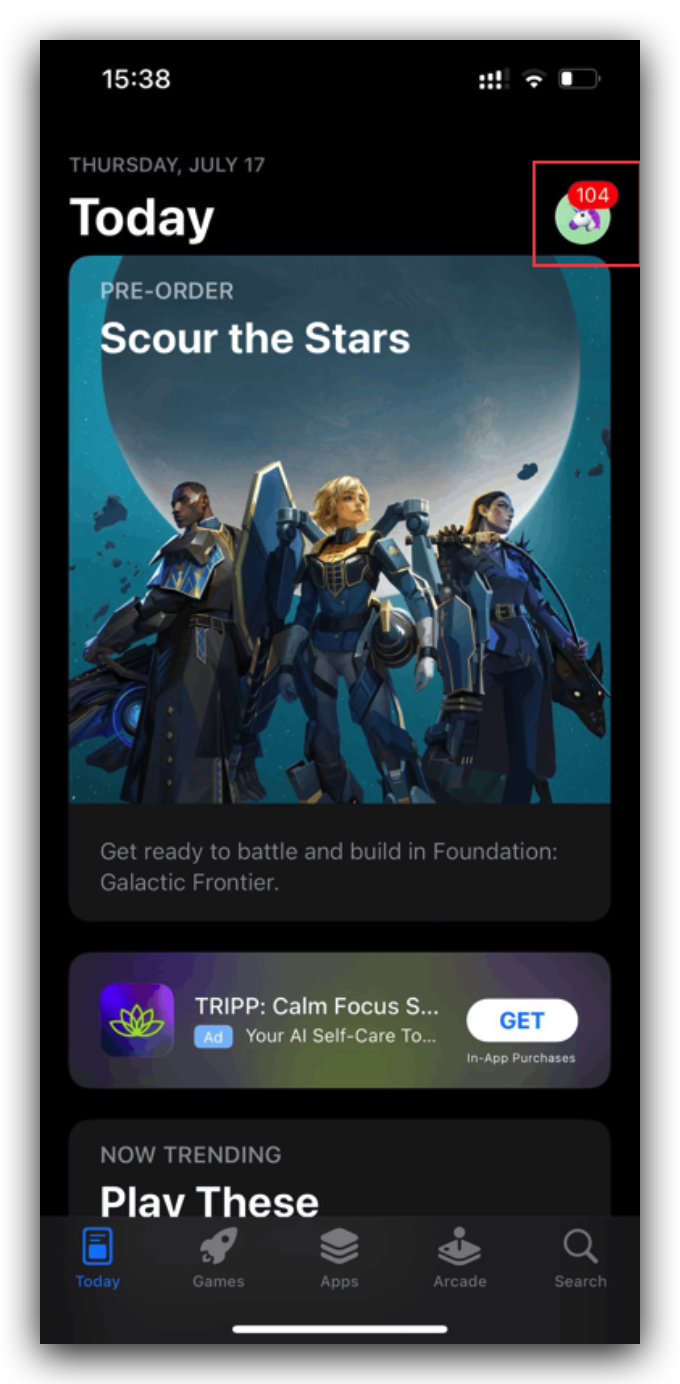
Tap your Apple ID to enter the account page.

Locate and select Country/Region.

Choose a region outside mainland China. Once updated, search for “BigONE” in the App Store and download the app.

2. Create a New Apple ID
- Visit Apple’s official website: https://appleid.apple.com/account
- Click Create Your Apple Account.

- Choose a country/region.

- Choose a country/region (Except mainland China)

- Fill in the required information and complete the registration.

3. Download the BigONE App
- Sign in to the App Store using your Apple ID.

- Search for “BigONE” and download the official app.
Stay tuned to CoinCarp Social Media and Discuss with Us:
X (Twitter) | Telegram | Reddit
Download CoinCarp App Now: https://www.coincarp.com/app/


