
Fiat currencies
Crypto Currencies
No results for ""
We couldn't find anything matching your search.Try again with a different term.
How To Generate Your Tax API Key For Cryptocurrency Tax Reporting


Binance.US has made it easier for customers to prepare for tax-filing season. If you use a third party cryptocurrency tax reporting platform to create ready-to-file tax forms, learn how to generate your Tax API Key and connect your Binance.US account to your tax reporting platform of choice.
Please note that your Tax API Keys should only be shared with third party platforms you trust, as these platforms will have read-only access to your Binance.US transaction history.
How to generate your Tax API Key on desktop
1. Log in to Binance.US. On the top navigation bar, move your cursor over your username and click Tax Statements in the dropdown menu.

2. Carefully review the onscreen information and click Generate Tax API.
Note: By clicking Generate Tax API, you are granting Binance.US the permission to share your transaction history on a read-only basis with your tax reporting platform of choice.

3. Enter your two-step verification code to proceed, or secure your account with two-factor authentication.
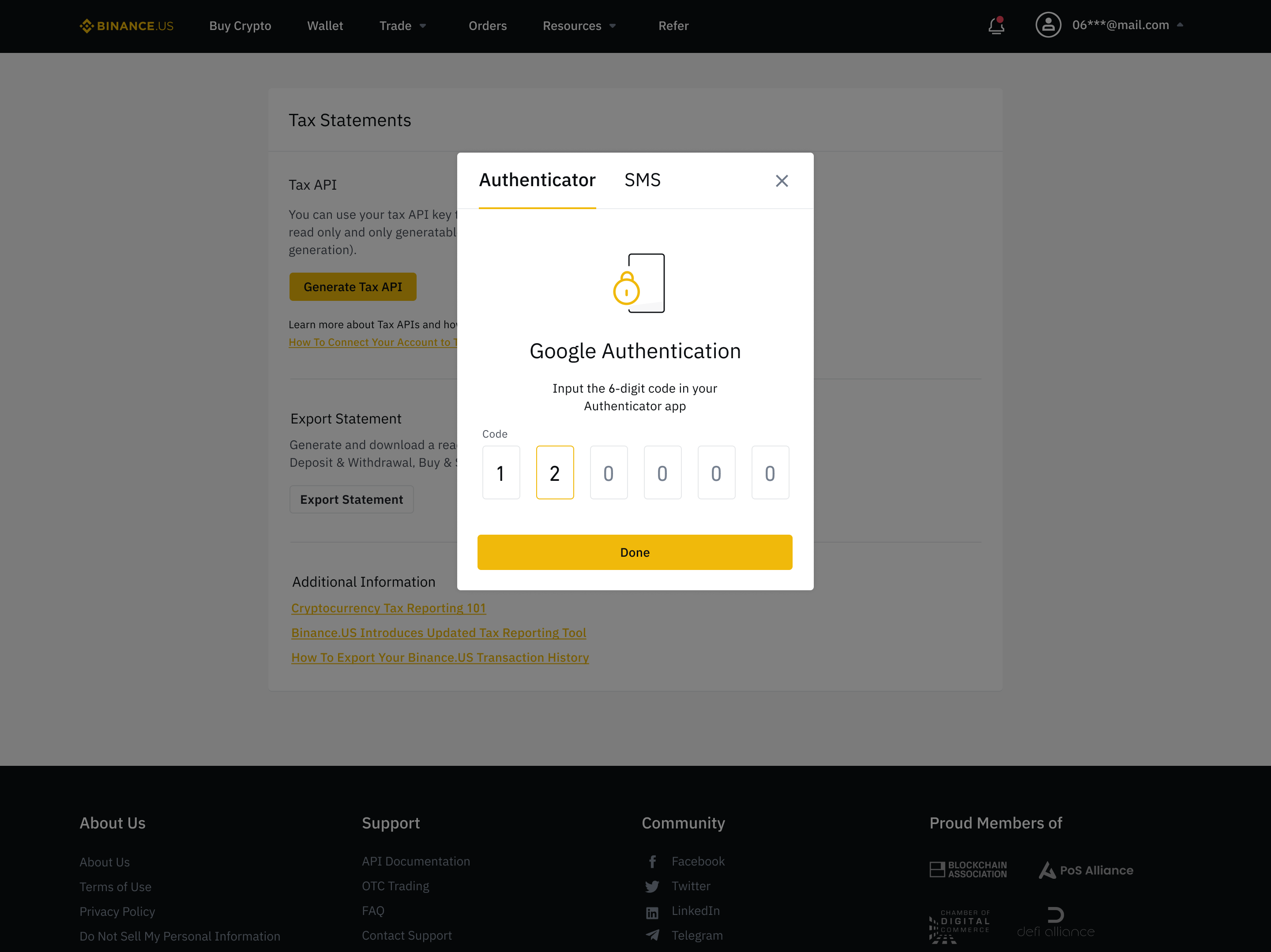
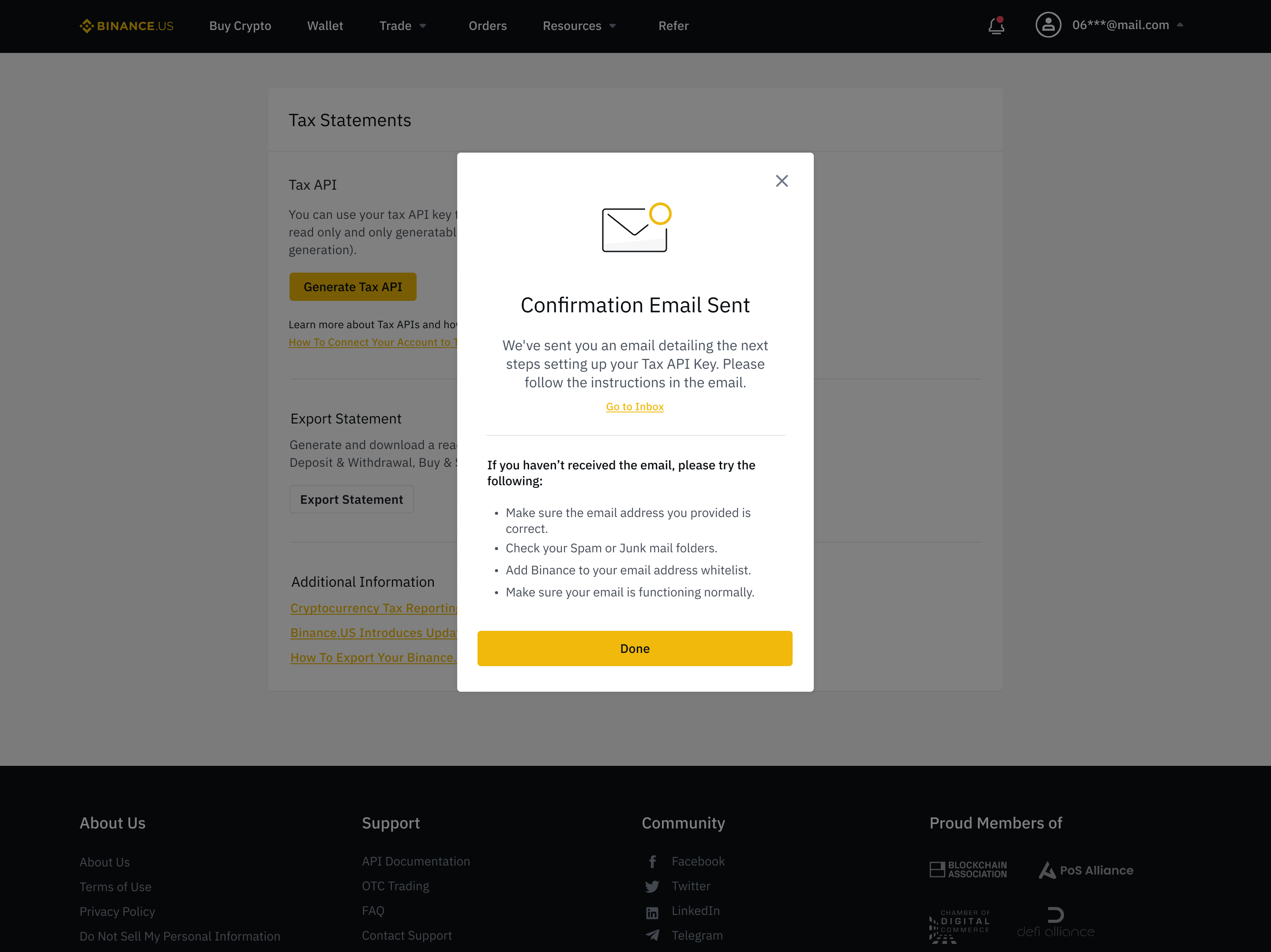
4. You will receive a confirmation email with additional information on how to set up your Tax API Key.
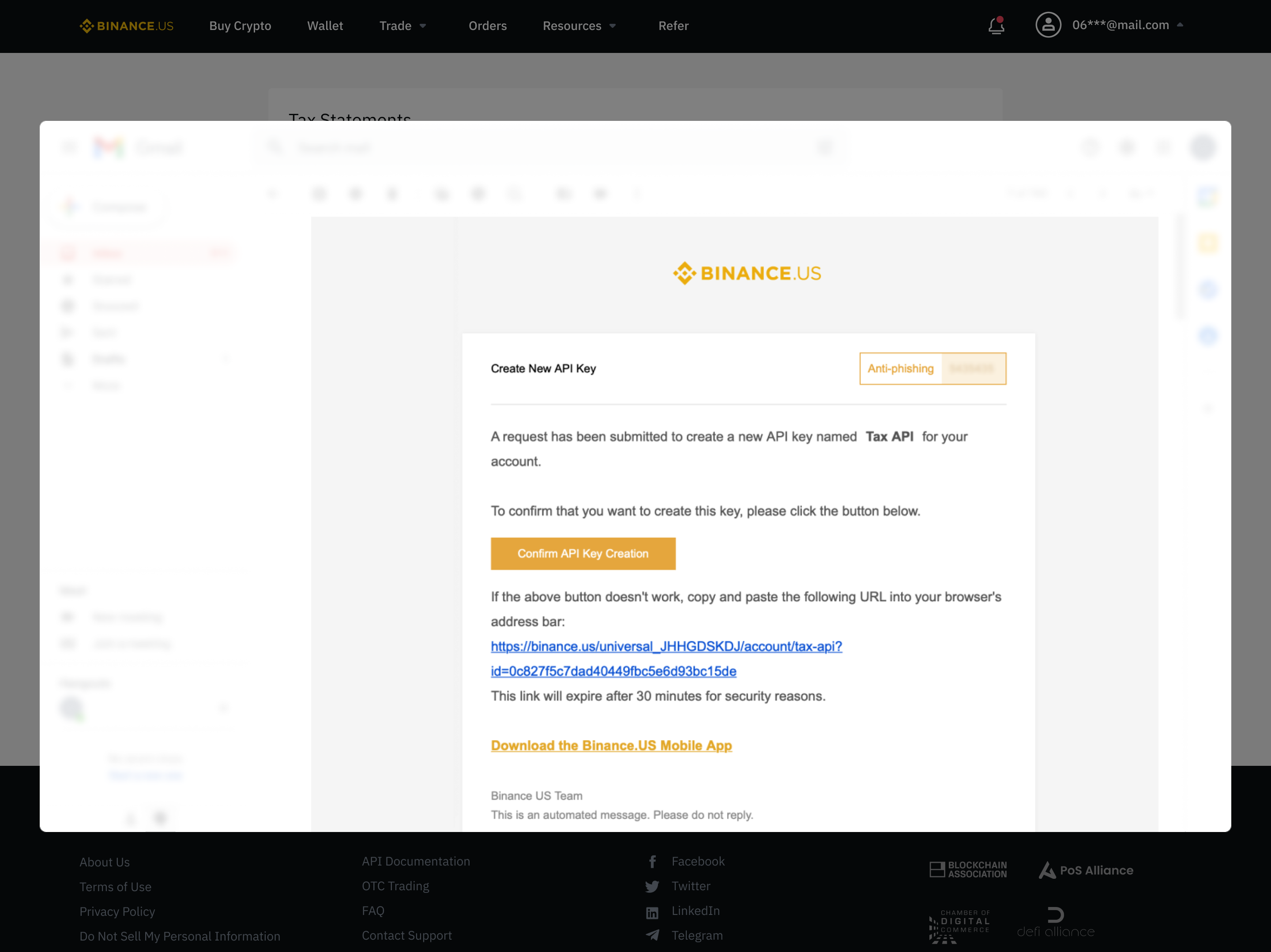
5. Check your inbox and carefully review the information onscreen. Click Confirm API Key Creation to generate your Tax API Key.
6. Your Tax Key and Secret Key will appear on-screen as alphanumeric strings. Click Copy to copy your Tax Key, which appears as an alphanumeric text string.
Note: For security purposes, your Secret Key will only be shown on this screen, so record the alphanumeric string in a secure location before proceeding to the next step.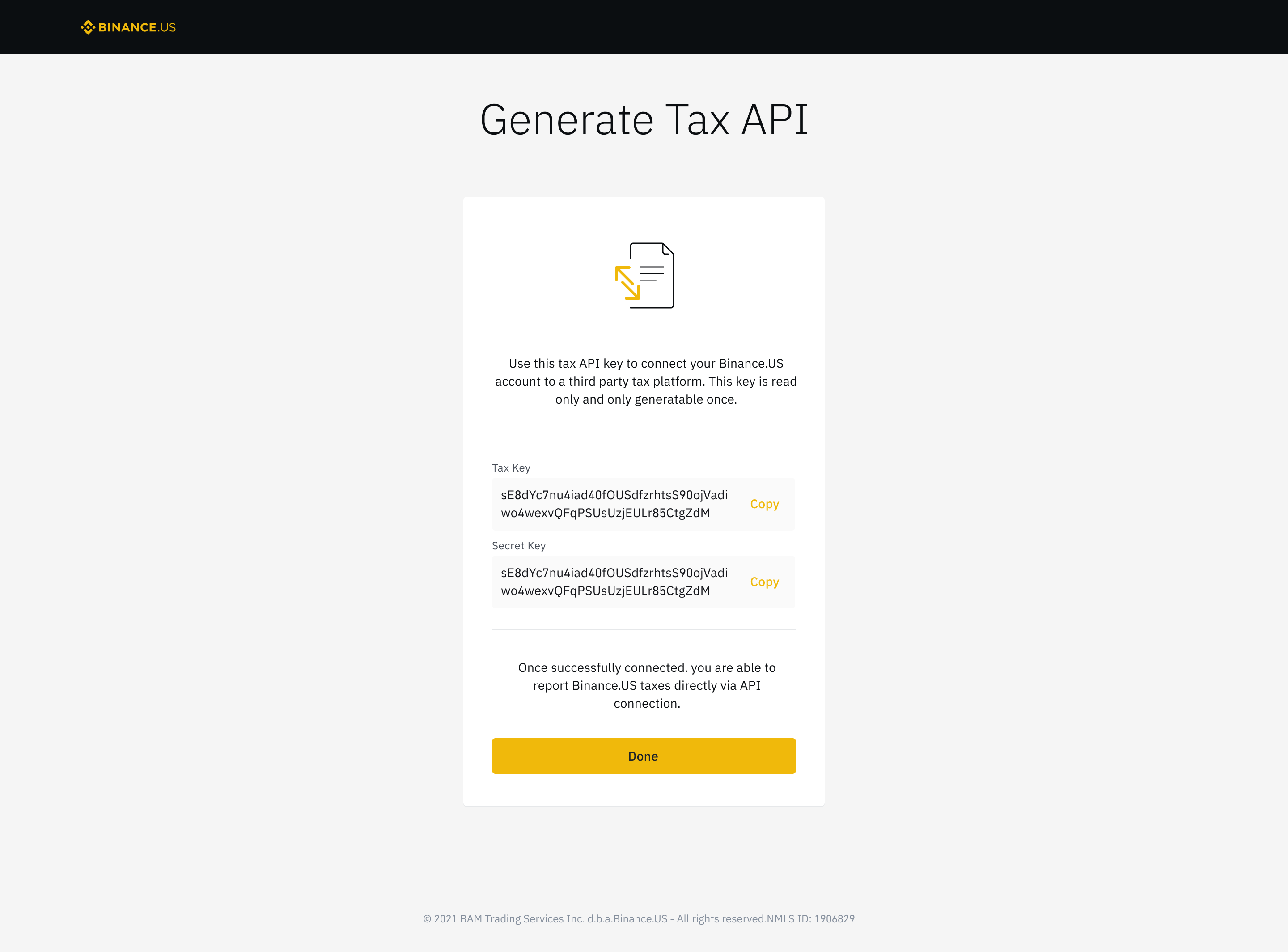
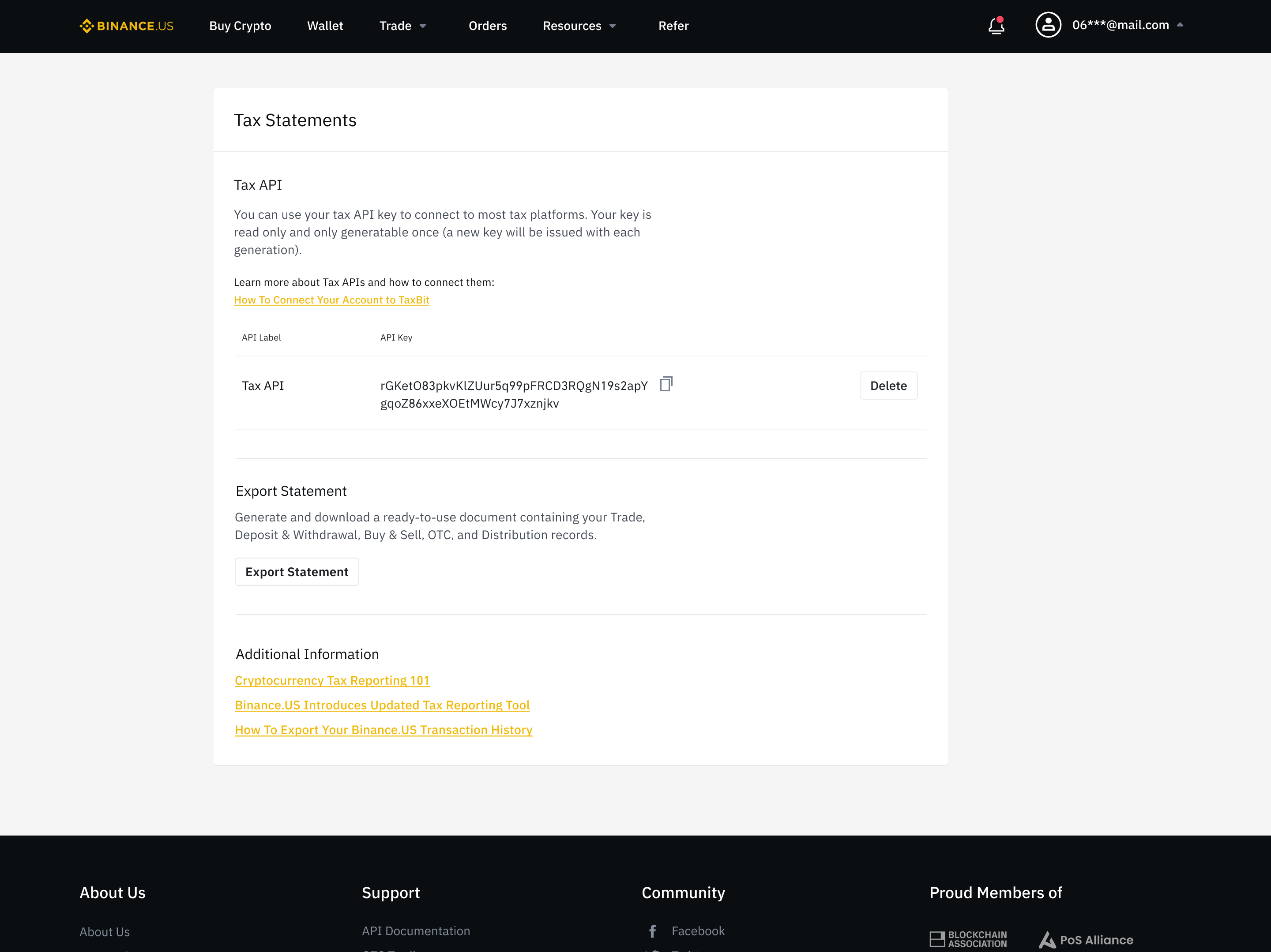
7. Click Done to return to the Tax Statements page, where you can create, manage, and delete your Tax API Keys.
How to generate your Tax API Key on iOS or Android
1. Open the Binance.US app and tap the User Profile icon on the bottom navigation bar. Scroll down and tap Tax Statements.
2. Under “Tax Statement Methods”, tap Tax API.
3. Carefully review the on-screen information, then tap Generate Tax API.
4. Enter your two-step verification code to proceed, or secure your account with two-factor authentication.
5. You will receive a confirmation email with additional information on how to set up your Tax API Key.
6. Check your inbox and carefully review the information onscreen. Click Confirm API Key Creation to generate your Tax API Key.
7. Your Tax Key and Secret Key will appear on-screen as alphanumeric strings. Click Copy to copy your Tax Key, which appears as an alphanumeric text string.
Note: For security purposes, your Secret Key will only be shown on this screen, so record the alphanumeric string in a secure location before proceeding to the next step.
Download the Binance.US app to trade on the go: iOS | Android
Follow us on social media to stay up to date with Binance.US news and announcements:
Telegram
Youtube
Binance.US reserves the right in its sole discretion to amend or change or cancel this announcement at any time and for any reasons without prior notice.
Risk warning: Buying, selling, and holding cryptocurrencies are activities that are subject to high market risk. The volatile and unpredictable nature of the price of cryptocurrencies may result in a significant loss. Binance.US is not responsible for any loss that you may incur from price fluctuations when you buy, sell, or hold cryptocurrencies. Please refer to our Terms of Use for more information.
Stay tuned to CoinCarp Social Media and Discuss with Us:
X (Twitter) | Telegram | Reddit
Download CoinCarp App Now: https://www.coincarp.com/app/


