
Seclect Currency
Fiat currencies
Crypto Currencies
No results for ""
We couldn't find anything matching your search.Try again with a different term.
How to Activate XRP Token Address


Part 1. Why You Need to Activate the Token Address
Ripple's current mechanism requires an address to have at least 20 XRP in order for the address to be activated. Before an address can receive any Ripple assets other than XRP (XSPECTAR, SOLO, CORE-XRP, etc.), it must be manually operated to add assets. Before adding a new asset, please make sure the XRP balance in your account is 20 or more, as a transaction fee is required to be paid when adding. If your withdrawal address does not have activated assets, then you will not be able to withdraw.
Part 2. How To Check Whether a Token Address Has Been Activated
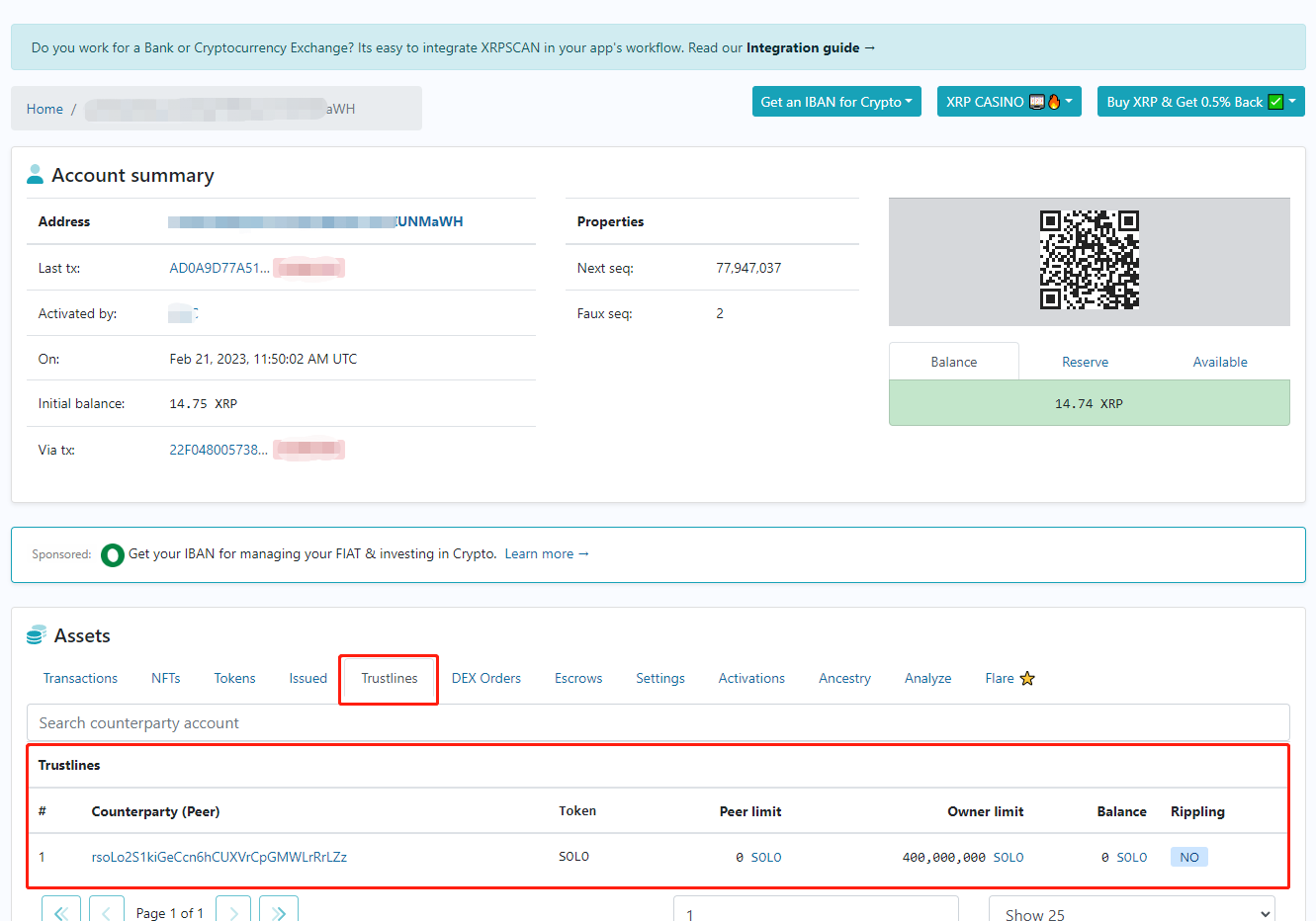
- A. Status: Activated
You can view the XRP block blockchain browser at: https://xrpscan.com/search as shown below. If token information is displayed in your address Trustlines, then you have activated the asset.
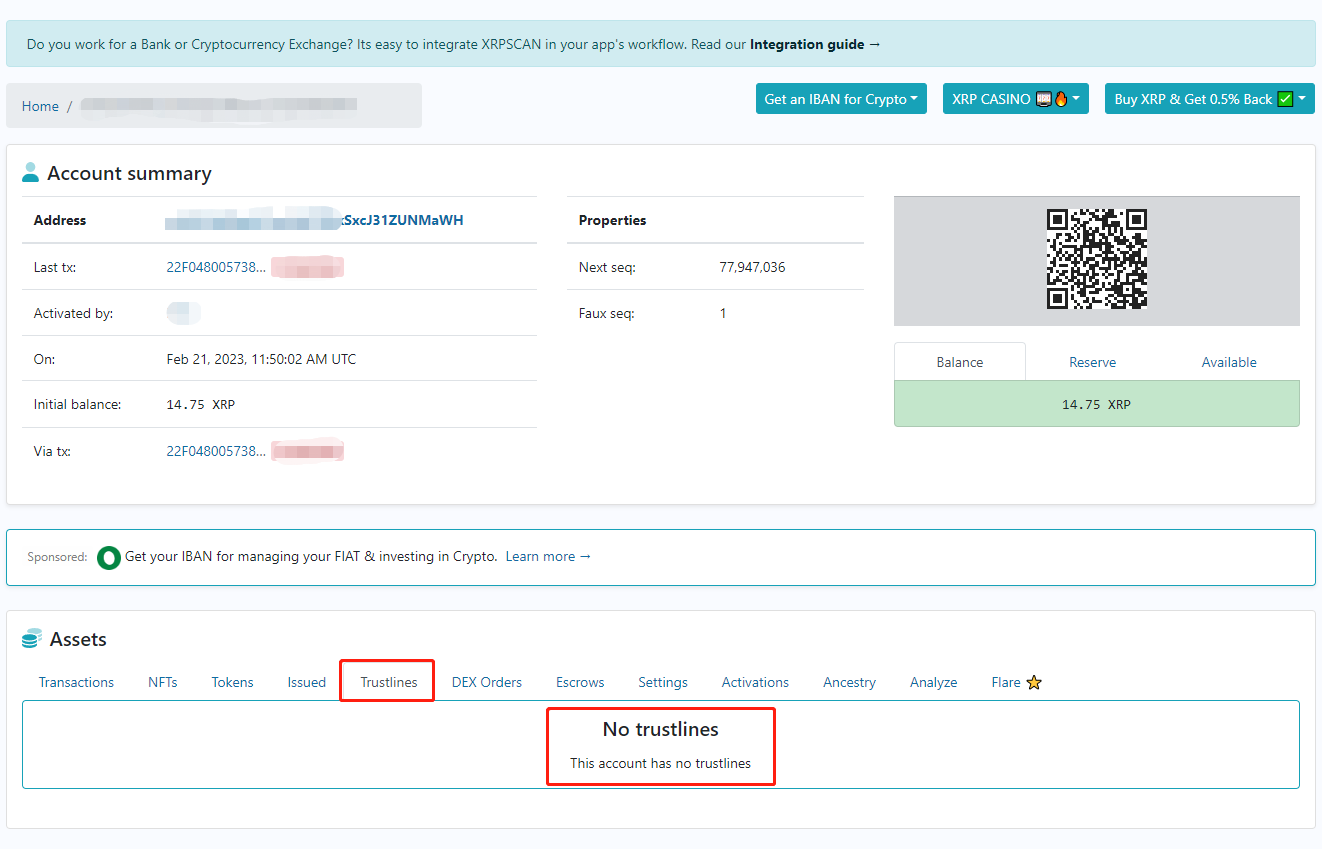
- B. Status: Not Activated
You can view the XRP block browser at: https://xrpscan.com/search as shown below. If you do not have any token information in your address Trustlines, then you do not have an activated asset.
Part 3. How To Activate The XRP Token Address
Example: The following example shows the operation for adding XTK tokens in SOLO DEX, involving the wallet address: https://www.sologenic.com/ecosystem/solo-wallet. Please follow these steps for activation.
- First, install the wallet and generate an account.
- Then transfer a portion of your XRP to the address of the generated account, at least 20 of them.
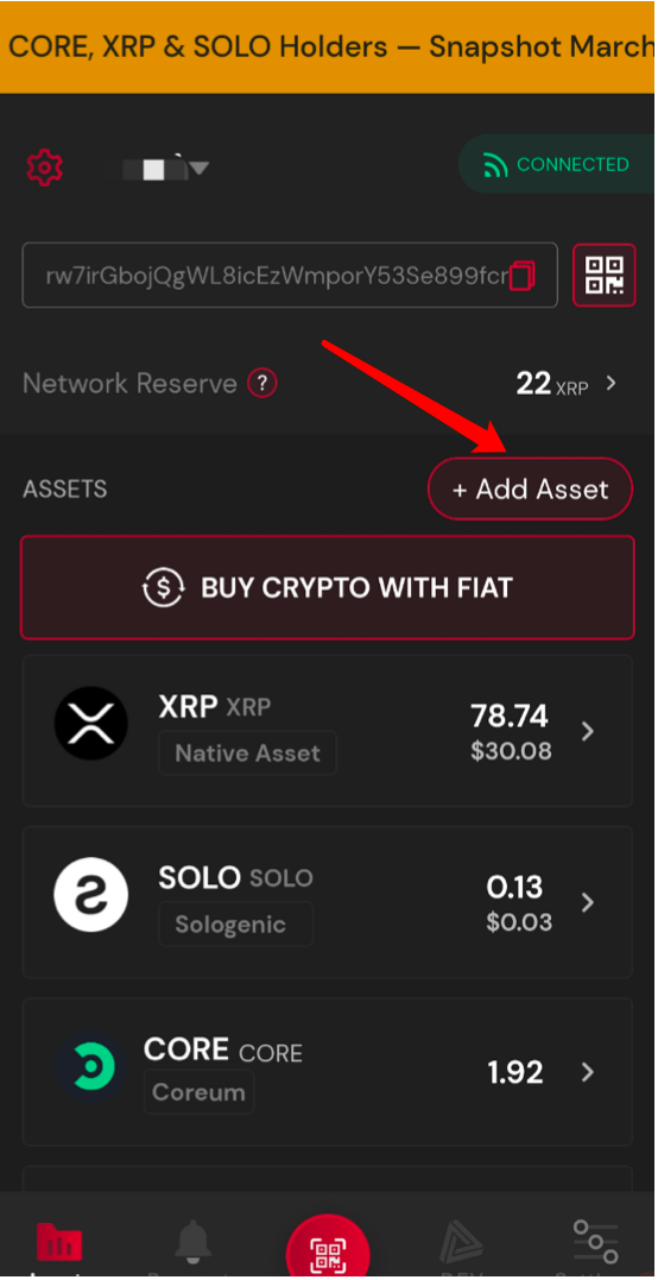
- Click the [Add Asset] button.
- There are two ways to add, by directly selecting or by adding a futures contract.
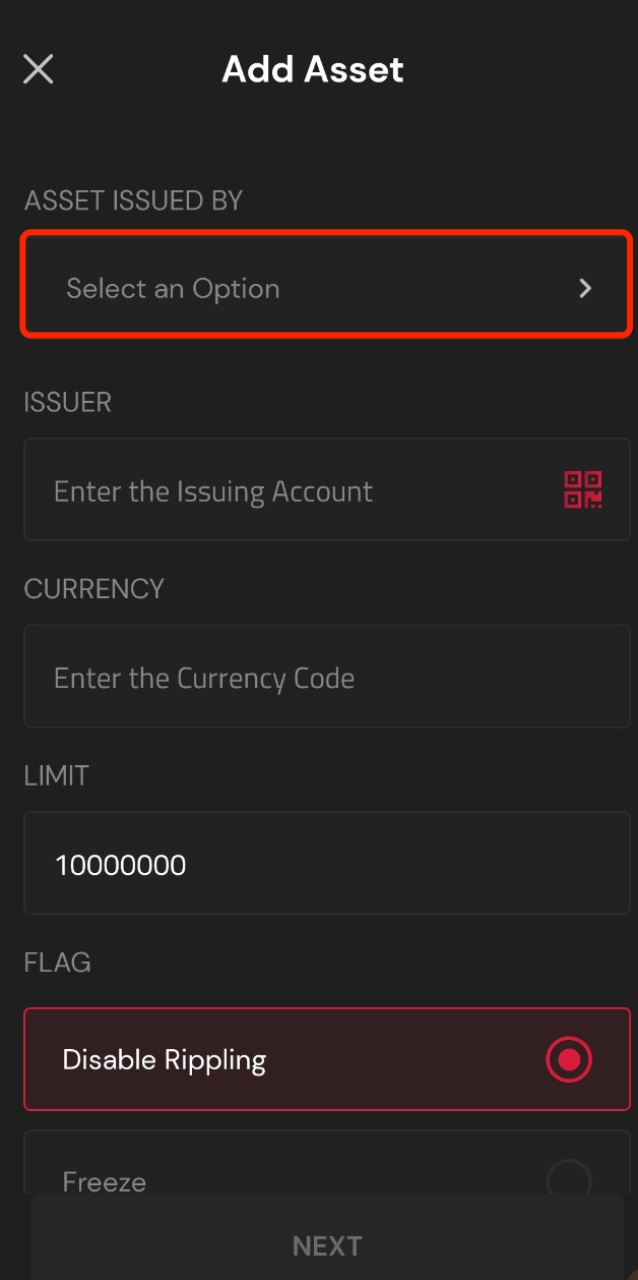
- Add directly: Known Issuers. Manual entry: Custom
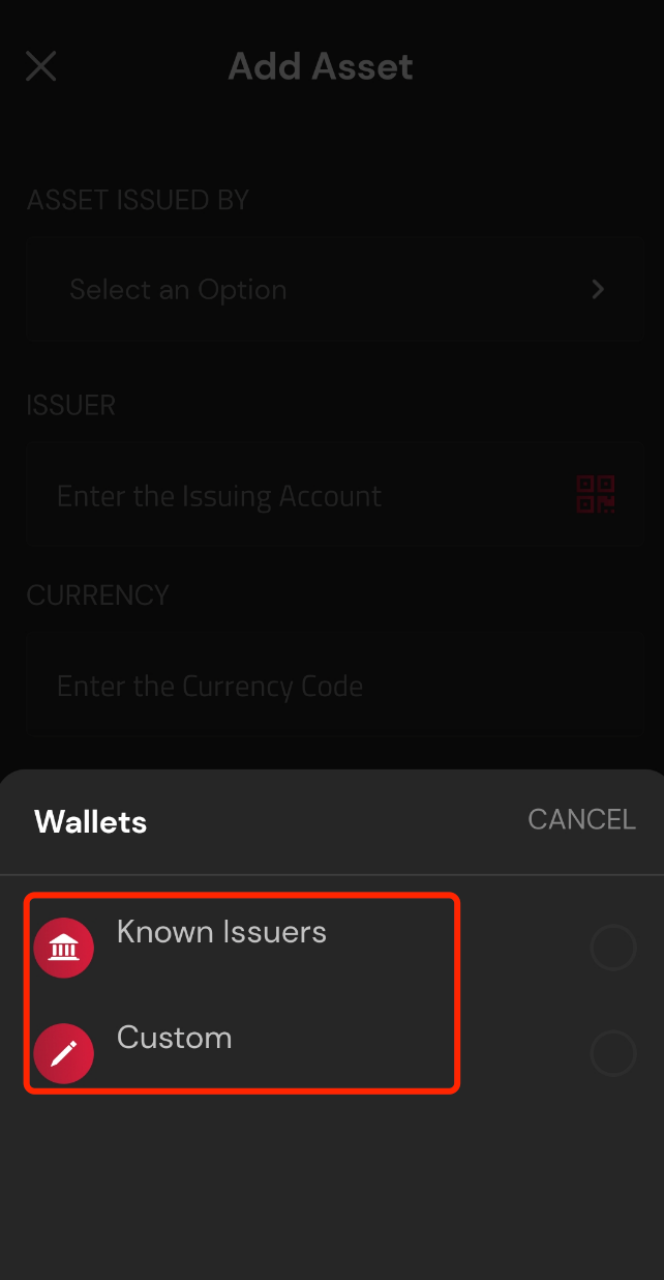
- Select or add the corresponding parameter and select the Issuer of the currency.
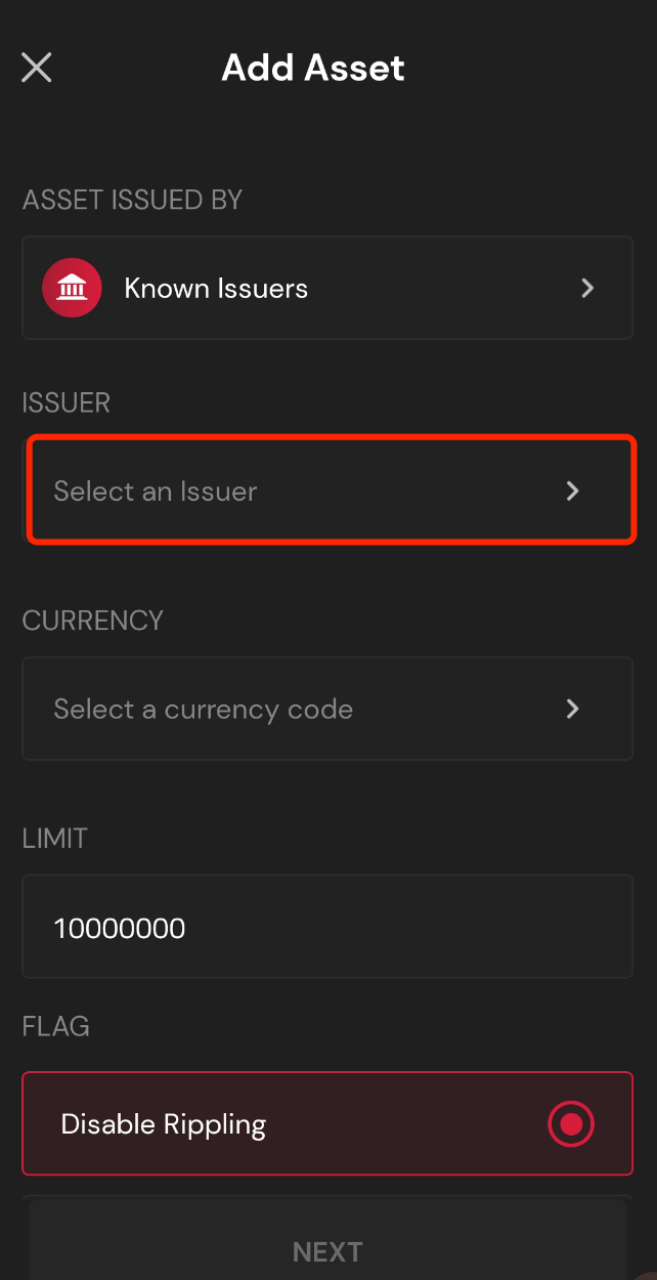
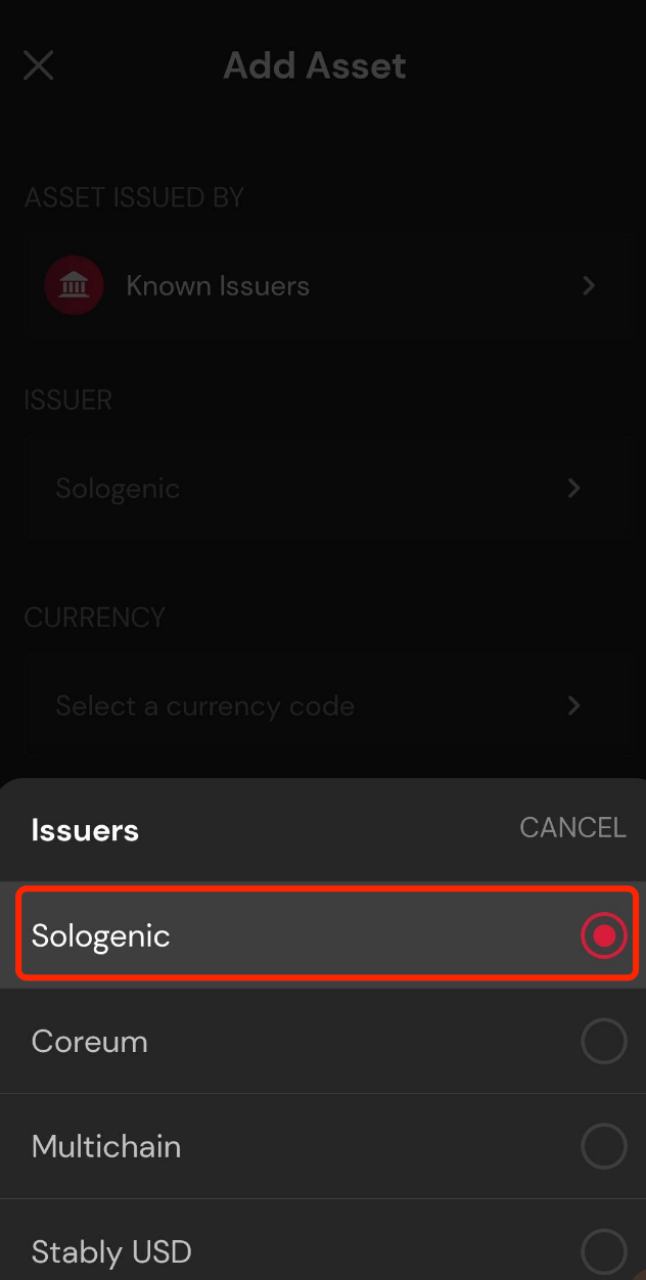
- Then select the corresponding issuer.
- After making your selection, click the [NEXT] button.
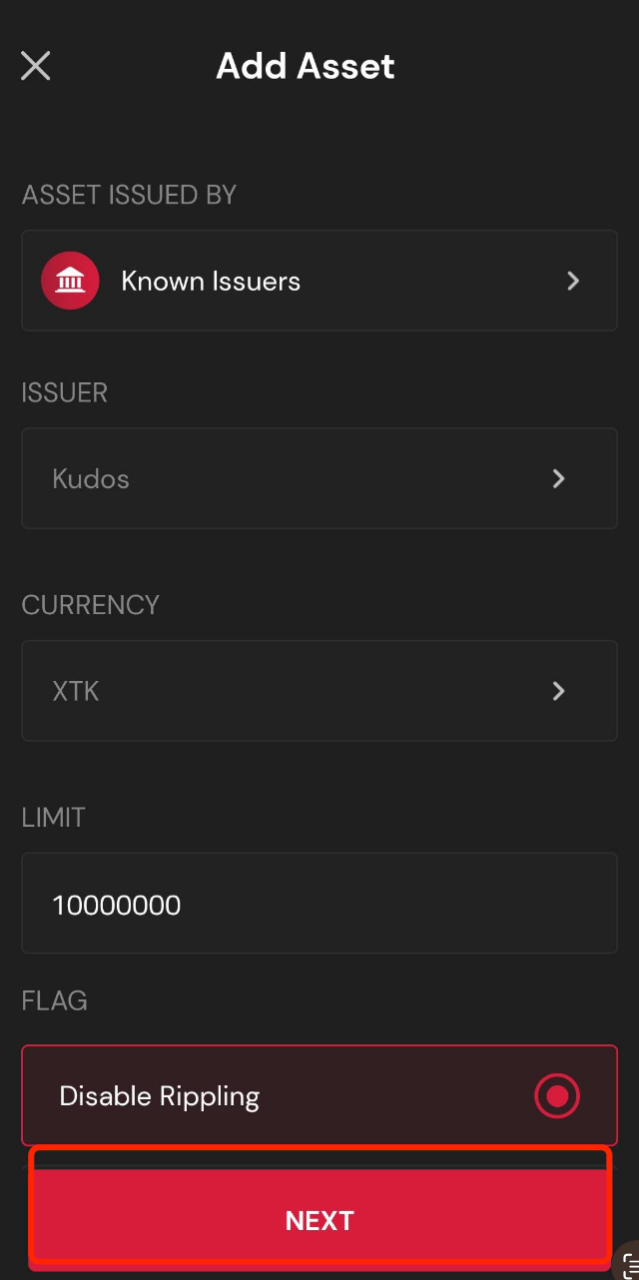
- Doublecheck the added parameters to ensure they are correct.
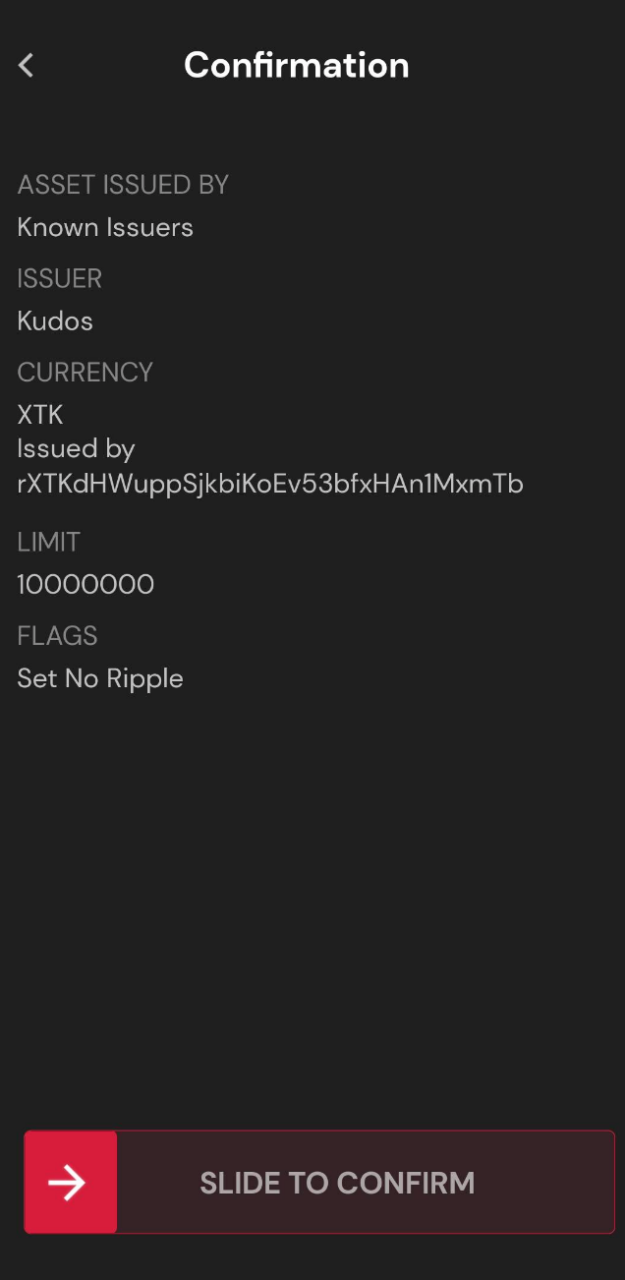
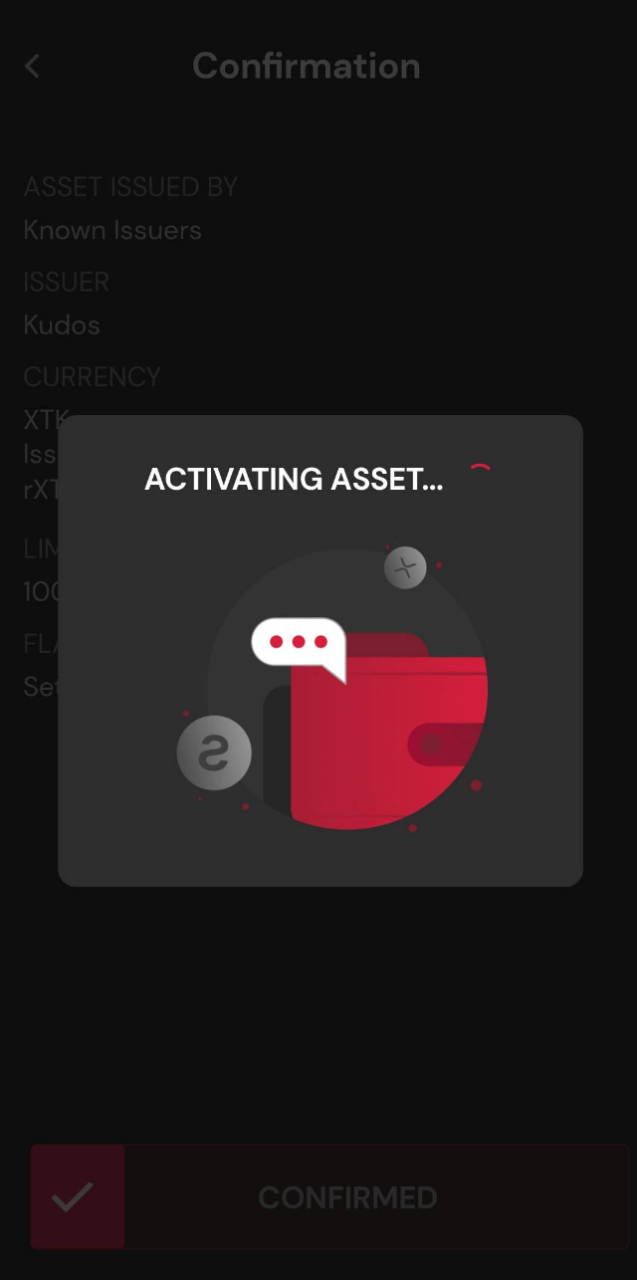
- Wait for activation confirmation.
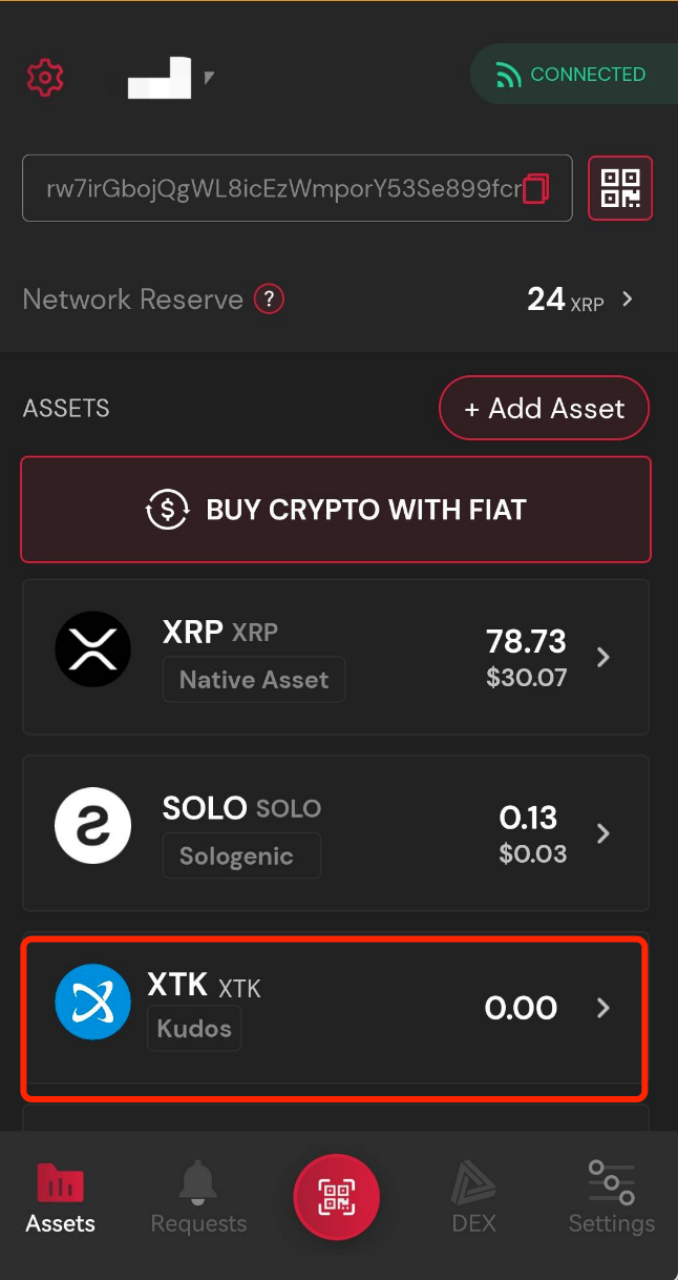
- When your added currency appears, it has been successfully added.
Part 4. Important Notes
- A reserve of 20 XRP is required for activating the XRP address, and 2 XRP is required to activate the token. Ensure you have sufficient assets before activating. Consult the XRP website for more information on retrieving locked reserves.
- Activating via official wallet software is recommended.
- Please make sure that the target address assets are activated before you withdraw your funds, otherwise you will be unable to withdraw your funds.
Stay tuned to CoinCarp Social Media and Discuss with Us:
X (Twitter) | Telegram | Reddit
Download CoinCarp App Now: https://www.coincarp.com/app/


