
Seclect Currency
Fiat currencies
Crypto Currencies
No results for ""
We couldn't find anything matching your search.Try again with a different term.
How to easily withdraw and deposit crypto between OKX Wallet and Exchange account

To help users explore the Web3 ecosystem more easily, OKX Wallet optimized the transfer process between wallet and exchange accounts. Users can withdraw and deposit cryptos between them without entering or scanning a wallet address.
This feature is now available in OKX Wallet on Android systems. You can use the new feature immediately by updating your app to the latest version.
Follow the steps below to transfer:
1. Withdraw crypto from Exchange account to OKX Wallet
Click Receive on the Wallet homepage and find Withdraw from Exchange.
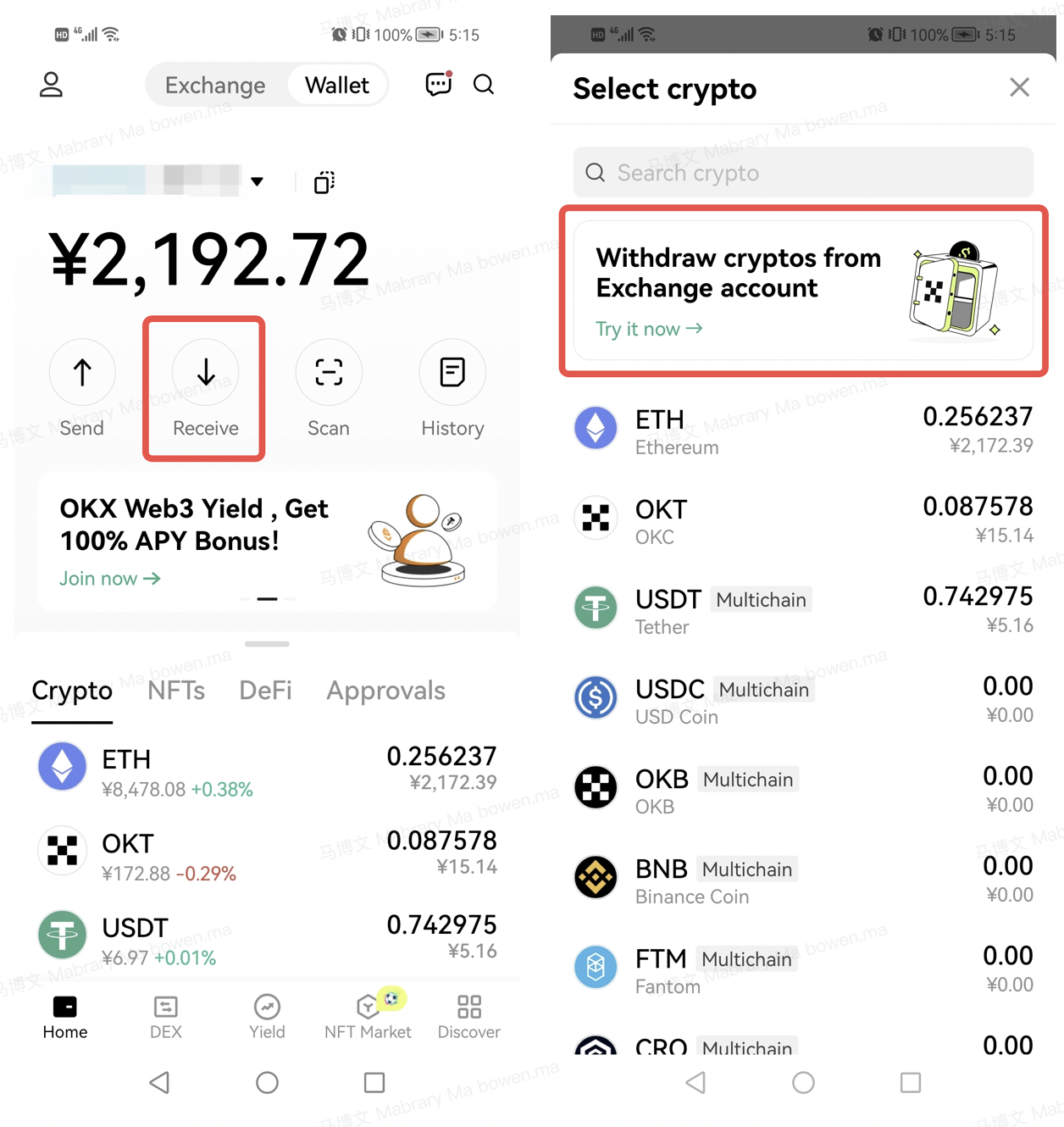
Select the crypto and network you want to withdraw, enter an amount, and complete security verification to withdraw.
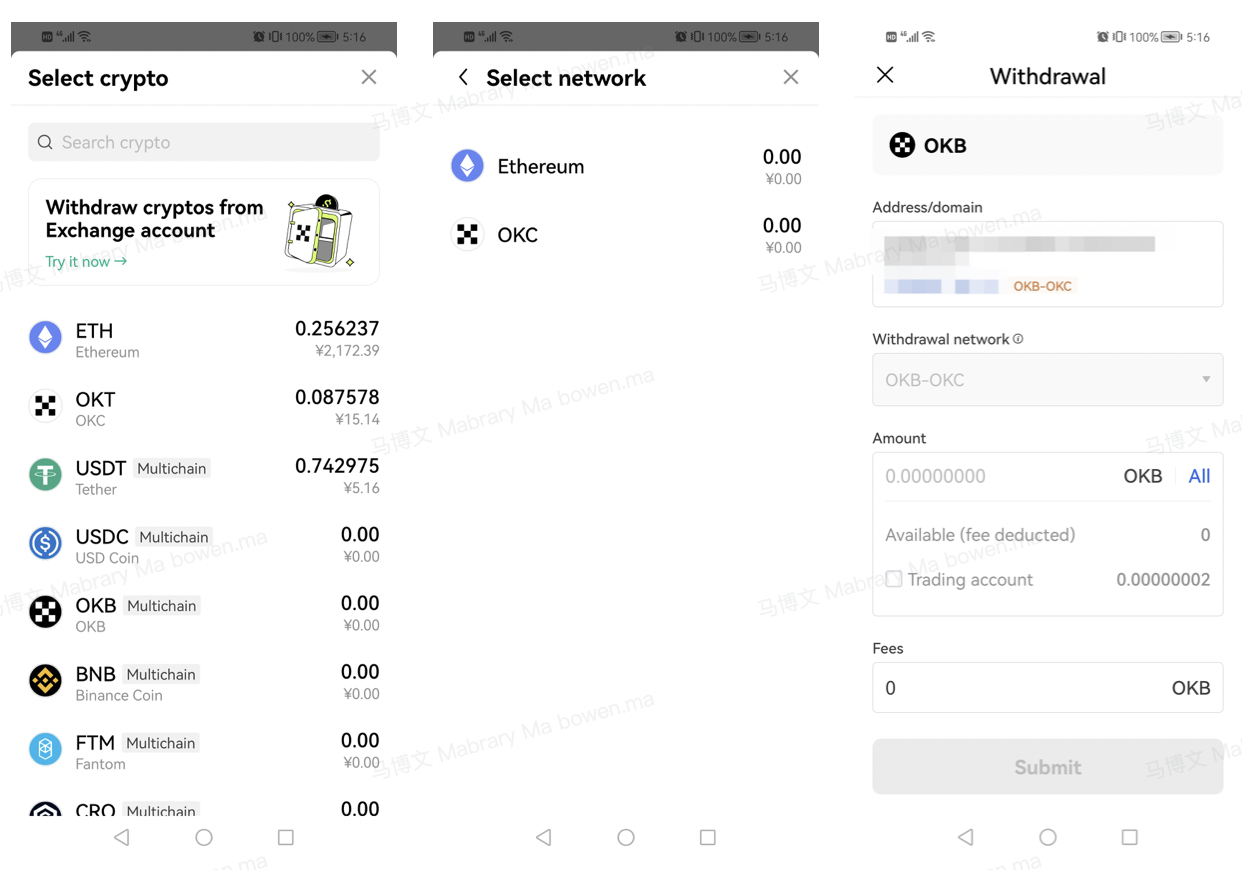
If you don't have a wallet, you can read the tutorial to create or import one.
2. Deposit crypto to Exchange account with OKX Wallet
Click Send on the Wallet homepage and select the crypto you want to deposit.
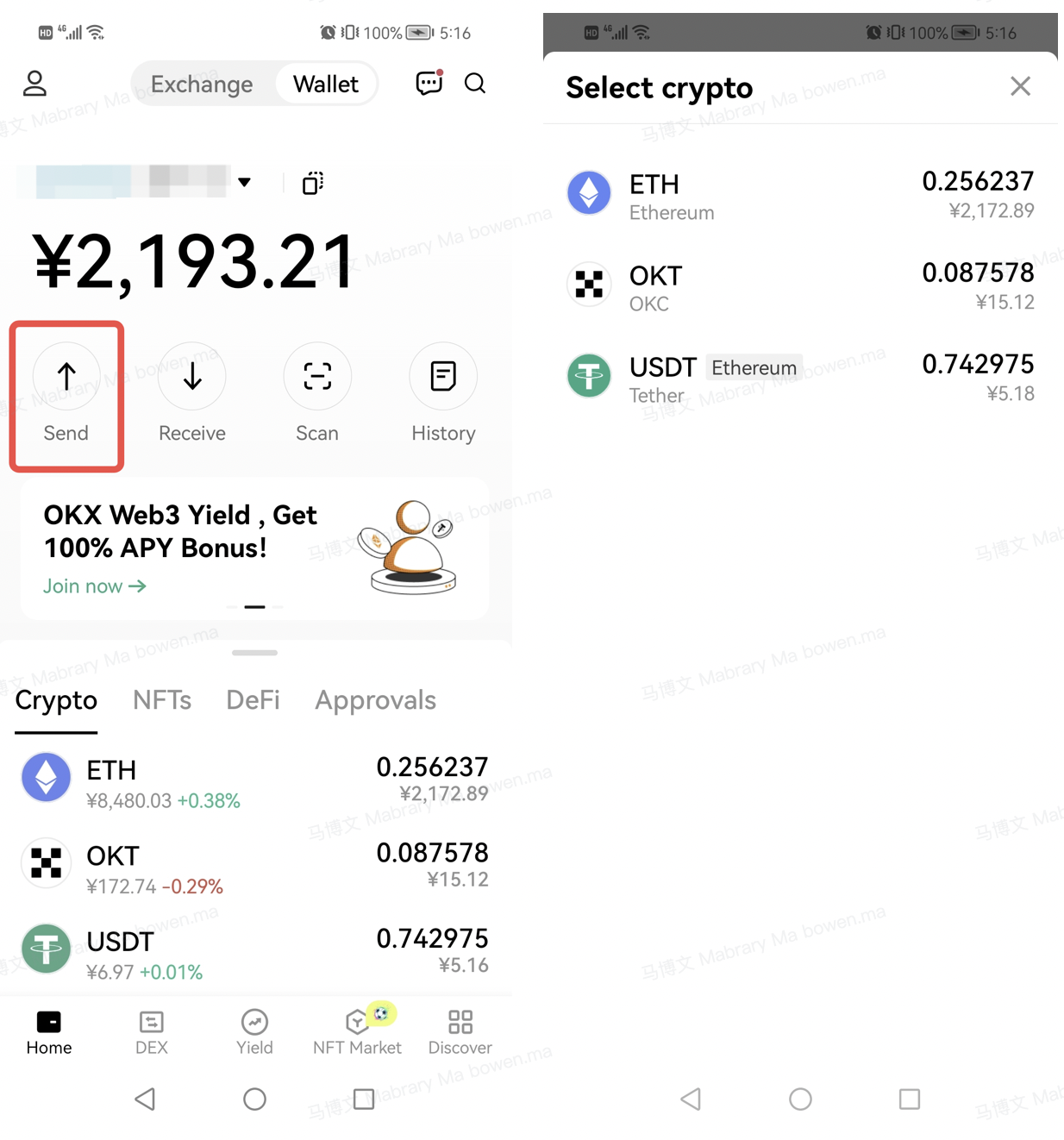
If you've logged into an Exchange account, you can select the correct deposit address and enter an amount to deposit.
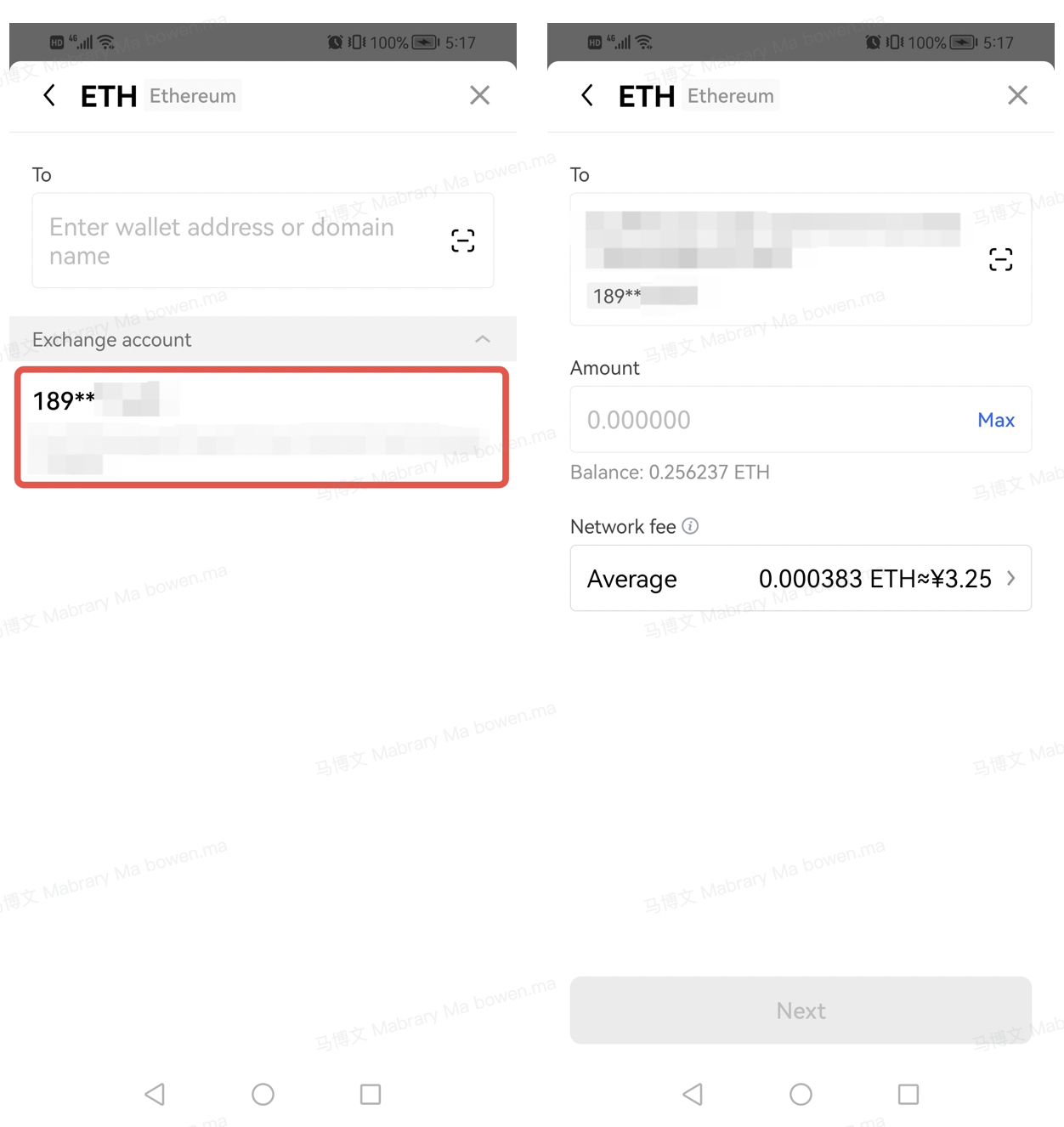
You only need to pay a network fee (such as gas) to make an on-chain transfer. OKX won't charge you any additional fees.
Stay tuned to CoinCarp Social Media and Discuss with Us:
X (Twitter) | Telegram | Reddit
Download CoinCarp App Now: https://www.coincarp.com/app/


