
Chọn loại tiền tệ
Tiền pháp định
Các loại tiền điện tử
Không có kết quả cho ""
Chúng tôi không thể tìm thấy bất cứ thứ gì trùng khớp với tìm kiếm của bạn.Hãy thử lại bằng một cụm từ khác.
How to Activate ALGO Token Address

Part 1. Why an Activated Address is Required to Withdraw ALGO Network Tokens
Due to the special transfer mechanism of the ALGO network, withdrawal addresses must have ALGO assets manually added before they can receive any other assets on the Algorand blockchain (YLDY/OPUL/USDC-ALGO, etc.). Before adding a new asset, you must ensure there is ALGO in the account, as a transaction fee will be charged for the addition. If your withdrawal address does not have an active asset, then you will not be able to withdraw.
Part 2. How To Check Whether a Token Address Has Been Activated
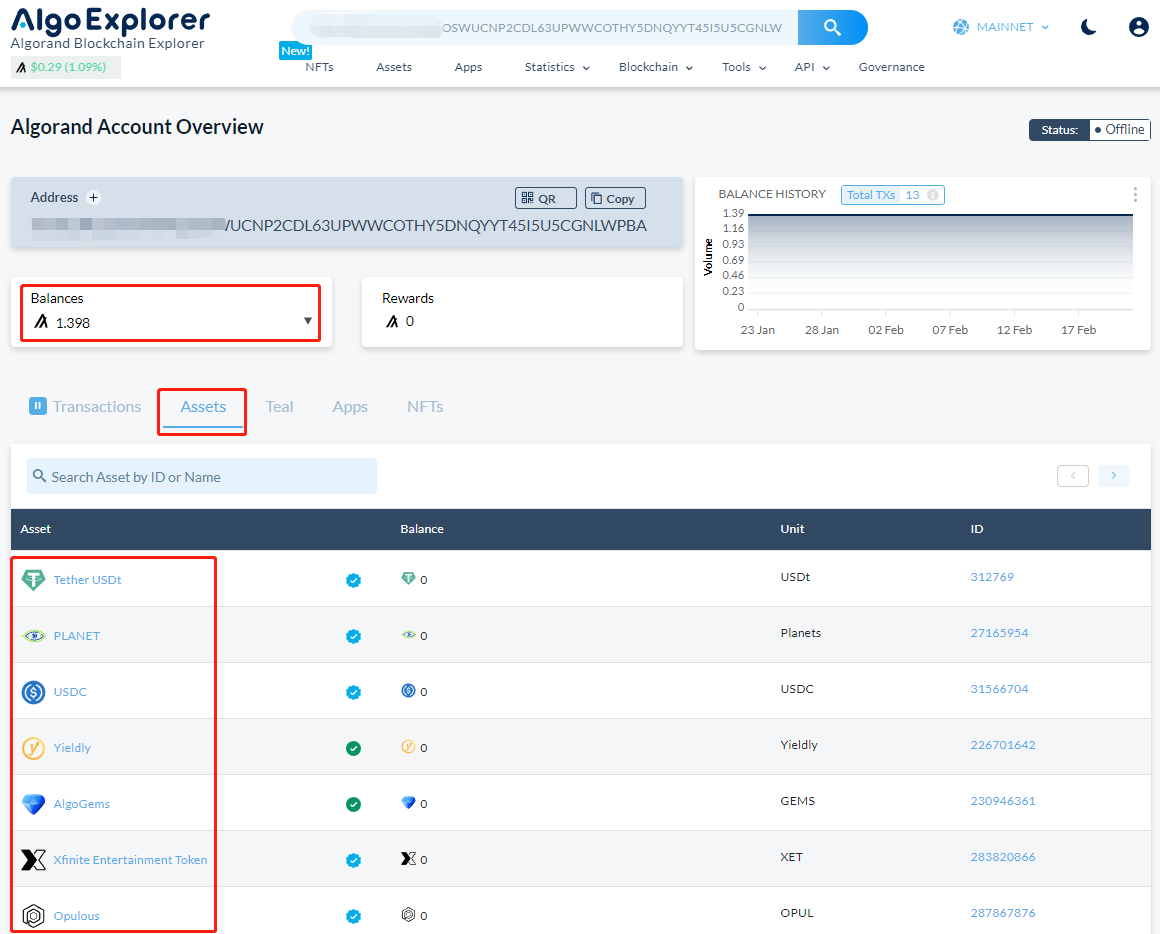
A. Status: Actived
You can search for your address on the ALGO Blockchain Browser: https://algoexplorer.io/ and check if the corresponding asset is activated. In the image below, a transfer record exists for the address and activated tokens have been added, meaning tokens can be transferred to the address.
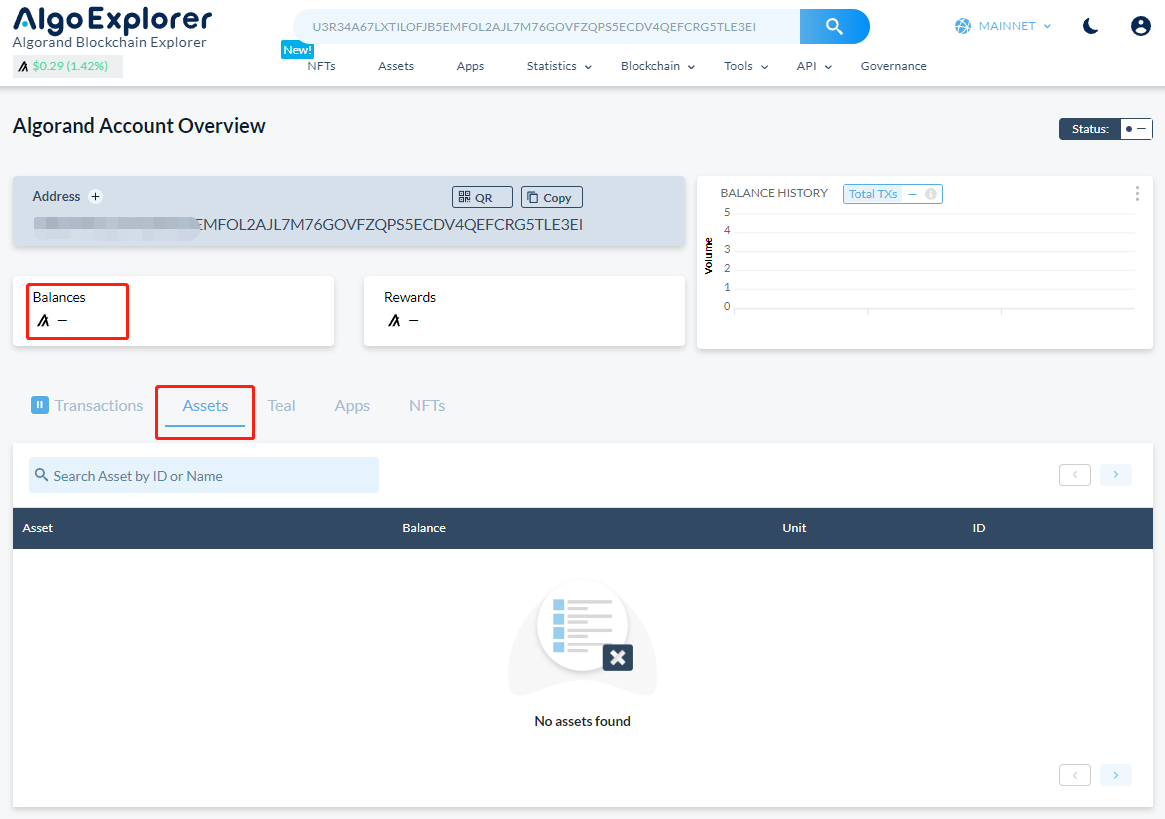
- B. Status: Not Activated
Search for your address on the ALGO Block Browser: https://algoexplorer.io/ and check if the corresponding assets are activated. In the image below, the address does not have any transfer records and the [Assets] tab is empty, meaning no ALGO has been added to the address.
Part 3. How to Add Assets to ALGO Network Addresses
Navigate to Algorand's official website to find a list of wallets supported by the project.
Address:https://www.algorand.foundation/the-algo
The following example uses PERA WALLET.
Wallet Address:https://perawallet.app/
You can choose web wallet or app wallet.
The following activation tutorial uses PERA WALLET
- First, install the wallet and create an account, then transfer ALGO to the address of the created account (at least 0.2 tokens) by clicking [Add Token].
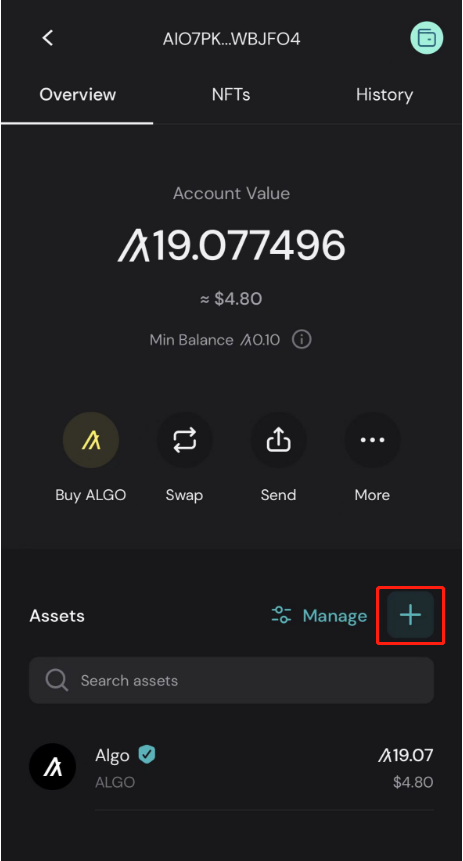
- There are two ways to add, by directly selecting or by adding a futures contract.
- Add Directly
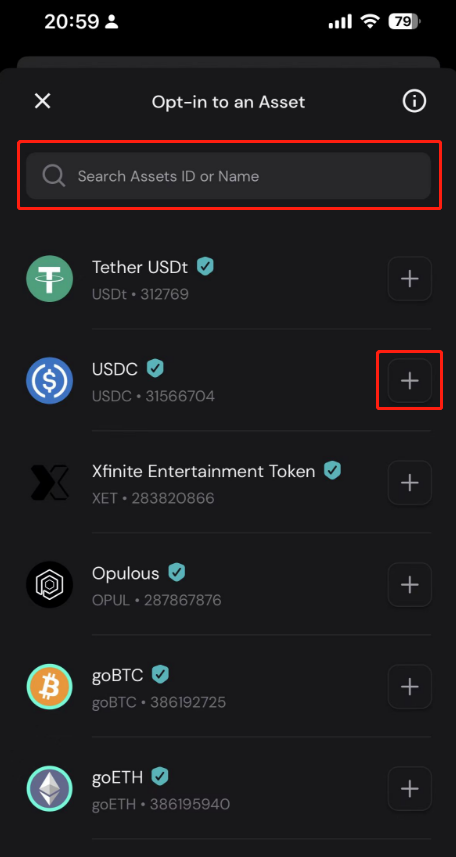
- Add futures contracts manually
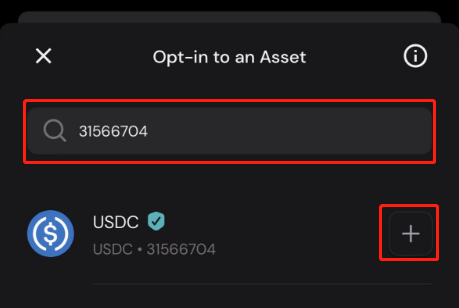
- Select or add the corresponding asset, and the wallet will populate the relevant parameters.
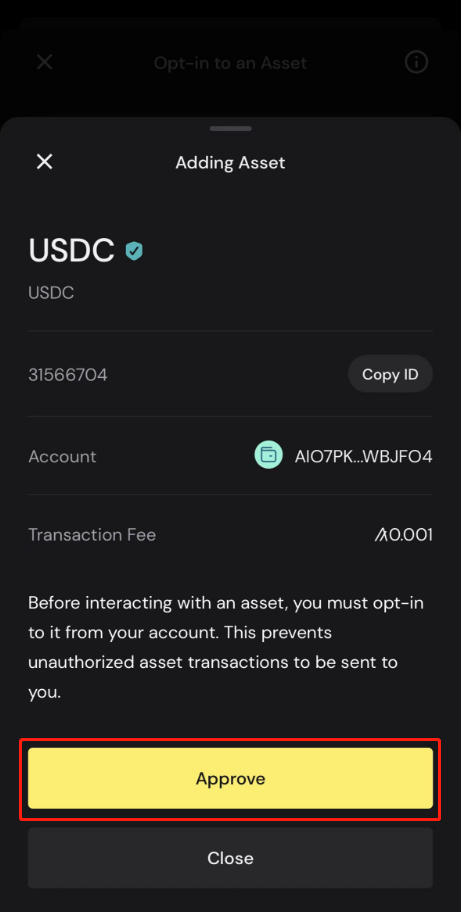
- Click [Approve] to add.
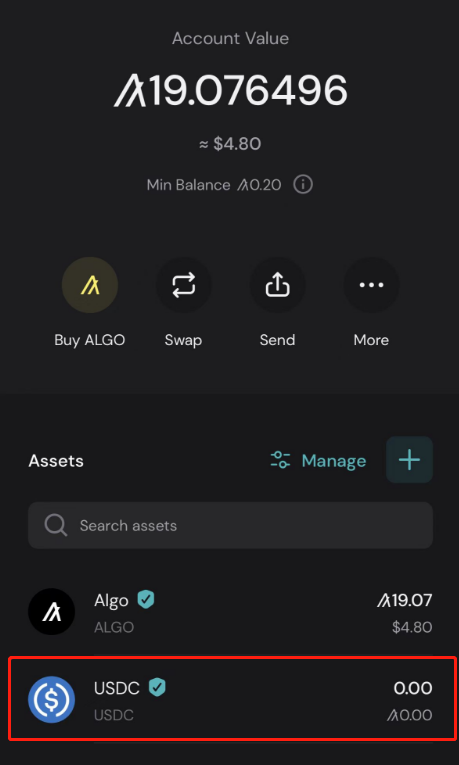
Part 4. Important Notes
- You must have at least 0.2 ALGO in the address before adding other assets.
- When adding assets, you can search by asset name or asset ID. Make sure the asset name and ID match. For example, YLDY's ASSET ID is: 226701642.
- This tutorial only explains how to activate ALGO tokens. It does not represent an endorsement of the project. Use discretion to distinguish authentic tokens when operating.
Tìm chúng tôi trên:
X (Twitter) | Telegram | Reddit
Tải xuống ứng dụng CoinCarp ngay bây giờ: https://www.coincarp.com/app/


